1
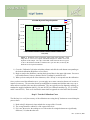
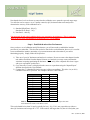
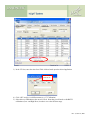
3) In the CF1 box, enter the value from Table 4 below based upon the desired application
Enter “0.84”
here for CT
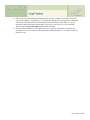
4) Click “OK” and give it a different name (e.g. CT Calibration)
5) Select this new calibration as the one to be used. Note that you will need to edit BOTH
calibrations (Low- and High-Dose) in order to cover the full dose range.
Rev. 2, June 10, 2009