1
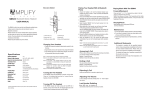
2. Pairing with Bluetooth devices How to enter pairing mode Function Operation Entering pairing mode Make sure the receiver is off, press and hold button for about 5~7 seconds, and do not release it until red and blue LEDs flashes alternately Note: The pairing mode will last 2 minutes. The receiver will automatically switch to standby mode if no devices can be connected within 2 minutes. Pairing with a Bluetooth cell phone Please make sure your cell phone is Bluetooth-enabled. Specific pairing steps may vary with different models of cell phones. Please refer to your cell phone’s user’s manual for further information. The general pairing steps are as follows: 1) Keep the receiver and Bluetooth cell phone within 1 meter when pairing; 2) Enter the receiver’s pairing mode (refer to “How to enter pairing mode”); 3) Active your cell phone’s Bluetooth function and set your cell phone to search for Bluetooth devices within range. After the search is completed, select “DA-30501” from the list of devices shown; 4) According to the indication, enter password or PIN No:“0000”; 5) If prompted by your cell phone to connect, select “Yes”; 6) After successful connecting, blue LED of the receiver will flash twice every 4 seconds. Notes: If the pairing is failed, please switch off the receiver and re-pair according to steps 1~6 mentioned above. After pairing is successful, the receiver and the cell phone will remember each other, they will no need to re-pair next time. The receiver can remember 8 paired devices, when the number of paired devices exceeds 8, the first one will be replaced. Every time the receiver is switched on, it will connect to the last connected device automatically. If you want to pair it to other devices, please turn off the current device’s Bluetooth function first and try to pair the receiver to the new device according to steps 1~6 mentioned above. 6