1
TELSEC® ESB
Programmer’s Manual
<FIRST|SECOND|THIRD|FOURTH|LAST>
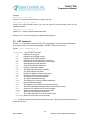
To specify the position in the month.
<DOW> To specify which Day Of the Week DLS occurs.
<MONTH>
Enter the month of daylight savings.
The word NONE can be entered for no DLS clock adjustment.
2.4.5 SET ID
The Set ID command is used to set the system identification. There are three lines available for
the user to change.
Syntax: SET ID <IDNUMBER> <’ID STRING’>
®
SET ID <IDNUMBER>: A number from 1 to 3. The TELSEC actually has four (4) ID strings
but the fourth is unchangeable.
®
<’ID STRING’>: A string of alphanumeric characters used to identify this particular TELSEC
site. The ID strings are displayed during all call-ins and call-outs. The maximum length is 78
characters and the string must be enclosed within single quotes (‘).
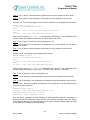
Example:
SET ID 1 ‘CEV#1001’
SET ID 2 ‘PALMETTO, FLORIDA’
SET ID 3 ‘INSTALLED DECEMBER 15, 1999’
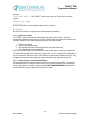
Default:
SET ID
SET ID
SET ID
SET ID
1
2
3
4
‘TELSEC ESB’
‘QUEST CONTROLS, INC.’
‘PALMETTO, FL’
‘REV X.X - RELEASE DATE’
2.4.6 SET LIST:
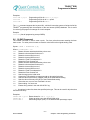
SET LIST establishes the format for how equations will be displayed when they are listed for
viewing.
Syntax:
SET LIST <NUMBER|NAME|NONE>
<NUMBER|NAME|NONE>:
NAME:
Equations will list using the format PT.NAME. (Example: UIN.OUTAIR)
NUMBER:
Equations will list using the format PT.NUMBER. (Example: UIN.3)
NONE:
Equations will list using the format NAME. (Example: OUTAIR)
Default: NUMBER
2.4.7 SET MAIL:
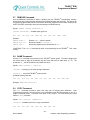
SET MAIL is used to store information about the site or to communicate with other techs. This
information is displayed with the LIST MAIL command. The MAIL field is also displayed after
the system ID on modem dial in.
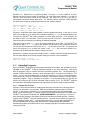
Syntax: SET MAIL <MAILNUMBER> <’MAIL STRING’>
<MAILNUMBER>: A number from one (1) to four (4).
– 15 –
Rev 1.0 02/06/08
Chapter 2 – Basic Programming Commands