1
Maximailer Plus
User Manual
5.2 The Barcode/Label Screen (contd.)
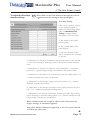
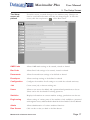
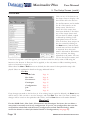
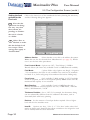
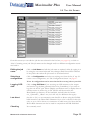
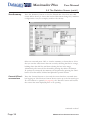
Data log enabled: If selected, a record of the movements of each group
will be retained in a log file which can be viewed later in the Statistics
screen. This data can then be used to compare the original number of
documents with the number of processed envelopes. Choose whether to log
from the label on the first page of a group, or the last. For details of Data
Logging and the Statistics screen, see page 37.
Divert oversize group: If set to ‘Yes’, groups that are too large to fold
will be fed into the divert tray (if fitted) without stopping the machine. If
no tray is fitted, the machine will stop with the group in the accumulator.
Divert blank sheet: As above, but applying to sheets with no label.
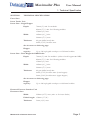
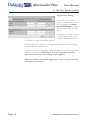
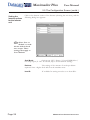
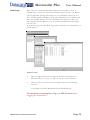
Data logging characters: If data logging is being used, click on and enter
the start character position and number of characters. See also page 37.
Customer ID characters: Customer ID can be used for grouping, as an
alternative to the Grouping character. Each form within a group is printed
with the same character(s), with each group using a different character(s).
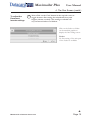
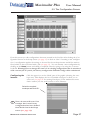
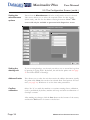
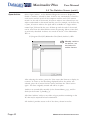
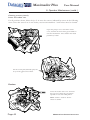
Editing the
settings for
BCS characters.
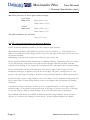
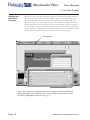
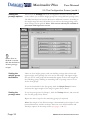
Click on and enter the start position and character length of each function,
either by typing it in the ‘Enter Value’ box, or by using the on-screen
keypad. Number 1 is the first mark from the leading edge. ‘0’ (zero) means
that character is not used. Note: a minimum of 4 characters must be used.
See also ‘Barcode Specification for Maximailer Plus’.
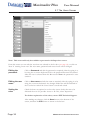
Security
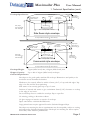
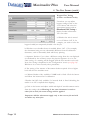
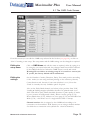
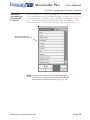
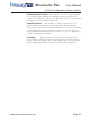
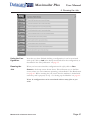
Form sequence within a Job: This is used to ensure that forms are
processed through the inserter in the same order that they were printed, and
that there are no missing forms. This is achieved by coding each form as it
is printed with the alphabetic characters A,B,C......Z. The sequence then
restarts at A again. When the forms are read by the barcode reader any
deviation from the correct order is detected and an error produced.
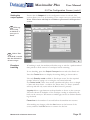
Set the start character position, and whether Incrementing (A - Z), or
decrementing (Z - A).
Form sequence within a Group: As above, but A,B,C.....Z are printed on
each form within the group, then repeated for the next group. Note: if both
Job and Group security are used, Direction must the same for each.
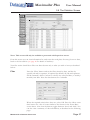
After making any changes, click the Save button at the bottom of the
screen, and then the Exit button to return to the list box.
Page 22
MAXIMAILER PLUS OPERATING INSTRUCTIONS