1
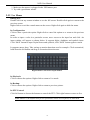
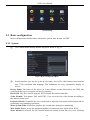
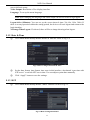
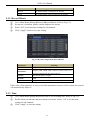
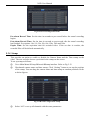
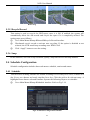
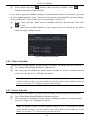
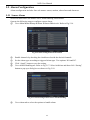
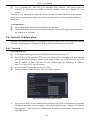
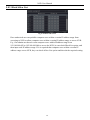
NVR User Manual System Setup 5.1 Basic configuration Basic configuration includes three sub menus: system, date & time and DST. 5.1.1 System ① Go to Main MenuSetupBasicSystem. Refer to Fig 5-3. Fig 5-3 Basic Configuration-Basic ② In this interface you can set up the device name, device ID, video format, max network user, VGA resolution and language. The definitions for every parameters display as below: Device Name: The name of the device as it may display on the client end or on CMS, this would help the user to recognize the device remotely. Device ID: This ID is used to map the NVR with the IR remote controller. Video Format: Two modes: PAL and NTSC. User can select the video format according to the cameras being used. Password Check: If enabled the user would need to input the user name and the password for performing corresponding operations. Show System Time: If selected, displays the current time during live monitoring. Max Online Users: To set the maximum number of concurrent user logins in the NVR. Show wizard: If selected, the GUI would launch the startup wizard on every boot, allowing 16