1
3
Installation
3. Locate an empty ISA slot for CU-900 and UNICORN Control
Board, AT expansion cards. Locate an empty PCI slot for CU-900
PCI cards.
4. Take the expansion card out of the anti-static bag. Handle the card
by its edges, and avoid touching the electronic components as far
as possible, because discharges of static electricity can permanently
damage electronic components on the card. If you are working in
a room where static electricity tends to build up, discharge any
electricity from your body by touching an earthed metal surface
(e.g. a water tap or radiator) before handling the card.
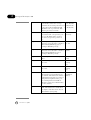
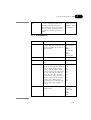
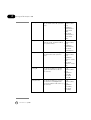
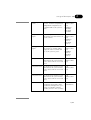
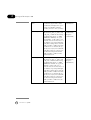
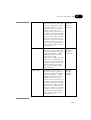
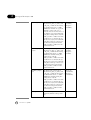
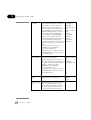
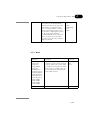
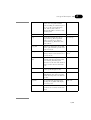
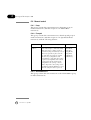
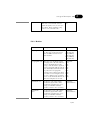
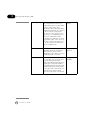
5. Settings for CU-900 and UNICORN Control Board, AT
expansion cards:
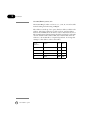
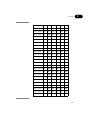
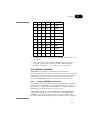
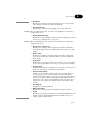
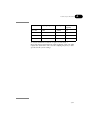
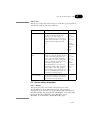
Two settings that are made on the expansion cards are for interrupt (IRQ) and address. These settings must be entered in the UNICORN software installation so that UNICORN can find the
systems when started. To see which settings the card has, look at
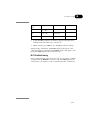
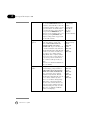
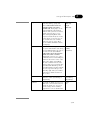
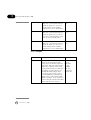
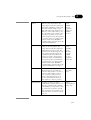
the card and compare it with the tables below. The IRQ is set by a
jumper and the address is set with a dip-switch. Write down the
settings and set aside for future use.
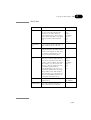
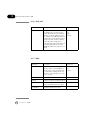
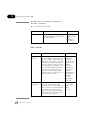
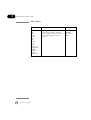
Settings for CU-900 PCI expansion cards:
Set the control unit (CU) on the expansion card. This setting must
be entered in the UNICORN software installation so that UNICORN can find the systems when started.
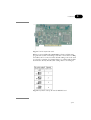
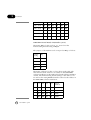
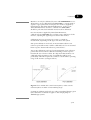
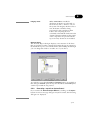
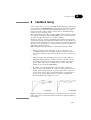
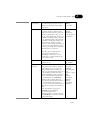
The CU is set with a dip switch. To see which CU that is set, look
at the expansion card and compare it with Figs 3-1 and 3-2. Write
down the number of the CU that is set on a paper and set aside for
future use. When you are installing the UNICORN software and
the setup program is asking for the card settings, enter the correct
value for the selected CU. Write down the settings on a paper for
future use.
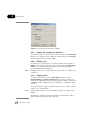
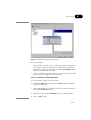
Special for CU-900 PCI and Windows 2000:
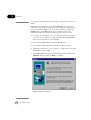
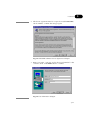
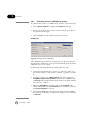
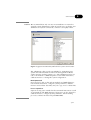
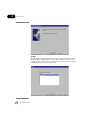
Windows 2000 can auto detect the new card when the system is
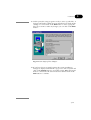
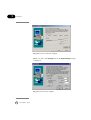
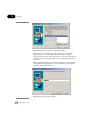
booted and the “Add new hardware”-wizard is started. The information used to install the CU-900 PCI card on Windows 200
(Using the “Add new hardware”-wizard) is found at
(Cu900pci.inf) in the folder \\Drivers\Cu900pci\ on
the CD-ROM.
um
18-1150-11 • p20