1
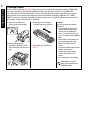
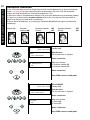
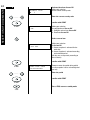
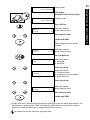
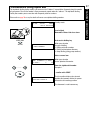
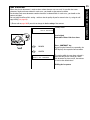
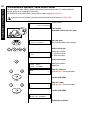
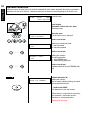
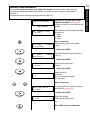
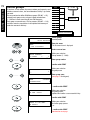
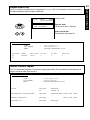
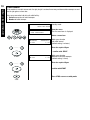
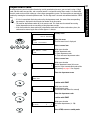
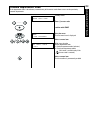
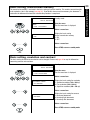
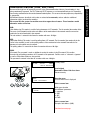
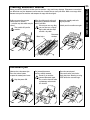
Clearing a paper jam 80:
Clearing a paper
jam 90:
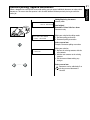
Follow the instructions for paper
jam 80.
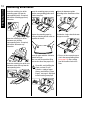
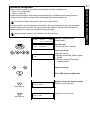
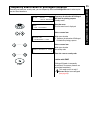
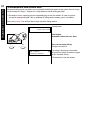
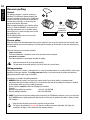
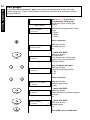
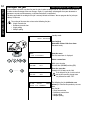
Open the paper exit tray by
pressing the lock on the machine
housing (green marking) and
subsequently raising the tray.
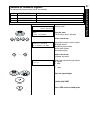
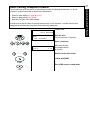
Remove the developer assembly
by withdrawing it from the fax
machine by the green grip.
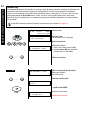
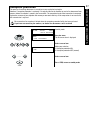
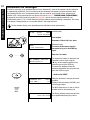
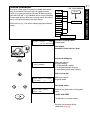
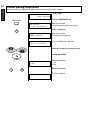
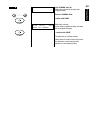
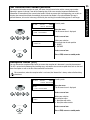
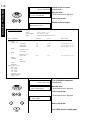
Now pull the paper up and out of
the fax machine as illustrated in
the diagram. If necessary, remove
pressure from the lower contact
roller by pushing down on the roller
mount. Avoid tearing the paper in
this context.
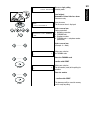
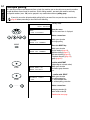
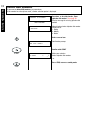
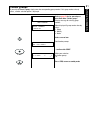
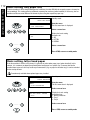
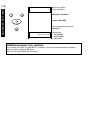
Subsequently extract the drum unit
from the fax machine by the green
grip.
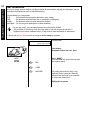
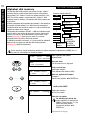
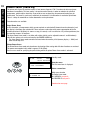
If the paper has been picked up
by the setting roller, pull the
paper out of the setting station by
the trailing edge in the direction of
the arrow. Avoid tearing the paper
in this context.
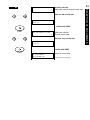
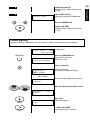
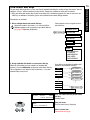
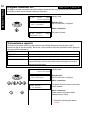
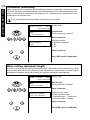
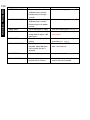
Open the paper guide (green point)
and hold in a raised position.
Pull the jammed paper out of the
machine.
127
POSSIBLE PROBLEMS
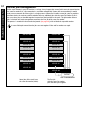
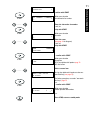
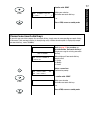
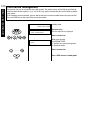
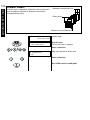
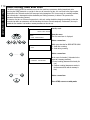
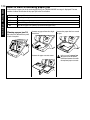
Open the fax machine by pressing
the release button.
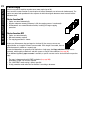
If the paper has not yet been
picked up by the setting roller,
fold back the leading edge of the
paper as shown in the sketch in
order to get a better grip.