1
15-03
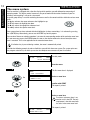
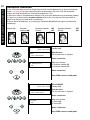
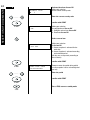
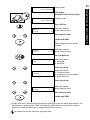
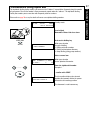
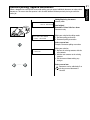
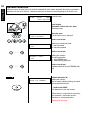
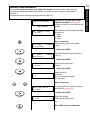
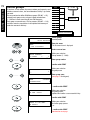
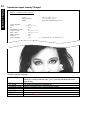
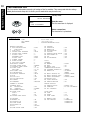
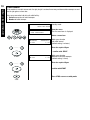
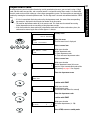
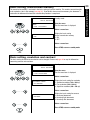
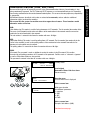
Standby mode
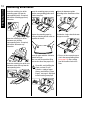
Load original
Remember: Printed side face down
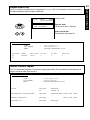
15-03
19:56
100%
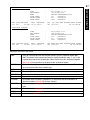
AUTO RECEIVE
Document ready
Press COPY key
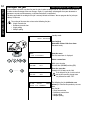
COPY
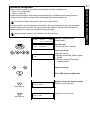
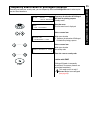
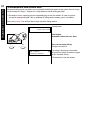
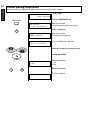
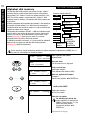
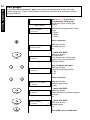
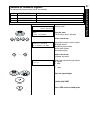
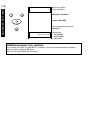
COPIES
(1-99)
->
[ 1]
Make your selection
for the number of copies
Enter amount of copies
.....
confirm with START
or
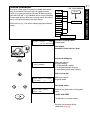
(when sorting and/or accessing the
cassette)
START
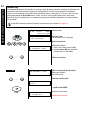
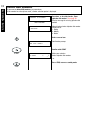
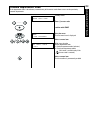
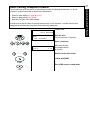
COPIES
(1-99)
->
[ 1]
Make your selection
for the number of copies
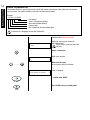
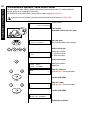
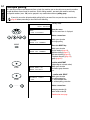
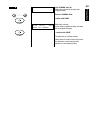
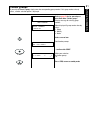
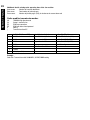
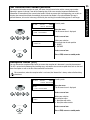
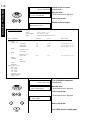
Press the Menu key
Make your selection
1. Sorting ON
2. Sorting OFF
SORT COPY
1.ON
Select a menu item
.....
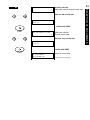
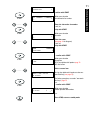
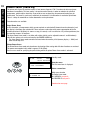
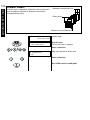
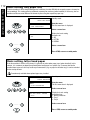
Make your selection
1. First paper cassette
2. Second paper cassette (optional)
3. Single-sheet feed *
PAPER CASSETTE
1.TRAY 1
Select a menu item
.....
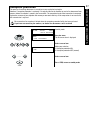
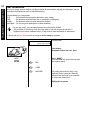
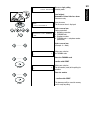
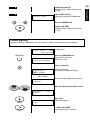
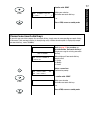
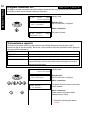
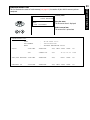
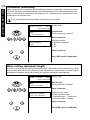
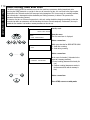
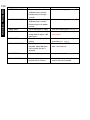
COPIES
(1-99)
->
[ 1]
.....
Make your selection
for the number of copies
Enter amount of copies
confirm with START
START
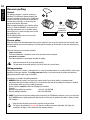
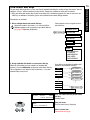
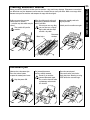
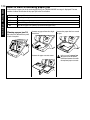
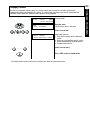
*) If single-sheet feed is selected, you have the option of specifying the paper size and the paper thickness. The
paper thickness is generally set to ”THICK” if envelopes or similar materials are being used. If no paper is
located in the single-sheet feed, paper is automatically taken from cassette 1.
Please only ever pace one sheet in the single-sheet feed!
29
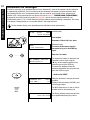
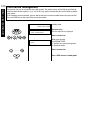
RECEPTION OF DOCUMENTS
19:56
100%
AUTO RECEIVE