1
Table of Contents
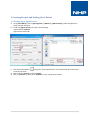
1 Creating Project and Setting Up of Driver............................................................................................ 2
1.1 Setting up of Agent Server ............................................................................................................ 2
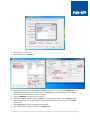
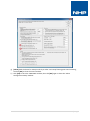
1.2 Setting Up of Driver....................................................................................................................... 3
2 Starting Agent Server and Smart UI Service Manager ......................................................................... 5
2.1 Starting Agent Server .................................................................................................................... 5
2.2 Starting Smart UI Service Manager ............................................................................................... 5
3 Adroit Smart UI Designer ..................................................................................................................... 6
3.1 Login on to Adroit Smart UI Designer ........................................................................................... 6
3.2 Creating New Project and New Graphic Form .............................................................................. 7
3.3 Creating and Scanning Tag to Display Value ................................................................................. 8
3.4 Creating Label to Display Value .................................................................................................. 10
3.5 Creating and Scanning Tag to Write Value ................................................................................. 12
3.6 Creating Button to Write Value .................................................................................................. 14
1|Page