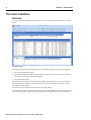
1
Chapter 1: Introduction
4
Valuation,Cash Flow,Analysis
Reports
TENURES
Freehold, Leaseholds
Ground Leases and Ground Rents
TENANTS and UNITS
Occupiers and Vacancies
Floor Areas, Leases, Rents, Costs
System level
Portfolio level
Property Level
Defaults
Costs
3
3
3
3
Areas
3
Valuation
3
3
3
Tenures
Tenant Level
Leases
& Rents
3
3
3
Performance
3
3
3
Cash
Flow
3
3
Reports
3
3
3
3
3
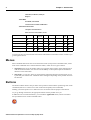
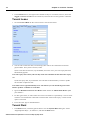
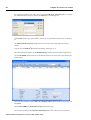
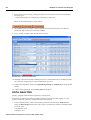
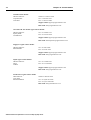
Table showing basic operations at each level
At each level there are sub-branches and common shared functions and these will be evident as you
go through the lessons.
Menus
Most commands and actions can be accessed from a menu (except in the Command Centre, where
most of the commands can be selected from the toolbar). There are two types of menus.
1. Top menus at the top of the window where you point the mouse pointer on the name and click
with the left mouse button. You can also use the Alt key on the keyboard plus the underlined
character on the menu name.
2. Sub-menus, or “pop-ups” when you click with the right mouse button when the pointer is over
a particular part of the screen. A different menu will appear depending on the possible activities
for that item.
Buttons
The button toolbars that are seen just below the top menus contain buttons representing some of the
commands (these act as a short-cut to some of the more frequently used commands).
Holding your mouse pointer over a button for a few seconds reveals the purpose of the button.
As you go through each lesson, the appropriate buttons will be pointed out to you.
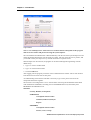
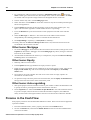
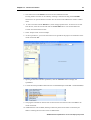
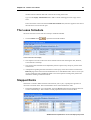
In addition to the conventional buttons, you can find the Application button, which is located in
the top left-hand corner of the Command Centre:
ARGUS Valuation-Capitalisation version 2.50 Step-by-Step Guide