1
Chapter 4: Lesson 2: Tenants
15
Adding a new tenant
To add a new tenant
There are several ways of adding tenants.
•
In the Command Centre;
•
From inside any Tenant record;
•
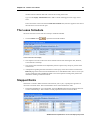
From the Tenancy Schedule;
•
From inside the Quick Valuer.
These various screens will be encountered in these lessons, but we shall use the Command Centre
option for now.
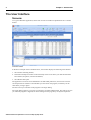
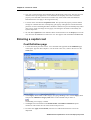
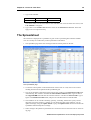
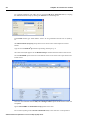
1. In the Command Centre, click on the Tenants listing box to ensure it is focused and click on the
New button.
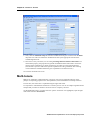
2. You will now see the new tenant record. The fields are not blank. They are filled in with the
content of the default tenant record associated with the Property Template. If the Property
Template holds more than one tenant, these form a list of Tenant Template records and you will
be asked to choose one.
Setting up a tenant record
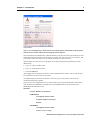
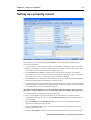
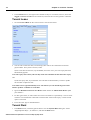
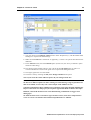
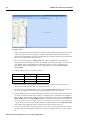
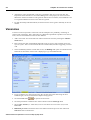
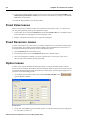
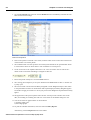
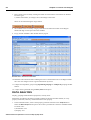
Tenant record screen - Name & Status page
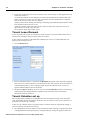
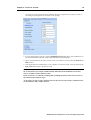
The tenant record is divided into four paged sections. For now, we will assume a valid tenancy for
this unit.
Tenant Name and Status
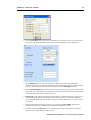
1. On the first page, Name & Status, fill in the tenant name such as “Acme Chemists Ltd” and
enter (for example), “Front Unit”, in the description field (optional).
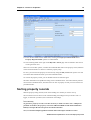
2. Leave all the other fields in the Name section blank or on the current settings. These are used
for analysis and printouts.
ARGUS Valuation-Capitalisation version 2.50 Step-by-Step Guide