1
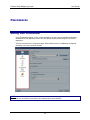
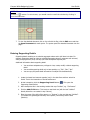
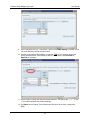
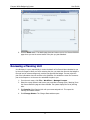
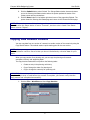
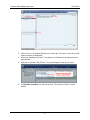
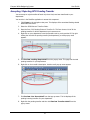
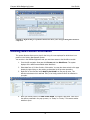
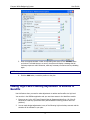
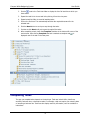
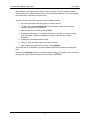
Campus-Wide Budgeting System User Guide 6. Click Save ( ) to close the Adjust Data window and to save the adjusted data as part of the data form. Cut, Copy Paste Features If your Web browser is Microsoft Internet Explorer 5.5 or later, you can copy and paste data values from one data form to another data form or from an application such as Microsoft Excel to a data form. The following rules apply when you paste data into a form: If the size of the destination area is a multiple of the size of the copied area, data is repeatedly pasted into the destination area. For example, if you copy the contents of two rows and then select six rows, the system pastes the contents of the two rows three times, to fill the six destination rows. You cannot paste data into read-only cells. The system copies and pastes the stored values of cells, not the values that are determined by the precision setting. When you paste data into summary periods, the system applies spreading rules for each cell in succession, working from left to right and top to bottom. Therefore, the pasted data may not match the copied data. Copying and Pasting Data 1. Select an intersection on the data form. 2. Click the Copy button ( clipboard, click Yes. ). If the system asks you about allowing access to the 3. Select the remaining months for an account row by clicking the first cell and dragging the mouse to the last cell you want as the complete selection. 4. Click the Paste button ( data. 5. Click Save ( changes. ). The remaining months have changed to reflect the copied ) to commit the changes to the database or click Cancel to disregard the Saving and Refreshing Data When you save data, total are recalculated, and updated values are displayed for members that are calculated dynamically. When you refresh data, the system warns you that you will lose any unsaved data. If you continue with the refresh operation, the form is refreshed with the last saved values from the database; the last saved values replace all values that you entered but did not save. 44