Download Tality Manual

Transcript
9.
10.
11.
12.
13.
14.
15.
16.
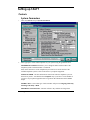
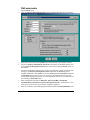
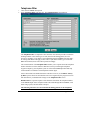
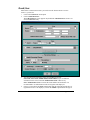
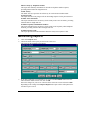
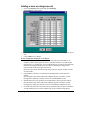
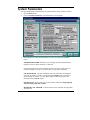
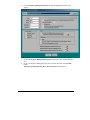
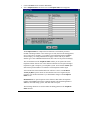
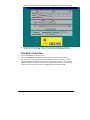
Select Print option:
Do Not Print - PMS data will not be sent to the printer at all (default setting).
Print All Posted and Unposted Records – PMS data will be sent to the PMS and the
printer at the same time.
Print Unposted Records Only - PMS data will be sent to the printer in the event that the
PMS link is broken or PMS is unavailable.
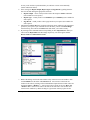
Depending on your Property Management System’s requirements check one of the 3
option buttons in the Flow Control option group.
No Flow Control – the Tality sends a record to PMS and does not require any
acknowledgement.
ACK/NAK – sending of a call record to PMS has to be acknowledged by Tality
software. This is a default value.
XON/XOFF – sending of a call record to PMS has to be acknowledged by hardware.
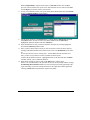
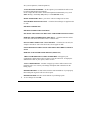
ENQ check box enables you to transmit the inquiry to the PMS system before the record
is sent to verify if the system is ready to receive data. This option is only available with
ACK/NAK type of flow control.
BCC Transmit Block Control Character after each call record
Maximum attempts to transmit call record…- how many times Tality will attempt to
send out the same call record. Available only for the ACK/NAK flow control.
Maximum time to wait for ACK/NAK (Secs)…. - how long Tality will wait for an
acknowledgment of record receipt form PMS. In case an acknowledging signal is not
received on time the record is regarded as not sent and Tality will attempt to send it out
again. That is the reason you should consider the take care when setting this option and
refer to the PMS documentation if necessary.
This option is available for the ACK/NAK flow control only.
Maximum delay between call records (Secs)…. - time interval TALITY will be waiting
before sending next record. This option is available for all sorts of flow control.
If you would like to save the settings click on OK or otherwise click on Cancel.
12 • Getting Started
TALITY