1
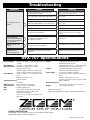
Troubleshooting
Symptom
Check
Remedy
• Is suitable AC adapter connected, and
power switch set to ON?
Make connections as described in "Getting
Connected" and turn power on.
• Is instrument connected correctly to INPUT
jack and playback equipment to OUTPUT jack?
Make connections as described in "Getting
Connected".
• Is shielded cable defective?
Try using another cable.
• Is amplifier turned on? Are level controls for
instrument and amplifier set to proper values?
Turn amplifier on and adjust volume to
proper level.
• Is GFX-707 set to mute condition?
Cancel the mute condition.
• Is OUTPUT knob turned down?
Set OUTPUT knob to proper position.
• Is expression pedal raised?
For some patches, the expression pedal
controls the volume. Set it to a suitable
position.
Sound of CD player or
other equipment
connected to INPUT jack
is not heard (sampling is
not carried out)
• Is output level of CD player set to
appropriate position?
Adjust level.
Rhythm pattern is not
played
• Is rhythm volume turned down?
Use PARM 3 knob to adjust the volume.
Expression pedal on/off
switching is not
performed properly
• Readjusting the pedal may correct the
problem.
Readjust pedal, as described on page 23.
No sound or very low
volume
GFX-707 Specifications
Effect Programs
48 types (43 effects + 4 amp simulator settings
+ ZNR)
Effect Modules
4 modules + amp simulator + ZNR
Sampler Function Maximum recording time: 6 seconds
Playback speed control
<MOD and REV modules are temporarily
turned off when sampler function is used>
Patch Memory
USER: 6 banks x 5 = 30 (rewritable, with
store)
PRESET: 6 banks x 5 = 30
Total 60 patches
Sampling Frequency
31.25 kHz
A/D Conversion
20-bit, 64-times oversampling
D/A Conversion
20-bit, 128-times oversampling
DSP
ZOOM original ZFx-2
Input
Guitar input: standard mono phone jack
(Nominal input level -20 dBm, input
impedance 470 kilohms)
Also serves as AUX IN for standard stereo
phone jack
Output
Combined line/headphone output
Standard stereo phone jack
(maximum output level = +3 dBm with output
load impedance of 10 kilohms or higher)
Display
6-position alphanumeric LED display
2-position 7-segment LED display
Power Supply
AC adapter (available separately)
9 V DC, center minus, 300 mA (ZOOM AD0006)
Batteries: IEC R6 (size AA) x 4
Continuous operation: approx. 14 hours (with
alkaline batteries)
External Dimensions
235 mm (W) x 189 mm (D) x 54 mm (H)
Weight
740 g (without batteries)
* 0 dBm = 0.775 Vrms
* Design and specifications subject to change without notice.
ZOOM CORPORATION
NOAH Bldg., 2-10-2, Miyanishi-cho, Fuchu-shi, Tokyo 183-0022, Japan
PHONE: 042-369-7116 FAX: 042-369-7115
Printed in Japan 707-5000