1
Klinkmann Automation Unitronics Vision Server
i
Table Of Contents
Overview ......................................................................................................................... 1
Communication Protocols ............................................................................................... 2
Accessing Remote Items via the Server.......................................................................... 3
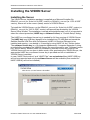
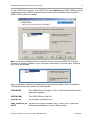
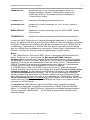
Installing the VISION Server ........................................................................................... 4
Installing the Server .................................................................................................... 4
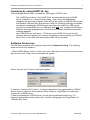
Licensing by using HASP HL key................................................................................ 7
Software license key ................................................................................................... 7
Transferring the software license to other computer ............................................... 8
Installing the I/O Server Infrastructure ........................................................................ 10
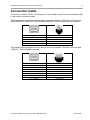
Connection Cable ............................................................................................................ 11
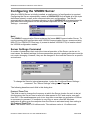
Configuring the VISION Server ....................................................................................... 12
Server Settings Command .......................................................................................... 12
Node Definition Command .......................................................................................... 14
Saving VISION Configuration File ............................................................................... 20
Configuration File Location ......................................................................................... 21
Topic Definition Command .......................................................................................... 21
Item Names ..................................................................................................................... 26
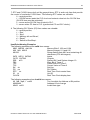
VISION 120/130/230/260/280/290BW/530 ................................................................. 26
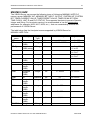
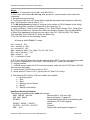
VISION 290/350/570/1040/1210 ................................................................................. 27
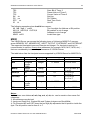
M90/M91/JAZZ ........................................................................................................... 31
M200 ........................................................................................................................... 33
Monitoring and Controlling Communication with a PLC .............................................. 34
Using the VISION Server with Suite Link and DDE Clients ............................................. 36
Using the VISION Server with InTouch ....................................................................... 36
Defining the Access Names .................................................................................... 36
Defining the Tag names .......................................................................................... 39
Monitoring the Status of Communication with InTouch ........................................... 41
Notes on Using Microsoft Excel .................................................................................. 41
Reading Values into Excel Spreadsheets ............................................................... 41
Writing Values to VISION Points ............................................................................ 42
Using the VISION Server with OPC Clients .................................................................... 43
Configuring DCOM ...................................................................................................... 43
Firewall ................................................................................................................... 43
VISION OPC Server settings .................................................................................. 44
OPCEnum settings ................................................................................................. 46
OPC Client side settings ......................................................................................... 47
Running VISION “OPC & DDE” version as Windows Service ..................................... 49
Using VISION with OPCLink Server ........................................................................... 49
OPCLink Topic Definition ........................................................................................ 49
Accessing VISION Items via the OPCLink Server .................................................. 51
Troubleshooting .............................................................................................................. 52
WIN.INI entries............................................................................................................ 52
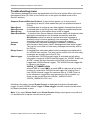
Troubleshooting menu ................................................................................................ 54
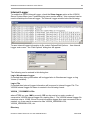
Internal Logger ............................................................................................................ 55
Unitronics Vision Server Ver 3.x User Manual Rev 2.6
4401xm26