1
Klinkmann Automation Unitronics Vision Server
49
Note!
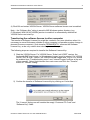
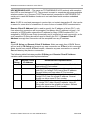
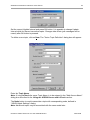
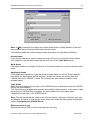
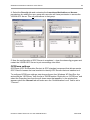
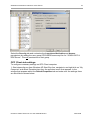
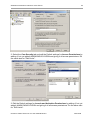
In case the ”Edit Limits” selections are not available (grayed) that would mean the DCOM
Security Options for some reason have Security Setting other than ”Not defined”. To
correct that: select Control Panel/ Administrative Tools/Local Security Policy and select
Local Policies/Security Options in ”Local ”Security Settings” dialog box; select, right click
and invoke Properties for ”DCOM: Machine Access Restrictions... ” and ”DCOM: Machine
Launch Restrictions... ” and change their ”Security Setting” to ”Not defined”.
4. Now the configuration of OPC Client side is is completed – close the dcomcnfg
program and restart the OPC Client.
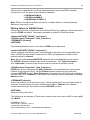
Running VISION “OPC & DDE” version as Windows Service
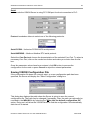
To install VISION Server “OPC & DDE” version to run as Windows Service, the VISION
Server must be started with command line parameter "/Service":
VISION /Service
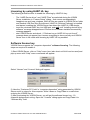
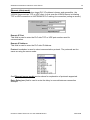
After this the “VISION OPC & DDE Server” Service will be installed with Startup type
“Manual”. The Service Startup configuration can be changed by MS Windows XP Control
Panel/Administrative Tools/Services configuration. The Allow service to interact with
desktop checkbox in “Log On” tab must be checked (the “Log On” tab can be invoked
from Poperties item from the pull down menu that appears when right clicking on VISION
OPC & DDE Server Service). If Allow service to interact with desktop is not selected
then VISION Server full functionality is not ensured (e.g. the Server configuration can not
be changed, no message boxes will be displayed, etc.).
To uninstall “VISION OPC & DDE Server” Service, at first the Service must be stopped by
Control Panel/ Administrative Tools/Services/Stop and then VISION Server must be
started manually with command line parameter "/DelService":
VISION /DelService
After this the VISION Server “OPC & DDE” version will be still registered and accessible
to OPC Clients.
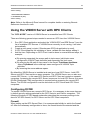
Using VISION with OPCLink Server
The Wonderware OPCLink I/O Server (hereafter referred to as “OPCLink”) is a Microsoft
Windows application program that acts as a communication protocol converter and allows
other Windows application programs access to data from local or remote OPC servers.
OPCLink connects to OPC servers, converts client commands to OPC protocol and
transfers data back to clients using DDE, FastDDE, or Suite Link protocols.
Please refer to Wonderware OPCLink Server and OPC Browser User’s Guide for
details how to install, start and use the OPCLink Server. The following information in this
section covers only the most important points about using “OPC & DDE” version of
VISION Server with OPCLink Server.
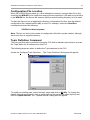
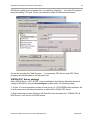
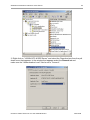
OPCLink Topic Definition
Unitronics Vision Server Ver 3.x User Manual Rev2.6
4401xm26