1
Local Operation
Configuration
4
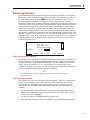
5. To pause the program press Pause [F3]. Pause will now be highlighted and the
Calibrator will continue controlling to the current setpoint. Press Cont [F4] to resume
the program.
6. To stop the program press Stop [F5]. The program will stop running but the
Calibrator will continue controlling to the current setpoint.
Configuration
Test Access Code
The test access code allows the user to protect access to Calibrator configuration and
programs. Once set the test access code is required before the user is allowed to change
the limits, control parameters or programs. Setting the test access code to zero disables
the limited access.
1. The test access code is set from the Limits menu. From the Main Menu (press PREV
until the Main Menu appears) press Menu [F6] | Setup [F2] | Limits [F1].
2. Use the up and down arrow keys to highlight Access.
3. Use the numeric keypad to enter the new access code. Press ENTER.
4. Press Yes [F4] to acknowledge changing the access code.
Bargraph Maximum
The bargraph on the Main Menu screen can be scaled to match the device under test by
setting the full scale value of the bargraph.
1. The bargraph maximum is set from the Setup User Menu. From the Main Menu
(press PREV until the Main Menu appears) press Menu [F6] | Setup [F2] | User [F2].
2. Use the up and down arrow keys to highlight Bargraph Max.
3. Use the numeric keypad to enter the bargraph maximum value in the current pressure
units.
4. Press ENTER.
Key Click
The Calibrator can be configured to click each time a key is pressed.
1. The Key Click is set from the Setup User Menu. From the Main Menu (press PREV
until the Main Menu appears) press Menu [F6] | Setup [F2] | User [F2].
2. Use the up and down arrow keys to highlight Key click.
3. Use the left and right arrow keys to select on or off.
Date/Time
The Calibrator’s system clock is continuously updated, even through power off and on.
1. The Date and Time are set from the Setup System menu. From the Main Menu (press
PREV until the Main Menu appears) press Menu [F6] | Setup [F2] | System [F5].
2. To set the system date press Date [F1]. Use the numeric keypad to enter the current
month, date, and four-digit year. All digits must be entered. Press ENTER to accept.
3. To set the system time press Time [F2]. Use the numeric keypad to enter the current
hour, minute, and second. All digits must be entered. Press ENTER to accept.
4-11