1
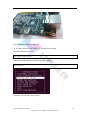
2.2.1 Installing the general Linux OS image
1. Insert your MicroSD/SD card into your computer or card reader. The size
of the MicroSD/SD should be larger than the OS image size, generally
4GB or greater.
2. Format the MicroSD/SD card.
In Windows:
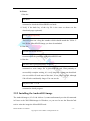
i. Download an MicroSD/SD card format tool such as SD Formatter from
https://www.sdcard.org/downloads/formatter_4/eula_windows/
ii. Unzip the download file and run the setup.exe (Run as Administrator) to
install the tool on your machine.
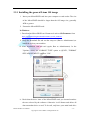
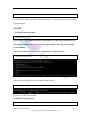
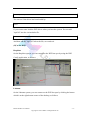
iii. After installation, start the tool (again, Run as Administrator). In the
"Options" menu, set "FORMAT TYPE" option to QUICK, "FORMAT
SIZE ADJUSTMENT" option to "ON".
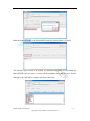
iv. Check that the drive letter of the MicroSD/SD card you inserted matches
the one selected by the software. Otherwise it will format and delete all
data on another drive or card. To be safe, only have your main hard drive
Banana Pro&Pi User Manual
- 12 Copyright © 2015 LeMaker. All Rights Reserved.