1
NEW
Skills Challenge
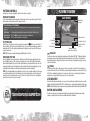
Skills Challenge gives golfers a chance to earn some experience points (XP) while testing their skills against the
best of the best. Go head-to-head against a series of golfers and exercise specific skills.
Each golfer is faced with three challenges focusing on power, accuracy, control, or putting. As you complete
challenges, more challenges are unlocked, allowing you to try more advanced tests.
There are 16 total golfers, four of whom are dedicated to each attribute. The final golfer in each group of four is
Tiger Woods, the master of all attributes and the toughest golfer to challenge. Put your skills to the test and earn
XP for upgrades in the process!
Practice Round
Practice Round gives you your own virtual driving range to tweak, hone, and perfect your golf swing. In Practice
Round, play on any course and take as many strokes as you like without penalty. Press the E button to
enter Club Tuner and Swing Tuner and make refinements to your performance. Changes made in Club Tuner or
Swing Tuner can then be tested in Practice Round and then saved and applied to your career character. Also use
Practice Round to elevate your golf game from the amateur level to that of a pro’s.
My Career Stats
Access the Player Resume, User Records, Trophy Room, My Skills, and All-Time Records via the My Career
Stats menu.
My Skills
The My Skills screen indicates your golfer’s skill attribute ratings with a visual display of bars and graphs,
making it easy to understand where your golfer needs to improve the most.
The bars show your golfer’s base attribute levels (calculated out of 100) in four categories: power, accuracy,
control, and putting. To increase your attributes, upgrade your golfer using XP.
My Golfer
Photo Game Face
Take photos of yourself or your friends and create a realistic, lifelike digital double that actually plays in
Tiger Woods PGA TOUR 11. Use any digital camera to take the photos, then upload them to the
Tiger Woods PGA TOUR 11 website (www.easports.com). You can generate up to eight different faces to apply
to your custom golfer(s).
Once a Photo Game Face is generated, you can then edit it using the traditional Game Face features like adding
hair, glasses, etc.
To create your own Photo Game Face:
`` Take a front and side photo of the face you wish to create for your golfer—the quality of the photos you use
determines the quality of the face you create.
`` You are required to use a front photo, but for more realistic and accurate results add a side profile photo as
well. Using two photos results in a more accurate 3D representation of your face.
Note: Correct marker placement is the second most important factor in determining the quality of the face that
is generated.
Note: High resolution digital images produce more accurate results.
Note: You can only apply faces of the same gender (for example, you can’t use a male face on a female golfer).
After you’ve created a custom golfer in the Game Face menu, you can purchase equipment from the Pro Shop,
change your appearance, and more from the following menus.
My Appearance Endlessly change the way you look and sound.
Pro Shop
No matter how skilled you are, buying better equipment improves your abilities. Use the
Pro Shop search feature to find what you’re looking for in a hurry or take your time while
browsing the store.
My Skills
View your current golfer skills.
In the Bag
Select the clubs you’ll carry. You must have at least a driver, sand wedge, putter, and 5-iron.
My Animations Be as funky or smooth as you want to be by choosing your swing and purchasing animations.
Performance Tuning
The Club Tuner gives you the opportunity to calibrate your clubs to fit your personal playing style before heading
to the course. Now you can go for the 8.0 degree driver and hit screamers off the tee or give your 3-Iron a sweet
spot you never dreamed possible. The options are endless.
An all-new addition to Performance Tuning is Swing Tuner. Spend XP to upgrade your golfer’s power, accuracy,
control, or putting. Adjusting these allows you to carefully refine every aspect of your swing, tuning it into the
perfect tool on the course. You can instantly gauge the change in your swing with the fully-integrated practice
mode, which allows you to take to a course and return to editing with ease.
8
9