1
EA SPORTS™ GamerNet
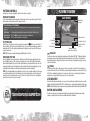
The EA SPORTS GamerNet feature allows you to save clips locally and is accessed by selecting
EA SPORTS GAMERNET, and then selecting MY LOCAL CLIPS.
Navigate through EA SPORTS GamerNet by selecting any of these four menu options: MY ONLINE CLIPS,
MY LOCAL CLIPS, ONLINE CHALLENGES, and EA SPORTS GAMERNET LEADERBOARD.
My Tiger ‘11
Go to the My Tiger ‘11 menu to select each of the following: MANAGE MY GOLFERS, OPTIONS, STATS &
LEADERBOARDS, USGA RULES, TUTORIAL LESSONS, EA SPORTS™ EXTRAS, and EASPORTS.com.
Online Play
ACCESS TO ONLINE FEATURES AND/OR SERVICES REQUIRES AN EA ONLINE ACCOUNT AND REGISTRATION
WITH THE ENCLOSED SINGLE-USE SERIAL CODE. REGISTRATION FOR ONLINE FEATURES IS LIMITED TO
ONE EA ACCOUNT PER SERIAL CODE AND IS NON-TRANSFERABLE ONCE USED. ADDITIONAL SERIAL
CODES AVAILABLE FOR PURCHASE. EA MAY PROVIDE CERTAIN INCREMENTAL CONTENT AND/OR
UPDATES FOR NO ADDITIONAL CHARGE, IF AND WHEN AVAILABLE. YOU MUST BE 13+ TO REGISTER.
EA ONLINE TERMS & CONDITIONS AND UPDATES FOUND AT WWW.EA.COM.
EA MAY RETIRE ONLINE FEATURES AFTER 30 DAYS NOTICE POSTED ON WWW.EA.COM.
A PlayStation®Network account is required to play Tiger Woods PGA TOUR 11 online. You can set up a PlayStation®Network account in the System Software that appears when
your PS3™ system is turned on without a disc inserted.
Playing Online
In order to play Tiger Woods PGA TOUR 11 online, you must create a PlayStation®Network account by following
the on-screen instructions. If you already have a PlayStation®Network account, you are able to access online
features automatically.
Welcome to Tiger Woods PGA TOUR ® 11 Online
Find an opponent based on your skill level, check out the latest EA News, set your gameplay options for the
games you host, and visit the PlayStation®Store to download exclusive Tiger Woods PGA TOUR 11 content.
NEW
Online Team Play
Players can join one of two teams and compete for victory with up to 24 players—12 on each team—in the
brand new Online Team Play mode.
After joining an Online Team Play game, players can use voice chat with other team members in the Match-Up
Room. This room is where you decide which team you will play on. Until you choose a team, you are considered
neutral and appear in the center of the team selection area on-screen. After choosing a team, you may also
move up or down in the room to pick a specific person to play against.
After all the players select READY, the match begins. The arcs from the balls of the players appear on-screen as
you play, color-coded by team.
Each session between players counts as a win or a loss for the team. At the end of the match, the team with the
most wins gets three points. The team that loses the match gets zero points, and ties result in one point each. In
addition, individual players gain stats for being on the winning side of an Online Team Play match.
10
Online Game Modes
Challenge your friends to a round of traditional Stroke Play or face off in One Ball to prove you have what it
takes on the green. Additional modes include Skins, Best Ball, Four Ball, Alternate Shot, Match Play, and the
3 Hole Mini-Game.
Simultaneous Play
No longer do you have to wait for the other golfers in your foursome to shoot before hitting your shot.
Simultaneous Play lets you play quickly, as if you were playing by yourself, while indicating your opponents’
shots with real-time shot arcs. Each player’s shot arc has its own color.
Live Tournaments
Live Tournaments allows players across the world to hit the links and compete for the top of the leaderboards
during daily and weekly events.
During active pro tournaments, the Play the Pros option opens up and players are allowed to compete alongside
the actual pros in Live Tournaments.
Linking Your Online ID to an EA Account
Once you’re connected online your Online ID acts as your user profile, a unique on-screen player identifier
separating you from the rest of the field. Your Online ID can also be linked to your EA Account enabling you to
participate in message board discussions, seek technical support, view game stats, and much more.
`` If you don’t have an EA Account and have not gone online with an EA title using your Online ID, you must
create an EA Account from the EA Online Account Creation screen. The information entered will link your
Online ID to an EA Account (which can then be used to access any supported game features on the web,
e.g., www.easports.com). Once these details have been accepted it can’t be changed, so be sure to make a
note of it.
`` If you already have an EA Account created from www.ea.com but have yet to link your Online ID or gone
online using your user profile with an EA title, you will be prompted to enter your EA Account details on
the EA Online Account Creation screen. Entering your EA Account details links your Online ID to this account.
Please make sure that you use the same email address used to create your online entitlement (i.e., your
Online ID).
`` To link your PS3™ Online ID to an EA Account or manage your EA Account on the web visit
www.ea.com. From here you can login to your EA Account or create an account if one does not exist. After
you’ve logged in, select PERSONAS, then click LINK AN EXISTING PERSONA. Choose Online ID, type your
Online ID in the box provided, click SUBMIT, and then click CONTINUE. Your Online ID is now linked to your
EA Account. You can also visit profile.ea.com to update your account information, retrieve lost passwords,
and view currently linked Personas from the My Account screen.
Note: If you’ve already created an EA Account, your login is normally your email address.
11