1
Chapter 5 Analyzing Data Mathematically
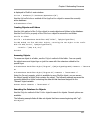
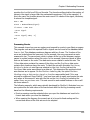
you can use the same variable name in various formulas without risking conflicts.
Example
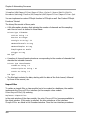
Dim i Series
// Declares the two variables i and Series.
i = 1n
// Initializes a variable i with the integer scalar value 1.
Series = 0. # 100n
// Creates a data series with 100 zeros.
For complex calculations, it often makes sense to split up the calculation into several
statements. In a first statement you could calculate, for instance, a partial expression
that you then use in further statements. To do this, it is important to assign the results
of the calculations to variables so you can use them later:
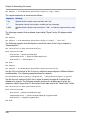
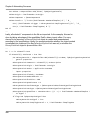
Dim Angle
// Declare variable
Angle = 2 Pi * f * t
// Calculation of angle
2 * Sin(Angle) + 3 * Cos(Angle) // Calculation of an overlapped oscillation
Here, the calculation of the angle is performed on a separate line.
Building Data Structures
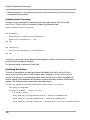
FPScript provides operators and functions to help you build your own data structures.
Linear Data Series
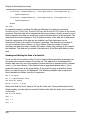
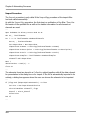
For instance, this Data Series operator creates a data series with ascending values:
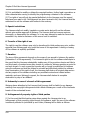
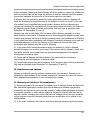
(100, 0., 1.)
100 is the number of values, 0. is the starting value, and 1. is the increment. If you
prefer to specify the starting value, the end value and the sampling interval, use the
Series Function:
Series(0, 100, 1)
generates a data series with 101 values with a starting value of 0, end value of 100 and
sampling interval of 1. Here, the data type is always a 64-bit floating point value.
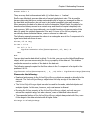
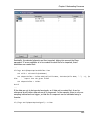
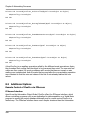
If you use quantities, you can specify different units, but they must be compatible:
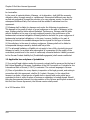
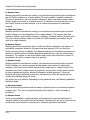
(2000, 0 s, 1 ms) or Series(0 s, 2 s, 1 ms)
The result contains the unit that is furthest to the left and thus is equal to:
(2000, 0 s, 0.001 s)
226