1
Using the Security System
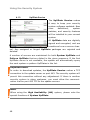
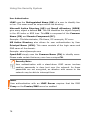
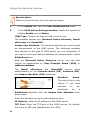
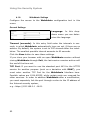
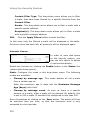
Uplink Bandwidth (kbits): These settings will only appear, if
the QoS function is enabled. In this entry menu, enter the available bandwidth for the Uplink in full kilobits. This value can be
determined either from the values of the upstream interface or
from the router. On an interface to the Internet, this value
corresponds to the bandwidth of the Internet connection - on an
ADSL access the Uplink bandwidth amounts to 128 kBit/s and on
a 2-Megabit fixed connection to 2048 kBit/s.
Downlink Bandwidth (kbits): These settings will only appear,
if the QoS function is enabled. In this entry menu, enter the
available bandwidth for the Downlink in full kilobits. On an interface to the Internet, this value corresponds to the bandwidth of
the Internet connection - on an ADSL access the Uplink bandwidth amounts to 768 kBit/s and on a 2-Megabit fixed connection
to 2048 kBit/s.
MTU Size: The MTU is the size (in bytes) of the largest transmittable packet. MTU stands for Maximum Transfer Unit. For
connections, using the TCP/IP protocol, the data will be subdivided into packets. A maximum size will be defined for these
packets. Packets larger than this value will be considered too
long for the connection and fragmented into smaller ones before
transmission. These data packets will be sent again. However,
the performance can be limited, if the upper value is too low.
The following values are the defaults for the PPP over Ethernet
(PPPoA-DSL) connection: 1460 Byte.
181.
Confirm these settings by clicking Add.
The system will now check the address and network mask for
semantic validity. After a successful check, the new interface
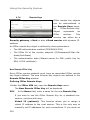
will appear in the Current Interface Status table. The interface
is not yet enabled (status light is red).
182.
Enable the interface by clicking the status light.
159