1
The Moving Pixel Company CPhyScopeDecoder User’s Manual. – Rev. 2.1 -- 7/9/14
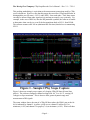
channels converge to zero volts, this is inferred as LP000. After HS Prepare time, HS
signals begin sending the preamble symbols, sync symbols, packet symbols, and finally
postamble symbols.
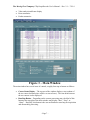
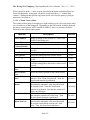
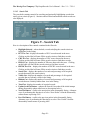
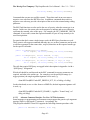
Setting up the scope for acquisition is straightforward. Use the controls in the Scope tab
of the control below the disassembly listing in the main window. Based user settings, the
software can configure the horizontal and vertical scope settings, trigger position and
level, sample rate, etc., if desired.
An easy way to configure the scope, then, is to do the following:
1. Connect channels 1, 2, and 3 to probes to measure A-B, B-C, and C-A from the
DUT.
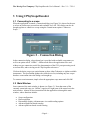
2. Bring up the CPhyScopeDecoder application, selecting the scope address from the
connection window that appears.
3. In the Scope tab of the main window, type in the HS symbol rate and select the
number of samples to acquire, and click on the “Config Scope” button.
4. Run the scope using the “Run Continuousand set the trigger position and level as
desired. While not required, a common trigger point is the rising edge of channel
1 at around one volt, which will generally indicate entry into the LP111 state.
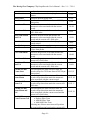
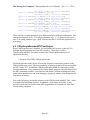
Certain settings are critical such as channel positions (all centered) and channel scaling (0.6 V to 0.6 V). Also, oversampling relative to the HS symbol rate should be at least 5.
Trigger position is not important to decode, though the acquisition must have an LP001
state and the first LP001 is always the starting point for disassembly.
- Page 5 -