1
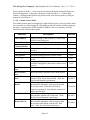
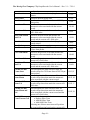
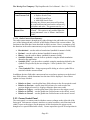
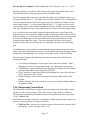
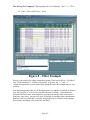
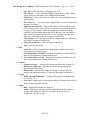
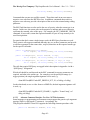
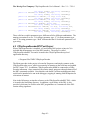
The Moving Pixel Company CPhyScopeDecoder User’s Manual. – Rev. 2.1 -- 7/9/14 Selecting the Disassembly View Setting the global Mnemonic View (or altering the mnemonic view of individual packets) Setting and applying packet and record filtering criteria Setting various disassembly options in the Options tab Each mechanism defines criteria for what records are shown (or not shown) in the disassembly listing. 3.2.2.6 Disassembly View The Disassembly View setting is set via option buttons in the Options tab. All Packets Only Shows all record types, including non-packet traffic such as LP states, LP signaling transitions in Escape and HS bursts, and HS preamble, sync, and postamble records. Shows only records that contain packet bytes, including HS, LPDT, and escape-mode commands. When a view is selected, the listing is updated to display records only applicable to the new view. In the case of packet records, the mnemonic view state determines whether only the first header byte is shown or all packet bytes are shown (see next section). 3.2.2.7 Mnemonic View Mnemonic view state is an attribute of records that contain the first byte of a protocol packet. Its setting determines whether only the first byte of a packet is displayed, or all bytes of the packet are displayed, and whether the user-specified mnemonic fields associated with the packet are displayed. There are three mnemonic view states: First Pkt Mnem Only First Pkt Mnem + Only the first header byte of the packet is displayed. Only the first header byte of the packet plus its mnemonic fields are displayed. Mnemonic fields are fields selected by the user to be displayed with the mnemonic via “Mnem Cfg…” button). All Pkt Mnem All packet bytes are displayed. Mnemonic fields are also shown for the first header byte of a packet. The mnemonic view state of a packet is shown in the Disp field in the record using the indicators “+”, “++”, or “-“ (corresponding to the states in order in the table above). To cycle an individual packet’s mnemonic view state, click on the indicator in the Disp column. To reset all packet mnemonic view states at once, click a Mnem View radio button in the Options tab of the Disassembly Control Panel. - Page 17 -