1
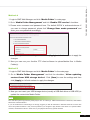
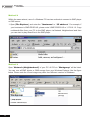
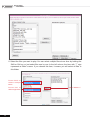
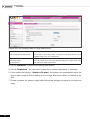
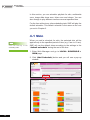
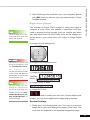
8. If you want to play all files in the media folder, you can simply click the [Select all=>]
button. Then, all files in the left column will be duplicated to the right column.
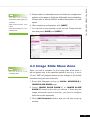
9. Now, you can arrange the order of those selected files. In the right column, each file
will be added a serial number. SMP will play media files in the sequence, 1, 2, 3 … N.
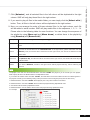
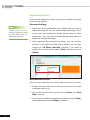
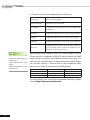
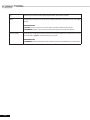
Please refer to the following table for more functions. You can change the sequence of
the playlist by using [Move up] and [Move down], or delete items in the playlist by
using [Remove] and [Remove all].
Move up
Select one item in the right column. Click [Move up], and this item will be moved forward in the playlist.
Move down
Select one item in the right column. Click [Move down], and this item will be move backward in the
SMP-PRO SERIES USER MANUAL
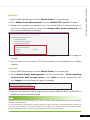
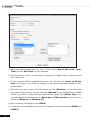
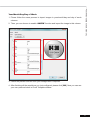
7. Click [Select=>], and all selected files in the left column will be duplicated to the right
column. SMP will only play those files in the right column.
playlist.
If you want to remove files from the “Selected Files” in the right column, please select files and click
Remove
[Remove]. Then, those files will be removed from the right column, but will not be deleted from the
Media Folder.
Remove all
Click [Remove all], and all items will be removed from the right column, but all files will still be kept in
the Media Folder.
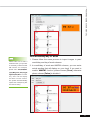
Random
If you select “Random”, all files in the right column will be played randomly, without following the
sequence.
The playlist is the order how all multimedia files in the folder “media” are played. If you do not edit your own playlist,
SMP will play all files in the Media Folder in the alphabetical order.
If you create sub-folders under the folder “media”, all media files in these sub-folders will also be added together to
the play list according to the following sorting rules: (the former rules have higher priority than the later ones)
1. Multimedia files in the folder “media” will be played prior to any files located in sub-folders.
2. Multimedia files in the folder “media” will be sorted and played following alphabetical order.
3. Sub-folders will be sorted by alphabetical order.
4. Multimedia files in the sub-folders will be sorted and played following alphabetical order.
For example:
37