1
(10) Setting up the Default Printer:
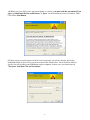
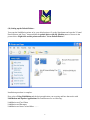
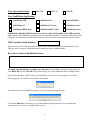
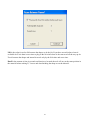
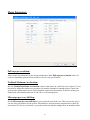
You want the LinkMotion printer to be your default printer. Go to the Start button and open the "Control
Panel>Printers and Faxes" menu and find the printer driver with My Machine name as shown in the
picture below. Right click on this printer and select "Set as Default Printer".
Installation procedure is complete.
Now refer to Using LinkMotion and the design application you are using and how that works with
LinkMotion and Popular Applications. Document names are as following:
LinkMotion and Corel Draw
LinkMotion and Illustrator
LinkMotion and Auto Cad and More …….
9