1
Table of Contents
1.Product Overview........................................................................................................................................... 4
2.Pre-Installation................................................................................................................................................ 5
3.General Operation .......................................................................................................................................... 6
3.1.Starting TabBOXX..................................................................................................................................6
3.2.Loading of Tickets...................................................................................................................................7
3.3.Management Key Description.................................................................................................................8
3.4.Management Functions........................................................................................................................... 9
4.Parts and Service........................................................................................................................................... 19
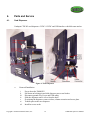
4.1.Card Dispenser...................................................................................................................................... 19
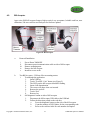
4.2.Bill Acceptor......................................................................................................................................... 21
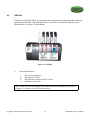
4.3.USB Hub............................................................................................................................................... 23
4.4.Touch Screen Monitor...........................................................................................................................24
4.5.ATX Power Supply............................................................................................................................... 25
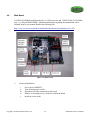
4.6.Main Board............................................................................................................................................26
Appendix A: Interior Photos............................................................................................................................ 28
Appendix B: Troubleshooting..........................................................................................................................30
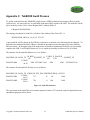
Appendix C: TabBOXX Audit Process........................................................................................................... 32
Appendix D: TabBOXX USB Key \ PIN Creation..........................................................................................33
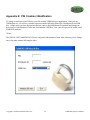
Appendix E: PIN Creation \ Modification....................................................................................................... 34
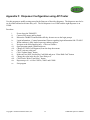
Appendix F: Dispenser Configuration using API Tester................................................................................. 35
Appendix G: Specifications............................................................................................................................. 36
Appendix H: Warranty.....................................................................................................................................37
Table of Figures
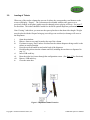
Figure 1: Dispenser Column Extension.............................................................................................................. 7
Figure 2: Report Screen...................................................................................................................................... 9
Figure 3: Configuration Screen.........................................................................................................................10
Figure 4: Error Log Screen............................................................................................................................... 12
Figure 5: Reset Deal Counter............................................................................................................................14
Figure 6: Ticket Gauges.................................................................................................................................... 15
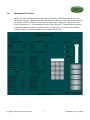
Figure 7: Add Message Screen......................................................................................................................... 16
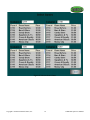
Figure 8: Select/Activate Games.......................................................................................................................18
Figure 9: Ticket Dispenser................................................................................................................................ 19
Figure 10: Bill Acceptor................................................................................................................................... 21
Figure 11: USB Hub......................................................................................................................................... 23
Figure 12: Main Board...................................................................................................................................... 26
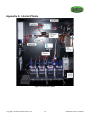
Figure 13: Inside the Cabinet............................................................................................................................ 28
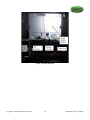
Figure 14: Inside the Door................................................................................................................................ 29
Figure 15: Audit File Structure......................................................................................................................... 32
Copyright © 2008 International Gamco, Inc.
3
TabBOXX Operator’s Manual