1
3.3.
Management Key Description
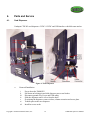
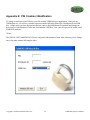
The only way to access the audit/management functions of the dispenser is to insert a USB key
containing security and access level information into the USB Key port (See Figure 13). There
are 2 levels of access which unlock certain functions for the Attendant to modify.
a.
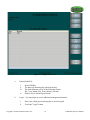
Operator Level (advanced user)
•
View Log Files
•
Test Bill Acceptor
•
Recalibrate the touch screen (hidden)
•
Shutdown the unit
•
Reboot the unit
•
Login
•
Reset Ticket Level Meter
•
Reset Deal Count Meter
•
Set Distributor ID (Key security ID)
•
Reset period accounting Meter
•
Change games (must match what is in the column dispenser)
•
Change scrolling message on screen
•
For local charity
b.
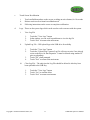
Manufacturer Level (administrator user)
•
View Log Files
•
Recalibrate the touch screen (hidden)
•
Shutdown the unit
•
Reboot the unit
•
Login
•
Upgrade software (if applicable)
•
Reset period accounting meter
•
Reset master accounting meter
•
Reset Ticket Level Meter
•
Reset Deal Count Meter
•
Set Distributor ID (Key security ID)
•
Change games (must match what is in the column dispenser)
•
Change scrolling message on screen
•
For local charity
•
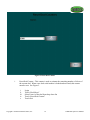
When machine is out of credit
•
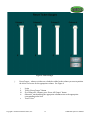
When machine has credit
•
System Messages
Copyright © 2008 International Gamco, Inc.
8
TabBOXX Operator’s Manual