1
3.2.
Loading of Tickets
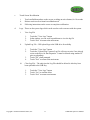
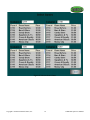
When one of the stacker columns has run out of tickets, the corresponding vend buttons on the
screen will display “Empty”. The Column must be reloaded with the same game as was
previously loaded, or the game graphic must be changed prior to playing of tickets. See page 17
for directions. The tickets should be loaded face down for optimal dispenser performance.
Note: If using 3-tab tickets, you must use the spacer plate due to the short ticket length. Weight
must be placed with the flat part facing up (curved legs rest on tickets) or damage will occur to
the Dispensers.
i.
ii.
iii.
iv.
v.
vi.
vii.
viii.
ix.
Open the main door
Remove front access panel located at the top of the column
If column is empty, load 2 inches of tickets into the column dispenser being careful so the
tickets are stacked straight.
Press the test feed button located on the back of the dispenser.
Finish loading tickets into the column until full, including the one that was dispensed in
step “iv”.
Insert USB audit key.
Reset the ticket level meter through the configuration screen. (See Page 17 for directions)
Remove USB audit key.
Close the main door.
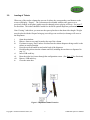
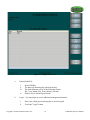
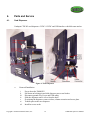
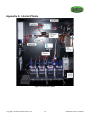
Figure 1: Dispenser Column Extension
Copyright © 2008 International Gamco, Inc.
7
TabBOXX Operator’s Manual