1
INTRODUCTION TO THE BIODROP SPECTROPHOTOMETERS
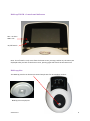
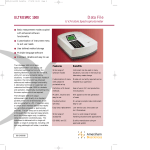
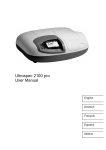
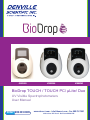
The BioDrop TOUCH is a standalone, easy to use, split beam spectrophotometer with a high
resolution colour touch screen. The BioDrop TOUCH spectrophotometer offers a comprehensive
range of spectrophotometric and life science applications.
The BioDrop µLite is a split beam spectrophotometer which has similar specifications to that of the
TOUCH, but differs by harbouring a microvolume sample port for analysis. The in-built sample port
has a path length of 0.5mm unlike that of the TOUCH (10mm).
The BioDrop Duo spectrophotometer displays specifications attributed to both the TOUCH and µLite.
It contains a sample port for rapid microvolume analysis and offers BioDrop CUVETTE analysis as in
the TOUCH.
A spectrophotometer is an optical device that is designed to transmit a beam of light through a
sample. Transparent solutions absorb specific wavelengths of light based on their unique molecular
composition. Absorbance is proportional to concentration of a sample. Absorbance peaks of a
sample can also be used to identify its molecular composition. In kinetic studies, the tracking of
absorbance over time can be useful to study chemical reactions and biological processes.
The BioDrop spectrophotometers are designed to emit light from the far ultraviolet (190 nm) to the
visible light (1100 nm). Many materials, and in particular solutions of materials will absorb light
within this region. This makes BioDrop spectrophotometers useful in a wide range of applications
including life sciences, clinical, pharmaceutical, cosmetics, food & drink, agricultural, industrial,
environmental, toxicology, water treatment and teaching. There are numerous published methods
and assays for these applications.
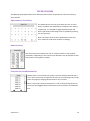
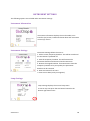
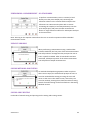
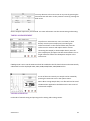
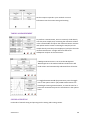
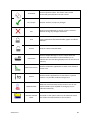
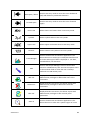
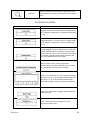
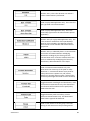
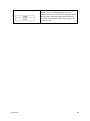
The icons described throughout this manual use the names quoted in the Table of Icons on page 80,
if you are unsure of any of their functions please refer to this section.
For detailed descriptions of the functions of parameter boxes please refer to the Glossary of Boxes
section.
Note: Throughout this manual all screen shots are shown on a white background, there is also a
black background available.
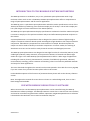
USE WITH BIODROP RESOLUTION PC SOFTWARE
When connected to a PC the BioDrop spectrophotometer can be controlled using the BioDrop
Resolution PC software packages. The BioDrop TOUCH PC variant has no touch screen user interface,
and must be controlled using Resolution software. Operation using BioDrop Resolution PC software
is described in the Resolution user manual or Resolution help file.
Version 2.0
12