1
Table of Contents
Specifications .....................................................................4
Introduction ........................................................................6
Installation ..........................................................................6
Installing the Paper.......................................................6
To Remove the Paper Roll ...........................................9
Operation .........................................................................10
Connecting and Powering up Your Printer .................10
Maintenance .....................................................................10
Changing the Printer Ribbon ...................................... 11
Inserting a Ribbon with Paper in the Printer ...............12
Printer Test and Setup ......................................................13
Printer Test .................................................................13
Accessing the Setup Menu ........................................14
CONFIGURE ..............................................................14
CUSTOM ....................................................................17
SET CLOCK... ............................................................19
RESET SEQ# .............................................................20
Communication ................................................................21
Model 1220 RS-232 Serial Version ............................21
Model 1221 Parallel Version .......................................23
Model 1222 Serial TTL Version ..................................25
Model 1223 20 mA Current Loop Version ..................26
Model 1224 RS-485 Serial Version ............................27
Control Codes ............................................................29
Default Table ....................................................................38
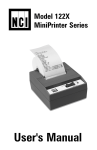
Model 122X MiniPrinter User’s Manual
3