1
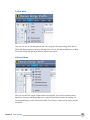
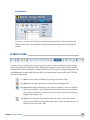
(ii) Banner Rotator
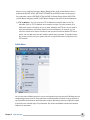
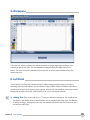
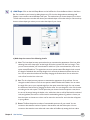
A user can access the Banner Rotator tool from the Banner Menu in the Top Menu Bar. If
you want to rotate multiple banners in the same space, use the Banner Rotator.
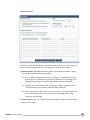
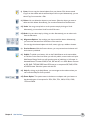
(a) Banner Rotator Type: Banner Rotator gives you three choices for Banner display;
you can select either of the following options:
(I)
Show a random, single banner ad once per session – This option allows you to
preview only one random banner per session of Browser. On refreshing (F5) or
opening the banner again in new browser, a different banner will appear.
(ii)
Randomly show several banner ads, changing the images at a set time interval This option allows you to preview multiple banners randomly.
(iii) Show several banner ads in order, at a set time interval - This option allows you
to preview multiple banner in the same order as mentioned under “Image
location on the Web Page”
(b) Time Interval: Here you can specify the time interval for display (stay time) of each
banner in the rotator.
Chapter 3 User Interface
12