1
Create Banners from scratch in 3 easy steps.
Step1:
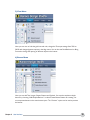
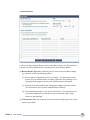
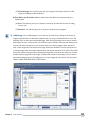
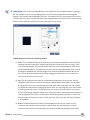
1 Click New and a new banner window will open. Now, select the size, fill type, shape, border for
your banner. You can also, select loop if you need the banner to loop continuously, select the
Replay button to add the replay button to the banner, specify the Frame rate and most
importantly add the destination link to the banner. Go to next step.
Step
2 2: Next, the banner with the required features will appear on the work area. Now, you can use the
Text Tool, Button Tool, Shape Tool and other features and customize the banner. Use transitions,
flash background libraries and overlays to give animations to your banner.
Step
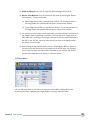
3 3: Now you may preview your Banner and save the banner. Finally, Publish the Banner by clicking
the Publish button from the tool bar. Alternatively, you can publish the banner by clicking File
>Publish in the Menu bar. You have 14 formats: In Animated Banner Formats as SWF, HTML, GIF
and AVI, or in Static Banner Formats as JPG, PNG, TIFF, BMP, PDF, Static GIF format or in
transparent GIF, PNG, HTML and SWF formats. Now your banner is ready.
Create Banners from template in 3 Easy Steps.
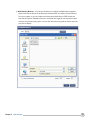
1 1: Click New and a new banner window will open. Now, click 'Select Template'. By clicking this you
Step
can select a template based on the industry categories available here and select a banner. Click OK
after you have selected a banner. Go to next step.
Step
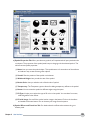
2 2: Next, the banner template that you have selected will be displayed on the workspace. Now, you
can use the Text Tool, Button Tool, Shape Tool, Symbol tool and other features to customize the
banner. Use transitions, flash background libraries and overlays to give animations to your banner.
3 3: After customizing, you can preview the banner and save it for future reference. Now, just publish
Step
the Banner; click the Publish button on the Toolbar. Alternatively, you can publish the banner by
clicking File >Publish in the Menu bar. You have 14 formats: In Animated Banner Formats as SWF,
HTML, GIF and AVI, or in Static Banner Formats as JPG, PNG, TIFF, BMP, PDF, Static GIF format
or in transparent GIF, PNG, HTML and SWF formats.
Chapter 2 Banner Creation Methods
6