1
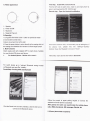
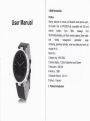
A Watch aρ pearance
First stop:Insta"APκ in smart Phone
F|nd the QR∞ de n watch menu,0pen",use sma汁 phone lo
scan"and download the"BT VVATCH apk’
second step: oρ en the bIuetooth"otiiCa刂
on
1:speaker
2: PoWer0n/of
3; M Cphono
4: Magenet Pogo p|n
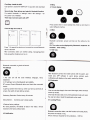
B,oρ era刂 om
1Long prθ ss the Power on/of buuont¨
pen`c ose watch
2C"ok soreθ n lo enter menu
3Back创 ip
screen from len to Hght
up se廿 ing¨ box,r
nsta"the APκ ,wⅢ automauc p° ρˉ
Ⅱ
飞e⒒ ngs△ au× Ⅲary
”
4Press the F刖岭rbu钍 on to return direcuy to lhe anaIOg d° ck,at
f们 rs1"me
lhe an创 og dock nterfaoθ d ck screen lo o矸 and bHght screen
no popˉ up box, please nnd lhe
3mai"func刂 ons
funcu° n"~open the“ B uelooth nou∞
and“ smart”
Watch needs work咖 u,insta"ed APP in smart phone suitable
for most Android os phone and Iphonθ
1,
For A"droid phoⅡ e(Versiom4,2or moro)
%|I{∶
Third6tθ
p∶
oρ en phone and watch’
s Bluetooth:
泪°
°
th钏 ng Power
丨tf嚣1蒜 橇:湍 黯η
:|∶
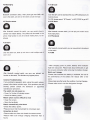
Fou"h stoρ :CoⅡ
"ect APκ
amd BIuetooth
Fdlow the ρ
rompl to agree paidng requesl t°
C"ckthe smad ic。 n inlo menu nterface,dick the Add i∞
∞ nned lo lhe Bluetoolh deM∞
n to
∞nnect
the
watches and sma"ph° ne su∞ essfulIy
A】 er pairQd,the watch。 a"synchromi〓 θthe mobile pho"e
ca"s,sⅢ s,ph° neboo△ QQ messagθ s,Wecha1θ tc
2iP"°
ˇ
e Ios⒎ 2systems)
"e lab°