1
Chapter 1 - Introductory
How to Drive ibais
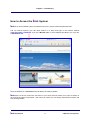
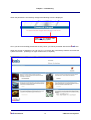
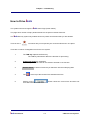
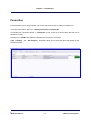
The system is driven through the
ibais Home Page (shown above).
The page has a number of topic panels with links to the panel’s relevant functions.
The
ibais Security system only enables access to panels and functions that you are allowed.
There is also a
icon which lets you incorporate your most used functions in one place.
There are a number of navigation rules for the new system:
1.
The TAB key replaces the Enter key.
The TAB key submits the data to the browser for processing.
2.
Underlined words are hyperlinks.
Any underlined word can be clicked to activate a new function.
3.
Shaded boxes in data on forms lets you drill down into the underlying data.
4.
The
5.
Clicking on the
save data entered on that form.
ibais User Manual
at the top of the browser form dismisses the form.
1-10
button closes the current form and does not
© BA Insurance Systems