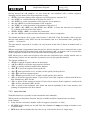
1
REI2
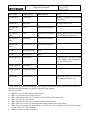
Single Starts Program
Single Starts Program
Doc: R2U_S_1079_001_E
Version: 1.07.9
Page 1 of 109
REI2
Single Starts Program
Doc: R2U_S_1079_001_E
Version: 1.07.9
Page 2 of 109
Summary
1
CONVENTIONS ..........................................................................................................7
2
STARTING ..................................................................................................................8
2.1
Introduction .........................................................................................................................8
2.2
Switching on and choosing the program .............................................................................8
2.3
Timing ...............................................................................................................................11
2.3.1
Start of first competitor ..............................................................................................11
2.3.2
Finish of first competitor............................................................................................11
2.3.3
Moving forward the start number...............................................................................11
2.3.4
Non-starters ................................................................................................................12
2.3.5
Changing the Start number.........................................................................................12
2.3.6
Non-finishers ..............................................................................................................12
2.3.7
Inversions at the finish ...............................................................................................12
2.3.8
Quitting timing ...........................................................................................................13
2.4
End of race operations .......................................................................................................13
2.4.1
Disqualifications.........................................................................................................13
2.4.2
End of race lists ..........................................................................................................14
3
PROGRAM CHARACTERISTICS ............................................................................16
4
TIMING......................................................................................................................17
4.1
Functional context .............................................................................................................17
4.2
Starting a session ...............................................................................................................19
4.3
Starts ..................................................................................................................................19
4.3.1
Start ............................................................................................................................19
4.3.2
Changing the start number .........................................................................................20
4.3.3
False impulse (to be annulled)....................................................................................20
4.3.4
Uncertain Impulse ......................................................................................................20
4.3.5
‘Shared’ impulse.........................................................................................................20
4.3.6
Correction of time event.............................................................................................21
4.3.7
Substitution.................................................................................................................21
4.3.8
Run .............................................................................................................................22
4.3.9
Non-starters ................................................................................................................22
4.3.10
Run in progress...........................................................................................................22
4.3.10.1 Run 0 ...................................................................................................................23
4.3.11
Automatic/manual search ...........................................................................................23
4.3.12
Forerunner mode ........................................................................................................23
4.3.13
Start event memory ....................................................................................................23
4.3.14
Finish priority .............................................................................................................24
4.4
Finishes..............................................................................................................................24
4.4.1
Finish ..........................................................................................................................24
4.4.2
Similarities..................................................................................................................25
4.4.3
Changing the finish number .......................................................................................25
4.4.4
False impulse (to be annulled)....................................................................................25
4.4.5
Uncertain Impulse ......................................................................................................25
4.4.6
‘Shared’ impulse.........................................................................................................26
4.4.7
Correction of time event.............................................................................................26
4.4.8
Substitution.................................................................................................................26
4.4.9
Run .............................................................................................................................27
4.4.10
Automatic/manual search ...........................................................................................27
REI2
Single Starts Program
Doc: R2U_S_1079_001_E
Version: 1.07.9
Page 3 of 109
4.4.11
Finish event memory ..................................................................................................27
4.4.12
Finish priority .............................................................................................................27
4.4.13
Non-finishers ..............................................................................................................27
4.4.14
Differences .................................................................................................................28
4.4.15
Automatic/manual assignment ...................................................................................28
4.4.16
Activated/Disactivated position in ranking ................................................................28
4.4.17
Finish sequence ..........................................................................................................28
4.5
Intermediate times .............................................................................................................29
4.5.1
Intermediate times: Automatism modes.....................................................................29
4.5.2
Intermediate times: Priority assignment.....................................................................30
4.5.3
Intermediate times: Reference....................................................................................30
4.5.4
Intermediate times: examples of configuration ..........................................................31
4.5.5
Management of intermediate events...........................................................................32
4.5.6
False impulse (to be annulled)....................................................................................32
4.5.7
Uncertain impulse.......................................................................................................32
4.5.8
‘Shared’ impulse.........................................................................................................32
4.5.9
Correction of time event.............................................................................................32
4.5.10
Intermediate number...................................................................................................33
4.5.11
Run of intermediate event ..........................................................................................33
4.5.12
Modifying intermediate events (later)........................................................................33
4.6
Skip....................................................................................................................................33
4.6.1
Assignment.................................................................................................................33
4.6.2
Annulment ..................................................................................................................34
4.6.3
AutoSkip activation/disactivation ..............................................................................34
4.6.4
An example.................................................................................................................34
4.7
Displayboard management ................................................................................................35
4.7.1
Normal functioning ....................................................................................................35
4.7.2
Automatic queuing up ................................................................................................35
4.7.3
Manual queuing up.....................................................................................................35
4.7.4
Disabling of displayboard ..........................................................................................36
4.7.5
Priority competitor .....................................................................................................36
4.8
Lock keys...........................................................................................................................36
4.9
Holdoff time disactivation keys.........................................................................................37
4.10
Start light management......................................................................................................37
4.11
Quitting timing ..................................................................................................................37
4.12
Printout of time events.......................................................................................................37
4.12.1
Printout of events........................................................................................................38
4.12.2
Printing of results .......................................................................................................39
5
5.1
5.2
5.3
5.4
5.5
6
GROUP MANAGEMENT ..........................................................................................40
Input/Modify groups..........................................................................................................40
Print groups structure ........................................................................................................41
Clear groups structure........................................................................................................41
Groups structure: ...............................................................................................................41
Upload group structure from PC .......................................................................................42
RANKINGS AND OTHER PRINTOUTS ...................................................................42
6.1
Printing/Show ranking.......................................................................................................42
6.2
Other printouts...................................................................................................................44
6.2.1
Time of day ................................................................................................................44
6.2.2
NS/DNF/Disqualified.................................................................................................44
REI2
Single Starts Program
Doc: R2U_S_1079_001_E
Version: 1.07.9
Page 4 of 109
6.2.3
Skipped.......................................................................................................................44
6.2.4
Numbers of athletes currently running.......................................................................45
6.2.5
Stop without Start.......................................................................................................46
6.3
Printout and Visualization mode .......................................................................................46
6.4
Print/Show climatic data....................................................................................................47
6.4.1
View current climatic data .........................................................................................47
6.4.2
View current wind data ..............................................................................................47
6.4.3
Print climatic data:......................................................................................................48
7
START LIST..............................................................................................................49
7.1
Input start list.....................................................................................................................49
7.2
Start order calculation........................................................................................................50
7.3
Starts with Gundersen method...........................................................................................52
7.3.1
Classic Start order calculation....................................................................................52
7.3.2
Pursuit Start order calculation ....................................................................................52
7.4
Print start lists ....................................................................................................................53
7.5
Automatic starts.................................................................................................................54
7.5.1
Input/Modify of start lists...........................................................................................54
7.5.2
Input auto start............................................................................................................55
7.5.3
Pursuit (Gundersen)....................................................................................................57
7.5.4
Upload automatic start list from PC ...........................................................................58
7.5.5
Print start lists.............................................................................................................59
7.5.6
Clear all start lists .......................................................................................................59
8
SYNCHRONIZATION ...............................................................................................60
8.1
Synchronization.................................................................................................................60
8.2
Modify synchronization value...........................................................................................60
8.3
Synchronization verify ......................................................................................................60
8.4
Signal.................................................................................................................................60
9
DISQUALIFICATIONS ..............................................................................................62
10 DOWNLOAD DATA TO PC ......................................................................................63
10.1
Off-Line data transmission ................................................................................................63
10.2
Configuration of On-Line data output...............................................................................63
10.3
Data output protocol ..........................................................................................................64
11 UPLOAD DATA FROM PC.......................................................................................65
11.1
Upload of lists from PC.....................................................................................................65
11.1.1
Upload competitor lists from PC................................................................................65
11.1.2
Upload groups structure from PC...............................................................................65
11.1.3
Upload start list from PC............................................................................................65
11.1.4
Print start lists.............................................................................................................66
11.1.5
Deletion of start lists...................................................................................................66
11.2
Print competitor lists..........................................................................................................66
11.3
Delete lists menu ...............................................................................................................66
11.3.1
Deletion of list of competitors’ names .......................................................................66
11.3.2
Deletion of group structure.........................................................................................67
11.3.3
Deletion of start lists...................................................................................................67
12 REI2 SETUP .............................................................................................................68
12.1
Software setup ...................................................................................................................68
12.1.1
Net times visualization ...............................................................................................68
REI2
Single Starts Program
Doc: R2U_S_1079_001_E
Version: 1.07.9
Page 5 of 109
12.1.2
Print time of day .........................................................................................................68
12.1.3
Printing of intermediate times ....................................................................................68
12.1.4
Measurement precision...............................................................................................68
12.1.5
Last relay lap (Lap>>Stop) ........................................................................................69
12.1.6
Manual input of reference times.................................................................................69
12.1.6.1 Net time acceptance range...................................................................................69
12.1.6.2 Setting of Run reference times ............................................................................69
12.1.6.3 Setting of Lap reference times ............................................................................70
12.1.6.4 Clear reference times...........................................................................................70
12.1.7
Run selection for Total Time......................................................................................70
12.1.8
Time display mode .....................................................................................................70
12.1.9
AUX input for autoskip..............................................................................................71
12.1.10 Confirmation time for Stop ........................................................................................71
12.1.11 Ranking N best run:…................................................................................................71
12.1.12 Ref time to first...........................................................................................................71
12.2
Hardware setup..................................................................................................................71
12.2.1
LinkGate channel .......................................................................................................72
12.2.2
Printer .........................................................................................................................72
12.2.3
Keys Beep...................................................................................................................72
12.2.4
Display contrast..........................................................................................................72
12.2.5
Linkgate transmission length......................................................................................72
12.3
Serial ports setup ...............................................................................................................73
12.4
Printing of configuration ...................................................................................................73
13 DISPLAYBOARDS SETUP ......................................................................................74
13.1
Selecting displays ..............................................................................................................74
13.2
Visualization pause............................................................................................................78
13.3
Serial Speed displayboard .................................................................................................78
13.4
Spot program .....................................................................................................................78
13.5
Visualize competitor’s nation............................................................................................78
13.6
Configuration line 485.......................................................................................................78
13.7
Visualize time without point .............................................................................................79
13.8
Lap time display of every intermediate event ...................................................................79
13.9
Max num in RollRank .......................................................................................................79
13.10 Displayboard available ......................................................................................................79
13.11 Vis. delay dis./tick .............................................................................................................80
13.12 Displayb. Trans.length check ............................................................................................80
13.13 Visualization pause RollRank ...........................................................................................80
14 INPUT LINES SETUP ...............................................................................................81
14.1
Physical/Logical Channel Assignment..............................................................................81
14.1.1
Main lines and Keys assignment ................................................................................81
14.1.2
Radio Channel Assignment ........................................................................................81
14.1.3
Assigning LinkPod Channels .....................................................................................82
14.2
Line holdoff times .............................................................................................................82
14.3
Line exclusion configuration.............................................................................................83
14.4
Lines N/O N/C configuration ............................................................................................83
14.5
Noise filter principal lines .................................................................................................83
15 SPEED BASES SETUP ............................................................................................85
15.1
Average speed base length ................................................................................................85
15.2
Radio speed base length ....................................................................................................85
REI2
Single Starts Program
15.3
15.4
15.5
Doc: R2U_S_1079_001_E
Version: 1.07.9
Page 6 of 109
Units base ..........................................................................................................................86
Speed base type .................................................................................................................86
Speed base range ...............................................................................................................86
16
LINKGATE DATA UPLOAD .....................................................................................87
17
LINKGATE RADIO SIGNAL LEVEL TEST ..............................................................89
18 TIME CALCULATOR ................................................................................................90
18.1
Normal...............................................................................................................................90
18.2
Extended (day management) .............................................................................................90
19
SET MODEM.............................................................................................................91
20 BATTERY RECHARGE ............................................................................................92
20.1
Discharge/recharge ............................................................................................................92
20.2
Immediate recharge ...........................................................................................................92
20.3
Break..................................................................................................................................92
21 RACE MANAGEMENT .............................................................................................93
21.1
New race............................................................................................................................93
21.2
Delete/Recall stored race...................................................................................................93
21.3
Continue current race ........................................................................................................93
21.4
Clear all memory ...............................................................................................................94
22
MODIFY BASIC CONFIGURATION .........................................................................95
23
LINE STATUS...........................................................................................................96
24
PRE-SET CONFIGURATIONS .................................................................................97
25 REI2 – PC COMMUNICATION PROTOCOLS..........................................................98
25.1
From PC.............................................................................................................................98
25.1.1
List of athletes’ names and nationalities ....................................................................98
25.1.2
List of groups and their composition..........................................................................99
25.1.3
Start Lists..................................................................................................................100
25.1.4
Automatic Start Lists................................................................................................101
25.2
For PC..............................................................................................................................102
26 MENU STRUCTURE...............................................................................................103
26.1
Initial menu......................................................................................................................103
26.2
Race menu .......................................................................................................................103
27
EDITING HISTORY.................................................................................................108
REI2
Single Starts Program
Doc: R2U_S_1079_001_E
Version: 1.07.9
Page 7 of 109
1 Conventions
In this manual the keys to be pressed are shown inside angled brackets. For example, press <F1>
means the yellow key marked F1, while the options proposed by REI2 are indicated in bold type.
A time which is shown in italics on the display indicates that this time is running on the stopwatch.
An underlined figure indicates that the blinking cursor is in that position and the stopwatch is
waiting for input.
‘Start keyboard’ and ‘Finish keyboard’ refer to the two logical operating modes of the keyboard
which are activated in alternation by pressing the <Start/Stop> key.
REI2
Single Starts Program
Doc: R2U_S_1079_001_E
Version: 1.07.9
Page 8 of 109
2 Starting
2.1
Introduction
The best way to learn to use Microgate’s REI2 stopwatch is to begin trying. Bear in mind that there
is no sequence of keys which can damage your stopwatch. However, make sure you read the ‘user
manual’ carefully before connecting any accessories.
This first chapter will guide you step by step through the management of a short race with
competitors who start and finish individually, as might be the case in a ski race, a time trial in
cycling or a timed climb in motor racing.
During this first time of use we will simulate the various STOP and START impulses using the line
keys. REI2 behaves in a similar way whether the impulse comes from the keyboard or from an
external line, with the difference that in the former case the word ‘key’ appears on the printed strip
next to the number the time event refers to. See Printout of time events on page 37.
Suppose we have a a starting order with the competitors Nos 1, 2, 4, 5, 6, 127, 8 and 9, who start in
this order, all belonging to the same category, and that we do not connect a displayboard.
2.2
Switching on and choosing the program
We start, of course, by switching on the stopwatch with the relative switch. For a moment the
message ---SYSTEM BOOTING --- appears on the screen, and then some words of presentation
and the version of the software installed.
If REI2’s internal clock has not been synchronized, or has for some reason lost its synchronization,
a message informs you of this (The system has lost synchronization). Similarly, a message
appears if the data in the memory is no longer valid (ATTENTION MEMORY CORRUPTED).
Refer to the User manual for the relative instructions.
The information about the software version is also shown on the printout. When this phase is over,
the first menu appears.
REI2
Single Starts Program
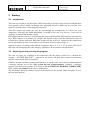
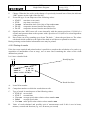
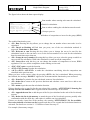
Let’s select the New race option with <F1>. On the
printout the choice we have just made will be shown,
that is, NEW RACE, and REI2 asks us what type of
race we are going to time.
Hh:mm:ss.d
A:New race
B:Delete/Recall stored race
C:Continue current race
D:Clear all memory
A
B
C
D
other
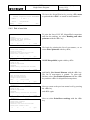
Pressing <F1> again activates the Single starts
program.
Hh:mm:ss.d
Select the program:
A:Single starts
B:Group starts
C:Simple stopwatch
D:Parallel slalom
A
B
C
D
other
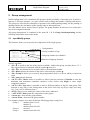
For the third time we select <F1> for Clear previous
configuration and confirm our intention to delete the
configuration with <F4>.
Hh:mm:ss.d
A:Clear previous configuration
B:Keep last race configuration
REI2
contains
several
recorded
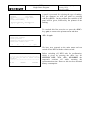
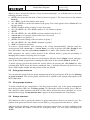
standard
configurations for the various sports disciplines. Let’s
opt for Alpine ski with the <F1> key.
Hh:mm:ss.d
Select configuration:
A:Alpine ski
B:Cross-country ski
C:Endurance
D:Training
A
B
C
D
other
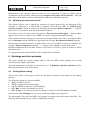
The choice we have made is shown on the printout
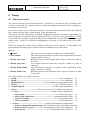
again. Now we are ready to start the Timing session,
which is done by pressing <F1> again.
M 1
Hh:mm:ss.d
A:Timing
B:Insertion/printing of groups
C:Ranking and other printouts
D:Departure manager
A
B
Doc: R2U_S_1079_001_E
Version: 1.07.9
Page 9 of 109
C
D
other
From this moment on, the REI2 display no longer operates in ‘text’ mode but switches to ‘graphic’
mode.
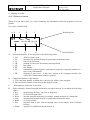
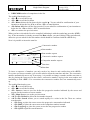
Let’s pause for a moment to analyse in Figure 1 what now appears on the display.
Doc: R2U_S_1079_001_E
Version: 1.07.9
Page 10 of 109
REI2
Single Starts Program
D E
A
F
10:12:34.5
S
J
B
C
ST0 LP0 SP0 AX0
1
R.-
G
~
man mem
1 0
----- -
F
I
L
0
AssSk
ResSk
M
N
SkManu
Q
FinSeq
1 0
>>>>
O
P
Figure 1
In the various positions we see:
a) Running time of day
b) Status of lines
c) Power status
d) The start area with
e) The indicator for ‘start keyboard’ disactivated
f) The number of the competitor ready at the Start
g) The run number of the competitor at the Start
h) The number of start impulses in the memory
i) The area with the next competitors to Start and finish with
j) The next finisher numbers
k) The displayboard indicator
l) The finish area with
m) The ‘finish keyboard’ active
n) The number set at the finish
o) The run of the competitor at the finish
p) The finish impulses in the memory
q) The options which can be activated with the function keys.
H
K
Doc: R2U_S_1079_001_E
Version: 1.07.9
Page 11 of 109
REI2
Single Starts Program
2.3
Timing
2.3.1 Start of first competitor
We can now start competitor N° 1 by pressing the <STA> key. On the printout the record of the
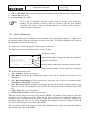
event is printed. As shown in Figure 2, on the graphic display new elements appear while others
change, in particular:
C
D
10:12:39.7
S
ST0 LP0 SP0 AX0
1 10:12:38.1245
R.1
~
man mem
1 0
1
F
AssSk
1
ResSk
1.6
SkManu
A
FinSeq
\
1 0
>>>>
B
Figure 2
a) The running time of competitor N° 1
b) The number 1 to the right of the letter R
c) A vertical bar (for 6 seconds) next to the letter S and the time of day of the competitor’s start to
the right of the number. After 6 seconds, during which the bar becomes smaller, the number is
changed to 2 and the start time is deleted from the display
d) The number 1 and a ‘revolving’ character in the displayboard indicator.
Now let’s start competitor N° 2, once more by pressing the <STA> key. We see that N° 2 is added
on after No. 1 in the finish area.
2.3.2 Finish of first competitor
To simulate the finish of competitor N° 1 we press the <STO key. The competitor’s net time is
shown inside the finish area, and a blinking bar between the number and the time informs us that we
must confirm the assignment of the time by pressing the <ENT> key, after which we obtain the
printout of the finish time and net time and the finish number is replaced by the next competitor.
2.3.3 Moving forward the start number
Competitor N° 3 is not in the race. REI2 presents N° 3 in the start area as the next number. To
change it, we do as follows:
We activate the ‘start keyboard’ by pressing the <Start/Stop> key so that the square which
previously contained the letter F now contains the letter S, and we press the <Arrow down > key.
The start number is increased by 1 and so becomes 4. By pressing on the <Start/Stop> key another
time, we can use the ‘finish keyboard’ again.
REI2
Single Starts Program
Doc: R2U_S_1079_001_E
Version: 1.07.9
Page 12 of 109
Let’s make the competitor with number 2 finish, once again with the <STO> key and confirming
with <ENT>. As no other competitors are running in the finish area, N° 0 is shown and no number
appears to the right of the letter R.
2.3.4 Non-starters
Number 4 starts regularly by pressing <STA>. N° 5, however, does not appear at the start and will
have to be ‘marked’ as not having started. To do this, as soon as N° 5 is proposed at the start, we reenable the start keyboard with the <Start/Stop> key and press the <ENT> key to confirm our
intention of operating on the number proposed at the start. As a result, the options associated with
the function keys change. We select NS with the <F3> key.
REI2 will propose N° 6 at the start, noting on the printout that N° 5 has been declared a non-starter
with the record of the time at which this was done.
Let’s leave the ‘start keyboard’ active and see what happens if there is a finish with the ‘start
keyboard’ activated. By pressing the <STO> key we simulate the finish of competitor N° 4. We
note that the ‘finish keyboard’ is immediately activated and we are asked for confirmation, which
we give with the <ENT> key.
2.3.5 Changing the Start number
We start N° 6 by pressing <STA>. The next start number is 127. To move forward the start number
in the same way as previously would be an extremely long operation so we set the number directly,
using the keyboard after N° 7 has been proposed at the start. First we reactivate the ‘start keyboard’
with the <Start/Stop> key, then we set the number by pressing <1> <2> and <7> and we confirm
the change with <ENT>.
When the next impulse is given with the <STA> key, competitor 127 starts and after 6 seconds N°
128 is proposed at the start. By pressing key <8> and <ENT> we set the next competitor to start.
By pressing <STA> we start N° 8 and after about 10 seconds we start the last competitor by
pressing <STA>.
In the area for showing the next finish numbers, we see that the numbers 6, 127, 8 and 9, in this
order, are expected at the finish.
2.3.6 Non-finishers
Previously we saw how to set a competitor as NS. Now we will set competitor N° 127 as NF.
Now the ‘start keyboard’ is active. To pass to the ‘finish keyboard’ we press the <Start/Stop> key.
The competitor proposed at the finish is number 6. To operate on the number we are interested in
(127), we can scroll the list of competitors expected at the finish by pressing the <Arrow down>
key. The competitor proposed at the finish is now 127. As previously, we press the <ENT> key to
activate the functions connected to the finish number and we set NF by pressing the <F3> key. Also
for the NF the time of the operation is shown on the printout.
2.3.7 Inversions at the finish
As soon as designation of NF has been confirmed, REI2 again proposes the first number of the list
of competitors expected at the finish, in this case N° 6. We know that the next to finish will not be
number 6 but number 8. We can change the number at the finish simply by pressing <Arrow
REI2
Single Starts Program
Doc: R2U_S_1079_001_E
Version: 1.07.9
Page 13 of 109
down>. The impulse obtained with the <STO> key will be assigned to N° 8. When confirmation is
made with the <ENT> key, number 9 will be proposed at the finish again.
Number 9 is presented at the start before number 6, even if the latter started first, as it is considered
the most likely number at the finish. N° 8 is already late when N° 8 finishes.
By pressing the keys <STO> <ENT> <STO> and <ENT> consecutively, we simulate the finishes
of the last two competitors (N° 9 and N° 6).
2.3.8 Quitting timing
Having finished our short race, we quit the timing function by pressing key <F5> to select the
option other, and we return to the menu with key <F4>. The display has now returned to text mode.
2.4
End of race operations
2.4.1 Disqualifications
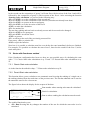
To insert a disqualification, for example, N° 8, we
scroll the menu (other) with the <F5> key
M 1
Hh:mm:ss.d
A:Timing
B:Input/Printout groups
C:Ranking and other printouts
D:Start manager
A
B
C
D
other
and we select Disqualifications with the <F2> key
M 2
Hh:mm:ss.d
A:Synchronization
B:Disqualifications
C:Download data to PC
D:Upload data from PC
A
B
C
D
other
Hh:mm:ss.d
M 2/2
ATHLETE DISQUALIFICATIONS MANAGEMENT
Number =
0
Run =
The cursor appears next to the word Number and we
press <8> <ENT>
---
Status =
Modify
Other
menu
Hh:mm:ss.d
M 2/2
ATHLETE DISQUALIFICATIONS MANAGEMENT
Number =
8
Run =
The cursor appears next to the word Run and we
press <1> <ENT>
---
Status =
Modify
Other
menu
Hh:mm:ss.d
M 2/2
ATHLETE DISQUALIFICATIONS MANAGEMENT
Number =
Status =
Modify
8
Run =
1
QUALIFIED
Other
menu
REI2 has searched for the status of the specified
competitor for the specified run. We mark the
competitor as disqualified by pressing <F1> Modify
REI2
Single Starts Program
Hh:mm:ss.d
M 2/2
ATHLETE DISQUALIFICATIONS MANAGEMENT
Number =
8
Status =
Run =
Doc: R2U_S_1079_001_E
Version: 1.07.9
Page 14 of 109
We insert the disqualification by pressing <F5> menu
to quit and then <ESC> to return to menu number 1.
1
DISQUALIFIED
Modify
Other
menu
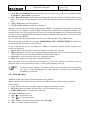
2.4.2 End of race lists
To print the lists of NS, NF, disqualified competitors
and also the ranking, we select Ranking and other
printouts with the <F3> key.
M 1
Hh:mm:ss.d
A:Timing
B:Input/printout of groups
C:Ranking and other printouts
D:Start management
A
B
C
D
other
We begin by printing the list of non-starters, so we
select Other printouts with key <F2>,
M 1/3
Hh:mm:ss.d
A:Print/Show rankings
B:Other printouts
C:Printout and Visualization mode
D:Print/Show climatic data
A
B
C
D
quit
NS/NF/Disqualified, again with key <F2>
M 1/3/2
Hh:mm:ss.d
A:Time of day
B:NS/NF/Disqualified
C:Skipped
D:Bibs running (started not arrived)
A
B
C
D
other
and finally, Not Started Printout with the <F1> key.
The list of non-starters is printed. To print nonfinishers select Not Finished Printout with the <F2>
key and then <F3> for disqualified competitors.
Hh:mm:ss.d
A:Not Started Printout
B:Not Finished Printout
C:Disqualified Printout
D:Run
0
(0=all runs)
A
B
C
D
quit
M 1/3/2
Hh:mm:ss.d
A:Time of day
B:NS/NF/Disqualified
C:Skipped
D:Bibs running (started not finished)
A
B
C
D
Now we select Print/Show rankings with the <F1>
key.
A:Print/Show rankings
B:Other printouts
C:Printout and Visualization mode
D:Print/Show climatic data
A
B
C
and <F5> again
other
M 1/3
Hh:mm:ss.d
Now we return to the previous menu level by pressing
the <F5> key
D
quit
REI2
Single Starts Program
Hh:mm:ss.d
A:Ranking ___________ Stop Times
B:Based on___________ Total Times
C:Run _______________
1
D:Group (0=all bibs)_
0
ESC=quit ENT=show ALT+ENT=print
A
B
C
D
Doc: R2U_S_1079_001_E
Version: 1.07.9
Page 15 of 109
A panel is presented for selecting the type of ranking.
For the moment we will just print by pressing
<ALT>+<ENT>. On the printout the contents of the
panel will be given, followed by the printout of the
ranking.
To conclude this first overview we press the <ESC>
key, quit, to return to the printout menu and then
<F5> for quit
M 1/3
Hh:mm:ss.d
A:Print/Show rankings
B:Other printouts
C:Printout and Visualization mode
D:Print/Show climatic data
A
B
C
D
quit
We have now returned to the main menu and can
switch off our REI2 with the relative switch..
Hh:mm:ss.d
****************************************
Are you sure you want to switch off the
stopwatch?
*****************************************
SW OFF
STANDBY
CONTINUE
Before switching off, REI2 asks for confirmation,
which is given by pressing the <F1> key for
SWITCH OFF. With <F3> STANDBY the
stopwatch switches off while retaining the
synchronization time. However this involves minimal
battery consumption.
REI2
Single Starts Program
Doc: R2U_S_1079_001_E
Version: 1.07.9
Page 16 of 109
3 Program characteristics
In the short race illustrated in ‘Starting’, we have used only a minimal part of the function features
offered by the ‘Single starts’ program. In the following sections the various configurations and the
various operations to be performed for particular events will be analysed.
REI2 stores all the events (start, lap, stop) and allows you to make all the modifications that may
become necessary at any time, also of finished runs. The values that depend on the modified events
(net time, lap time, total times…..) are recalculated after each modification.
On the printout all the events recorded are shown with the indication of the type, competitor
number, run, channel type, channel and time and all the modifications made to them (annulments,
variations, re-assignments…).
Firstly the functions available within the Timing function will be illustrated. Then the possibilities
which can be accessed from the program menu will be illustrated.
The various choices possible, both as regards the various menus and options and the various
modifiable values, are assigned each time by the 5 function keys <F1> <F2> <F3> <F4> <F5>.
If not otherwise specified, times are taken with an accuracy of 1/25,000 of a second; they are
printed and displayed with an accuracy of 1/10,000. All the calculations are made at 1/25,000 and
then net times are rounded up or down as requested.
To meet special requirements, times can be taken and stored at lower levels of accuracy and
adjusted to the same level required by the competition (e.g. relay races timed at 1/10).
It is possible to start a competitor in a run even if he/she has no time for the previous runs. In this
case, the note NO TOT is shown next to the competitor’s running time. All the events remain in the
memory and available even if they refer to previous runs.
The storage of all the events and the calculation of results when needed allows
maximum flexibility of race management, such as the editing of events for previous
runs, re-printing of the rankings of runs already completed, the simultaneous
management of two or more runs or even starting competitors with their run order
inverted.
This manual refers to version 1.07.9.
REI2
Single Starts Program
Doc: R2U_S_1079_001_E
Version: 1.07.9
Page 17 of 109
4 Timing
4.1
Functional context
The various functions are associated with the 5 function keys in different ways according to the
events to be managed, the ‘virtual keyboard’ enabled and whether an operation on the ‘proprietory’
start number is necessary.
In the first sessions you are therefore advised to check the function associated with the different
keys, which is always shown on the display, before pressing them.
The choices for start, intermediate and finish configurations and the command to quit timing are
grouped together in a submenu (other) with the <F5> key. If a choice is not made within 5 seconds
or an event to be managed is detected, REI2 quits configuration selection and returns to the main
timing menu. To quit the individual configurations and return to the main menu, press <F5>
(<<<<).
Below are shown the various active functions within the various ‘statuses’ in which REI2 can
operate during the timing session, and the section in which their use is described.
Statuses:
• Νormal:
• start number:
• Modify start event:
• Modify Lap event:
• Modify finish number:
• Modify finish event:
there are no events to change or numbers to confirm/change.
after selecting the intention to operate on the competitors at the start,
a start number is selected.
REI2 has acquired a start impulse and a request is made as to what to
do with it.
a lap impulse has been taken and a request is made as to how to
manage it.
after selecting the intention to operate on the competitors at the
finish, a number is selected.
REI2 has acquired a STOP impulse and a request is made as to what
to do with it.
The active functions in ‘normal’ status are:
• AssSK ............................................................................................... 4.6.1 Assignment
• ResSK ................................................................................................ 4.6.2 Annulment
• SkManu|SkAuto ............................................4.6.3 AutoSkip activation/disactivation
• FinSeq.......................................................................................4.4.17 Finish sequence
• SLigOn|SLigOff (**) ..................................................................................... 4.10 Start light management
• Others..............................................allows you to pass to the configuration submenu
• C.Start....................................................................... Setting of start configurations
• (Start) Man ......................................................................4.3.10 Run in progress
• (Start) Srch: Manu/Auto ................................ 4.3.11 Automatic/manual search
• (Start) Forerunner ........................................................4.3.12 Forerunner mode
• (Start) AutoStSp................................................................ 4.3.14 Finish priority
33
34
34
28
37
22
23
23
24
• C.Inter........................................................... setting of intermediate configurations
• (Interm.) Manual|Pri.Num|Pri.Lap.4.5.1 Intermediate times: Automatism modes29
• (Interm) Priorit.| N.prior............ 4.5.2 Intermediate times: Priority assignment 30
• (Interm.) Ref .............................................. 4.5.3 Intermediate times: Reference 30
REI2
Single Starts Program
Doc: R2U_S_1079_001_E
Version: 1.07.9
Page 18 of 109
• C.Finishes .............................................................. setting of finish configurations
• (Finishes) Ass: Manu|Auto .................... 4.4.15 Automatic/manual assignment
• (Finish) Srch: Manu|Auto ............................ 4.4.10 Automatic/manual search
• Class. No | Yes ..................... 4.4.16 Activated/Disactivated position in ranking
• Menu ....................................................................................... 4.11 Quitting timing
• <<<< ....................................allows you to return to the main menu (all submenus)
28
27
28
37
The active functions in ‘modify start number’ status, are:
• Ann.Ev. ...............................................................4.3.3 False impulse (to be annulled)
• Subst. ...............................................................................................4.3.7 Substitution
• NS .................................................................................................. 4.3.9 Non-starters
• C.Chrono ..................................................................... 4.3.6 Correction of time event
• Run ................................................................................................................4.3.8 Run
20
21
22
21
22
The active functions in ‘modify start event’ status, are:
• Ann.Ev ................................................................4.3.3 False impulse (to be annulled)
• Skip ........................................................................................4.3.4 Uncertain Impulse
• Reass ........................................................................................4.3.5 ‘Shared’ impulse
• C.Chrono ..................................................................... 4.3.6 Correction of time event
• Run ................................................................................................................4.3.8 Run
20
20
20
21
22
The active functions in ‘modify Lap event’ status, are:
• Ann.Ev ................................................................4.5.6 False impulse (to be annulled)
• Skip ........................................................................................4.5.7 Uncertain impulse
• Reass ........................................................................................4.5.8 ‘Shared’ impulse
• C.Chrono ..................................................................... 4.5.9 Correction of time event
• N.lap ................................................................................4.5.10 Intermediate number
• Run ................................................................................................................4.4.9 Run
• Run (*) .......................................................................4.5.11 Run of intermediate event
32
32
32
32
33
27
33
The active functions in ‘modify number at finish’ status are:
• Ann.Ev. .................................................................. 4.4.3 Changing the finish number
• Subst. ...............................................................................................4.3.7 Substitution
• NF .............................................................................................. 4.4.13 Non-finishers
• C.Chrono ..................................................................... 4.4.7 Correction of time event
• Run ................................................................................................................4.4.9 Run
• N.lap (*)............................................................4.5.12 Modifying intermediate events
25
21
27
26
27
33
The active functions in ‘modify finish event’ status are:
• Ann.Ev ................................................................4.4.4 False impulse (to be annulled)
• Skip ........................................................................................4.4.5 Uncertain Impulse
• Reass ........................................................................................4.4.6 ‘Shared’ impulse
• C.Chrono ..................................................................... 4.4.7 Correction of time event
• Run ...............................................................................................................4.4.9 Run
25
25
26
26
27
The functions marked (*) can be accessed by pressing the <ALT> key and the <F5> key together.
The function marked (**) can be accessed only if the start light is active.
REI2
Single Starts Program
4.2
Doc: R2U_S_1079_001_E
Version: 1.07.9
Page 19 of 109
Starting a session
To begin a timing session (race), after you have chosen the option for the race a request appears
asking you to select the program required.
This manual illustrates the functioning of the ‘Single start’ program, so press key <F1> for Single
starts.
If a previously used configuration is stored and you intend to use it (automatisms, truncations,
holdoff times…), press <F2> for Keep last race configuration.
If, on the other hand, you wish to change the configuration used, press <F1> for Clear previous
configuration. To confirm that you wish to annul the set configuration, press <F4> for Yes and the
function key corresponding to the new configuration to be used; in case of error, press <F5> for No.
Then to activate the session, press <F1> for Timing.
4.3
Starts
REI2 offers various options for the management of starts. These include lists managed manually,
lists calculated on the total results or on the previous runs, and lists uploaded from PC. In every
type of list, the automatic ‘proposal’ of the following consecutive number at the start can be
excluded. For details of the management of start lists, consult 7.2 Start order calculation on p.50.
The start time of the competitors can be automatically assigned either with the ‘Automatic starts’
function (see p.54) or by uploading it from PC.
Data concerning the competitor at the start is shown in the ‘starts’ area of the display. To operate on
the competitor at the start you must activate the ‘start keyboard’, if it is not already active, by
pressing the <Start/Stop> key. Activation of the ‘start keyboard’ is shown by the letter P inside a
square (and only the outline of the letter A). If starting lists are used, the next competitors waiting to
start are listed on the following line next to the letter L.
As will be better illustrated later, REI2 allows you to change start times and numbers both
immediately after the competitor’s start and also later for competitors who in the meantime have
already reached the finish. All the data acquired (net time, lap times, speed, etc.) will be
recalculated by REI2 without further operations by the user.
4.3.1 Start
When REI2 receives a start impulse, it presumes that the competitor has started regularly and writes
the real time of the start next to the number unless:
• you intervene within 6 seconds to modify the starter’s number
• you annul, skip or re-assign the impulse within 6 seconds
• you are already in the process of changing a number at the Start
• N° 0 is proposed at the start (Manual search)
If no action is performed, REI2 proposes the next consecutive number of the start list at the start
unless the ‘Automatic search’ has been disabled.
The passing of 6 seconds is shown by a bar next to the letter P whose height decreases as the time
passes. It is possible to interrupt the count by:
• pressing <Start/Stop> to activate the ‘start keyboard’ if it is not already active
• pressing any number key or an arrow key if the ‘start keyboard’ is already active.
REI2
Single Starts Program
Doc: R2U_S_1079_001_E
Version: 1.07.9
Page 20 of 109
Pressing the <ENT> key during the 6-second count immediately confirms the event.
This particularly functional mode of operation frees the timekeeper from the need to operate on
‘normal’ starts, instead leaving him/her sufficient time to intervene in case of necessity (false
impulses, number changes…).
4.3.2 Changing the start number
Various methods are available for changing the number proposed at the start (once again with the
‘start keyboard’ activated):
• by keying in the required number on the keyboard and pressing <ENT>
• by scrolling the start list with the arrow keys
• by pressing <ENT>, the arrow keys, and then <ENT> again.
After the start of the changed number, the ‘Automatic search’ function will propose the number
which follows it as the next starter, providing, of course, that an uploaded list is used, or else the
next number not yet started.
Remember that a bar to the right of the number at the start means that an <ENT> is needed to
confirm it.
4.3.3 False impulse (to be annulled)
We can distinguish between two cases: we realise before the 6 seconds are up, so with the number
at the start and the relative time on the display, or after.
To annul within 6 seconds, press the <F1> key. REI2 immediately returns the competitor to the
start.
To annul after 6 seconds have passed: key in the start number to which the impulse refers and press
<ENT>. When REI2 requests ‘START exists!’ (where nn is the competitor number) press <F4>
for cle.ev.; in case of error it is possible to quit annulment by pressing <F5> for exit. If you
intervene on a number which has no starting events to annul, the message ‘Number n not
assigned!’ appears for a short time.
4.3.4 Uncertain Impulse
It can happen that a particular impulse cannot be assigned immediately to a specific competitor
number and that we intend to do it later at a quieter moment. This particular function feature is
called Skip. An impulse can be skipped only within 6 seconds from occurring by pressing the <F2>
key for Skip. It is therefore not possible to skip a confirmed event.
4.3.5 ‘Shared’ impulse
If necessary, the same impulse can be assigned to more than one competitor by pressing the <F3>
Reass key. In this way, the time of day is assigned to the competitor proposed at the start (possibly
reinserted with the keyboard) and shown again next to number 0 until a new start number is keyed
in.
There is still time for re-assignments before confirmations are given with the <F3> key. Pressing
the <ENT> key informs REI2 that it is no longer necessary to re-assign this time.
The first press on the <F3> key must be made within a time limit of 6 seconds from the event.
REI2
Single Starts Program
Doc: R2U_S_1079_001_E
Version: 1.07.9
Page 21 of 109
However, it is possible to re-assign a time to a start number which already has its start time by
annulling the previous start event (see above).
4.3.6 Correction of time event
Another management possibility is the manual correction of a time event either within 6 seconds,
and therefore on the number and time on the display in the interval for confirmation, or by
retrieving a competitor number which has previously started.
To activate the correction function within the 6 seconds, press <F4>. To operate on the assignment
of events already confirmed, key in the start number to which the event refers and press <F4>. It is
now possible to insert the correct time event. The following functions are also available:
• <F1> C.Data to change the date of the event
• <F2> Run to change the run number to which the event refers
• <F3> Reass. to re-assign the event changing various data for it.
If the re-assignment option is selected, REI2 asks for the number to which the event is to be
assigned, the run number and the type of event, in this order. To change the type of event, press the
<Arrow> keys until the type of event required is proposed. If Lap is selected, you are asked for the
Lap number to be assigned. All values are confirmed with <ENT>. When re-assignment is finished,
you are asked if you wish to annul the event re-assigned with <F4> or retained with <F5>. When
the same event is assigned to the number you are operating on in the same run, you are asked to
confirm deletion of the event previously assigned.
4.3.7 Substitution
When checking that operations have been correctly made, you could find that a start event has been
assigned to the wrong competitor number. REI2 makes it easy for you to perform the necessary
corrections. After keying in the competitor number to which the event has been wrongly assigned,
press the <F2> key for Subst. The message ‘Substitute N. nn with N.’ appears. Insert the number
to which the impulse really refers and confirm with <ENT>.
If the new number inserted has no starting time, the operation finishes without further requests. If it
has, REI2 informs us that ‘mm EXISTS!’ (where mm is the new number) and offers us 3 ways of
intervening:
• <F3> (Delete) to annul the previously assigned event
• <F4> (nn<>mm) to invert the events from one number to the other
• <F5> (quit) to quit the operation.
Substitution can only be effected on events already confirmed.
A few examples (remember that to operate on start events, the ‘start keyboard’ must be activated if
it is not already active):
The starting time has been wrongly assigned to number 165 instead of number 175, who never
started.
• <1><6><5> to activate editing of number 165
• <F2> to activate the Subst. function
On the last line of the display the message ‘Substitute N° 165 with N.’ appears and the blinking
cursor appears next to the prompt
• <1> <7> <5> to insert the number the time is to be assigned to
• <ENT> to confirm the operation, which is shown on the printout.
REI2
Single Starts Program
Doc: R2U_S_1079_001_E
Version: 1.07.9
Page 22 of 109
The starting time has been wrongly assigned to 205 instead of 204, who has a start impulse which
must be deleted.
• <2><0><5> to activate editing of number 205
• <F2> to activate the Subst. function
On the last line of the display the message ‘Substitute N° 205 with N.’ appears and the blinking
cursor appears next to the message
• <2> <0> <4> <1> <7> <5> to insert the number the time is to be assigned to. Press <ENT>
The message is replaced by ‘204 EXISTS! Delete 205<>204 quit’
• <F3> to annul the wrong impulse previously assigned to N° 204 and to assign the correct one.
On the printout the annulment of the previous event assigned to 204 and the assignment of a
new value are shown.
Two competitor numbers at the start, 65 and 66, have been wrongly inverted.
• <6><5> to activate editing of number 65
• <F2> to activate the Subst. function
On the last line of the display the message ‘Substitute N° 65 with N.’ appears and the blinking
cursor appears next to the prompt
• <6> <6> to insert the number the time event is to be assigned to. Press <ENT>.
The message is replaced by ‘66 EXISTS! Delete 66<>65 quit’.
• <F4> to assign to number 66 the time previously assigned to 65 and 66’s time to 65. The two
substitutions are shown on the printout.
4.3.8 Run
The functions of modification and correction described above operate on the run set. To change the
run you wish to operate on, after setting the competitor number press the <F5> Run key. The
number of the run being operated on appears in the column ‘man’.
4.3.9 Non-starters
To insert a competitor in the list of non-starters, key in his/her number or press <ENT> if the
number is already at the start or has been selected by pressing the <Arrow> keys, and press the
<F3> key for NS.
To remove a number from the NS list, insert the number at the start, confirming deletion of the
event with <F4>.
If it turns out that the competitor has already left, the message ‘START N.nnnnnn exists. Ann.?’
appears on the last line of the display. Press <F4> Yes to ‘mark’ the competitor as ‘NS’ or <F5> to
leave the competitor’s status unaltered.
4.3.10 Run in progress
The run in progress to which all the events and all the operations performed refer is set in this way:
• press the <F5> Others
• press the <F1> C.Start key
• press the <F2> key for Run
• insert the number of the run in progress and <ENT> to confirm.
REI2
Single Starts Program
4.3.10.1
Doc: R2U_S_1079_001_E
Version: 1.07.9
Page 23 of 109
Run 0
Setting 0 (zero) as the run number activates a special REI2 automatism which
moves forward the competitor’s run number by one simply by inserting his/her start
number, both before and after the reception of a START impulse.
In practice the first time that a competitor is placed at the start, run 1 will be taken as being the run
in progress for that particular athlete, the second time run 2 and so on. Naturally the existing start
control is disabled while all the other automatisms remain active. Different competitors can do
different runs.
This function is particularly useful in training or test sessions in which the competitors do timed
trials a number of times.
4.3.11 Automatic/manual search
Automatic search for the next start number can be activated or disactivated at any moment.
• press the <F5> key >>>>
• press the <F1> C.Start key
• press the <F3> key to change your choice. A different choice is proposed each time you press
the key.
4.3.12 Forerunner mode
After you have entered the Starts configuration with <F5> >>>> and <F1> C.Start, each time you
press the <F4> Forerunner key, the ‘forerunner’ mode is activated or disactivated. For each mode
change, confirmation is requested with the question ‘Enable forerunner mode?’ or ‘Disable
forerunner mode?’ Confirm with <F4> Yes to change the status or <F5> No to annul the change.
Each status change is shown on the printout, framed by asterisks so that it can be quickly
ascertained.
While the forerunner mode is active, an A is shown to the right of the letter P in the start area. The
displayboard is disactivated and the relative red led on the stopwatch blinks (it is possible however to
reactivate the displayboard). The management of the forerunner remains exactly the same as for
normal management with the difference that the forerunner does not appear in the ranking.
When you have quit the forerunner mode, the relative data is canceled from
REI2’s memory.
4.3.13 Start event memory
Any start impulses which arrive while you are operating on a competitor are ‘parked’ in a memory
provided for this purpose. The number of impulses recorded is shown by the number under the
indication ‘mem’. REI2 stores up to 127 events and presents them to the operator in the order in
which they took place.
For the parking of impulses in the memory, the 6-second count made by REI2 is treated like an
operation performed on the competitor. When the 6 seconds are up and the event has been
automatically confirmed, REI2 takes the next event from the memory.
You are strongly advised to keep the start memory empty.
REI2
Single Starts Program
Doc: R2U_S_1079_001_E
Version: 1.07.9
Page 24 of 109
4.3.14 Finish priority
A Stop event automatically enables the ‘stop keyboard’ and disables the ‘start keyboard’ if this is
only activated and you are not operating on a competitor.
Automatic selection of the field finished when a stop impulse occurs can be activated or
disactivated at any moment.
• press the key <F5> other
• press the key <F1> C.Start.
Press the key <ALT> + <F1> to change the selection. Each time the key is pressed an alternative
choice is proposed.
4.4
Finishes
REI2 constructs a list of competitors expected at the finish and shows the first ones next to the letter
R.
As with starts, a specific zone of the display is reserved for the display of information about
competitors at the finish. To be able to operate on this data the ‘finish keyboard’ must be activated,
if it is not already active, by pressing the <Start/Stop> key. Activation of the ‘finish keyboard’ is
shown by the letter ‘F’ inside a square (and the letter ‘S’ only in outline).
4.4.1 Finish
The management of stop impulses by REI2 differs according to whether automatic ‘assignment’
and ‘search’ are activated.
Automatic ‘assignment’ is not normally active for every type of race, while automatic ‘search’ is
active for alpine skiing and disactivated for cross-country skiing (see the table summarising
configurations).
The following table summarises the various ways of functioning for the configurations set.
Assignment Search
Function features
Active
Active
The competitor who follows the last competitor to have finished in the
list of those expected at the finish is proposed with the net time
alongside. You have the time specified with the function Confirmation
time for Stop (chap. 12.1.10 on p.71) to make any variations, at the end
of which the impulse is confirmed and the next number in the list is
proposed at the finish. Procedures are the same as for the start.
Disactive
Active
The competitor who follows the last competitor to have finished in the
list of those expected at the finish is proposed with the net time
alongside. The blinking cursor next to the number reminds you that
assignment of the impulse must be confirmed with the key <ENT>.
When assignment has been confirmed, the next competitor in the list is
proposed at the finish.
REI2
Single Starts Program
Doc: R2U_S_1079_001_E
Version: 1.07.9
Page 25 of 109
Disactive
Disactive The finish time is shown and the cursor appears next to the number 0 to
ask for insertion of the number. The first time the <ENT> key is pressed,
the number is confirmed and the net time is presented. The second time
the <ENT> key is pressed, assignment is confirmed. No numbers at the
start are proposed (0 on the display).
Active
Disactive As for the previous configuration.
4.4.2 Similarities
The following functions operate on the finish events, with exceptions managed in the same way in
which analogous functions operate on starts. The function keys from <F1> to <F4> (Ann.Ev. Skip
[Subst.] Reass.[NS/NF] C.Chrono) to be used are the same for the various functions both at the
start and finish.
You should keep in mind that normally start events are confirmed automatically after 6 seconds
while finish events must normally be confirmed manually (see chap. 4.4.15 Automatic/manual
assignment on p.28).
4.4.3 Changing the finish number
The finish number is changed in the same way as the start number. That is, you:
• key in the number you have chosen on the keyboard and press <ENT>
• scroll the finish list (R) with the arrow keys
• press <ENT>, the arrow keys and <ENT> again.
Contrary to what happens at the start, the ‘Automatic function’ key will always propose the first
number in the list of competitors expected at the finish.
Remember that a bar to the right of the number at the start means that <ENT> is necessary for
confirmation.
4.4.4 False impulse (to be annulled)
We can distinguish between two cases: we realise before confirmation of the event, so with the
number at the finish and the relative time on the display, or after.
To annul an unconfirmed event, press the <F1> key. REI2 immediately returns the competitor to
the finish.
To annul a confirmed event: key in the finish number to which the impulse refers and press
<ENT>. When REI’s request ‘Annul event nn.?’ appears (where nn is the competitor’s number),
press <F4> for Yes; in case of error it is possible to quit annulment by pressing <F5> for No. If you
operate on a number which has no finish events to annul, the message ‘Number n not assigned!’
appears for a short time.
4.4.5 Uncertain Impulse
It can happen that a particular impulse cannot be assigned immediately to a specific competitor
number and that you intend to do it later at a quieter moment. This particular function feature is
called Skip. An impulse can be skipped only before being confirmed by pressing the <F2> key for
Skip. It is therefore not possible to skip a confirmed event.
REI2
Single Starts Program
Doc: R2U_S_1079_001_E
Version: 1.07.9
Page 26 of 109
4.4.6 ‘Shared’ impulse
If necessary, the same impulse can be assigned to a number of competitors, for example, when they
cross the finishing line simultaneously, by pressing the <F3> Reass key. In this way, the real time
is assigned to the competitor proposed at the finish (possibly reinserted with the keyboard) and
shown again next to number 0 until a new finish number is chosen.
There is time for re-assignments before confirmations are given with the <F3> key. Pressing the
<ENT> key informs REI2 that it is no longer necessary to re-assign this time.
The first press on the <F3> key must be made within a time limit of 6 seconds from the event.
However, it is possible to re-assign a time to a number which already has its finish time by
annulling the previous finish event (see above).
4.4.7 Correction of time event
Another way of intervening is by manually correcting a time event either before confirmation, and
therefore on the number and time on the display, or by retrieving the number of a previous finisher.
To activate the correction function within the 6 seconds, press <F4>. To operate on the assignment
of events already confirmed, key in the start number to which the event refers and press <F4>. It is
now possible to insert the correct time event. The following functions are also available:
• <F1> C.Data to change the date of the event
• <F2> Run to change the run number to which the event refers
• <F3> Reass. to re-assign the event changing various data concerning it.
If the re-assignment option is selected, REI2 asks for the number to which the event is to be
assigned, the run number and the type of event, in this order. To change the type of event, press the
<Arrow> keys until the type of event required is proposed. If Lap is selected, you are asked for the
Lap number to be assigned. All values are confirmed with <ENT>. When re-assignment is finished,
you are asked if you wish to annul the event re-assigned with <F4> or retained with <F5>. When
the same event is assigned to the number you are operating on in the same run, you are asked to
confirm deletion of the event previously assigned.
For example: in a cross-country ski race, competitor N° 23 has crossed the finishing line instead of
the first intermediate point and continues his/her race regularly. To re-assign, after the finish has
been confirmed press the keys:
• <2><3><F4> to activate C.Chrono
• <F3> for Reass.
In the central line REI2 shows the activated function ‘REASS.TIME:….’ with the item of data to
be inserted while in the last line the string ‘N. 23 Man. 1 C.Log.STOP’ appears
• <ENT> <ENT> to confirm the number and run
• press <Arrow down > until the last part of the string on the last line becomes ‘C.Log.Lap’
• <1> <ENT> to insert intermediate 1 and confirm
• <F4> to delete the original event.
On the printout deletion of the stop time event and insertion of the Lap 1 time appear. The
competitor is put back in the race.
4.4.8 Substitution
When checking that operations have been made correctly, you could find that a finish event has
been assigned to the wrong competitor number. REI2 makes it easy for you to perform the
REI2
Single Starts Program
Doc: R2U_S_1079_001_E
Version: 1.07.9
Page 27 of 109
necessary corrections. After keying in the competitor number to which the event has been wrongly
assigned, press the <F2> key for Subst. The message ‘Substitute N. nn with N.’ appears. Insert
the number to which the impulse really refers and confirm with <ENT>.
If the new number inserted does not have a finishing time, the operation finishes without further
requests. If it has, REI2 informs us that ‘mm EXISTS!’ (where mm is the new number) and offers
us 3 ways of intervening.
• <F3> (Delete) to delete the previously assigned event
• <F4> (nn<>mm) to invert the events between two numbers
• <F5> (quit) to quit the operation.
Substitution can only be effected on events already confirmed.
4.4.9 Run
The functions of editing and correction described above operate on the run set. To change the run
you wish to operate on, press the <F5> Run key. The number of the run being operated on appears
in the column ‘man’.
4.4.10 Automatic/manual search
Automatic search for the next finish number can be activated or disactivated at any moment.
• press the <F5> key other
• press the <F3>C.Finish key
• press the <F3> key to change your choice. A different choice is proposed each time you press
the key.
4.4.11 Finish event memory
Any finish impulses which arrive while you are operating on a competitor are ‘parked’ in a memory
provided for this purpose. The number of impulses recorded is shown by the number under the
indication ‘mem’. REI2 stores up to 127 events and presents them to the operator in the order in
which they took place.
If the ‘assignment’ function is active, for the parking of impulses in the memory the 6-second count
made by REI2 is treated like an operation performed on the competitor. When the 6 seconds are up
and the event has been automatically confirmed, REI2 takes the next event from the memory.
You are strongly advised to keep the finish memory empty.
4.4.12 Finish priority
A Stop event automatically enables the ‘stop keyboard’ and disables the ‘start keyboard’ if this is
only activated and you are not operating on a competitor.
4.4.13 Non-finishers
To insert a competitor in the list of non-finishers, key in his/her number or press <ENT> if the
number is already at the start or has been selected by pressing the <Arrow> keys, and press the
<F3> key for NF.
REI2
Single Starts Program
Doc: R2U_S_1079_001_E
Version: 1.07.9
Page 28 of 109
To remove a number from the NF list, insert the number at the finish, confirming deletion of the
event with <F4>.
If it turns out that the competitor has already finished, the message ‘STOP exists!?’ appears on the
last line of the display. Press <F4> ann.ev. to ‘mark’ the competitor as ‘NF’ or <F5> quit to leave
the competitor’s status unaltered.
4.4.14 Differences
The following functions are not present at the start and are specific to the management of finishes.
4.4.15 Automatic/manual assignment
Automatic assignment of the finish impulse to the competitor proposed at the finish can be activated
or disactivated at any moment.
• press the <F5> key other
• press the <F3>C.Finish key
• press the <F2> key to change your choice. Each time you press the key, a choice which
alternates between ‘Ass:Manu’ for manual assignment and ‘Ass:Auto’ for automatic
assignment appears.
4.4.16 Activated/Disactivated position in ranking
REI2 allows you to activate and disactivate the display of a position in the ranking on the
displayboard. To activate and disactivate this function:
• press the <F5> key other
• press the <F3>C.Finish key
• press the <F4> key to change your choice. Each time you press the key, a choice which
alternates between ‘Rank no’ for disactive and ‘Rank yes’ for active appears.
The position in the ranking is calculated by scrolling the various groups (see section Group
management on p.40) starting from group N° 1. The search finishes when REI2 finds the first group
containing the finisher. The position is calculated as a position for that particular group and all
subsequent groups are ignored.
For example, if for printing of the final rankings we have inserted competitor N° 12 in groups N° 1
(e.g. male), N° 2 (e.g. junior) and N° 3 (e.g. foreigners), he appears on the displayboard with a
position in relation to all the males. Viceversa, if we want his position in relation to the foreigners to
appear, we define the groups in the order N° 1 (foreigners) N° 2 (males) and N° 3 (juniors).
4.4.17 Finish sequence
Amongst the various functions offered by REI2 there is the chance to arrange for a sequence of
numbers at the finish so that by pressing once on a function key, an impulse is assigned to a set
number. This function can be employed in cases where, in a race with finishes following close on
one another, such as a cross-country ski race, we have advance notice about the finish.
The first operation is to activate the function with the <F4> for FinSeq key. Then insert the
numbers expected at the finish, pressing <ENT>between one number and another. The list is shown
on the last line with the inserted numbers separated by a comma. Press the <ENT> key with the
competitor number 0 to finish insertion of the list.
At this point, the first competitor numbers inserted are shown above the various function keys.
REI2
Single Starts Program
Doc: R2U_S_1079_001_E
Version: 1.07.9
Page 29 of 109
When a stop impulse is received, to assign the time immediately to the competitor number you only
need to press the function key corresponding to the number at the finish. Any numbers assigned to
function keys to the right of the one selected will be moved one place to the left.
If the function key corresponding to the competitor number is pressed before the event takes place,
the competitor’s time is shown on the displayboard and is assigned automatically when the finish
impulse is received.
If the same impulse is to be assigned to more than one competitor, after assigning as previously
described you need only press the <ALT> key at the same time as the function key concerned to
retrieve the last time event processed. The process can be repeated on the same event as many times
as required.
If, on the other hand, the impulse received is to be skipped, this can be done by pressing the keys
<ALT> + <ESC>. If necessary, a skipped event can also be reassigned as described above.
If a number you have not already been informed of arrives at the finish, you can insert it at the top
of the list simply by keying it in and pressing enter.
REI2 quits list management when the last number in the list has been used. However, it is possible
to quit list management at any moment by pressing the <ESC> key. Once you have quit the list
with <ESC>, the numbers previously uploaded are not shown when you return to the function list.
Note that if a number which has already finished is inserted, you are of course asked to confirm the
deletion of the previous event.
4.5
Intermediate times
As the way of managing intermediate times is similar to the management of finishes, they are dealt
with after finishes.
In this chapter (4.5), unless otherwise specified the term intermediate refers to both intermediate
time in the true sense of the word and to lap time.
With REI2 up to 240 intermediate events (Laps) for each competitor can be managed in a complete
and flexible way, whether they be lap times or true intermediate times. Management of intermediate
times can be performed by the user by operating on the device or assigned wholly or in part to REI2
by setting specific function modes. At the end of the description of the various functions, a few
examples of configuration are given. (4.5.4 Intermediate times: examples of configuration p.31).
4.5.1 Intermediate times: Automatism modes
The management mode of intermediate times can be modified at any moment. The modes available
are ‘Manual’, ‘Number priority’ and ‘Lap priority’.
To access the function:
• press the <F5> key other
• press the <F2>C.Inter. key
• press the <F2> key to change your choice. Each time you press the key, a choice which
alternates between Manual, Pri.Num, Pri.Lap is proposed.
The meaning of the various modes is as follows:
• Manual: No automatism is set. Assignment of the correct intermediate time is left to the
operator.
REI2
Single Starts Program
•
•
Doc: R2U_S_1079_001_E
Version: 1.07.9
Page 30 of 109
Number Priority: For the competitor number set, a search is made for the following
intermediate number so as to take a time within the limits of reference.
Lap priority: For the intermediate number set, a search is made for the competitor who started
after the last one with that Lap number, so as to take a time within the limits.
The two automatic modes are useful in different ways depending on whether competitions take
place on linear or circuit courses.
4.5.2 Intermediate times: Priority assignment
With this function you can specify whether, in the case of the acquisition of a lap event, you wish
REI2 to show on the display the data for that time for confirmation by the operator, or whether it
must determine the correct assignment of the time and should assign it automatically.
To access the function:
• press the <F5> key other
• press the <F2>C.Inter key
• press the <F3> key to change your choice. Each time you press the key, a choice which
alternates between Priorit,NotPrior is proposed.
The meaning of the various modes is as follows:
• NotPrior: Guided by the settings selected by the user, REI2 determines the competitor number
and intermediate number and if they correspond, assigns them automatically or skips them. Non
priority management is possible only if the ‘Pri.Num.’ or ‘Pri.Lap’ modes are enabled (see chap.
4.5.1 Intermediate times: Automatism modes on p.29)
• Priorit: The data for the acquired lap time are shown and REI2 completes them according to the
automatisms set and waits for their confirmation.
4.5.3 Intermediate times: Reference
Validity limits (ranges) can be set for the times acquired for each individual competitor for the
various intermediate events or laps. The time limits are calculated as the best or worst performance
expressed as a percentage compared to a competitor who stands as a reference.
To access this function:
• press the <F5> key other
• press the <F2>C.Inter key
• press the <F4> Ref. key again.
The enabled function keys are:
• <F2> Run to set the limits for lap time. After pressing the key you are asked for the competitor
number to be used as a reference (the last finisher is proposed). On the printout are printed the
lap times of references and the minimum and maximum values which will be presumed correct
• <F3> Race to set the limits for events which are intermediate in the real sense of the word.
After pressing the key you are asked for the competitor number to be used as a reference (the
last finisher is proposed). On the printout are printed the minimum and maximum times which
will be presumed correct for each intermediate event. If the answer Yes is given to the Run
time reference request, those competitors who have times above the set limit will be substituted
as the next competitor expected at the finish with the following competitor expected at the finish
• <F4> Delete to delete the limits set
• <F5> Quit to return to the previous menu.
REI2
Single Starts Program
Doc: R2U_S_1079_001_E
Version: 1.07.9
Page 31 of 109
At any moment a new competitor can be selected as ‘reference’ without any effect on stored data.
For example, the competitor used as reference can be changed each time the category or merit
group is changed.
The function Manual input of reference times (chap. 12.1.6 on p.69) allows you to manually insert
the reference times and change the validity percentage values.
However, the possibility of assigning an intermediate time outside the limits remains active. In this
case, if a generic Lap time is assigned, the words ‘Suspicious Time’ are printed on the printout.
The reference times are calculated and printed on the basis of Lap times and not
on the basis of split times. For example, if the first intermediate event takes place
30 seconds into the race (split) and the second 1’ 30’’ into the race (split), the
validity range for the second intermediate event is calculated on the minute which
passes between the two intermediate events (lap) and not on the minute and thirty seconds. So with
a shift of 15% the second intermediate time must be measured between 51” and 1’09” after the first
intermediate time and not between 1’ 16” 50/100 and 1’43” 50/100 from the start. The limits for the
run time on the other hand are calculated on the Split time.
If there is no previous intermediate time, REI2 is still able to maintain the
management automatisms of the intermediate times by using the lap time between
two known events. For example, if it acquires a fourth intermediate time and the
third is missing, it recalculates the range between the second and the fourth.
4.5.4 Intermediate times: examples of configuration
Example 1: an Alpine ski race with two intermediate times
Let’s suppose we are dealing with an Alpine ski race with competitors of similar level and
forerunners of similar level to the competitors. Also check that line configuration is set to LAP 1
for LAP and LAP 2 for AUX.
We will use the forerunner as the competitor for reference with 4.5.3 Intermediate times: Reference
p.30 selecting T.Typical for Race. REI2 will use the intermediate times of the forerunner to
calculate the validity ranges of the intermediate times. When setting the ‘Priority Lap’, on
acquisition of an intermediate impulse REI2 will propose the competitor whose time is within the
limits of reference as the ‘owner’ of the intermediate time. At this point, if we have set with 4.5.2
Intermediate times: Priority assignment p.30 Priorit., each time confirmation of the data acquired
will be requested. If, on the other hand, we have set NotPrior, the data will be accepted
immediately. In the second case, times which do not lie within the ranges of reference are
automatically skipped.
Example 2: a circuit race with reference times
Let’s suppose we have a circuit race in which the competitors must run 10 laps, once again with
competitors of similar level. The intermediate line is in AUX. (Check that the line configuration is
set to LAP 0 for AUX for autoincrement).
We set REI2 with 4.5.2 Intermediate times: Priority assignment p. 30 NotPrior. and Priorit. Num.
At the end of the first lap (before the transit of every competitor over the lap line) we will have to
manually assign both the competitor number and the lap number to the various competitors. The
first moment we are free we will assign the time of a significant competitor (for example, one a
third of the way down the ranking) as the reference time. From that moment on, REI2 will ask
(before the transit of every competitor over the lap line) only for the competitor number and will
REI2
Single Starts Program
Doc: R2U_S_1079_001_E
Version: 1.07.9
Page 32 of 109
calculate automatically the lap number to be referred to. If the competitor’s time does not fall within
the pre-set parameters, he/she will automatically be skipped.
If the number of laps to be completed has been set with the function 12.1.5 Last relay lap
(Lap>>Stop) on p. 69, REI2 will assume that the impulse from the LAP channel for the last lap has
come from the STOP channel.
4.5.5 Management of intermediate events
At the same moment that REI2 acquires an intermediate impulse, the most likely competitor for the
intermediate time acquired is shown on the display next to the letter L (Lap). This number can be
changed with the usual operation. Press <ENT> to confirm assignment. The time of day of the
event and the relative channel are shown on the printout.
The time values of of the last event (LAP) and start time (SPLIT) are printed either when the
competitor finishes or immediately according to the settings specified with Printing of intermediate
times (see section 12.1.3 on p.68 ).
Any radio speeds or averages are also printed.(see chap. 15 Speed bases Setup on p.85).
4.5.6 False impulse (to be annulled)
To annul an intermediate time, press the <F1> key.
4.5.7 Uncertain impulse
An intermediate impulse can be skipped by pressing the <F2> key. The management of skipped
events remains the same as that for start and finish skips.
4.5.8 ‘Shared’ impulse
If necessary, the same impulse can be assigned to more than one competitor, for example when they
pass the finishing line at the same time, by pressing the <F3> Reass key. In this way, the time of
day is assigned to the competitor proposed at the finish (possibly reinserted with the keyboard) and
re-proposed next to number 0 until a new finish number is keyed in.
The time is available for re-assignment before confirmations are given with the <F3> key. Pressing
the <ENT> key informs REI2 that it is no longer necessary to re-assign this time.
The first press on key <F3> must be made within a time limit of 6 seconds from the event.
However, it is possible to re-assign a time to a competitor number which already has its finish time
by annulling the previous finish event (see above).
4.5.9 Correction of time event
Another management possibility is the manual correction of an intermediate time before
confirmation and therefore on the number and time in the display.
To activate the correction function before confirming the time event, press <F4>. It is now possible
to insert the correct time event. The following functions are also available:
• <F1> C.Data to change the date of the event
• <F2> Run to change the run number to which the event refers
• <F3> Reass. to re-assign the event changing various data for it.
REI2
Single Starts Program
Doc: R2U_S_1079_001_E
Version: 1.07.9
Page 33 of 109
If the re-assignment option is selected, REI2 asks for the number to which the event is to be
assigned, the run number and the type of event, in this order. To change the type of event, press the
<Arrow> keys until the type of event required is proposed. If Lap is selected, you are asked for the
Lap number to be assigned. All values should be confirmed with <ENT>. When re-assignment is
finished, you are asked if you wish to annul the event re-assigned with <F4> or retained with <F5>.
When the same event is assigned to the number you are operating on in the same run, you are asked
to confirm deletion of the event previously assigned.
4.5.10 Intermediate number
On receiving an intermediate impulse it is possible to specify the lap number (lap) you wish to refer
to by pressing the <F3> N.Lap key. The cursor will appear over the letter L next to the word LAP
and wait for the insertion of the intermediate number and its subsequent confirmation with <ENT>.
4.5.11 Run of intermediate event
By pressing the <ALT> and <F5> keys simultaneously, it is possible to modify the run number the
intermediate event taken refers to. The cursor places itself on the active run number (at the bottom
right of the display). Key in the new run number and press <ENT> to confirm.
4.5.12 Modifying intermediate events (later)
All the modifications to acquired intermediate values are possible after confirmation of the
individual events acquired and also after confirmation of the competitor’s finish.
To modify an acquired intermediate event, with the ‘finish keyboard’ activated insert the number of
the competitor you want to operate on and without confirming the number, press the <ALT> and
<F5> keys together.
At this point REI2 asks for the Lap number you wish to operate on. Note that the number 0
corresponds to the event Stop. When the lap number has been inserted (confirmation with <ENT>
is optional), the Lap management functions previously described are activated.
It is also possible to operate on a different competitor number by inserting the new number instead
of the one proposed. (In this case, the Lap number must be confirmed).
If the number is confirmed with <ENT>, you are asked if you wish to annul the relative event.
Press <F4> Yes to annul the event or <F5> to keep it.
4.6
Skip
We have seen previously how it is possible to skip an event so as to be able to manage it later with
greater calm. (For example, in the case of the finish of a group of athletes with illegible numbers).
All skipped impulses are marked SK on the printed strip and identified by a consecutive number
situated next to them.
4.6.1 Assignment
To assign a skipped event, do as follows:
• Press the <F1> key for AssSk
A rectangle appears showing the number of skipped events, the consecutive number of the skip, the
time of day, the type of event and the run number
REI2
Single Starts Program
Doc: R2U_S_1079_001_E
Version: 1.07.9
Page 34 of 109
•
Select the Skip number you wish to operate on either by keying in the number or by scrolling
the Skips with the arrow keys, and press <ENT>.
A request for the competitor number to which the skipped event should be assigned appears. (For
some events REI2 proposes the number).
• Press the <ENT> key to confirm assignment or
• Press the <F2> key to change the run you wish to refer to and confirm.
During this phase you can annul the skipped event with the <F1> key or quit skip management with
the <F4> key.
If there are no skipped events to manage, the message ‘There are no skipped events!’ appears in
the announcement rectangle.
4.6.2 Annulment
When all the ‘useful’ skipped events have been managed, it is possible to annul all the skipped
events which are no longer necessary:
• Press the <F2> key for ResSK
• Press the <F4> key Yes to confirm annulment. In case of error, press <F5> for No.
On the printout the cancelation of the skipped events from the memory is shown.
After cancelation, the numbering of the skipped events restarts from 1.
4.6.3 AutoSkip activation/disactivation
All the stop and intermediate events can be skipped by enabling the AutoSkip function as follows:
• Press the <F3> key so the letters SkAuto appear.
From this moment on, all the stop and intermediate events will be automatically skipped. REI2
informs you that the function has been activated by blinking the announcement ‘*** AutoSkip
enabled ***’ immediately above the finish area.
To disactivate the function, operate in a similar way:
• Press the <F3> key so the letters SkManu appear.
Note that while the Autoskip function is active, no stop impulse is presented to the
operator for confirmation. This means that if there is a displayboard, it will continue
to display running time also for athletes whose arrival at the finish has been
regularly recorded.
4.6.4 An example
A practical example can better illustrate the use and usefulness of Skips.
Let’s imagine a race over a distance long enough to allow the competitors to catch up with and
overtake each other. After choosing new race, we enter timing. We start the first five competitors
(from N° 1 to N° 5) by pressing the <STA> key 5 times. Suppose that at this point three
competitors, number 5, a competitor with an illegible number and number 2 reach the finish very
close together. Then other competitors approach the finish, so we press the <STO> key to simulate
their finishes, we confirm N° 5’s finish which we have correctly identified with <5><ENT><ENT>
and at this point we do not know to whom to assign the second impulse and we ‘freeze’ it, skipping
it with <F2>. We then confirm N° 2’s finish with <2><ENT><ENT>.
REI2
Single Starts Program
Doc: R2U_S_1079_001_E
Version: 1.07.9
Page 35 of 109
In a later moment of calm we can ‘retrieve’ the missing number (by asking for it, by checking the
finish lists) and we suppose it is N° 4. So we can carry out time assignment. On the printout we
retrieve the Skip number assigned to the impulse (SK1) between N° 5 and N° 2, we press the <F1>
AssSk key, we confirm our intention to operate on a STOP event in run 1, as shown on the display,
and at the request Nu, for number, we put 4 with <4> and confirm with <ENT>. In this way we
have assigned the previously ‘frozen’ finish time to number 4 without having to key in a time.
4.7
Displayboard management
REI2’s management of the displayboard/displayboards is very sophisticated. The configuration
options of the displayboards installed is illustrated in section Displayboards setup on p.74. In this
section, their management during timing will be illustrated.
Inside the ‘displayboard indicator’(see Figure 1 ), the competitor number shown to the public is
displayed with the indication as to whether the time is a running time (revolving bar), a net time (T),
a lap time (L) or whether a previous event request is being inserted. In addition, a series of ---shows when the displayboard is switched off.
4.7.1 Normal functioning
During a normal timing session, data about the competitor expected at the finish are shown on the
displayboard with the number and the revolving bar. At the moment the competitor reaches the
finish, the net time data is sent to the displayboards. At this point, REI2 allows you to immediately
change the number at the finish, for example, by confirming the assignment of the finish, and
leaving the data about the competitor who has just finished visible for a time pre-set during
configuration.
The passing of the pre-set display time is shown by a bar between the competitor’s number and the
letter T, which becomes shorter as the time passes.
4.7.2 Automatic queuing up
Any data to be displayed before the display time is over is queued up and subsequently displayed.
This function is particularly useful when finishes are close together, for example, in cross-country
skiing events. In this way, the timekeeper can concentrate exclusively on the management of the
finishes, leaving REI2 the job of showing the public for a convenient period of time data about the
competitors who have finished.
If more than 4 athletes have yet to be displayed, display time is halved until only 4 or fewer events
remain to be displayed.
4.7.3 Manual queuing up
It is possible to add the latest finishes to the queue of events to be displayed on the displayboards.
The data queued up in this way will be displayed in the same way as for automatic queuing up. To
queue up events, keep the <ALT> key pressed down and press the <Arrow up> key as many times
as the number of finishes to be displayed. Each time the <Arrow> key is pressed, the number of the
athlete placed in the queue appears in the displayboard indicator with the character ? next to it.
It is also possible to queue up just the finishing time of an athlete who has arrived some time before
by using the following sequence:
• Key in the number concerned
REI2
Single Starts Program
•
•
Doc: R2U_S_1079_001_E
Version: 1.07.9
Page 36 of 109
Press the <ENT> key
Press the <F3 > display key.
The functions of Disabling of displayboard and Priority competitor empty the queue of events to be
displayed.
4.7.4 Disabling of displayboard
To disactivate the displayboard output so that no communication appears, press the <ALT> +
<Displayboard> keys simultaneously. In the displayboard indicator the sign ‘------‘ appears and the
red led of the key begins to blink rapidly (about two blinks a second). To reactivate the
displayboard, press the <ALT> + < Displayboard> keys again. The indicator stops blinking.
4.7.5 Priority competitor
In particular conditions it is necessary to display the running time of an athlete whose race is in
progress (priority) while other athletes are expected at the finish. To do this, operate as follows:
• Set the number of the ‘interesting’ athlete at the finish, keying it in and confirming it, or
selecting it with the <Arrow > keys and pressing <ENT>
• Press the <Displayboard> key.
Now the ‘priority’ number appears in the displayboard indicator and the led blinks slowly (about 1
blink a second).
From this moment on, whatever number is set at the finish, the priority number is shown on the
displayboard. To finish priority management of an athlete, press the <Displayboard> key again.
The led stops blinking and the displayboard is linked up with the competitor at the finish.
4.8
Lock keys
The two <LCK> keys have similar function features. The only difference is that, while the <LCK>
key over the <Stop> key operates only on the stop line, the key over the <Start> key can be
configured in whatever way the user likes (see section Line exclusion configuration on p. 83).
When activated by pressing, the red led corresponding to the button pressed begins to blink and the
symbol # appears in front of the number of impulses in the memory.
All the impulses acquired at the locked line are stored.
Pressing a second time on the LCK key reactivates the line (and turns off the relative led). At this
point, if at least one event has been acquired, the message ‘Annull.nn events xxx ? Yes No’
appears on the last line of the display, where nn is the number of events acquired and xxx is their
type. Reply Yes with <F4> to delete irreversibly the events acquired irreversibly. Reply No to deal
one by one with the events in question, deciding whether to annul them or assign them to an athlete.
If necessary, it is possible to reactivate the lock, once again with the <LCK> key, without losing
any events. The next time the <LCK> key is pressed, you are offered the possibility of managing
both the events acquired in the previous lock phase and those in the latest one.
Note that the lock keys act on all the inputs (line, LinkPod ©, radio) assigned to the
blocked logical channel but have no effect on the line keys.
REI2
Single Starts Program
4.9
Doc: R2U_S_1079_001_E
Version: 1.07.9
Page 37 of 109
Holdoff time disactivation keys
The two <Rearm > keys have similar function features. The only difference is that, while the
<Rearm> key over the <Stop> key operates only on the stop line, the key over the <Start> key can
be configured in whatever way the user likes (see section Line exclusion configuration on p.83).
Pressing the key once annuls the waiting time set for the lines on which it is configured. In this way
REI2 can be set up to receive impulses without waiting for the end of the holdoff time set (see
section Line holdoff times on p.82). Annulment of holdoff time, shown by the blinking of the led on
the key, remains active until the <Rearm> key is pressed again. Of course, the key has no effect on
the holdoff times set on the peripherals (e.g. Polifemo cell).
4.10 Start light management
REI2 can manage a start light and a sound signal device for start management.
During the timing session, without quitting it, the main control functions can be rapidly accessed by
pressing the keys <ALT>+<Light>. The functions immediately available are: <F1> Rep: to set
repetition frequency; <F3> to select the required sequence; <F4> ON|OFF to activate or disactivate
the start light; <F5> quit to quit the function.
With the “start keyboard” active it is possible to disactivate or activate the start light by pressing the
key <F4> ON|OFF. Each time the key is pressed, the start light is disactivated (with the message
OFF on the display in a position corresponding to key <F4>) or activated (with the message ON in
a position corresponding to key <F4>).
Consult the relative manual for configuration details and connection instructions.
4.11 Quitting timing
To return to the competition menu at the end of the timing session:
• Press the <F5> key for >>>>
• Press the <F4> key for MENU.
It is possible to quit the timing menu, make changes and return to timing also during the race. Of
course, all the data is retained.
If some events, for example a stop, are acquired when you return to the timing function, the
message ‘Some events have been acquired. Do you want the events acquired to be deleted?’
appears. To cancel the stored events press the <F1> key and then confirm the decision to delete
with the <F4> key for Yes. If you press <F2> you wil return to timing, with the events ready to be
managed.
4.12 Printout of time events
REI2 prints all the events, results and all the operations performed on the printed strip. All the data
is printed on two or more lines. The first line allows you to identify the event or result, the next line
or lines give the value or values associated with them. Every group of lines is separated from the
next group by a white line.
Print modes depend on the setting of a number of configuration values in the menu Print time of day
(see p.68).
There are two types of printout:
• Printing of events
REI2
Single Starts Program
•
Doc: R2U_S_1079_001_E
Version: 1.07.9
Page 38 of 109
Printing of results.
4.12.1 Printout of events
When an event takes place, two lines containing the information about the acquired event are
printed.
Let’s have a detailed look:
A B
C
D
E
Identifying line
CR 1
M 1
Key
START 10:31:59.74_56
F
G
H
Value line/lines
A:
Operation identifier. It can adopt one of the following values:
• AN
deletion of time event
• AS
automatically generated (only for programmed automatic starts)
• CC
time event correction
• CR
printing of time event for normal event acquisition
• NS
non-starter
• DF
non-finisher
• SU
substitution (printed together with deletion when the competitor number of a
time event is substituted)
• SK
skipping of time event – in this case, instead of the competitor number, the
consecutive identification number is printed
B:
Competitor number or skip number:
• Τ he competitor number to which the event refers for all the events assigned
• Τhe consecutive number of the skip for the skipped events.
C:
D:
Run number to which the event refers.
Source identifier: channel through which the event shown arrived. It can adopt the following
values:
• Key
manual using the Start, Lap, Aux or Stop keys
• Line
received from input lines
• Keyb
inserted using the keyboard, for example, manual insertion of a finish time.
• Auto
automatically generated (only for programmed automatic starts)
• Radio
received via radio
• Enc
acquired after a time interval through time event transfer from LinkGate
Encoder
• Pod n
acquired via LinkPod from pod numero n
REI2
Single Starts Program
Doc: R2U_S_1079_001_E
Version: 1.07.9
Page 39 of 109
E:
Change: When the line refers to the change of a previously inserted item of data, the indicator
‘*M*’ appears on the right of the first line.
F:
Event time type. It can adopt one of the following values:
• START
start time event (start)
• STOP
stop time event (stop)
• Lapnnn
intermediate time event (lap) of lap number nnn
• Dic.NS
competitor inserted into the non-starter list
• Dic.NF
competitor inserted into the non-finisher list.
G:
Significant time. REI2 stores all events internally with the utmost precision (1/25,000 of a
second) and presents them to the operator with a precision of 1/10,000 of a second regardless
of the precision set.
H:
Part of time cut off by rounding up or down. The dash ‘_’ shows the precision set. The values
calculated which would be to the right of the dash are not shown or printed in net times.
During a timing session further information notes may be printed.
4.12.2 Printing of results
If the last event acquired and printed makes it possible to complete the calculation of a result (e.g.
acquisition of intermediate event or stop), two or more lines containing the values of the result
obtained are printed.
Let’s have a detailed look:
A B
Identifying line
N 1
Run N.2
STOP R
3:10.56
STOP T
6:55.76
Vave =010.277m/s
C
D
Result line/lines
A:
Letter N for number
B:
Competitor number to which the results shown refer
C:
Type of result. It can adopt one of the following values:
• STOP M net run time
• STOP T net total time
• Vlap nnn average speed value relative to base number nnn
• Vmed
average speed value
• Vrad nnn radio speed value relative to base number nnn
D:
Value of result obtained and possibly unit of measurement used if this is not in hours,
minutes, seconds and fractions (e.g. m/s meters per second)
REI2
Single Starts Program
Doc: R2U_S_1079_001_E
Version: 1.07.9
Page 40 of 109
5 Group management
Initial configuration is for a maximum 200 groups with the possibility of inserting up to 20 choices.;
function 5.4 Groups structure: (see p.41) can be used to change the number of groups and choices.
The groups are used for the calculation of position in the ranking during timing, for the printing of
rankings and for the calculation of the starting order of subsequent runs.
The same athlete can be inserted into 10 groups. The group numbers do not have to be consecutive
but can be assigned as desired.
All group management is contained in the menu M 1 B
following instructions refer to this menu.
5.1
Group insertion/printing and the
Input/Modify groups
This function allows you to specify the composition of the single groups.
Group number.
Hh:mm:ss.d
GROUP N. 1 LAP 4
From N.
to N.
Choice N.
1
--------Choice N.
2
--------Choice N.
3
--------Choice N.
4
--------ENT=Modify ALT+ENT=Print ARR=Change Group
↑
↓
Clear
Group N. quit A
Group’s number of laps
Subgroup number (not editable).
Details of subgroup inserted.
Options available:
• <F1>
to scroll up the list of the choices available, within each group, towards choice N° 1.
The selected choice is indicated with the symbol next to it
• <F2> to scroll down the list towards choice with maximum number
• <F3> Delete deletes the content of the choice selected by the symbol • <F4> Group N. allows you to specify the group number (from 1 to 99) on which you intend to
work
• <F5> quit quits the function
• <ALT>+<F1> Choice makes it possible to choose between insertion of Double to enter the
minimum and maximum competitor numbers of the choices and Single to enter single
competitor numbers.
• <ALT>+<F3> Lap makes it possible to insert a different number of laps for each group. This
function is only active if the setting made in the choice Last relay lap (Lap>>Stop) (see chap.
12.1.5 on p. 69) is different from 0.
• <ENT> allows you to modify the values of the choice indicated
• <ALT+ENT> Print prints the composition of the groups
• <Arrow up > increases the group number
• <Arrow down > decreases the group number.
For example, suppose we want to define the following groups (categories):
Group 1
numbers from 1 to 10
number 15
numbers from 20 to28
Group 2
not used
Group 3
numbers from 40 to 50
REI2
Single Starts Program
Doc: R2U_S_1079_001_E
Version: 1.07.9
Page 41 of 109
When we have entered the function ‘Group insertion/modifying’, we will then have to press the
following sequence of keys:
• <ENT> to activate the edit mode of the first choice in group 1. The cursor moves to the column
From N.
• <1> <ENT> for the first number in the group
• <1> <0> <ENT> to set the last number in the group. The cursor appears next to Choice N° 2 in
the same group.
• <ENT> to enable editing of choice 2 in the first group
• <1> <5> <ENT> <1> <5> <ENT> number 15 is a member of group 1
• <ENT>
• <2> <0> <ENT> <2> <8> <ENT> to insert numbers from 20 to 28
• <Arrow up> to set group 2 (which in this case is not used)
• <Arrow up> to set group N° 3
• <ENT> to activate editing of the first choice in group 3
• <4> <0> <ENT> <5> <0> <ENT> members of group 3
• <ESC> to quit group insertion.
To retrieve a group number, after returning to the ‘Group insertion/modify’ function scroll the
various groups with <Arrow up > / <Arrow down > or select it directly with <F4> Group N. and
insert the number when the request Insert number N.= is made. Then confirm with <ENT>.
REI2 reproposes the various values inserted in the different choices, giving the possibility of
changing their content or inserting it all over again.
Although only the column N is shown on on the display when the choice Single is made, entering a
value in this column is equivalent to entering the same value in the columns From N. and To N.
To delete a group you need only delete the various choices by pressing the <F3> Delete key after
selecting them. REI2 keeps the choices numbered from 1 upwards consecutively and moves any
choice with a higher number into the position of the one deleted.
5.2
Print groups structure
You can print the groups from the group management menu by pressing the <F2> key for Printing
of group structure. The various groups inserted will be printed on the printed strip together with
their composition.
5.3
Clear groups structure
To delete completely the composition of all the groups inserted, stay in the group management
menu and press the <F3> key for Delete groups. To confirm the decision to delete, press <F4> for
Yes, otherwise annul deletion with <F5> for No. When deletion has been confirmed, for a few
moments the message ‘Group deletion done’ appears on the penultimate line of the display.
5.4
Groups structure:
This function is used to specify the number of groups and relative choices you intend to use. The
product of the group and choices cannot exceed 4000 (e.g. 100 groups times 40 choices = 4000).
After accessing the function, enter the number of groups required (from 1 to 999), confirming with
<ENT> and enter the number of choices for each group (from 1 to 999) again confirming with
<ENT>.
REI2
Single Starts Program
Doc: R2U_S_1079_001_E
Version: 1.07.9
Page 42 of 109
Modification of the structure deletes the data for the composition of groups so REI2 requests
confirmation of the operation with the message Attention all groups will be deleted!! – Are you
sure? Press <F4> Yes to confirm modification or <F5> No to annul the operation.
5.5
Upload group structure from PC
This function allows you to upload the structure of groups generated by the Microgate REI2
Uploader ©, Microrun © or MicroLink © programs. Press the key <F4> for Upload group
structure from PC. On the second line of the display the message ‘Ready to upload…….’ appears
and you have 20 seconds to start data transmission on the PC.
If no data is received in this period, the message ‘Time Out Serial Reception …. Press a key’
appears. Press a key to continue. Press <ENT> to return to the group management menu.
After reception has been activated it is possible to interrupt it before time out by pressing the <F2>
key for Interrupt and the <ENT> key again when the message ‘Reception interrupted’ appears.
During correct reception, the data is rapidly listed on the screen. When reception is completed, the
message ‘End of reception. Press a key…….’ appears. Press <ENT> to return to the menu.
Detailed information about the data structure sent from PC to REI2 is given in section 26 Menu
structureon p.98.
For connection modes between REI2 and PC, consult the User Manual.
6 Rankings and other printouts
This menu contains the various printing options offered by REI2. Some printouts can be both
consulted on the display and printed.
All print management is included in the menu M 1 C
following instructions refer to this menu.
6.1
Rankings and other printouts and the
Printing/Show ranking
This function offers a wide range of choice for the data to be shown on the display or the ranking
printout.
The following options are always available:
• <ESC> to quit this choice
• <ENT> to show the list on the display
• <ALT>+<ENT> to print the selected ranking
• <F3> Run, to set the run number to refer to
• <F4> Group, to select the group whose ranking is required (0 for all the athletes inserted).
Each time the <F1> Ranking key is pressed, a different ranking type is proposed.
The functioning of the <F2> and <F5> keys changes according to the choice made with <F1>. The
following table summarises the various combinations possible:
REI2
Single Starts Program
<F5> options
Doc: R2U_S_1079_001_E
Version: 1.07.9
Page 43 of 109
<F1> value
<F2> options
Notes
Finish times
Total times
---
Ranking calculated on the total
time of runs
Finish times
Run times
---
Ranking of the run set
Intermediate
times
LAP
Intermediate number
Intermediate
times
LAP
Intermediate number at Ranking based on times obtained
between last lap and the stop.
0
Intermediate
times
SPLIT run
Intermediate number
Intermediate
times
Total of SPLITs
Intermediate number
Speed
Average speeds
Base
Speed
Radio speed
Base
Finish sequence
Total times
Finish sequence
Run times
Finish sequence
Competitor num.
Finish times
Competitor num.
Total times list. The order is that
of the transit of the competitors
over the finishing line
Orders the various run times for
the competitor number set
If you decide to consult the ranking on the display, you can scroll the whole list or search for a
specific competitor number at a specific position in the ranking.
Options available:
• <ESC> to return to the choice of time limits
• <F1> to scroll one event back on the list
• <F1> when pressed for over 2 seconds, scrolls quickly back up the list
• <F2> to scroll one event down
• <F2> when pressed for over 2 seconds, scrolls quickly down
• <F3> allows you to specify the competitor whose position you want to find
• <F4> allows you to specify the position for which you want to find the competitor, for example,
to look for the 15th in the ranking
• <F5> to return to the previous menu.
REI2
Single Starts Program
6.2
Doc: R2U_S_1079_001_E
Version: 1.07.9
Page 44 of 109
Other printouts
6.2.1 Time of day
A complete record of time events can be consulted on the display or printed, or printing can be
limited to the period between two times of day chosen by the user or to the time events regarding a
specific logical channel.
Options available:
• <ESC> to quit this choice
• <ENT> to show the list on the display
• <ALT>+<ENT> to print the time events
• <F1> allows you to change any initial value
• <F2> allows you to change any final value
• <F3> reduces to zero the initial and final values
• <F4> allows you to select the type of event to print. ( All, Start. Stop, Lap )
<F5> returns you to the menu.
If you decide to consult the time events on the display, you have the possibility of scrolling the
entire time event list or extracting a part of it by setting the competitor number and/or run. It is also
possible to print a single time event line.
Options available:
• <ESC> to return to the choice of time limits
• <F1> to scroll one event back on the list
• <F1> when pressed for over 2 seconds, scrolls quickly back up the list
• <F2> to scroll one event down
• <F2> when pressed for over 2 seconds, scrolls quickly down
• <F3> allows you to specify the competitor whose times you want displayed
• <F4> allows you to specify the relative run
• <F5> to print the time event indicated by the symbol 6.2.2 NS/DNF/Disqualified
This function contains the printouts of the competitors marked as non-starters, non-finishers and
disqualified. These printouts refer to the run set with the Run function.
The options available are:
• <F1> Not Started Printout
• <F2> Not Finished Printout
• <F3> Printout of disqualified athletes
• <F4> Run to set the run number to refer to.
6.2.3 Skipped
Impulses skipped during the timing session are recorded and retrievable on the display both when
they have been subsequently assigned and when they have been ‘ignored’. Assigned impulses are
indicated with * on the printout and on the display.
Options available:
• <ESC> to quit this choice
REI2
Single Starts Program
•
•
•
•
•
•
•
Doc: R2U_S_1079_001_E
Version: 1.07.9
Page 45 of 109
<ENT> to show the list on the display
<ALT>+<ENT> to print the time events
<F1> allows you to change any initial value
<F2> allows you to change any final value
<F3> to reduce to zero the initial and final values
<F4> enables and disables the printing/display of subsequently assigned impulses
<F5> returns you to the menu.
If you decide to consult the skipped impulses on the display, the same options available for time
events are enabled.
Options available:
• <ESC> to return to the choice of time limits
• <F1> to scroll one event back on the list
• <F1> when pressed for over 2 seconds, scrolls quickly back up the list
• <F2> to scroll one event down
• <F2> when pressed for over 2 seconds, scrolls quickly down
• <F3> allows you to specify the competitor whose times you want displayed
• <F4> allows you to specify the run concerned
• <F5> to print the time event indicated by the symbol .
6.2.4 Numbers of athletes currently running
With this function, it is possible to print competitors who have started but for whom there is no stop
impulse or non-finisher indication.
Options available:
• <ESC> to quit this choice
• <ENT> to show the list on the display
• <ALT>+<ENT> to print the list
• <F1> allows you to change the competitor number with which to start the search
• <F2> allows you to change the competitor number with which to end the search, for example,
by excluding the last 30 starters
• <F3> run number on which to carry out the search
• <F4> group number on which to carry out the search
• <F5> return to menu.
When the display is consulted, the following options are available:
• <ESC> to return to the choice of search limits
• <F1> to scroll one number back on the list
• <F1> when pressed for over 2 seconds, scrolls quickly back up the list
• <F2> to scroll one event down
• <F2> when pressed for over 2 seconds, scrolls quickly down
• <F3> allows you to specify the competitor on whom to carry out a search
• <F4> allows you to display the run concerned
• <F5> to print the time event indicated by the symbol .
REI2
Single Starts Program
Doc: R2U_S_1079_001_E
Version: 1.07.9
Page 46 of 109
6.2.5 Stop without Start
With this function the competitors who are found to have a STOP impulse without the
corresponding START impulse can be printed.
Options available:
• <ESC> to quit this choice
• <ENT> to present the list on the display
• <ALT>+<ENT> to print the display
• <F1> allows you to change the competitor number from which to start the search
• <F2> allows you to change the competitor number at which to finish the search
• <F3> run number on which to perform search
• <F4> group number on which to perform search
• <F5> to return to menu.
The following options are available when you view the display:
• <ESC> to return to the selection of search limits
• <F1> to scroll the list behind a number
• <F1> when pressed for over 2 seconds, scrolls rapidly back through the list
• <F2> to move one number forward
• <F2> when pressed for over 2 seconds, scrolls rapidly forwards through the list
• <F3> allows you to specify the competitor on which to carry out a search
• <F4> allows you to specify the run concerned
• <F5> to print the event time indicated by the symbol .
6.3
Printout and Visualization mode
This function allows you to set a few preferences concerning what you wish to print.
The options available are:
• <F1> Data visualization: each press alternates between Complete and Selection. If the choice
Selection is activated, only the times considered for the ranking calculation are shown on the
display. If the choice Complete is activated, also those times which are of no significance for
the ranking displayed are presented
• <F2> Print gap: each press alternates between Disabled and Enabled. If enabled, the time lag
from the first athlete in the rankings is printed
• <F3> Sort same time: Each press switches between Start order and Start order reversed. In
the first case, that is, according to start order, if two competitors have the same time, the first to
have started wins (e.g. Nordic ski). In the second case, the second to have started wins (e.g.
Alpine ski). So the calculation is not based on the competitor number but on the start time. The
competitor number is only considered if two or more competitors start at the same moment.
• <F4> Send printout on serial: each pressing of the key changes the serial port on which to
send a copy of the printed data. The possible alternatives are NOTHING, SERIAL A,
SERIAL B, ALL. The data are printed in the same format in which they are sent. Empty lines
are not always sent.
(other…)
• <F1> Take previous laps: this function is suitable for relay races or races in which the
competitors must run more than one lap. If enabled, also those athletes who have not completed
the full number of laps appear in the rankings on printouts and displayboards together with the
number of laps by which they are behind.
REI2
Single Starts Program
•
Doc: R2U_S_1079_001_E
Version: 1.07.9
Page 47 of 109
<F2> Max athlete in rank.: makes it possible to set the maximum number of competitors who
must appear in the ranking. To include all the competitors, set to 0
<F3> Printout competitors’ name: each press alternates between Disabled and Enabled. If
enabled, the competitor’s name is printed in the rankings
<F4> Printout competitors’ nation: each press alternates between Disabled and Enabled. If
enabled, the competitor’s nation is printed in the rankings.
•
•
6.4
Print/Show climatic data
This function is for managing the Microgate climatic sensor, the light sensor and the wind gauge.
The climatic sensor measures the temperature and humidity of the air and the snow temperature.
The wind gauge takes the direction and speed of the wind in the area. The light sensor gives the
intensity of light as a percentage. For information about the use of the sensors, the wind gauge and
the relative consult the relative manual.
6.4.1 View current climatic data
This function continuously reads the climatic sensor and shows the data taken on the display. It also
shows the data taken when the various competitors finish if activated with the function 6.4.3 Print
climatic data: (p.48)
Hh:mm:ss.d
Current Air temp. = -10,2 C
Current Snow temp.= -13,5 C
Current Air humid.= 35 %RU
.
Store data
Air temp. =-11,5 C
Number
7
Snow temp =-13.7 C
Run
1
Air humid.= 37 %RU
Print Rep:--:--:-- quit
Current climatic data
Climatic data measured at the moment the competitor
finishes
Competitor number and run for which the data have
been taken
Options available:
• <F1> : to visualize the previous data acquisition
• <F2> : to visualize the next data acquisition
• <F3> Print: to print the data on the display
• <F4> Rep: to insert the frequency, in hours, minutes and seconds, with which to read the sensor
and the printout of the data
<F5> Quit to return to previous menu
6.4.2 View current wind data
This function continuously reads the wind gauge and shows the data taken on the display. If the
function Print climatic data: has been activated, it also shows the data taken when the various
competitors finish.
Hh:mm:ss.d
Current air speed= 10,2m/s
Current direction= 13,5°
Current lux
= 35 %
.
Stored data
Air speed= 11,5m/s
Number
7
Direction= 13.7°
Manche
1
Lux
= 37 %
Print Rep:--:--:-- quit
Wind gauge data taken for current moment
Wind gauge data taken when competitor finished.
Number of competitor and run for which data was
taken.
REI2
Single Starts Program
Doc: R2U_S_1079_001_E
Version: 1.07.9
Page 48 of 109
Options available:
• <F1> : display previous set of data
• <F2> : display next set of data
• <F3> Print: print data on display
• <F4> Rep: insert in hours, minutes and seconds the frequency with which the sensor is to be
read and the data taken printed.
• <F5> Quit: return to previous menu
6.4.3 Print climatic data:
Pressing the key <F2> switches between Yes and No, activating or disactivating measurement and
printing on the printed strip of the climatic data taken at the moment each competitor finishes.
REI2
Single Starts Program
Doc: R2U_S_1079_001_E
Version: 1.07.9
Page 49 of 109
7 Start list
REI2 features various functions for the management of start lists. Up to 4 start lists for the same
number of runs can be memorised at the same time. Every list can be uploaded from PC or
calculated by REI2 on the basis of the acquired results or be generated automatically by REI2 on
the basis of automatic start sequences. Once a list has been used, it can be deleted and the space
freed re-used to memorise a new list for a subsequent run. The calculation system of the start lists
offers a high level of flexibility for the construction of lists in the most varied ways.
7.1
Input start list
This function allows you to manually insert a starting order.
When you have activated the function, the lists available and their characteristics are shown.
In the column:
• In the first the consecutive number of the list appears (from list 1 to list 4)
• STATUS in this column you are told if the list is in use or is empty according to whether or not
it contains data
• RUN shows the run number the list refers to (eg: S 2 start list for run 2, single start)
• N.RECORD number of competitors in the list.
The enabled function keys are:
• <F1> : to scroll the list up
• <F2> : to scroll the list down
• <F3> Delete deletes the list shown by the symbol . You are asked for confirmation of your
intention to delete the list, <F4> to delete, <F5> to annul deletion
• <F4>Delete All deletes all the lists present. You are asked for confirmation of your intention to
delete the list, <F4> to delete, <F5> to annul deletion
• <F5> to return to the previous menu.
When you have selected the list to be compiled, indicating it with the symbol , press the <ENT>
key. If the run number is already present in the Run column, you enter editing of the run indicated,
otherwise you are asked for the run number which should be confirmed with the <ENT> key.
Now the start list can be inserted.
Consecutive number
Start number
Hh:mm:ss.d
Prog
Num
1 ----2 ----3 ----4 ----5 -----
Run number request
List N.1
Run.1
List Position:1
Athlete number:-----
Consecutive number request
Competitor number request
Insert
Delete
menu
To insert a sequence of numbers you only need to key them in and confirm then with <ENT>. The
consecutive number automatically moves up. If necessary, it is possible to change a number by
placing the cursor next to the relative consecutive number, keying in the new number and
REI2
Single Starts Program
Doc: R2U_S_1079_001_E
Version: 1.07.9
Page 50 of 109
confirming it with <ENT>. For corrections the consecutive number does not automatically move
up.
The enabled function keys are:
• <F1> : to scroll the list up
• <F2> : to scroll the list down
• <F3> Insert to insert a new line before the progressive number indicated by the cursor and
prepare for the insertion of a new number
• <F5> Menu Returns you to the previous menu
• <ALT><F1> Del.last to delete the last number inserted
• <ALT><F3> AutoInser. With this function, a consecutive sequence of numbers can be
inserted. You are asked for the consecutive number from which to start (it must be the first free
consecutive number), the consecutive number to go up to and the competitor number from
which to begin assignment
• <ALT><F4> Search Allows you to search rapidly for a value in the list. There are various
search modes:
• <F2> Prog. to place the cursor next to the progressive start number indicated
• <F3> BibN. to place the cursor next to the competitor number inserted
• <F4> Last Prog. to place the cursor next to the last progressive number
• <F5> QUIT to quit the search function
• <ALT><F5> Run Allows you to change the run number to which the list being prepared refers
• <Arrow up> like <F1>
• <Arrow down> like <F2>.
In the case of automatic insertion starting from an already used consecutive
number, all the numbers already present are replaced with the new numbers
calculated. No check is made for double insertion of numbers. The consecutive
numbers must be contiguous.
For example: Suppose we want to insert the following start order: 5,1,4,2,3,6,7,8,9,10. We enter
Input start list, we delete all the lists with <F4> Delete.All and relative confirmation (<F4>), we
select list 1 and press <ENT>.
The run number is requested, we insert <1> and press <ENT>. At this point we insert the numbers
one after the other <5> <ENT> <1> <ENT> <4> <ENT> <2> <ENT> <3> <ENT>. Now we can
insert the numbers from 6 to 10 in sequence. We press <ALT> and <F5> together. The request for
the consecutive number from which to start appears. If REI2 does not propose 6, we insert it (<6>)
and press <ENT>, we insert the final consecutive number <1> <0> <ENT> and we insert the
competitor number <6> <ENT>. If we now scroll the list, we find our competitors ready to Start.
7.2
Start order calculation
This function allows you to calculate a new start list. The list can be calculated using the ranking of
a single run or the ranking obtained from the total times of the previous runs. After inversion of a
chosen number of competitors (BIBO), the list thus obtained can be used as the start list of a chosen
run.
REI2
Single Starts Program
Doc: R2U_S_1079_001_E
Version: 1.07.9
Page 51 of 109
The figure below shows the data request display.
Run number whose starting order must be calculated
Hh:mm:ss.d Start order for:
A:Run
1
B:Based on Ranking of
xxx
C:Relevant to run
1
D:Group (0=all bibs.)
0
E:Invert First(0=All)
15
ESC=quit ENT=exec. ALT+ENT=exec+NF-NA-SQ
A
B
C
D
E
Basis for calculation
Run on whose ranking the calculation must be made
Group to process
Number of competitors to invert for the group (BIBO)
The enabled function keys are:
• <F1> Run Pressing this key allows you to change the run number whose start order is to be
calculated
• <F2> Based on Ranking of Each time you press, one of the two calculation methods is
proposed: Total times or Run times
• <F3> Relevant to run Pressing this key allows you to change the run to be used for the
calculation based on the run times or to set the last run number to be used for the calculation
based on total times up to that run
• <F4> Group (0=every number) Pressing this key allows you to to select the group on which to
carry out the list calculation. With 0 the calculation is made on all the competitors
• <F5> Invert first: with this key you can change the number of competitors to invert, BIBO
regulation. If 0 is set, all the competitors in the ranking are inverted
• <ESC> ESC=quit> to quit the function
• <ENT> ENT=execute to make the calculation.
• <ALT>+<ENT> ALT+ENT= to make the calculation considering also the competitors not
classified in the previous runs.
When you have set the correct values by pressing <ENT>, the list is calculated. When processing
has finished, the message ‘DONE!!!’ appears for an instant and the function keys are activated.
• <F1> Print list To print the list just calculated, return to list calculation
• <F2> Other list to return to the previous function and calculate a new start list or add to one
just calculated
• <F5> menu to quit the start list calculation function.
If there already exists a start list for the run selected, the warning: ‘ATTENTION!!! Starting list
already exist for run number xxx!!’ appears and the function keys are activated.
• <F1> Append the new list to add the part of the list just calculated to the end of the list already
present
• <F2> Delete the list in the memory to annul the part of the list already present, possibly after
confirmation with the <F4> key, and replace it with the one just calculated.
If there are already 4 start lists in the memory, the warning ‘ATTENTION!!! No list available.
Proceed to deletion of at least one list’ appears and after a few seconds the list deletion function is
activated. For details see section 11.3.3 Deletion of start lists on p.67.
For example (list memory empty):
REI2
Single Starts Program
Doc: R2U_S_1079_001_E
Version: 1.07.9
Page 52 of 109
In the second run the competitors of group 2 will start first with inversion of the first 9 and will be
followed by the competitors of group 1 with inversion of the first 6. After activating the function
‘Starting order calculation’ we proceed in the following way:
<F1><2><ENT> to set the calculation of the second run
<F3><1><ENT> to set the calculation of the first run (if this has not already been done)
<F4><2><ENT> to operate on the second group
<F5><9><ENT> to set the inversion of the first 9
<ENT> to make the calculation
<F2> for another list
The run data, ranking and run basis are already correct and do not need to be changed.
<F4><1><ENT>to set group one
<F5><6><ENT> inverts the first 6
<ENT> to process
<F1> to add on to the end of the previously processed list
If necessary, <F1> to print the list
<ESC> to quit the function.
Note how it is possible to calculate start lists even before the runs immediately before are finished.
For example, it is possible to calculate the start of run 5, based on the results of the first 3, before
run 4 takes place.
7.3
Starts with Gundersen method
If the Gundersen configuration has been set, there are two possible ways of calculating the start
order: 7.3.1 Classic Start order calculation on p. 52 and 7.3.2 Pursuit Start order calculation on p.
52.
7.3.1 Classic Start order calculation
As in the function described in chap. : 7.2 Start order calculation on p.50.
7.3.2 Pursuit Start order calculation
This function allows you to calculate a new automatic start list using the ranking of a single run or
the ranking obtained from the total times of the previous runs. The list thus obtained can be used as
the automatic start list for a chosen run.
The figure below shows the display for the request of the data:
Run number whose starting order must be calculated
Hh:mm:ss.d Start order for:
A:Run
1
B:Based on Ranking of
xxx
C:Relevant to run
1
ESC=quit
A
B
ENT=execute
Basis for calculation
Run on whose ranking the calculation must be made
C
The enabled function keys are:
• <F1> Run Pressing this key changes the number of the run for which the start order is to be
calculated
REI2
Single Starts Program
•
•
•
•
Doc: R2U_S_1079_001_E
Version: 1.07.9
Page 53 of 109
<F2> Based on Ranking of Each time this key is pressed, one of the two calculation modes,
Total times or Run times, is proposed
<F3> Relevant to run Pressing this key changes the run to be used for calculation based on run
times or to set the last run number to be used for the calculation based on total times up to that
run
<ESC> ESC=esc to quit the function
<ENT> ENT=execute to make the calculation.
When the correct values have been set by pressing <ENT>, the number of the group for which the
calculation is to be made is requested. When this has been confirmed, the competitor number to be
assigned to the first of the group must be inserted if competitor numbers are reassigned during the
new run. To leave unchanged the competitor numbers assigned, confirm 0. The choice must always
be confirmed with <ENT>.
If you want to have the printout of the start list, press <F4> for Yes, if not, <F5> for No.
When processing is finished, the message ‘INSERTION DONE - PRESS ENTER !!!’ appears for
an instant and the function keys are activated.
If for a specific run you try to assign to an athlete a competitor number already assigned, four
choices are proposed:
• Ignore: ignores the previous competitor number and inserts the new one
• Ignore all: ignores the previous competitor number and inserts the new one If the same problem
occurs again, the new competitor number is automatically inserted
• Keep.prev.: rejects insertion of the new competitor number
• Quit: quits without inserting other competitor numbers.
If the existence of a start list for the run selected or an excessive number of start lists stored is
indicated, refer to the instructions in chap. 7.2 Start order calculation on p.50.
To make the start sequence calculation, at least one group must have been defined
(see chap. 5 Group management on p.40), otherwise a default group including all
the athletes is proposed.
7.4
Print start lists
With this option a previously inserted start list can be printed.
When you have activated the function, the lists available and their characteristics are shown.
In the column:
• In the first the consecutive number of the list appears (from list 1 to list 4)
• RUN shows the run number the list refers to (eg: S 2 start list for run 2)
• N.RECORD number of competitors in the list.
The enabled function keys are:
• <F1> : to scroll the list up
• <F2> : to scroll the list down
• <F3> Print to print the list indicated by the symbol • <F5> to return to the previous menu.
REI2
Single Starts Program
7.5
Doc: R2U_S_1079_001_E
Version: 1.07.9
Page 54 of 109
Automatic starts
REI2 allows you to set up to 16 programmed start sequences at pre-set times. These sequences are
particularly useful for managing races whose start times are theoretical.
All the management of automatci starts is included in the menu M 1 D
the following instructions refer to this menu.
Departure manager and
7.5.1 Input/Modify of start lists
This function allows you to specify the characteristics of the various start sequences.
When the competitor’s start time arrives, his/her start time is inserted in the event database and
printed on the strip indicated by the letters ’AS’. A sequence can be re-used when all the bib
numbers inserted have started without losing any start data.
With REI2 it is possible to insert start sequences even after the competitors have actually started,
even on different days. In this case the start time event is printed as soon as you quit this function.
Sequence number.
Run referred to
Hh:mm:ss.d
Automatic start setting
Sequence nn – Run ___
From N._____ to N._____ increment ____
Startxxxxx:time __:__:__.____ __/__/____
Interval:_____ s
ENT=modify sequence
delete all
quit
First competitor number of sequence
Athlete number increment
Final number of sequence
Starting time of first competitor in sequence
Interval between one start and another
For example, let’s suppose that we want to insert a sequence for a race in which competitors with
numbers between 1 and 60 will start in pairs every minute with the first pair starting at 9:00:30.
After entering the ‘Insertion/Modification of start sequence’ function, we will have to press the
following sequence of keys:
• <ENT> to activate editing of the set sequence; REI2 proposes sequence N° 1
• <1> <ENT> to confirm insertion of the data for run N° 1
• <1> <ENT> to set the first number of the sequence
• <6> <0> <ENT> to set the last number of the sequence
• <2> <ENT> sets the increment of the number at the start at 2
• <9> <ENT> <0> <ENT><3> <0><ENT> <0> <ENT> to insert the start time of competitor N°
1, shown to the left of the time request
• <ENT> <ENT> <ENT> to confirm the current date
• <6> <0> <ENT> to set the start interval between the various competitors.
REI2
Single Starts Program
Doc: R2U_S_1079_001_E
Version: 1.07.9
Page 55 of 109
Having inserted the odd numbers, we now insert the even numbers with a similar sequence,
changing only the name of the first competitor to start:
• <ENT> to activate editing of the sequence set; REI2 proposes sequence N° 1
• <1> <ENT> to confirm insertion of the data for run N° 1
• <2> <ENT> to set the first number of the sequence (even numbers)
• <6> <0> <ENT> to set the last number of the sequence
• <2> <ENT> to set the increment of the number at the start at 2
• <9> <ENT> <0> <ENT><3> <0><ENT> <0> <ENT> to insert the start time of competitor
N° 2, shown to the left of the time request
• <ENT> <ENT> <ENT> to confirm the current date
• <6> <0> <ENT> to set the start interval between the various competitors.
The number increment can be of any value between 1 and 9999. If the first number value is greater
than the final number value, REI2 uses the incremental value as a decremental value, placing the
symbol – in front of it.
The start interval, expressed in seconds, can vary between 0 and 9999 (2 hours 46 minutes and 39
seconds).
When a competitor’s programmed start time arrives, his/her start time event is inserted in the events
database and printed on the printed strip with the indication ‘AS’. A sequence can be reused when
all the competitor numbers have been inserted without losing any start data.
REI2 allows you to insert start sequences also after the competitors have actually started, also on
different days. In this case the start time is printed as soon as you quit this function.
The options available are:
• <ENT> to edit the sequence shown on the display
• <ALT>+<ENT> to print the start sequences inserted
• <ESC> to quit the insertion/modification function
• <F1> to scroll one sequence back up the list
• <F1> when pressed for over 2 seconds, scrolls quickly back up the list
• <F2> to scroll one sequence down
• <F2> when pressed for over 2 seconds, scrolls quickly down the list
• <F3> to delete the sequence shown. If you wish to cancel the sequence, confirm with <F4> for
Yes, alternatively <F5> for No
• <F4> to delete all the sequences inserted. If you wish to cancel all the sequences, confirm with
<F4> for Yes, alternately <F5> for No
• <F5> to return to the automatic start menu and activate updating of the events memory and
printing of competitors who have started.
7.5.2 Input auto start
With this function it is possible to insert automatic starts manually.
When you have activated the function, the lists available and their characteristics are shown.
In the column:
• In the first the consecutive number of the list appears (from list 1 to list 4)
• STATUS in this column you are told if the list is in use or is empty according to whether or not
it contains data
• RUN shows the run number the list refers to (eg.: S 2 start list for run 2, single start)
REI2
Single Starts Program
•
Doc: R2U_S_1079_001_E
Version: 1.07.9
Page 56 of 109
N.RECORD number of competitors in the list.
The enabled function keys are:
• <F1> : to scroll the list up
• <F2> : to scroll the list down
• <F3> Delete deletes the list shown by the symbol . You are asked for confirmation of your
intention to delete the list, <F4> to delete, <F5> to annul deletion
• <F4>Delete All deletes all the lists present. You are asked for confirmation of your intention to
delete the list, <F4> to delete, <F5> to annul deletion
• <F5> to return to the previous menu.
When you have selected the list to be compiled, indicating it with the symbol , press the <ENT>
key. If the run number is already present in the Run column, you enter editing of the run indicated,
otherwise you are asked for the run number which should be confirmed with the <ENT> key.
Now it is possible to insert the start list.
Consecutive number
Start number
Hh:mm:ss.d
Prog Num
1 ----- --:--:--.---2 ----- --:--:--.---3 ----- --:--:--.---4 ------ -:--:--.---5 ----- --:--:--.---Insert
Run number request
List 1 Run. 1
List Pos.:
1
BibN.:----H:--:--:--.---D:--/--/---Delete
menu
Consecutive number request
Competitor number request
Start time
Start date
To insert a sequence of numbers you only need to key them in and confirm then with <ENT>.
Every time you insert a number, you are also asked to insert the start time and date. The consecutive
number automatically moves up. If necessary, it is possible to change a number and the start time or
date by placing the cursor next to the relative consecutive number, keying in the new number and
confirming it with <ENT>. For corrections the consecutive number does not automatically move
up.
The enabled function keys are:
• <F1> : to scroll the list up
• <F2> : to scroll the list down
• <F3> Insert to insert a new line before the progressive number indicated by the cursor and
prepare for the insertion of a new number
• <F5> Menu Returns you to the previous menu
• <ALT><F1> Del.last to delete the last number inserted
• <ALT><F4> Search Allows you to search rapidly for a value in the list. There are various
search modes:
• <F2> Prog. to place the cursor next to the progressive start number indicated
• <F3> BibN. to place the cursor next to the competitor number inserted
• <F4> Last Prog. to place the cursor next to the last progressive number
• <F5> QUIT to quit the search function
REI2
Single Starts Program
•
•
•
Doc: R2U_S_1079_001_E
Version: 1.07.9
Page 57 of 109
<ALT><F5> Run Allows you to change the run number to which the list being prepared refers
<Arrow up> like <F1>
<Arrow down> like <F2>
In the case of automatic insertion starting from an already used consecutive
number, all the numbers already present are replaced with the new numbers
calculated. No check is made for double insertion of numbers. The consecutive
numbers must be contiguous.
7.5.3 Pursuit (Gundersen)
This function allows you to calculate a new automatic start list using the ranking of a single run or
the ranking obtained from the total times of the previous runs. The list thus obtained can be used as
the automatic start list for a chosen run.
The figure below shows the display for the request of the data:
The figure below shows the display for the request of data:
Sequence number
Hh:mm:ss.d Start
A:Sequence
B:Run 2
C:Based on Ranking
D:Referring to Run
Fr Comp.no----- hh
-ESC=esc
A
B
Order for:
1
Run number whose starting order must be calculated
of
Time xxx
1
--:--:--.----,--/--/--
C
ENT=execute
D
quit
Basis for calculation
Run on whose ranking the calculation must be made
Time and start number of first competitor in sequence
The enabled function keys are:
• <F1> Sequence number of sequence
• <F2> Run Pressing this key changes the number of the run for which the start order is to be
calculated
• <F3> Based on Ranking of Each time this key is pressed, one of the two calculation modes,
Total times or Run times, is proposed
• <F4> Relevant to run Pressing this key changes the run to be used for calculation based on run
times or to set the last run number to be used for the calculation based on total times up to that
run
• <ESC> ESC=esc to quit the function
• <ENT> ENT=execute to make the calculation.
When the correct values have been set by pressing <ENT>, the number of the group for which the
calculation is to be made is requested. When this has been confirmed, the competitor number to be
assigned to the first member of the group to start must be inserted if competitor numbers are
reassigned during the new run. To leave unchanged the competitor numbers assigned, confirm 0.
The choice must always be confirmed with <ENT>.
The next request concerns the start time of the first competitor in the group. Insert the time and date
and confirm each value with <ENT>.
REI2
Single Starts Program
Doc: R2U_S_1079_001_E
Version: 1.07.9
Page 58 of 109
When processing is finished, the message ‘INSERTION DONE - PRESS ENTER !!!’ appears.
Then press ENTER to return to the automatic starts menu.
If you have decided not to reassign the competitor number, the following data is printed on the
printed strip: the progressive start number in the column #Sta, the competitor number in the column
Num. and the scheduled start time in the column Starttime.
If you have decided to reassign a start number, the new competitor number is printed in the column
New, the old competitor number is printed in the column Old and the scheduled start time is printed
in the column Starttime.
If for a specific run you try to assign to an athlete a competitor number already assigned, four
choices are proposed:
• Ignore: ignores the previous competitor number and inserts the new one
• Ignore all: ignores the previous competitor number and inserts the new one If the same problem
occurs again, the new competitor number is automatically inserted
• Keep.prev.: rejects insertion of the new competitor number
• Quit: quits without inserting other competitor numbers.
To make the start sequence calculation, at least one group must have been defined
(see chap. 5 Group management on p.40), otherwise a default group including all
the athletes is proposed.
7.5.4 Upload automatic start list from PC
This function allows you to upload the start sequences generated by the Microgate REI2 Uploader
©, Microrun © or MicroLink ©. It is accessible both from the starts management menu (<F4>
Departure manager in the menu M1 followed again by <F4> and <F2> for Upload of automatic
startlist from PC) and from the menu Data upload from PC (<F4> Data upload from PC from
the menu M2 followed by <F1>, <F3> and lastly, <F2>).
However, REI2 can receive the start sequences in background without the need to access this menu.
REI2 indicates how many start lists are free. If no list is free, the message ‘ATTENTION! No list
available………..’ appears and you enter function 21 Race management automatically (for the
operational details concerning this, see the relative section on p.93). If at least one list is free,
pressing:
• <F1> for the Deleting lists menu activates the start list deletion function; alternatively pressing
(see section 11.1.5 Deletion of start lists on p. 66)
• <F2> for Continue activates data reception from PC.
On the second line of the display, the message ‘Ready to upload……..’ appears and you have 20
seconds to start data transmission on the PC.
If no data is received in this period, the message ‘Time Out Serial Reception …. Press a key’
appears. Press a key to continue. Press <ENT> to return to the automatic start management menu.
After reception has been activated it is possible to interrupt it before time out by pressing the <F2>
key for Interrupt and the <ENT> key again when the message ‘Reception interrupted’ appears.
During correct reception, the data is rapidly listed on the screen. When reception is completed, the
message ‘End of reception. Press a key…….’ appears. Press <ENT> to return to the menu.
Detailed information about the data structure sent from PC to REI is given in section 25 REI2 – PC
communication protocols on p.98.
REI2
Single Starts Program
Doc: R2U_S_1079_001_E
Version: 1.07.9
Page 59 of 109
For connection modes between REI2 and PC, consult the User Manual.
7.5.5 Print start lists
Prints the sequences inserted
7.5.6 Clear all start lists
Deletes all the sequences inserted. If you wish to delete all the sequences, confirm with <F4> for
Yes, alternatively <F5> for No.
REI2
Single Starts Program
Doc: R2U_S_1079_001_E
Version: 1.07.9
Page 60 of 109
8 Synchronization
REI2 can be synchronized by means of the keyboard, the external line or via radio with the
LinkGate system. If necessary, synchronization can be corrected by putting the internal clock
forward or back.
8.1
Synchronization
Through this function, REI2’s internal clock is synchronized. The operation is performed by
inserting the time of synchronization, confirming each field (hour, minutes, ….) with the <ENT>
key and then the date.
Attention: to be able to carry out synchronization the start line must be ‘at rest’ when <F4> is
pressed (open for line N/O, closed for line N/C). If the line is not ‘at rest’, the message
‘!!!ATTENTION !!!! START line can’t provide a synchronization impulse……..’ will appear.
With:
• <F2> the inserted data can be edited if a mistake has been made
• <F4> to confirm synchronization data. With the next start impulse, the internal clock starts
• <F5> returns you to the previous menu.
8.2
Modify synchronization value
In certain situations it may be necessary to change the synchronization of REI2 to align it with other
devices which cannot be resynchronized. After establishing the gap in synchronization between the
two devices (for example with a stop in parallel), insert the value as ‘Time change’ (paying
attention to the alignment; for example, 3 hundredths should be inserted as 3000 ten-thousandths).
The date can also be changed. Each value should be confirmed with <ENT>.
The enabled function keys are:
• <F1> Time + to change the sign of variation; with each press it enables the increase or
reduction of values
• <F3> Correct to change any incorrectly inserted data
• <F4> OK to carry out correction of synchronization
• <F5> menu to quit the function.
•
8.3
Synchronization verify
Calling up this function makes REI2 ready to receive an impulse from a line (main or LinkPod) or the LinkGate system
The message SYNCHRONIZATION VERIFY – Wait for impulse… appears on the display.
When REI2 receives an impulse, the channel the impulse comes from and the date and time when it
was acquired are printed on the printed strip.
8.4
Signal
With this function a synchronization impulse for the synchronization of other devices can be
generated. When the function is activated, a request is made for the time and date for generation of
the impulse. Every value must be confirmed with <ENT>.
REI2
Single Starts Program
Doc: R2U_S_1079_001_E
Version: 1.07.9
Page 61 of 109
The signal is generated by switching pin 6 of the I/O digital port to level 0.
REI2
Single Starts Program
Doc: R2U_S_1079_001_E
Version: 1.07.9
Page 62 of 109
9 Disqualifications
This function is used to insert any disqualified athletes and to put previously disqualified athletes
back into the race. When you enter the function, you are asked for the race number and the run to
which the disqualification refers. When you have inserted the data requested, it is possible to see the
competitor’s current status by pressing <ENT>.
The enabled function keys are:
• <F1> Modify Each time you press the key, the competitor passes from Qualified to
Disqualified status
• <F3> Other to insert the number and run of another competitor
• <F5> menu to quit the function.
REI2
Single Starts Program
Doc: R2U_S_1079_001_E
Version: 1.07.9
Page 63 of 109
10 Download data to PC
When a competition is in progress or at its end the transmission of data to the electronic processors
may be requested without the processor itself requesting this. The port to use and the transmission
velocity can be specified with function Serial ports setup (see section 12.3 on p.73).
There are two data transmission modes,: ‘Off-line’ and ‘On-line’.
The data which can be sent are:
• Time of day: all the events recorded
• T Totals: total times
• T Run: the times of individual runs
• T Lap: intermediate times
• NS,NF,DSQ: all the competitors not in the competition such as non-starters, non-finishers and
disqualified competitors (only off-line)
• Skipped: all skipped events
• Speeds: calculated speeds, both average and instant time.
10.1 Off-Line data transmission
With this function it is possible to select the data to be sent to the PC and to begin their
transmission. The data indicated with On will be sent to the PC through the specified serial port. It
is possible, if required, to specify the run and/or group of competitors whose data is to be sent (the
value 0 indicates all).
The enabled function keys are:
• <F1> : to move the cursor up
• <F2> : to move the cursor down
• <F3> Modify: allows you to change the Run or Group number or to select (On) / deselect
(Off) the data type, indicated by the arrow ( ), to be transmitted
• <F5> to return to the previous menu.
During transmission the message ‘Transmission…………in progress’ appears on the display and
for each type of data requested, the type and number of records transmitted.
10.2 Configuration of On-Line data output
This function allows you to specify the data to be sent to the processor in the instant in which REI2
stores them in its memory. Some of these, such as the START (in standard setting) are immediately
stored and then transmitted. Others, like the stop, must be confirmed by the operator and are then
sent only after the user has given confirmation.
The enabled function keys are:
• <F1> : to move the cursor up
• <F2> : to move the cursor down
• <F3> Modify: allows you to select (On) / deselect (Off) the data type, indicated by the arrow
( ), to be transmitted
• <F5> to return to the previous menu.
REI2
Single Starts Program
Doc: R2U_S_1079_001_E
Version: 1.07.9
Page 64 of 109
On-line data transmission can be activated and disactivated as you desire while a competition is in
progress. You should keep in mind, however, that REI2 does not transmit calculated events and
values on-line while transmission was disactivated.
10.3 Data output protocol
This allows you to choose which protocol to use for data transmission to PC. Each time a selection
is made, one of the possibilities is activated, namely:
• ‘Microgate’: All the potentialities of the stopwatch are exploited
• ‘Alge 4000’: Data is transmitted using the same protocol as for Alge 4000. The choice of data
which can be transmitted with this protocol (see chap. 10.1 Off-Line data transmission on p.63
and Configuration of On-Line data output on p.63) is limited to net times only.
• ‘Radio Mod.’ Two REI2s can be connected through the Computer B output with a crossed
cable. All the data are exchanged between the two stopwatches. The principle on which
functioning is based is similar to Rei2Net with the difference that only two stopwatches can be
connected, but the connection can also be made via modem and so at greater distances. On serial
A, however, the Microgate protocol is used for data output.
For greater completeness and flexibility, we recommend that you use the Microgate protocol and
that you use the Alge protocol only if there are problems of computing with the software used for
data processing.
Transmission velocity is automatically set to 2400 for both serial ports (see chap. 12.3 Serial ports
setup on pag. 73).
REI2
Single Starts Program
Doc: R2U_S_1079_001_E
Version: 1.07.9
Page 65 of 109
11 Upload data from PC
11.1 Upload of lists from PC
11.1.1 Upload competitor lists from PC
This function allows you to upload the list of athletes entered generated by the Microgate Uploder
©, Microrun © or MicroLink © programs. Press the key <F1> for Upload data from PC and <F1>
again for Upload competitor list from PC. On the second line of the display the message ‘Ready
to upload…….’ appears and you have 20 seconds to start data transmission on the PC.
If no data is received in this period, the message ‘Time Out Serial Reception …. Press a key’
appears. Press a key to continue. Press <ENT> to return to the lists management menu.
After reception has been activated it is possible to interrupt it before time out by pressing the <F2>
key for Interrupt and the <ENT> key again when the message ‘Reception interrupted’ appears.
During correct reception, the data is rapidly listed on the screen. When reception is completed, the
message ‘End of reception. Press a key…….’ appears. Press <ENT> to return to the menu.
However, REI2 can receive the competitor list in background without the need to access this menu.
Detailed information about the data structure sent from PC to REI is given in section25 REI2 – PC
communication protocols on p. 98.
For connection modes between REI2 and PC, consult the User Manual.
11.1.2 Upload groups structure from PC
This function is the same function present in the menu Input/Printout of groups – Reception of
structure from PC. Consult section 5.5 Upload group structure from PC on p.42.
11.1.3 Upload start list from PC
This function allows you to upload the start orders generated by the Microgate REI2 Uploader ©,
Microrun © or MicroLink © programs. Press the key <F1> for Upload data from PC , key <F3>
for Upload start list from PC and <F1> again for Upload start list from PC. On the second line
of the display the message ‘Ready to upload…….’ appears and you have 20 seconds to start data
transmission on the PC.
If no data are received in this period, the message ‘Time Out Serial Reception …. Press a key’
appears. Press a key to continue. Press <ENT> to return to the group management menu.
After reception has been activated it is possible to interrupt it before time out by pressing the <F2>
key for Interrupt and the <ENT> key again when the message ‘Reception interrupted’ appears.
During correct reception, the data is rapidly listed on the screen. When reception is completed, the
message ‘End of reception. Press a key…….’ appears. Press <ENT> to return to the menu.
However, REI2 can receive start orders in background without the need to access this menu.
Detailed information about the data structure sent from PC to REI is given in section section25
REI2 – PC communication protocols on p.98.
For connection modes between REI2 and PC, consult the User Manual.
REI2
Single Starts Program
Doc: R2U_S_1079_001_E
Version: 1.07.9
Page 66 of 109
11.1.4 Print start lists
Retrieves the function described in 7.4 Print start lists on p.53.
11.1.5 Deletion of start lists
With this option it is possible to delete a previously calculated or uploaded start list, or all the lists
present en bloc.
When the function has been activated, the lists available and their characteristic data appear on the
display.
In the column:
• In the first column the progressive number of the list appears (from list 1 to list 4)
• STATUS: this column indicates whether the list is in use or is empty, depending on whether or
not it contains data
• RUN shows the run number the list refers to (e.g. S 2 start list for run 2)
• N.RECORD the number of competitors in the list.
The enabled function keys are as follows:
• <F1> : to scroll the list up
• <F2> : to scroll the list down
• <F3> Delete deletes the list indicated by the symbol . You are requested to confirm whether
you intend to delete the list, <F4> to delete, <F5> to annul deletion
• <F4>Delete All deletes all the lists present. You are requested to confirm whether you intend to
delete the list, <F4> to delete, <F5> to annul deletion
• <F5> to return to the previous menu.
11.2 Print competitor lists
Selection of this function allows you to print various lists.
The enabled function keys are:
• <F1> Print competitors list to print the list of those who have entered for the competition. On
the printed strip the competitor number, nation and name are indicated
• <F2> Print group structure On the printout the various groups entered and their composition
are printed
• <F3> Print start list Similar to the function described in section 7.4 Print start lists on p.53
• <F5> menu to quit the function.
11.3 Delete lists menu
This function allows you to delete the various lists in REI2’s memory.
11.3.1 Deletion of list of competitors’ names
This function allows you to delete the list of competitors’ names. To confirm the decision to delete,
press <F4> for Yes, otherwise annul deletion with <F5> for No. When confirmation of the
decision to delete has been given, the message ‘Competitors’ names deletion done!’ appears for a
few moments on the penultimate line of the display.
REI2
Single Starts Program
Doc: R2U_S_1079_001_E
Version: 1.07.9
Page 67 of 109
11.3.2 Deletion of group structure
This function allows you to delete the structure of the various groups inserted. To confirm the
decision to delete, press <F4> for Yes, otherwise annul deletion with <F5> for No. When
confirmation of the decision to delete has been given, the message ‘Groups structure cleared!’
appears for a few moments on the penultimate line of the display.
11.3.3 Deletion of start lists
Similar to the function described in section 7.5.1 Input/Modify of start on p.54.
REI2
Single Starts Program
Doc: R2U_S_1079_001_E
Version: 1.07.9
Page 68 of 109
12 REI2 setup
The various configuration menus allow you to modify the numerous settings that affect the way
REI2 functions. When you decide to delete the configuration at the start of a new race or select
Modify basic configuration (see relative section 22 on p.95) and select the configuration most
suitable for the timing session, all the parameters will be set to those values most suitable in the
greatest number of cases.
12.1 Software setup
This menu contains the settings which guide the functioning of the program.
12.1.1 Net times visualization
This allows you to choose whether to show total times of run or lap (Lap) on the screen display and
displayboard. Each time you press the <F1> key, one of the three alternatives is shown.
12.1.2 Print time of day
Pressing the <F2> key allows you to activate/disactivate the printing of time events when the
various events (Start, Lap, Stop) take place. When printing is disactivated, only net times are
printed. Each time you press the key, one of the two alternatives is activated (Yes time event
printing activated, No printing disactivated).
12.1.3 Printing of intermediate times
Allows you to choose when to print an acquired intermediate event. Each time you press the <F3>
key, one of two possibilities is activated, namely:
• ‘every event’: the intermediate time is printed at the moment assignment of the intermediate
event is confirmed
• ‘at finish’: the times of all of a competitor’s intermediate events are printed before his/her
relative total time at the moment total time is confirmed.
The time of day of the ‘intermediate’ event is printed, also in this case at the moment the event is
confirmed.
12.1.4 Measurement precision
When you select this option, you are asked for the precision of the measurement to be used for the
calculation of Lap and net time. Remember that all the time events are recorded with the maximum
precision (1/25000 of a second), which is also used to make calculations, whatever precision is set,
unless the time event truncation function is active.
The options available are:
• <F1> each time you press this key, one of the 5 alternatives (1”, 1/10, 1/100, 1/1000 e 1/10000)
is activated
• <F2> allows you to insert the figure (first not significant) starting from which you pass to the
significant unit above (e.g. with precision at 1/100 setting 4 xx.2842 becomes xx.29 while
xx.2839 becomes xx.28). If you set 0, truncation is always carried out.
REI2
Single Starts Program
•
Doc: R2U_S_1079_001_E
Version: 1.07.9
Page 69 of 109
<F3> activates the truncation of time events at the moment they are recorded. Each time you
press the key, one of two alternatives is activated (Yes for truncation activated, No for no
truncation). If truncation is activated, REI asks if truncation should be extended to all the time
events of the race in progress and so also to those already recorded. With <F5> extension of
truncation is not accepted, with <F4> irreversible truncation of all time events is accepted.
Time event truncation is useful in those races, such as the relay, in which, because of the various
truncations, adding together the times of each relay runner can result in a total different from the
total race time.
Truncation of chronological data is an irreversible operation. Once the intention to
truncate the data present in the memory has been confirmed, it is no longer possible to
retrieve the truncated part. Similarly, it is no longer possible to acquire the truncated
part for all the new events recorded.
12.1.5 Last relay lap (Lap>>Stop)
With this function, for use above all for circuit races or relay races, you set the number of laps of
the competition in progress. When the number of laps set has been reached, REI2 considers the
impulse coming from the generic LAP line as coming from the STOP line, indicating this on the
printed strip. This makes it possible both to take all the lap times on the logical line LAP 0 without
having to change the line of acquisition for competitors who finish the race and to ‘mark’
competitors as finished so as not to find them on the list of non-finishers.
On the timing printed strip a line of indication like the one in the following example will be printed,
where ppp is the competitor number and ggg the lap number.
N ppp LAP ggg >>> STOP
When the function is selected, the cursor takes up position and waits for the insertion of the number
of laps. The maximum value admissible is 240.
In races in which groups must complete a different number of laps, this piece of data can be
modified separately for each group (see chap. 5.1 Input/Modify groups on p. 40)
12.1.6 Manual input of reference times
The following three functions allow you to specify the reference values and the percentages
admissible for the calculation of intermediate events.
12.1.6.1
Net time acceptance range
By choosing this you can set the percentage value to be used for the calculation of ranges of
admissibility for intermediate values. The values accepted range from 0 to 50%.
12.1.6.2
Setting of Run reference times
By choosing this you can insert intermediate reference times beforehand without having to wait for
the finish of the first competitor and/or forerunner. The various Lap times are requested in
REI2
Single Starts Program
Doc: R2U_S_1079_001_E
Version: 1.07.9
Page 70 of 109
succession, one after the other. To finish insertion, when necessary, select <F2> for T.Run and
when the time has been inserted, <F5> to finish.
The function reproposes any times which may have already been inserted. If there is no reference
time for the lap indicated, the message ‘NO REF. TIME’ appears.
When you quit this function, the reference times set, the deviation inserted, expressed as a
percentage, and the minimum and maximum time accepted for each lap are printed.
Note: The times to be inserted are Lap times and not Split times.
The enabled function keys are:
• <ENT> Allows you to edit the reference time of the lap indicated
• <F1> Lap N Allows you to specify the intermediate number whose reference time is to be
inserted
• <F2> T.Run Allows you to insert the reference time for the run
• <F5> menu to quit the function
• <Arrow up> to increase the Lap number indicated
• <Arrow down > to decrease the Lap number.
12.1.6.3
Setting of Lap reference times
With this function you can insert the Lap reference time beforehand without having to wait for the
finish of the first competitor.
12.1.6.4
Clear reference times
With this function the reference times already inserted are canceled. It has no effect on acquired
time events. To confirm cancelation, respond to the question ‘Sure?’ by pressing key <F4> for Yes.
If an error has been made, press <F5> for No.
12.1.7 Run selection for Total Time
REI2 allows you to exclude one or more run times from total time. When you enter this function, a
panel is shown with the fixed indication of the first 9 runs and a panel with a run which can be set
by the user.
The rectangles which are filled in represent the runs considered in the calculation of total time. The
empty rectangles represent the excluded runs.
To activate or disactivate one of the runs from 1 to 9, press the keys <F1> or <F2> to run through
the numbers of runs from right to left until the number of the run to be edited appears in a rectangle.
At this point, pressing the <F3> key Modify excludes the run from the calculation, or alternatively,
includes it. To operate on the runs above N° 9, press the <F4> key N.Run, key in the number (from
10 on), confirm with <ENT>, then exclude/include with the <F4> key.
Key <F5> returns you to the previous menu.
12.1.8 Time display mode
Allows you to set the format for displaying times. When it is selected, one of the two modes:
HH:MM:SS.DCMd for hours minutes seconds and the decimal figures or SSSS.DCMd for seconds
and decimals is activated.
REI2
Single Starts Program
Doc: R2U_S_1079_001_E
Version: 1.07.9
Page 71 of 109
12.1.9 AUX input for autoskip
This function allows you to avoid automatically skipping the impulses which come only from the
Aux line if the autoskip is active (see chap. 4.6.3 AutoSkip activation/disactivation on p. 34).
After entering the function, with the arrow keys it is possible to change the logical channel to be
coupled to the aux line physical channel or to disable the function.
The options available are:
• STOP for the logical channel Stop
• Disab. to disable the function
• LAP for intermediate event. In this case the cursor positions itself next to the letters LAP
and waits for insertion of the lap number to be coupled. The number must be confirmed with
<ENT>.
The enabled functions are:
• <F5> quit to quit the function
• <Arrow up> to scroll back through the list of options available
• <Arrow down> to scroll down through the list of options available.
12.1.10
Confirmation time for Stop
This function is used to indicate the length of time after which REI2 must automatically confirm
assignment of the Stop event if the function Automatic/manual assignment (cha4.4.15 on p.28) is
set to automatic. The value, in seconds, can range from 0 (immediate confirmation) and 600.
12.1.11
Ranking N best run:…
This function is for indicating the number of runs which must be taken into consideration for the
calculation of the final ranking in the case of competitions in which the competitor does several
runs and the one/ones in which he/she has obtained the worst results are discarded. REI2 calculates
the ranking considering only the best runs of each competitor and discarding the worst results.
12.1.12
Ref time to first
Each time selection is made, one of the two modes for the calculation of the run started with the
Gundersen method (therefore not automatically active for the first run) is activated:
• Yes: times are calculated taking the start of the first competitor as the start time. So the
initial handicap calculated on the basis of the difference of the net times of the first run
truncated to the second is already added to each athlete.
• No: times are calculated on the actual start time, for example to calculate the best pursuit
stage result.
If this function is active, total times cannot be displayed. If it is disactivated, the total times of the
second run are calculated by adding the actual net time of the second run to the net time, truncated
to the second, of the first.
12.2 Hardware setup
This menu contains the settings which guide the functioning of the stopwatch.
REI2
Single Starts Program
Doc: R2U_S_1079_001_E
Version: 1.07.9
Page 72 of 109
12.2.1 LinkGate channel
Pressing key <F1> opens a submenu which shows the setting the dip-switches must have on the
LinkGate®Encoder for the channel previously stored. Pressing <F2> Modify activates the cursor
next to the channel number, from 0 to 127. Key in the number you intend to use. When you have
inserted the number and pressed <ENT>, the new setting the dip-switches must have on the
LinkGate®Encoder is shown.
The first dip-switch does not affect channel selection and so is shown as LONG or SHORT.
Pressing <F3>Length modifies the position of the first dip-switch shown, alternately, as LONG or
SHORT
The <F5> menu key returns you to the hardware configuration menu.
Remember that it is absolutely essential that the channel set on REI2 and on LinkGate Encoder
should coincide. For further information see the User Manual.
12.2.2 Printer
This allows you to turn the printer off. Each time the <F2> key is pressed, one of the two
alternatives Off or On is activated.
12.2.3 Keys Beep
This allows you to enable the emission of a beep each time a key is pressed. Each time the <F3>
key is pressed, one of these two alternatives is activated: Disabled, no beep or Enabled, a short
beep each time a key is pressed.
Beep emission always remains active and is not affected when the line keys are pressed.
12.2.4 Display contrast
This allows you to vary the contrast on the display to improve its legibility in conditions of bad
light. The <F2> key allows you to reduce contrast while the <F4> key allows you to increase it. By
pressing the two keys <F1> and <F4> for more than 2 seconds, you can regulate contrast more
rapidly.
Remember that you can activate back-lighting of the display with the <Light> key. Be careful not
to quit this function when contrast on the display is regulated in such a way that it is impossible to
read it.
The <F5> key returns you to the hardware configuration menu.
12.2.5 Linkgate transmission length
Each time the <F1> key is pressed, one of the two alternatives L or S is activated. The setting
chosen must correspond to the one made on the Linkgate Encoder (see user manual for further
information). With transmission duration set to S signals from the same EncRadio channel can be
transmitted in rapid succession.
This configuration is particularly suitable, for example, in the acquisition of intermediate times
which are close together in evaluation tests during training sessions.
Key <F5> returns you to the hardware configuration menu.
REI2
Single Starts Program
Doc: R2U_S_1079_001_E
Version: 1.07.9
Page 73 of 109
12.3 Serial ports setup
REI2 has two serials with protocol RS 232 for connection to data processors. The two serials,
designated Computer A and Computer B, are individually configurable both for transmission
velocity and the data presented. A few velocity combinations are, however, not available.
The configurable data are Velocity for transmission velocity, On-Line data for sending data as
soon as an event has occurred, Off-Line data for sending data in response to a request by the
processor and Tick for the sending of running time for every pre-set period.
When you enter configuration, the following function keys are activated:
• <F1> allows you to scroll the various configurable features up
• <F2> allows you to scroll the list down
• <F3> to pass from serial A to serial B
• <F4> Modify to change the setting indicated by ; each time you press, one of the values
possible is activated
• <ALT>+<F2> Tick delay makes it possible to set the delay in ten thousandths of a second, in
which form the tick is sent on the serial. Using a LinkGate system for finishes this is advisable
at the minimum 200 to prevent the time displayed from running backwards, while for LinkPods
150ms is recommended.
<F5> menu to return to the configuration menu.
The values which can be set are:
• Velocity (in bps): 1200, 2400, 4800, 9600, 19200, 28800, 38400, 57600, 115200
• On-Line data: Yes for transmission activated , No for transmission not activated
• Off-Line data: Yes for transmission activated , No for transmission not activated
• Radio In: Yes to enable the serial for wireless reception of events and to modify the speed to
1200.
• Tick: Disab. For no transmission, 1s, 1/10 and 1/100.
The values set can be changed with the appropriate commands sent by the REI2 processor. For
details of transmission and reception protocol, consult 25 REI2 – PC communication protocols on
p.98.
Not all the combinations of Serial A and Serial B velocity are compatible. REI2
indicates this by putting a line through the speed which cannot be set (e.g.: Ser. A:
1200 Ser. B 115200).
12.4 Printing of configuration
With this function, which can be obtained by pressing the <F4> key Print configuration, you can
get a complete printout of the configuration set on REI2.
REI2
Single Starts Program
Doc: R2U_S_1079_001_E
Version: 1.07.9
Page 74 of 109
13 Displayboards setup
With this menu, the type of displayboards connected to REI2 can be set up and some of their
operational modes specified.
13.1 Selecting displays
REI2 can pilot up to 16 strings of Microgate µTAB displayboards directly (each string is formed of
a master displayboard and, if required, up to four slave displayboards) or µGRAPH displayboards.
This function allows you to select their type, number and the data to be presented on each of them.
When you have entered the configuration function with the <F1> key Selecting displays, a list is
proposed in which the configuration currently set is indicated.
In the ‘ADDR’ column the address value to which the displayboard is to be set is indicated.
Remember that the Address values of the displayboard must correspond to the value indicated in the
first column.
In the ‘DISPLAYBOARD’ column, the type of displayboard chosen is shown; a series of ---indicates an inactive line.
In the column ‘NUM.DB’ the number of displayboards set for that address is indicated.
In the column ‘DISPLAY’, the type of data which will be sent is shown with some abbreviations.
The active function keys are:
• <F1> allows you to scroll the list up
• <F2> allows you to scroll the list down
• <F3> Modify to change the displayboard setting on the Address indicated by • <F5> menu to return to the configuration menu.
When the Modify function has been selected, the configuration set for the line selected is shown.
The active function keys are:
• <F1> allows you to run through the list of configurations available in one direction which are
compatible with the displayboard type and the number of elements selected
• <F2> allows you to run through the list of configurations available in the other direction
• <F3> Disp.Type allows you to select the type of displayboard
• <F4> N.Elem allows you to select the number of displayboards on the line
• <F5> Conf. to return to the menu, accepting the configuration currently set
• <ESC> Quit without confirming to return to the menu without making modifications.
While you are choosing configuration, inside some rectangles you are shown how the data will
appear on the displayboard. In the table below, some of the variations currently available are listed.
Type Tab.
Num.
Abbreviation
Description
Microtab
1
Race time
Running time or net time
Microtab
1
Pos Num
Position in up to 3 figures and number in up to 5
figures
REI2
Single Starts Program
Doc: R2U_S_1079_001_E
Version: 1.07.9
Page 75 of 109
Microtab
1
P Pos N Num
Letter P, position in up to 2 figures, letter N and
number in up to 3 figures
Microtab
1
SPLIT time
Split time
Microtab
1
LAP time
LAP time
Microtab
1
Average speed
Average race speed
Microtab
1
LAP speed
Speed over two laps
Microtab
1
TRace+Spl+Lap
Running race time. At the intermediate stage split
time followed by lap and once again running
time.
Microtab
1
Num TRace
Competitor number and running time.
Microtab
1
L Lap N Num
Letter L, lap (intermediate) number, letter N and
competitor number.
Microtab
2
Pos Num TRace
Position in up to 3 figures and number in up to 5
figures, Running time or net time.
Microtab
2
Athlete’s Name
Athlete’s surname and name.
Microtab
2
Ppos Nnum TRace
Letter P, position in up to 2 figures, letter N and
number in up to 3 figures, Running time or net
time.
Microtab
2
Atl. Name Time
Athlete’s name and running time.
Microtab
4
1 Num TRace Name
Number 1, Number, net time and name of
competitor in first position.
Microtab
4
2 Num TRace Num
As above but for second.
Microtab
4
3 Num TRace Num
As above but for third
Micrograph 1
Pos Num Time
Medium-size characters: first line letter P,
position in 3 figures, letter N, number in 5
figures; second line hours, minutes, seconds,
tenths and hundredths.
Micrograph 1
Split lap time
Small characters: first line letter T and time,
second line Split time and third line for Lap.
Micrograph 1
V split V lap
Using medium-size characters: first line Vm and
REI2
Single Starts Program
Doc: R2U_S_1079_001_E
Version: 1.07.9
Page 76 of 109
split speed, second line VlaP and lap speed.
Micrograph 2
P N Num TimeG
First element with medium-size characters: first
line letter P, position in up to 3 figures, letter N,
number in up to 5 figures; second line First Name
and Surname. Second element time in minutes,
seconds and hundredths in full size.
Micrograph 2
Graphic time
Time in hours, minutes, seconds and hundredths
with full-size characters
Micrograph 2
1&2 N TRace Name
Medium-size characters: on the first line number
1, number, net time and name of competitor in
first position; on the second line 2 and the same
information for the second.
Micrograph 2
3&4 N TRace Name
As above but for the third and fourth with the
numbers 3 and 4.
Micrograph 2
1&2&3 N TRace N
Small characters: on the first line number 1,
number, net time and name of competitor in first
position; on the second and third line numbers 2
and 3 and the same information for the second.
Micrograph 2
4&5&6 N RaceT N
As above but for the fourth, fifth and sixth with
the numbers 4, 5 and 6.
The configuration chosen previously is activated as soon as you return to Displayboard
configuration.
Let’s look, for example, at how to set a configuration in which we have 4 μTAB displayboards (2
masters and 2 slaves) on which we want to display the number, position (preceded, respectively, by
P and N) and the time on the first pair and the personal details of the competitor on the second pair.
For instructions concerning the connection and setting up of the displayboards, consult the μTAB
manual. (In the example displays, it is supposed that none of the displayboards have been
previously configured).
After entering the function ‘Selecting displays’, press
the <F1> key until the cursor is positioned
alongside the 0 in the LINE column, then press
Hh:mm:ss.d
LINE DISPLAYBOARD
0 ---------1
---------2
---------4
---------Modify
NUM.DB
-----
VISUALIZATION
--------------------------------------------------------menu
<F3> for Modify
REI2
Single Starts Program
<F3> again for Disp.type until the message
Displayboard =Microtab appears on the second line
Hh:mm:ss.d
Displayboard=None N.Elements= 0
-
Doc: R2U_S_1079_001_E
Version: 1.07.9
Page 77 of 109
---------
ESC=quit without confirming
Disp.type
E.Elem
Hh:mm:ss.d
Displayboard=Microtab
Conf.
N.Elements 1
Press <F4> for N.Elem and set the number of
elements for line <2> and press <ENT>
34:56.78
Race time
ESC=quit without confirming
Disp.type
E.Elem
Hh:mm:ss.d
Displayboard=Microtab
Conf.
N.Elements= 2
Press the <F2> key until the message ‘Ppos Nnum
T.Race’ appears on the third line from the bottom
123 45678 34:56.78
Ppos Nnum T.Race
ESC=quit without confirming
Disp.type
E.Elem
Hh:mm:ss.d
Displayboard=Microtab
P12 N345
Conf.
N.Elements= 2
34:56.78
PPos NNum T.Race
ESC=quit without confirming
Disp.type
E.Elem
Hh:mm:ss.d
Displayboard=Microtab
--- P12 N345
Conf.
N.Elements= 2
NUM.DB
2
----
Conf.
VISUALIZATION
Ppos Nnum TRace
-------------------------------------------
Modify
menu
Hh:mm:ss.d
Displayboard=Microtab N.Elements= 2
Surname
Then return to the configuration menu with <F5>
34:56.78
PPos NNum T.Race
ESC=quit without confirming
Disp.type
E.Elem
Hh:mm:ss.d
LINE DISPLAYBOARD
0 Microtab
1
---------2
---------4
----------
Confirm setting with <F5> and to return to the
configuration menu.
First Name
Name
Athlete
ESC=quit without confirming
Disp.type
E.Elem
Conf.
At this point, to set up the second line press <F2> to
move next to N° 1, <F3> for Modify, <F3> again for
Disp.type until the word Microtab appears on the
second line, <F4> <2> <ENT> to set the two
elements and <F2> until the words Name Athlete
appear on the third from bottom line.
Press <5> to confirm the setting and to return to the
configuration menu.
REI2
Single Starts Program
Hh:mm:ss.d
LINE DISPLAYBOARD NUM.DB VISUALIZATION
0 Microtab
2
Ppos Nnum TRace
1
Microtab
2
Name Athlete
2
---------- ---------------4
---------- --------------Modify
Doc: R2U_S_1079_001_E
Version: 1.07.9
Page 78 of 109
Your configuration is now ready and you can quit the
function with <5> Menu.
menu
13.2 Visualization pause
By pressing the <F2> key, it is possible, in the field with the indication STOP, to set the time the
data of the finished competitor remains on the displayboard, and in the field with the indication
LAP, the time the data of the competitor who has arrived at the intermediate stage remains. The
times of display can be set from 1 to 60 seconds and confirmed with <ENT>. For the modes with
which REI2 uses this item of data see Displayboard management (chap. 4.7 on p.35).
Remember that when the value of the elements to be displayed has exceeded 4, the time they are
shown for is halved until only 4 elements are in the queue.
This value must be set at a value which enables the competitor to read the displayboard, and avoids
excessive queuing.
13.3 Serial Speed displayboard
With this function you can set REI2’s velocity transmission to the Microgate MicroGraph
displayboards. Remember that the velocity of the serial lines of the μGRAPH displayboards can be
configured by the user, while that of the μTAB displayboards is fixed at 1200 (except on special
versions).
Each time you activate the <F3> key, one of the possible options (1200, 2400, 4800, 9600, 19200,
28800, 38400, 57600) is activated.
Note: The velocity set on REI2 must coincide with the velocity set on the displayboard.
13.4 Spot program
Every time selection is made the activation command and disactivation command of the ‘Spot’
program are sent alternately to the displayboards. For further details, refer to the manuals for the
Microgate μGRAPH and μTAB displayboards.
13.5 Visualize competitor’s nation
Every time selection is made the display of the competitor’s nationality is activated/disactivated.
The function is relevant only if the nationality of the individual competitors has been uploaded onto
REI2 (See chap. 11.1.1 Upload competitor lists from PC on p.65.).
13.6 Configuration line 485
Every time selection is made communication on the serial port RS485 is activated/disactivated (as
well as on port RS 232). Refer to the user manual for further details.
REI2
Single Starts Program
Doc: R2U_S_1079_001_E
Version: 1.07.9
Page 79 of 109
13.7 Visualize time without point
Every time selection is made the emission of the time without the characters separating hours,
minutes, seconds and fractions of a second or between seconds and fractions is
activated/disactivated while continuing to follow the modes described in Measurement precision
(chap. 12.1.4 p.68) and Time display mode (chap. 12.1.8 p.70). If set to No, the display format is
HH:MM:SS.DCMd or SSSSS.DCMd, therefore with the separating characters ‘:’ and ‘.’. If set to
Yes, the display format is HHMMSSDCMd or SSSSSDCMd.
13.8 Lap time display of every intermediate event
Every time selection is made the display of the lap time after the split time is activated/disactivated
on displayboards set to display split time. If set to No, only the split time is displayed. If set to Yes,
the lap time is also displayed after the split time.
13.9 Max num in RollRank
This function is enabled if displayboards with rolling rankings are chosen. The maximum number
of competitors in the rankings can be set by inserting a value which is not zero.
13.10 Displayboard available
This function makes it possible to select the displayboard to be used from the various alternatives
and to assign it to an address.
Hh:mm:ss.d Displ. Available ~€
NUM DISP.TYPE ADDR NUM VISUALIZATION
► 0 Microtab
-- 1 Running Time
1 Microtab
-- 1 Rank Num
2 Microtab
0 2 Rnk Num T.Race
3 Microtab
-- 2 Athlet Name
Select
Example of possible visualizations
Menu
In the column ‘NUM’ the progressive configuration number is shown.
In the column ’DISP.TYPE’ the displayboard type is shown.
In the column ’ADDR NUM’ the Address value to be set on the displayboard is shown if the
configuration has been selected, otherwise the symbol -- appears. Remember that the displayboard
Address values must correspond to the value indicated in this column.
In the column ’NUM’ the number of displayboards set for the selected combination is shown.
In the column’VISUALIZATION’ the type of data which will be sent is indicated with
abbreviations.
The active function keys are as follows:
• <F1> to scroll the list up
• <F2> to scroll the list down
• <F3> Select sets the address for the configuration indicated by If an already used address is
set, the configuration which previously had the same address is deselected.
• <F5> menu to return to the configuration menu.
REI2
Single Starts Program
Doc: R2U_S_1079_001_E
Version: 1.07.9
Page 80 of 109
13.11 Vis. delay dis./tick
This function makes it possible to set the delay with which the tick is sent to the serial in ten
thousandths of a second. If a LinkGate system is used for finishes, the minimum of 200ms is
advisable to prevent the time displayed from running backwards, while for LinkPods 150ms is
recommended.
13.12 Displayb. Trans.length check
Setting this function activates control of the length of the data transmitted to the displayboard. If the
displayboard viewing choices made involve too great a quantity of data for the serial speed set,
REI2 will show a warning and give the minimum speed that can be set. In this case, if the function
is active REI2 refuses to allow quitting of the menu until the speed of the displayboard has been
modified.
13.13 Visualization pause RollRank
This function is enabled if displayboards with rolling rankings are chosen. The display pause
between the displayboard scrolls can be set.
REI2
Single Starts Program
Doc: R2U_S_1079_001_E
Version: 1.07.9
Page 81 of 109
14 Input Lines Setup
REI2 can receive impulses through various channels. As well as the line keys, the main lines (Start
Lap Aux and Stop), the LinkGate radio system (with or without built-in radio system) and the
LinkPod system can be used. For operational and connection modes, consult the User Manual.
14.1 Physical/Logical Channel Assignment
This menu allows you to specify how REI2 must interpret the signals coming from the various input
devices.
14.1.1 Main lines and Keys assignment
This function allows you to change the types of events acquired both on the main lines (Start, Lap,
Aux and Stop) and on the corresponding line keys.
The enabled function keys are:
• <F1> c.logical : each time you press, one of the possible options for the channel indicated by
the symbol is enabled. The options possible are STOP, N.ASS for unassigned, START,
LAP and MANUAL to only print the time event and not store it afterwards. If the LAP option
is selected, REI2 asks which intermediate stage/lap, from 0 to 240, it must be assigned to. If set
at 0, REI2 will automatically move the lap number forward with each impulse
• <F2>
allows you to scroll the list of physical channels
• <F3>
allows you to pass quickly from the line management column to the key management
column
• <F5> menu to return to the configuration menu.
Although it is possible to change assignment of the physical channel of the keys,
you are advised to do this only in cases of absolute necessity, taking great care after
the modification has been made not to be misled by the characters on the keys.
14.1.2 Radio Channel Assignment
This function allows you to change the event types acquired through the LinkGate radio system.
The radio channels are presented on two distinct screen displays, the first from 0 (start) to 7 and the
second from 8 to 15. (Stop).
Initial assignment of radio channels is as follows:
• radio channel 0 as logical Start channel
• radio channels from 1 to 9 as logical Lap channel from 1 to 9 and then, radio channels from
A to D as logical channels from 10 to 13
• radio channel E as generic Lap (Lap 0)
• radio channel F as logical Stop channel.
The enabled function keys are:
• <F1> c.logical : each time you press, one of the possible options for the channel indicated by
the symbol is enabled. The options possible are STOP, N.ASS for unassigned, START,
LAP and MANUAL to only print the time event and not store it afterwards. If the LAP option
REI2
Single Starts Program
•
•
•
•
Doc: R2U_S_1079_001_E
Version: 1.07.9
Page 82 of 109
is selected, REI2 asks which intermediate stage/lap, from 0 to 240, it must be assigned to. If set
at 0, REI2 will automatically move the lap number forward with each impulse
<F2>
allows you to scroll the list of radio channels
<F3>
allows you to pass quickly from one column to another
<F4> Others allows you to pass from the management of the channels from 0 (radio start) to 7
to the management of the channels from 8 to 15 (radio Stop)
<F5> menu to return to the configuration menu.
14.1.3 Assigning LinkPod Channels
As better described in the User Manual, the Microgate LinkPod © system consists of a series of
from 1 to 10 ‘concentraters’ (pods) connected via cable. Depending on the type, each concentrater
has up to 8 inputs making up a total of 80 lines.
This function allows you to assign the physical channel corresponding to each of the single pod
inputs to a logical channel. Each pod is presented on its own screen display.
The enabled function keys are:
• <F1> c.logical : each time you press, one of the possible options for the channel indicated by
the symbol is enabled. The options possible are STOP, N.ASS for unassigned, START,
LAP and MANUAL to only print the time event and not store it afterwards. If the LAP option
is selected, REI2 asks which intermediate stage/lap, from 0 to 240, it must be assigned to. If set
at 0, REI2 will automatically move the lap number forward with each impulse
• <F2>
allows you to scroll the list of inputs of each LinkPod
• <F3>
allows you to pass quickly from one column to another
• <F4> N.Pod allows you to pass from the management of one LinkPod to another by inserting
their respective numbers from 0, for the first, to 9
• <F5> menu to return to the configuration menu.
The number of LinkPods configured does not depend on the position of the cable but on the value
set on each LinkPod.
14.2 Line holdoff times
This allows you to modify the disactivation times of inputs after the acquisition of an event. Each
line can be configured individually.
The enabled function keys are:
• <F1>
: allows you to scroll through the list of the various configurable lines. The line
selected is indicated by the character and the disactivation time expressed in milliseconds can
be inserted immediately
• <F2>
allows you to pass quickly from one column to another
• <F5> menu to return to the configuration menu.
The last Lap value (the one at the bottom on the right) can be configured for the channel number as
well as for holdoff time.
The disactivation value can adopt any value you like between 0 and 60,000 milliseconds (1 minute).
If you try to change the value for a channel for which there is no corresponding physical channel,
for a few seconds the message ‘Logical.chan not assigned to physical chan.!!!’ appears.
REI2
Single Starts Program
Doc: R2U_S_1079_001_E
Version: 1.07.9
Page 83 of 109
14.3 Line exclusion configuration
The <LCK> key situated over the <STA> key can be configured so as to offer the user the
possibility of operating on one or more logical channels of his/her choice. (Vice versa, the <LCK>
key over the <STO> key acts exclusively on the Stop logical channel). From this menu it is
possible to select the lines on which the key is active. It is advisable to set the lines which are in fact
controllable by the user.
The activation or disactivation of the <LCK> function on a line is shown by a filled-in rectangle for
lock enabled or an empty rectangle for lock disabled. A blinking black rectangle shows the position
of the cursor.
The enabled function keys are:
• <F1> : allows you to move the cursor to the left on the various lines
• <F2> : allows you to move the cursor to the right on the various lines
• <F3> Modify: pressing this enables or disables sensibility to the <LCK> key for the line on
which the cursor is positioned
• <F4> N.lap allows you to set the lap number of the last rectangle on the right
• <F5> menu to return to the configuration menu.
The <Rearm> key situated next to the <LCK> key operates on the same lines set for the <LCK>
key.
14.4 Lines N/O N/C configuration
REI2 is designed to accept commands from devices which have contacts which are normally (at
rest) either open or closed. From this menu it is possible to select the type of contact present on each
of the main lines, both those connected through banana jack sockets or through standard din
sockets.
The enabled function keys are:
• <F1> Start
• <F2> Lap
• <F3> Stop
• <F4> Aux
• <F5> menu to return to the configuration menu.
Each time the key associated with a line (from <F1> to <F4>) is pressed, one of the two options
Normally open or Normally closed is enabled.
The LinkPod © inputs can be configured by acting directly on the device. For further information
refer to the User Manual.
14.5 Noise filter principal lines
REI2 filters spurious events coming from external lines (e.g. start gates or switches).
The enabled function keys are:
• <F1> Start
• <F2> Lap
• <F3> Stop
• <F4> Aux
• <F5> quit to return to the configuration menu.
REI2
Single Starts Program
Doc: R2U_S_1079_001_E
Version: 1.07.9
Page 84 of 109
By default the noise filter is active on the Start line.
Every time the key assigned to a line is pressed (from <F1> to <F4>) one of the two options Yes –
No is enabled.
REI2
Single Starts Program
Doc: R2U_S_1079_001_E
Version: 1.07.9
Page 85 of 109
15 Speed bases Setup
REI2 allows you to calculate both the average speed between two acquisition points (Start, Lap x
and Stop) and ‘instant’ speed through the LinkGate system which, as well as sending the time
acquired, is able to send the time taken to cover a specific base.
REI2 does not store speeds, but only the data necessary to calculate them, such as times taken to
cover the distance between acquisition points and time taken to cover the bases, as well as the
relative lengths.
The times taken to cover the LinkGate bases are acquired with the precision, typical of LinkGate
modules, of 1/32,768s.
For details about installation of the LinkGate system, consult the User Manual.
15.1 Average speed base length
This function is used to set the distance between the various time acquisition points for the
calculation of the average speed with which the distance is covered.
Interpretation of the base inserted is shown graphically on the display. Measurement of the distance
is expressed separately, first for the part in meters (from 0 to 64000) and then for the decimal part
(cm) or alternatively in kilometres (from 0 to 9999) and meters on the basis of what has been
established in 15.5 Speed base range on p.86.
The enabled function keys are:
• <F1> Ltotal: With this key you can set the length to be covered between the start and finish
• <F2> Llap: Each time the key is pressed, you are asked to insert the final intermediate (lap)
time of the part of the course for which to calculate average speed, and, after confirmation with
<ENT>, the relative length is displayed. For example, Base = 1 is the part of the course from
the start to the first intermediate stage. Base = 2 is the part of the course from the 1st
intermediate stage to the 2 nd
• <F3> LStop. Displays the distance between the last intermediate stage (lap) and the finish line
• <F4> Reset All Cancels all the speed bases. Before canceling, REI2 asks for confirmation,
which is given with <F4> Yes
• <F5> menu to return to the configuration menu.
During display of an intermediate or final base, the following function keys are active:
• <F2> Modify: allows you to change the length of the base previously selected
• <F5> menu: to return to the previous display and where required, to set a new base.
Note: the relative part for the setting of the bases between the various intermediate points is active
only if the base type set is Multibase. Otherwise the lap length is requested directly. See: 15.4
Speed base type on p.86.
15.2 Radio speed base length
When using the Linkgate © radio acquisition system, two event-taking devices, typically
photocells, can be connected to the EncRadio or Encoder module itself for the calculation of the
average speed within a base. With this function the distance between the two event-taking points is
set.
REI2
Single Starts Program
Doc: R2U_S_1079_001_E
Version: 1.07.9
Page 86 of 109
On the display the position of the two devices is shown in graphic form together with the
connection modes of the ‘signal’ cable. The indication FTC_R indicates that the signal cable of the
device should be connected to the red banana jack socket of the encoder, while FTC_V indicates
that it should be connected to the green banana jack socket. The signal of the other device should be
connected to the banana jack socket, green or red, which remains free. Both the ground cables
should be connected to the encoder’s black banana jack socket.
Measurement of the distance is expressed separately, first for the part in meters (from 0 to 65,000)
and then for the decimal part (cm).
The enabled function keys are:
• <F1> LStart: with this function key you can set the length of the base connected to the Start
• <F2> Llap: each time the key is pressed, you are asked to insert the final intermediate (lap)
time of the part of the course for which to calculate the speed, and, after confirmation with
<ENT>, the relative length is displayed. For example, Base = 1 is the base between a device
and the first intermediatestage. Base = 2 is the part of the course from the 1st intermediate stage
to the 2 nd. The number corresponds to the line setting on the Linkgate Encoder
• <F3> Lstop: displays the distance between the last auxiliary device and the finishing line
• <F4> Reset All Cancels all the speed bases. Before canceling, REI2 asks for confirmation,
which is given with <F4> Yes
• <F5> menu to return to the configuration menu.
During display of an intermediate or final base, the following function keys are active:
• <F2> Modify: allows you to change the length of the base previously selected
• <F5> menu: to return to the previous display and where required, to set a new base.
15.3 Units base
With this function you can specify the unit of measurement to use for the display/printing of the
speeds acquired.
Each time you press the <F3> key, one of the available options is activated and that is: m/s for
meters per second, kph for kilometers per hour, mph for miles per hour (land) or knt for knots
(nautical miles per hour).
15.4 Speed base type
This function is used to specify the Lap type to be used. Each time you press the <F4> key, one of
the two options ( Multibase | Lap ) is activated. With the Multibase configuration, you must
indicate the length of all the bases between the various intermediate points to have all the average
values. With the Lap configuration, you only have to insert the length of a lap to have the average
times of all the laps.
15.5 Speed base range
This allows you to set the measurement range for the bases on which to calculate average speeds.
Each time you press the <F4> key, one of the two alternatives (Kilometers/Meters and
Meters/Centimeters) is activated. Each time the range of the bases is changed, all the base
measurement values which may already have been inserted are deleted and for this reason REI2
requests confirmation ‘Attention all values will be lost. Are you sure? Yes No’ before accepting
the change. Of course if you press <F5> for No the range is not changed.
REI2
Single Starts Program
Doc: R2U_S_1079_001_E
Version: 1.07.9
Page 87 of 109
16 LinkGate data upload
Microgate LinkGate Encoder’s device for radio transmission of impulses allows you to transmit all
the event times and speeds obtained during timing (up to a maximum of 256 times and 256 speeds)
to REI2. This possibility enhances reliability as it enables you to ‘retrieve’ after an interval of time
any times which for one reason or another have not been transmitted via radio.
With this function the data present in the encoder can be transferred to REI2.
After disconnecting the decoder and connecting the encoder with the dedicated cable (seeUser
Manual), press <F1> to activate reception on REI2 and activate transmission on the Encoder by
pressing <2nd> and, keeping it pressed down, pressing the <SERIAL> key.
Within two seconds two counters will appear on the screen to indicate the number of times and
speeds transmitted.
When you have finished transmission, on pressing <ENT> another menu will appear.
If you choose ‘Absolute’ (F1), the event times are simply transferred and shown in the same way as
when they were acquired. It is therefore essential that the LinkGate Encoder device and REI2 have
been synchronized (consult the User Manual) before beginning the timing session (if you do not
want to have to make a laborious series of calculations and corrections later.......).
If you choose <F2> Synchronization. Automatic the two devices are synchronized after an
interval of time, when the data is transferred.
In this way times are given their correct values even if the LinkGate Encoder and Racetime2 have
never been synchronized. This second option is usually the most convenient one. However, it is
indispensable that no change be made to REI2’s synchronization in the time between the end of the
timing session and the moment when data transfer is made.Similarly, it is better to transfer data
immediately after the end of the timing session so as to reduce the deviation caused by the
inevitable slight divergence between the time bases of the two devices (see the technical
specifications of LinkGate Encoder and REI2 for an estimate of possible divergences).
You can print the times and speeds transferred from LinkGate Encoder, pressing <F1> to facilitate
the assignment of times.
After choosing the time reference, you automatically enter the assignment function. With this
operation, you can assign an event time transferred from LinkGate Encoder to an athlete’s number
for a certain run. The transferred times are shown in the fourth line of the display. The event times
immediately before and immediately after the acquired time are shown in the third and fifth line
respectively. In this way, it is easier to ‘orientate’ yourself amongst the times until you find the time
or times you wish to retrieve. To pass from one time to the next without assigning them, press
<ENT>. To scroll backwards and forwards through the acquired times, press <F1> or <F2>. To
assign a time to a competitor number, insert the number directly, confirm with <ENT> and then
insert the run number. If you try to assign a time already used, the stopwatch will show a warning
signal.
The enabled function keys are:
• <F1> : allows you to scroll back through the list of events to be assigned
• <F2> : allows you to scroll down through the list of events to be assigned
• <F3> Homolo / All / Sta / Sto Each time the key is pressed, one of the two time display modes
is activated. Homolo displays only events of the same type (e.g. only Lap 1s, only starts, etc.).
With All, the previous and following times are shown regardless of type
• type; with Sta/Sto only the start and finish events are displayed
REI2
Single Starts Program
•
Doc: R2U_S_1079_001_E
Version: 1.07.9
Page 88 of 109
<F5> menu to quit the function.
Example of Lap 1 acquisition:
Hh:mm:ss.d Reception from LinkGate:
Event
N. Man
Time
Lap
1
10
1 10:55:14.12_14
Lap
1
10:57:12.54_85
Lap
1
12
1 10:58:16.36_98
Number: _____ Run: ___
Homolo
Menu
In the example, after the
Lap 1 signal for number 10,
an unassigned signal appears, and then
a signal for number 12.
So the time probably refers to the intermediate time of
competitor 11.
Note: it is convenient to have an approximate idea of the time of the missing time event/events,
possibly with the help of a printout of previous times.
REI2
Single Starts Program
Doc: R2U_S_1079_001_E
Version: 1.07.9
Page 89 of 109
17 Linkgate radio signal level test
An essential condition for the correct use of the LinkGate system is a sufficiently high level of the
quality of its radio signal. With this function, REI2 allows you to test its efficiency.
When you enter this function, the words ‘RADIO SIGNAL QUALITY TEST’ appear, followed
on the next line of the display by the message ‘Ready to receive…………’. At this point you can
start a test transmission (for example, a start signal). After about 3 seconds from the start of
transmission, during which the message ‘Reception in progress…………’ is shown, the channel of
the signal received and the quality of the signal expressed as a percentage are displayed. Naturally
the higher the percentage, the higher the quality of reception.
Values above 40% are considered ‘safe’.
If the channel set on the LinkGate Encoder does not coincide with the channel set on REI2 (see
section LinkGate channel on p.72), the message ‘RADIO XXXX – Channel xxx Signal= xxx% Different channel received’ appears.
If the level of quality of the signal received is below 40%, one or more of the following steps can be
taken:
• place both the transmitting and receiving radios (the radios connected to the Encoder) in an
elevated upright position
• change the working frequency to avoid interference from the frequency used by other
transmitters
• especially for the transmitting radio, use more efficient antennas such as ¼ or 5/8 wave antennas
instead of the normal ‘charged’ type.
The antennas supplied with the integrated LinkGate EncRadio and LinkGate DecRadio
transmission system already have a high level of efficiency.
Note: the quality signal test should preferably be performed with the ‘short-long’ selector of the
LinkGate Encoder device in the ‘Long’ (L) position. If the selector is on ‘Short’ (S), the maximum
‘quality’ value indicated by the test is about 25%.
For further details about the LinkGate system, consult the User Manual.
With the <F5> menu function key, you return to the previous menu.
REI2
Single Starts Program
Doc: R2U_S_1079_001_E
Version: 1.07.9
Page 90 of 109
18 Time Calculator
REI2 has a sexagesimal calculator.
18.1 Normal
Key in the first time you wish to add or subtract (TA); then key in the second time (TB).
The enabled function keys are:
• <F1> A+B: to add TA to TB
• <F2> A-B: to subtract TB from TA
• <F3> Modify allows you to change the two set times
• <F5> menu to return to the previous menu.
The times are ‘normalised’ to 24 hours; for example, 2:00:00.000+23:00:00.000 = 1:00:00.000 and
not 25:00:00.000.
Be careful when keying in thousandths, especially if the times to add or subtract are expressed with
an accuracy of a tenth or a hundredth; for example, to insert the time 1:02.84 (one minute, two
seconds, 84 hundredths), you must key in:
<0> <ENT> (hours)
<1> <ENT> (minutes)
<2> <ENT> (seconds)
<8><4><0><0> <ENT> (ten thousandths), and NOT <8><4> <ENT>.
18.2 Extended (day management)
Functioning is the same as for the normal calculator. In addition it offers you the possibility of
inserting a figure for the day, thus allowing calculations on values which cover a number of days.
REI2
Single Starts Program
Doc: R2U_S_1079_001_E
Version: 1.07.9
Page 91 of 109
19 Set Modem
In this menu it is possible to communicate with a modem connected to REI2.
Number to be called
Hh:mm:ss.d
Number:
Serial: COMPUTER A ( 9600bps)
◊ = Change serial
In call…
Number Insert
Close
Answer
Serial enabled for connection to modem
Quit
Indicates modem status
The active function keys are:
• <F1> Number allows you to insert the number to be called
• <F2> Insert to call the number inserted
• <F3> Close to interrupt communication with the modem
• <F4> Answer to reply to the external call
• <F5> Quit to return to the configuration menu.
To call an external number just connect the modem to the enabled serial output, insert the number to
be called by pressing <F1> and keying in the single numbers in succession. Then when <F2>
Insert is pressed, the text In call…. will appear. If the number called replies, the connection is
automatically activated.
When there is an external call, the text In answer…. will appear. Press <F4> to activate connection
to the modem.
REI2
Single Starts Program
Doc: R2U_S_1079_001_E
Version: 1.07.9
Page 92 of 109
20 Battery recharge
During normal functioning, the presence of a valid external source of power supply (with a socket
as symbol) or low battery condition (with the symbol of a battery) is shown in the display to the
right of the first line. From the moment the symbol appears, about 90 minutes of autonomy remain.
Recharging of REI2’s internal batteries is managed entirely by the microprocessor. In this way it
has been possible to implement a recharge control which guarantees maximum efficiency of the
batteries at all times, at the same time prolonging their operational life.
When you enter this function, the current state of power supply is shown on the sixth line of the
display as follows:
•
•
•
•
•
‘Battery use …’ the internal batteries are being used
‘Maintenance’ the stopwatch is supplied by the external power source and at the same time the
efficiency of the batteries is maintained by a trickle current but they are NOT recharged
‘Discharge…’ the internal batteries are being completely discharged before being subsequently
recharged
‘Recharge’ recharge in progress; on the right, the time remaining before the end of recharge is
shown
‘Recharge blocked’ recharge has been temporarily interrupted because of insufficient voltage.
It will resume automatically as soon as a sufficient level of voltage is restored.
To recharge the batteries, connect a continuous 12-20 volt power source to the appropriate power
point.
To recharge the batteries or completely discharge them, REI2 must remain switched on.
During recharge it is possible to carry out every kind of timing. The important thing is
not to switch it off.
20.1 Discharge/recharge
When this function is selected, the internal batteries are first completely discharged and then
recharged. This is the most correct procedure for keeping the internal batteries at maximum
efficiency.
The duration of the discharge phase depends on how fully the batteries are charged and can last up
to about 3 hours.
The duration of the subsequent recharge phase is 7 hours, at the end of which the message
‘RECHARGE OK!’ appears.
20.2 Immediate recharge
If it is not possible to charge or recharge in the correct way because of lack of time or for any other
reason, it is possible just to recharge. In this way recharge time is reduced but this procedure is not
recommended as it reduces the efficiency of the batteries.
20.3 Break
With this function the discharge and recharge phases are interrupted. REI2 returns to maintenance
status.
REI2
Single Starts Program
Doc: R2U_S_1079_001_E
Version: 1.07.9
Page 93 of 109
21 Race management
REI2 can memorise up to 8 different races and their relative configurations. It is possible to suspend
a race at any moment, to manage a different one and then to retrieve the suspended race.
As soon as REI2 has finished checking synchronization and memory content it activates the race
management menu.
At the end of timing, no operation is necessary to memorise a race. All the data are automatically
recorded in the stopwatch’s memory and retained also when the machine is switched off. For stored
data retention times, consult the User Manual.
21.1 New race
Selecting this option allows you to start a new race. You are asked for the program to be used and
when you have selected this, you are given the indication ‘NEW RACE’ and the number assigned
on the printed strip.
If all the eight races available have been stored, the message ‘ATTENTION! – Race Memory Full
– Please delete one or more races in order to procede– Press any key to continue’ appears and
you must delete one of the stored races to be able to continue.
21.2 Delete/Recall stored race
This option allows you to retrieve or delete a previously stored race from the list of races proposed.
In the column:
• RACE the consecutive race number appears. The symbol * to the left of the number indicates
the last active race, which is retrieved if Continue current race is selected.
• DATE the start date
• START the start time
• TYPE the type of program used for the race.
The positions which are free for memorisation of a race are indicated by ‘---‘
The enabled function keys are:
• <F1> : to scroll the race list up
• <F2> : to scroll the list down
• <F3> to delete the race shown by the symbol . You are requested to confirm that you wish to
delete the race, <F4> to delete, <F5> to annul deletion. If you select an unused race number, the
message ‘Impossible to delete’ appears
• <F4> retrieves the race indicated by the symbol and allows you to resume timing it. If you
select an unused race number, the message ‘Race not available’ appears
• <F5> to return to the previous menu.
21.3 Continue current race
By selecting this option, you resume timing of the last race stored, and retain all its timings and
configuration settings.
REI2
Single Starts Program
Doc: R2U_S_1079_001_E
Version: 1.07.9
Page 94 of 109
21.4 Clear all memory
Selecting this option allows you to delete all the data of all the stored races. On the display the
message ‘******* ATTENTION ******* - All data and races will be irreversibly
deleted.Continue?’ Press <F4> for Yes to delete all the stored races, press <F5> for No to annul
the deletion operation.
REI2
Single Starts Program
Doc: R2U_S_1079_001_E
Version: 1.07.9
Page 95 of 109
22 Modify basic configuration
This function allows you to select which configuration, of the 4 proposed, is most suitable for the
requirements of the event you intend to time. When you have selected the basic configuration, you
can make whatever change you like to the configuration proposed.
The enabled function keys are:
• <F1> Alpine ski
• <F2> Cross-country ski
• <F3> Endurance
• <F4> Training
(other..)
• <F1> Relay
• <F2> Pursuit (Gundersen).
For the values set by REI2, see Pre-set configurations on p.97.
REI2
Single Starts Program
Doc: R2U_S_1079_001_E
Version: 1.07.9
Page 96 of 109
23 Line status
This function allows convenient management of the status lines connected to REI. To the right of
their description, the main lines, Start, Lap, Stop and Aux have a little circle which indicates their
status. For the Pods of the LinkPod system, the status of each of the 8 inputs of each Pod is
indicated.
The indicators mean:
• Εmpty circle
• Filled-in circle
• Dash (only Pod)
Line at rest
Line active
Pod not present or not correctly connected or line not physically present on
the Pod (Pod with fewer than 8 inputs).
Doc: R2U_S_1079_001_E
Version: 1.07.9
Page 97 of 109
REI2
Single Starts Program
24 Pre-set configurations
The table below summarises the standard settings activated when one of them is selected:
Alpine ski Crosscountry
ski
Enduranc Training
e
Relay
Pursuit
(Gunders
en)
Automatic search for next YES
starter
YES
NO
YES
YES
YES
First run
1
0
1
1
1
NO
NO
YES
NO
NO
Automatic assignment of NO
finishers
NO
NO
YES
NO
NO
Printing of time events
YES
YES
YES
NO
YES
YES
Printing of intermediate
events
At
the At each At each At
the At each At each
finish
event
event
finish
event
event
Measurement precision
1/100
Rounding off
Truncates Truncates Truncates Truncates Truncates Truncates
+
Truncates
time
events
Automatic
finishers
1
search
for YES
1/10
1/100
1/100
1/10
1/10
Holdoff times (Start, Lap, 500,200,2 500,200,2 500,200,2 500,200,2 500,200,2 500,200,2
Aux, Stop)
00,200
00,200
00,200
00,200
00,200
00,200
Intermediate
Priorities
Intermediate
management
events: Lap
event Not
priority
Number
Manual
Manual
Number
Number
Priority
Priority
Not
priority
Priority
Priority
Yes
No
Yes
Yes
Yes
Ranking calculation
Yes
Speed base length
Meters/ce Kilometer Kilometer Kilometer Kilometer Kilometer
ntimeters s/ meters s/ meters s/ meters s/ meters s/ meters
Display of times
Totals
Group management
Totals
Run
Run
Run
Run
At least
one group
REI2
Single Starts Program
Doc: R2U_S_1079_001_E
Version: 1.07.9
Page 98 of 109
25 REI2 – PC communication protocols
25.1 From PC
To transmit information about athletes’ names and nationalities and the composition of groups, and
start lists, a file must be compiled for each of these functions. Within each line the various values
are separated by the ASCII Tab (09h) character and the various lines by the character CR (13)
(0Dh). The key words (highlighted in bold) should be sent exactly as they are written.
The data can only be sent to the Computer A output of the REI2 stopwatch. Transmission can also
be made in background, so without the need to access the PC’s data reception menu.
25.1.1 List of athletes’ names and nationalities
The list of the athletes’ names and nationalities specifies the assignment of a competitor number
and a particular name. Each assignment is placed on a different line of the text, and the complete
format is as follows:
Start of list of names, must be written exactly as it appears at the side
Carriage Return (0Dh)
The following information is repeated for each competitor inserted:
Athlete’s number (e.g. 1)
Tabulator (09h)
Nation abbreviation of three characters (e.g. ITA)
Tabulator (09h)
First name and surname (max 24 characters), only one space is allowed
between first name and surname (e.g. Isolde Kostner); compound names can
also be sent by using _ to divide the name, e.g.: Marco_Andrea Di_Luca.
Carriage Return (0Dh)
End of repeated part of information about competitor
End of list. Indicates to REI2 that the list of names is finished
Carriage Return (0Dh)
$STARTL
CR
pet
TAB
nat
TAB
name
CR
$STOPL
CR
$STARTL CR
pet TAB nat TAB name
CR
$STOPL CR
Example:
$STARTL
1
ITA
$STOPL
Isolde Kostner
Start of list of names, must be written exactly as it appears
here!
Assignment of competitor number 1 to the Italian athlete
Isolde Kostner
End of list. Indicates to REI2 that the list of names is finished.
REI2
Single Starts Program
Doc: R2U_S_1079_001_E
Version: 1.07.9
Page 99 of 109
25.1.2 List of groups and their composition
It is possible to define a list of groups and their composition and send it to REI2. The format is very
similar to the list of names.
$STARTG
CR
G
TAB
ng
CR
ni
TAB
nf
CR
$STOPG
CR
$STARTG CR
Start of list of names, must be written exactly as it appears here
Carriage Return (0Dh)
For each group to be inserted the selection of the group should be repeated
Group marker
Tabulator (09h)
Group number (max number allowed 200)
Tabulator (09h)
For each selection of each group specification of the details of the selection
should be repeated
Initial number of choice of group
Tabulator (09h)
Final number of choice of group
Carriage Return (0Dh)
End of repeated part of information about choice of group
End of repeated part of information about selection of group
End of group list. The maximum number of choices for each group is 10.
The maximum number of groups which can be set is 98. Number 99 is
reserved for internal use and means ‘all groups’
Carriage Return (0Dh)
G TAB ng CR
ni TAB nf CR
$STOPG
CR
Example:
$STARTG
G
1
1
100
101 200
251 300
387 387
G
2
400 415
460 485
500 530
654 654
insert the same number twice
$STOPG
Start of group list
Definition of Group 1
First choice group1: from 1 to 100
Second choice group 1: from 101 to 200
End of group 1, start of group 2
654
To insert an individual cometitor number,
End of Groups list
For Gundersen pursuit type races (e.g. Nordic combined event) a list of groups can be sent. The first
competitor in each group is considered as the first to start for the respective group.
Doc: R2U_S_1079_001_E
Version: 1.07.9
Page 100 of 109
REI2
Single Starts Program
25.1.3 Start Lists
The start list specifies the athletes’ starting order for each run of the race. A run can be defined as a
run with single starts or group starts.
The format of the list is as follows:
$STARTP
CR
MS
TAB
nm
CR
pet
CR
$STOPP
CR
Start of start list
Carriage Return (0Dh)
For each run to load, repeat the following part
Start of Run 1, for single starts
Tabulator (09h)
Run number
Carriage Return (0Dh)
Repeat numbers at start
Start: number at start
Carriage Return (0Dh)
End of repetition of number
End of repetition of run
End of start list
Carriage Return (0Dh)
The maximum number of runs which can be set is 8. The runs can be either ‘single’ starts or group
starts.
$STARTP CR
MS TAB nm CR
pet CR
Example:
$STARTP
MS 1
1
32
31
40
51
MG 2
1
2
$STOPL
Start of start list
Start of Run 2, for single starts
First Start: Competitor number 1
Ssecond Start: Competitor number 32
Third Start: Competitor number 31
…
Start of Run 2, group starts
First Start: Group 1
Second Start: Group 2
End of start list
$STOPP
CR
REI2
Single Starts Program
Doc: R2U_S_1079_001_E
Version: 1.07.9
Page 101 of 109
25.1.4 Automatic Start Lists
The automatic start list specifies the start time of the athletes for the various runs.
The format of the list is as follows:
$STARTP
CR
MS
TAB
nm
CR
DATE
date
CR
pet
CR
$STOPP
CR
Start of start list
Carriage Return (0Dh)
For each run to load, repeat the following part
Start of Run 1, for single starts
Tabulator (09h)
Run number
Carriage Return (0Dh)
Where required for starts on different days
Date in dd/mm/yyyy format
Repeat numbers at start
Carriage Return (0Dh)
Start: number at start
Theoretical start time in the form HH:MM:SS.DCMM
Carriage Return (0Dh)
End of repetition of number
End of repetition of run
End of start list
Carriage Return (0Dh)
The maximum number of runs which can be set is 8. The runs can be either ‘single’ or starts.
$STARTA-CR-MS-TAB-nm-CR-[DATE-date]-pet-TAB-Time-CR--$STOPA-CR
Example:
$STARTA
MS 1
DATE 08/06/2001
1
12:34:56.7890
32
12:35:56.7890
DATE 09/06/2001
111 12:34:56.7890
132 12:35:56.7890
MG 2
DATE 10/06/2001
1
12:34:56.7890
$STOPA
Start of start list
Start of Run 1, for single starts
First Start: Competitor number 1
First Start: Competitor number 1
First Start: Competitor number 111
First Start: Competitor number 132
Start of Run 2, group starts
First Start: Competitor number 1
End of starts list
For Gundersen pursuit type races (e.g. Nordic combined event) a list of automatic starts can be sent.
However, this must be associated with the second run.
REI2
Single Starts Program
Doc: R2U_S_1079_001_E
Version: 1.07.9
Page 102 of 109
25.2 For PC
By using appropriate protocols, it is possible to ask REI2 for a series of items of information stored
in its memory, such as net times and time events, running times and the status of competitors. The
details and specifications of communication are given in Communication protocols. No command
sent through the connectors computers A and B can change the data present in the stopwatch apart
from those specified, which, in any case, have to be confirmed on REI2.
For connection between REI2 and computer, use the ports ‘Computer A’ and ‘Computer B’.
REI2
Single Starts Program
Doc: R2U_S_1079_001_E
Version: 1.07.9
Page 103 of 109
26 Menu structure
The entries shown with (*) are not available in Pursuit (Gundersen) configuration. Those shown
with ($) are only available in Pursuit (Gundersen) configuration.
26.1 Initial menu
A: New race
A: Single starts
B: Group starts
C: Simple stopwatch
D: Parallel Slalom
Other
A: Show jumping
B: Swimming
C: PC-ONLINE
D: Dual Time
B: Delete/Recall stored race
C: Continue current race
D: Clear all memory
Other
A: Battery recharge
A: Discharge/recharge
B: Immediate recharge
C: Break
B: LinkGate radio signal level test
C: Line status (main lines and pod)
D: Autotuning Battery
26.2 Race menu
(M 1)
M 1.A: Timing
M 1.B: Input/Printout groups
M 1/2.A: Input/Modify groups
M 1/2 B: Print groups structure
M 1/2 C: Clear groups structure
M 1/2.D: Groups structure:…
Others
M 1/2.A: Upload group structure from PC
M 1.C: Rankings and other printouts
M 1/3.A: Print/Show ranking
M 1/3.B: Other printouts
M 1/3/2.A: Time of day
M 1/3/2.B: NS/DNF/Disqualified
A: Not Started Printout
4 Timing 17
5 Group management 40
5.1 Input/Modify groups 40
5.2 Print groups structure 41
5.3 Clear groups structure 41
5.4 Groups structure: 41
5.5 Upload group structure from PC 42
6 Rankings and other printouts 42
6.1 Printing/Show ranking 42
6.2 Other printouts 44
6.2.1 Time of day 44
6.2.2 NS/DNF/Disqualified 44
6.2.2 NS/DNF/Disqualified 44
REI2
Single Starts Program
B: Not Arrived Printout
C: Disqualified Printout
D: Run 0 (0= all runs)
M 1/3/2.C: Skipped
M 1/3/2.D: Bibs running (started not finished)
Others
M 1/3/2b STOP without START
M 1/3.C: Printout and Visualization mode
M 1/3/3.A: Data visualization : …
M 1/3/3.B: Print gap : …
M 1/3/3.C: Sort same time : …
M 1/3/3 D: Send printout on serial:…
Other
M 1/3/3b A: Take previous laps:
M 1/3/3b B: Max athlete in rank
M 1/3/3b C: Printout competitors name
M 1/3/3b.C: Printout compet. Nation
M 1/3.D: Print/Show climatic data
M 1/3/4.A: View current climatic data
M 1/3/4 B: View current wind data
M 1/3/4.C: Print climatic data:…
Doc: R2U_S_1079_001_E
Version: 1.07.9
Page 104 of 109
6.2.2 NS/DNF/Disqualified 44
6.2.2 NS/DNF/Disqualified 44
6.2.2 NS/DNF/Disqualified 44
6.2.3 Skipped 44
6.2.4 Numbers of athletes currently running 45
6.2.5 Stop without Start 46
6.3 Printout and Visualization mode 46
6.3 Printout and Visualization mode 46
6.3 Printout and Visualization mode 46
6.3 Printout and Visualization mode 46
6.3 Printout and Visualization mode 46
6.3 Printout and Visualization mode 46
6.3 Printout and Visualization mode 46
6.3 Printout and Visualization mode 46
6.3 Printout and Visualization mode 46
6.4 Print/Show climatic data 47
6.4.1 View current climatic data 47
6.4.2 View current wind data 47
6.4.3 Print climatic data: 48
M 1.D: Start list
7 Start list 49
M 1/4 A: Input start list
7.1 Input start list 49
M 1/4.B: Start order calculation($)
7.2 Start order calculation 50
M 1/4.B: Start order calculation(*)
7.3 Starts with Gundersen method 52
M 1/4/2 A: Classic Start order calculation
7.3.1 Classic Start order calculation 52
M 1/4/2 B: Pursuit Start order calculation
7.3.2 Pursuit Start order calculation 52
M 1/4 C: Print start lists
7.4 Print start lists 53
M 1/4.D: List Manager Automatic starts
7.5 Automatic starts 54
M 1/4/4.A: Input/Modify Automatic start
7.5.1 Input/Modify of start lists 54
M 1/4/4/1 A: Input/Modify start lists
7.5.1 Input/Modify of start lists 54
M 1/4/4/1 B: Imput auto start
7.5.2 Input auto start 55
M 1/4/4/1 C: Pursuit (Gundersen)($)
7.5.3 Pursuit (Gundersen) 57
M 1/4/4.B: Upload automatic start list from PC 7.5.4 Upload automatic start list from PC 58
M 1/4/4.C: Print start lists
7.5.5 Print start lists 59
M 1/4/4.D: Clear all start lists
7.5.6 Clear all start lists 59
Others (M 2)
M 2.A: Synchronization
M 2/1.A: Synchronization
M 2/1.B: Modify synchronization value
M 2/1.C: Synchronization verify
M 2/1.D: Signal …
M 2.B: Disqualifications
M 2.C: Download data to PC
8 Synchronization 60
8.1 Synchronization 60
8.2 Modify synchronization value 60
8.3 Synchronization verify 60
8.4 Signal 60
9 Disqualifications 62
10 Download data to PC 63
REI2
Single Starts Program
M 2/3 A: Off-line data transmission
M 2/3 B: On-line data output setup
M 2/3 C: Serial ports setup
M 2/3 D: Data output protocol
Doc: R2U_S_1079_001_E
Version: 1.07.9
Page 105 of 109
10.1 Off-Line data transmission 63
10.2 Configuration of On-Line data output 63
12.3 Serial ports setup 73
10.3 Data output protocol 64
M 2.D: Upload data from PC
M 2/4.A: Upload data from PC
M 2/4/1.A: Upload competitor list from PC
M 2/4/1.B: Upload groups structure from PC
M 2/4/1.C: Upload start list from PC
M 2/4/1/3.A: Upload start list from PC
M 2/4/1/3.B: Upload automatic start list from PC
11 Upload data from PC 65
11.1 Upload of lists from PC 65
11.1.1 Upload competitor lists from PC 65
11.1.2 Upload groups structure from PC 65
11.1.3 Upload start list from PC 65
11.1.3 Upload start list from PC 65
7.5.4 Upload automatic start list from PC 58
M 2/4.B: Printouts lists
11.2 Print competitor lists 66
M 2/4/2.A: Print competitor lists
11.2 Print competitor lists 66
M 2/4/2.B: Print groups structure
5.2 Print groups structure 41
M 2/4/2.C: Print start lists
11.1.4 Print start lists 66
M 2/4.D: Delete lists menu
11.3 Delete lists menu 66
M 2/4/3.A: Delete competitors’ names lists 11.3.1 Deletion of list of competitors’ names 66
M 2/4/3.B: Delete groups structure
11.3.2 Deletion of group structure 67
M 2/4/3.C: Delete start lists
11.3.3 Deletion of start lists 67
Others (M3)
M 3.A: REI2 setup
12 REI2 setup 68
M 3/1.A: Software setup
12.1 Software setup 68
M 3/1/1.A:Net times visualization : …
12.1.1 Net times visualization 68
M 3/1/1.B: Print time of day : …
12.1.2 Print time of day 68
M 3/1/1.C: Interm. print : …
12.1.3 Printing of intermediate times 68
M 3/1/1.D: Time accuracy
12.1.4 Measurement precision 68
A: Time accuracy : …
12.1.4 Measurement precision 68
B: Rounding (0 round off) = …
12.1.4 Measurement precision 68
C: Round off chronological
12.1.4 Measurement precision 68
Others
12.1.5 Last relay lap (Lap>>Stop) 69
M 3/1/1b.A: Last lap for relay (Lap>> Stop)
M 3/1/1b B: Manual input of reference times
12.1.6 Manual input of reference times 69
M 3/1/1b/2 A: Net time acceptance range
12.1.6.1 Net time acceptance range 69
M 3/1/1b/2 B: Setting of Run reference times 12.1.6.2 Setting of Run reference times 69
M 3/1/1b/2 C: Setting of Lap reference times 12.1.6.3 Setting of Lap reference times 70
M 3/1/1b/2 D: Clear reference times
12.1.6.4 Clear reference times 70
M 3/1/1b.C: Run selection for Total Time
12.1.7 Run selection for Total Time 70
M 3/1/1b D: Time display mode
12.1.8 Time display mode 70
Others
M 3/1/1c A: Input AUX for autoskip
12.1.9 AUX input for autoskip 71
M 3/1/1c B: Confirm time for Stop
12.1.10 Confirmation time for Stop 71
M 3/1/1c C: Ranking N best run: …(*)
12.1.11 Ranking N best run:… 71
M 3/1/1c C: Ref time to first : …($)
12.1.12 Ref time to first 71
M 3/1.B: Hardware setup
M 3/1/2.A: LinkGate channel
M 3/1/2.B: Printer : …
12.2 Hardware setup 71
12.2.1 LinkGate channel 72
12.2.2 Printer 72
REI2
Single Starts Program
M 3/1/2.C: Keys Beep : …
M 3/1/2.D: Display contrast
Others
M 3/1/2b A: Linkgate transmission length
M 3/2c B: Visualizzaz. disponibili
M 3/1.C: Serial ports setup
M 3/1.D: Printout Stopwatch setup
M 3.B: . Displayboards setup
M 3/2.A: Virtual Scoreboard
M 3/2.B: Visu. pause
M 3/2.C: Serial Speed displayboard
M 3/2 D: Spot program:
Others
M 3/2b A: Visualization nation
M 3/2b B: Configuration line 485
M 3/2b C: Visualize time without point
M 3/2b D: Visualize Lap time every interm.
Others
M 3/2c A: Displayb. trans.length check
M 3/2c B: Displayboard available
M 3/2c C:
Other
M 3/2d A: Max num in RollRank (0=all)
M 3/2d B:
Doc: R2U_S_1079_001_E
Version: 1.07.9
Page 106 of 109
12.2.3 Keys Beep 72
12.2.4 Display contrast 72
12.2.5 Linkgate transmission length 72
13.10 Displayboard available 79
12.3 Serial ports setup 73
12.4 Printing of configuration 73
13 Displayboards setup 74
13.1 Selecting displays 74
13.2 Visualization pause 78
13.3 Serial Speed displayboard 78
13.4 Spot program 78
13.5 Visualize competitor’s nation 78
13.6 Configuration line 485 78
13.7 Visualize time without point 79
13.8 Lap time display of every intermediate event 79
13.12 Displayb. Trans.length check 80
13.10 Displayboard available 79
13.11 Vis. delay dis./tick 80
13.9 Max num in RollRank 79
13.13 Visualization pause RollRank 80
M 3 C: Input Lines Setup
14 Input Lines Setup 81
M 3/3.A: Physical/Logical Channel Assignment 14.1 Physical/Logical Channel Assignment 81
M 3/3/1.A: Main lines and Keys assignment
14.1.1 Main lines and Keys assignment 81
M 3/3/1.B: Radio Channel Assignment
14.1.2 Radio Channel Assignment 81
M 3/3/1.C: LinkPod Channel Assignment
14.1.3 Assigning LinkPod Channels 82
M 3/3.B: Line holdoff times
14.2 Line holdoff times 82
M 3/3.C: Line exclusion configuration
14.3 Line exclusion configuration 83
M 3/3.D: Lines N/O N/C configuration
14.4 Lines N/O N/C configuration 83
M 3/3/b A: Noise filter principal
14.5 Noise filter principal lines 83
M 3.D: Speed bases Setup
M 3 /4 A: Average speed base length
M 3 /4 B: Radio speed base length
M 3 /4 C: Units base
M 3 /4 D: Speed base type
Other
M 3/1/1b.D: Speed base range
15 Speed bases Setup 85
15.1 Average speed base length 85
15.2 Radio speed base length 85
15.3 Units base 86
15.4 Speed base type 86
15.5 Speed base range 86
Others (M 4)
M 4.A: LinkGate data upload
M 4.B: LinkGate radio signal level test
16 LinkGate data upload 87
17 Linkgate radio signal level test 89
REI2
Single Starts Program
M 4.C: Time Calculator
M 4/3.A: Normal
M 4/3.B: Extended (day management)
M 4.D: Recharge batteries
M 4/4.A: Discharge/recharge
M 4/4.B: Immediate recharge
M 4/4.C: Break
Doc: R2U_S_1079_001_E
Version: 1.07.9
Page 107 of 109
18 Time Calculator 90
18.1 Normal 90
18.2 Extended (day management) 90
20 Battery recharge 92
20.1 Discharge/recharge 92
20.2 Immediate recharge 92
20.3 Break 92
Other (M 5)
M 5.A: Race management- return above
A: New race
B: Delete/Recall stored race
C: Continue current race
D: Clear all memory
M 5.B: Modify basic configuration
21 Race management 93
21.1 New race 93
21.2 Delete/Recall stored race 93
21.3 Continue current race 93
21.4 Clear all memory 94
22 Modify basic configuration 95
M 5.C: Line status
23 Line status 96
M 5 D: Semaphore
See relevant manual
Altro (M 6)
M 6 A: Rei2 net
See relevant manual
M 6 B: Rei2 Net Setup
See relevant manual
M 6 C: Set Modem
19 Set Modem 91
REI2
Single Starts Program
Doc: R2U_S_1079_001_E
Version: 1.07.9
Page 108 of 109
27 Editing history
The following table summarises the main modifications made to this document.
Program
version
1.03
1.03
1.03
1.03
1.03
1.03
1.03
1.03
1.03
1.03
1.03
1.03
1.03
1.03
1.03
1.03
1.07
1.07
1.07
1.07
1.07
1.07
1.07
1.07
1.07
1.07
1.07
1.07.9
Chapter
4.4.1
6.3
7.1
7.2
7.3
7.5.3
10.3
12.1.10
12.1.12
13.2
13.7
13.8
13.9
26.2
27
4.10
7.5
5.4
6.3
6.4
7.2
8.3
8.4
12.3
12.1.11
13.10
Page Description of modification
24
46
49
50
52
57
64
71
71
78
79
79
79
103
108
37
54
41
46
47
50
60
60
73
71
79
Gundersen method starts management inserted
Editing of table summarising Finish configurations
Function changed. Printout and Visualization mode
Order of chapters changed. Input start list.
Order of chapters changed. Start order calculation.
New function. Starts with Gundersen method
New function. Pursuit (Gundersen)
New function. Data output protocol
New function. Confirmation time for Stop.
New function. Ref time to first
Function changed. Visualization pause
New function. Visualize time without point.
New function. Display lap time of every intermediate event.
New function. Max num in RollRank
Updated. Race menu
Chapter inserted. Editing history
New function Start light management
Modified chapter Automatic starts
New function Groups structure:
Send printout on serial chap. Printout and Visualization mode
New function Print/Show climatic data
Start order calculation considering also NP-NA and SQ
New function Synchronization verify
New function Signal
Delay in sending tick on serial chap. Serial ports setup
New function Ranking N best run:…
New function Displayboard available
General edit for version 1.07.9
REI2
Single Starts Program
Doc: R2U_S_1079_001_E
Version: 1.07.9
Page 109 of 109
Copyright
Copyright © 1999, 2005 by Microgate s.r.l.
All rights reserved
No part of this document or of any of the individual manuals may be copied or reproduced without
previously making a written application to Microgate s.r.l. for authorisation.
All the marks or names of products mentioned in this document or in the individual manuals are or
may be registered marks belonging to the individual firms.
Microgate, REI2, REI, RaceTime, MicroTab, µTab, MicroGraph, µGraph, MicroBeep, µBeep,
Uploder, Microrun, MicroLink, µFlasher, LinkPod, LinkGate, LinkGate encoder, LinkGate
decoder, EncRadio, DecRadio, Polifemo, MicroSem, µSem, are registered marks of Microgate s.r.l.
or of licensed users.
Microgate s.r.l. reserves the right to modify the products described in this document and/or in the
relative manuals without notice.
Collaborators in the creation of REI2 and the preparation of the relative manuals are:
Ing. Roberto Biasi,
Dr. Vinicio Biasi
Ing. Federico Gori
Ing. Alessandro Miorelli
Giuliano Menestrina
Daniele Veronese
The software and manuals are available in the following languages: Italian, English, German and
French.
Microgate S.r.L
Via Stradivari, 4 Stradivaristr.
39100 BOLZANO - BOZEN
ITALY
Tel. +39 471 501532 - Fax +39 471 501524
e-mail [email protected]