1
13.10 Acquiring Stop-Flow LC-NMR Data Using Enter
the autoaa macro. (The autoaa macro is equivalent to autosa aa and is
currently required to completely abort an automation run.) Note that autoaa
generates an (inconsequential) error in the Status window for the last experiment.
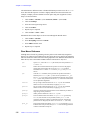
Stop-flow data files can be transferred to the NMR after the LC run is completed.
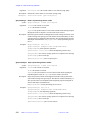
13. Transfer the stop-flow data can be to the Sun after the LC-NMR 2000 run is finished.
a.
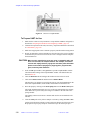
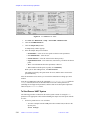
Go to the communications window.
b.
Click on the radio button to Upload .lcdfiles from disk.
c.
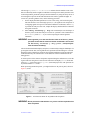
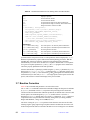
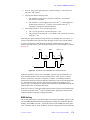
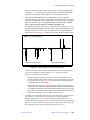
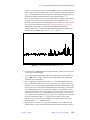
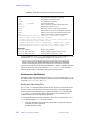
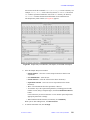
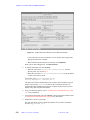
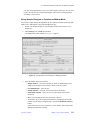
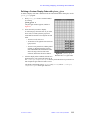
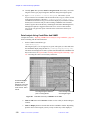
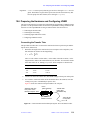
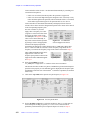
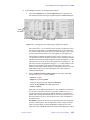
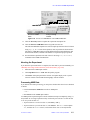
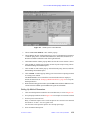
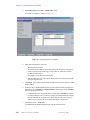
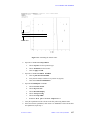
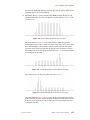
Click on Browse to find the .lcd file. Click on Upload. The display window
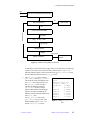
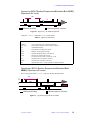
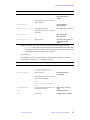
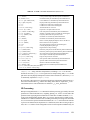
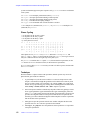
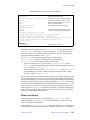
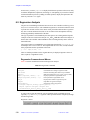
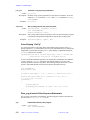
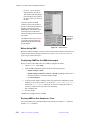
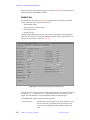
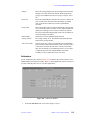
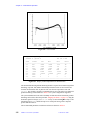
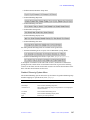
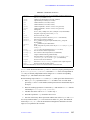
will monitor the progress of the file transfer, see Figure 119.
Experiments started using either lcgo or by pushing the Start LC RUN Button
start the lclisten routine. The lclisten routine will look for a .lcd file to be
written in /vnmr/tmp and then start a UNIX process that converts this file to a
UNIX text file. This UNIX text file is placed in the current experiment as LC data.
The NMR data and LC data are then automatically processed and displayed.
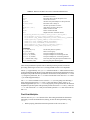
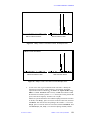
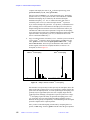
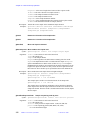
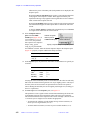
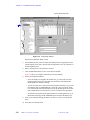
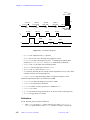
14. To review the data, enter the status command in VNMR.
The files, which are stored in the ScoutDirectory , can be read back into the
current experiment and reprocessed automatically by clicking the Retrieve Data
button in the Status window. At that point, processing parameters can be altered and
the data set reprocessed by clicking he Process LC-NMR button (wftlc), or the
data set can be reprocessed without altering the processing parameters by clicking
the Process button (wft).
Note that two files are created for each slice. The first files (0#01.fid) arise from
the Scout Scan run (nt=1) while the second files (0#02.fid) are the proper
signal-averaged data.
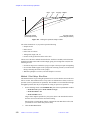
13.10 Acquiring Stop-Flow LC-NMR Data Using Enter
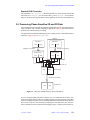
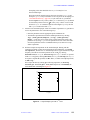
Stop-flow experiments can be used with the ENTER program to allow the user to perform
different NMR experiments on each sample stopped in a flow probe. Also the selection for
each sample in the queue may be different. Stop-flow experiments with ENTER are
especially useful for setting up NMR experiments on samples stored in the Analyte
Collector.
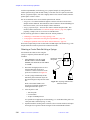
How Custom Stop-flow Works with ENTER
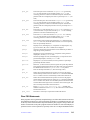
This mode uses the enter program that is modified for LC-NMR to input information
about each experiment to be performed. One difference is that the Sample# does not refer
to a sample in a sample changer, but rather to the peak number in the stop-flow run, or to
the loop number in the loop-flushing mode. In this case, you currently need to use
sequential (and continuous) numbers, although the defined experiment can be made quite
short (nt=1; however, the program acquires data on each Sample #).
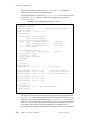
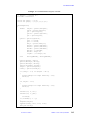
The Save And Exit button in enter is used to write the experiment queue out to a file (e.g.,
lcqueue). The queue of sample peaks (or loops) just represents another sample changer,
with special macros to ensure that the parameters involved in running the Scout Scan and
then setting up solvent suppression are properly handled. Global parameters autodir and
autoname as well as the local parameter savefile, are used to keep track of the run;
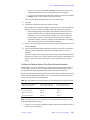
all these parameters are created automatically. In addition to the normal automation
parameters, in LC runs, the parameters ntrig and dtrig are also created to specify the
01-999161-00 B0801
VNMR 6.1C User Guide: Liquids NMR
429