1
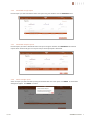
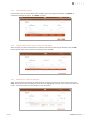
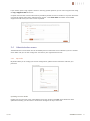
2 The SONAR portal 2.1 Roles & permissions The SONAR portal supports two types of roles – General User and General Admin. 2.1.1 General User The User role is the common role group that your users should belong to. It allows users to do the following: 2.1.2 Login to the portal Manage their own user account Ability to download the SONAR client and associated collateral Access the FAQ & raise support tickets Collect data with the SONAR Client and upload to the SONAR portal Generate reports from the SONAR client General Admin The Administrator account has the same permissions as the User role as well as additionally being able to do the following: Manage organization user accounts (add/delete/disable) Note: By default, the first user account for an organization is a member of the General Admin role group. 2.2 Reports menu The Reports menu contains a single entry, the Reports page. It is comprised of 3 views, each accessed by clicking the relevant link above the table. 2.2.1 Completed reports All reports that have been successfully generated can be found under the completed reports view. You can select reports to edit their reference, delete or download them. 02/2015 SONAR User manual 7