1
Chapter 4
Billing Report Writer
Setting the Specifications
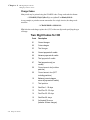
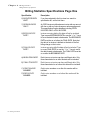
Specification Page 1
Specification
Description
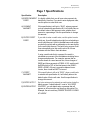
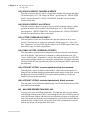
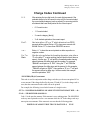
7) INCLUDE WHICH
INVOICES?
(continued)
•
PRINTED TODAY: Only those invoices printed
today, (as set by specification #3), will be
printed. After printing invoices today, use this
option to obtain a report summarizing the
charges on only those invoices printed today. Or
use this option to reprint today’s invoices.
•
SEARCHES: The remaining choices are all
searches. The limit for these searches is entered
into specification #8. For example, when printing
statements, you may use specification #4 to
include only those students exceeding a past
due limit. Once a student is included, (a
statement is being printed), use this
specification to determine which invoices should
be on the statement. If this specification is set to
ALL FOUND INVOICES, then all of the student’s
invoices will be included, even those not past
due. To only include those invoices that are past
due, select the choice EXCEEDING TOTAL
PAST DUE LIMIT.
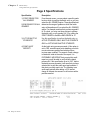
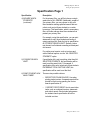
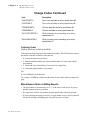
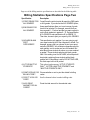
8) INVOICE SEARCH
LIMIT?
If specification #7 is set to anything other than the
first four choices on the list, this specification will be
used to set the search limit. For example, if
specification #5 is set to include only those invoices
“EXCEEDING TOTAL PAST DUE LIMIT”, this
specification will be used to set that limit.
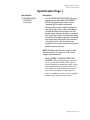
9) OPEN INVOICES ONLY? An OPEN invoice is defined as an invoice with any
amount still due or with any future charges or
advance payments. This specification sets which
invoices you want included in your report. It may be
set to include OPEN INVOICES ONLY or ALL
INVOICES.
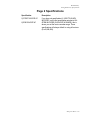
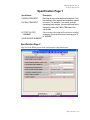
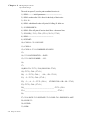
A) BEGIN INVOICE DATE?
B) FINAL INVOICE DATE?
4-14
Billing Plus Manual
The date of an invoice is defined as the date of the
first charge on the invoice. Only invoices falling in
this range will be included on reports. If you create
“future” invoices and want them included in your
reports, make sure that you set the final date far
enough in the future.