1
aspMENU.net User Manual
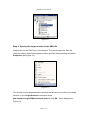
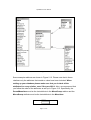
Figure 2.1
Select the XML File icon, type in a Name and click Open. A new XML file has
now be added to your project.
Step 3: Add the ASPMenu schema
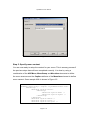
Click on File g Add Existing Item… from the top menu. You will be presented
with a window that allows you to select the ASPMenuSchema.xsd file. Navigate
to the location where you installed aspMENU.net (by default, aspMENU.net will
be installed in C:\Program Files\WebActive Corporation\ASPMenu.NET\), select
the ASPMenuSchema.xsd file and click Open. The ASPMenuSchema.xsd file
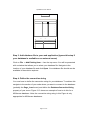
should now be available in the solution explorer as displayed in Figure 2.2.
Page 4 of 13