1
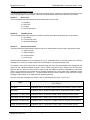
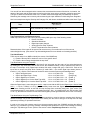
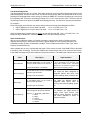
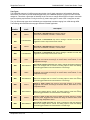
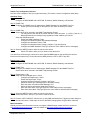
COM3000-SNMP – Quick Start Guide - Traps SimpleComTools, LLC Trap Acknowledgements Trap acknowledgements are very simple. Each alarm point has unique trap OIDs indicating the status of trap acknowledgements. So when a trap is sent, the OID will actually be the state ACK status OID as the source. Sending an acknowledgement is done simply by sending an SNMP SET command containing any value back this originating OID. This can be something as simple as a 1 or 0 or even the word „ACK‟. The device will see any attempt to write to this point as the NMS acknowledging the trap. This will cease any trap retransmission. For example… Each of the digital inputs has their own Active and the Inactive State trap acknowledgements OIDs. OID for Digital Input 1 Active State Trap ACK: .1.3.6.1.4.1.27404.3.3.2.1.2.0 OID for Digital Input 1 Inactive State Trap ACK: .1.3.6.1.4.1.27404.3.3.2.1.3.0 When the Digital Input 1 state changes to Active, the trap will have the OID .1.3.6.1.4.1.27404.3.3.2.1.2.0. Simply sending an SNMP SET command with the value 1 will acknowledge this trap. Alarm Classifications with any event notification system, it is helpful to be able to categorize the event to facilitate accurate response and reporting. In the interest of providing a greater degree of event reporting granularity, the COM3000 provides (4) Alarm Classification variables. These include Alarm Number, Alarm Type, Alarm Category, and Alarm Severity. Alarm variables are not to be confused with trap types. Those values are used in the SNMP PDU for the NMS to be able to react accordingly. These Alarm variables are actually values that you can customize and include in the SNMP message text (as demonstrated in the previous section). The table below explains them in detail. Value Alarm Number Description Numeric designations you can choose to assign a specific alarm from an interface. 5 digit value between 1 and 65535. Alarm Category A user-defined value for the CATEGORY the alarm trap represents. Accepts up to 20 characters. Alarm Type A user-defined value for the TYPE of alarm the trap represents. Accepts up to 20 characters. User selectable value from (5) severity levels assigned to the specific interface. Alarm Severity SimpleComTools, LLC Options: 0 = No Severity (DEFAULT) 1 = Minor 2 = Major 3 = Critical 4 = Informational 5 = Restore 4 Implementation You may choose to configure Digital Input 1 to be connected to the out door, and assign that a number of 100. That would allow you to do research on all the „100‟ alarms over the reporting period. You might use alarm categories to designate alarms that came from certain buildings, floors, locations, etc. You might use different types to designate alarm topics, such as security, environment, lighting, power, etc. For example, you might choose to assign some Input Alarms from external motion detectors as Minor, and others attached to doors or windows as Major.