1
WinBatch®
User’s Guide
Manual Revision Nov, 2009
Wilson WindowWare, Inc.
5421 California Ave. SW
Seattle WA 98136 USA
Orders: 1.800.762.8383 (USA only)
International: 1.206.938.1740
Fax: 1.206.935.7129
Technical Support: Phone 1.206.937.9335
Internet: [email protected]
www: http://www.winbatch.com
Copyright © 1988-2009 by Morrie Wilson.
All rights reserved.
No part of this manual may be reproduced or transmitted in any form or by any
means, electronic or mechanical, including photocopying and recording, for any
purpose without the express written permission of Wilson WindowWare, Inc.
Information in this document is subject to change without notice and does not
represent a commitment by Wilson WindowWare, Inc.
The software described herein is furnished under a license agreement. It is against
the law to copy this software under any circumstances except as provided by the
license agreement.
U.S. Government Restricted Rights
Use, duplication, or disclosure by the Government is subject to restrictions as set
forth in subdivision (b)(3)(ii) of the Rights in Technical Data and Computer
Software clause at 252.227-7013. Contractor/manufacturer is Wilson
WindowWare, Inc./5421 California Ave SW /Seattle, WA 98136
Trademarks
Microsoft and MS-DOS are registered trademarks of Microsoft Corporation.
Windows, Windows NT, Word for Windows, Visual Basic, and Excel are trademarks of Microsoft
Corporation. Novell is a copyright/trademark of Novell Inc. VeriSign® and Thawte® are registered
trademarks of VeriSign. WinBatch®, WinBatch+Compiler®, PopMenu® are registered trademarks of
Wilson WindowWare, Inc.
CONTENTS
CONTENTS
iii Welcome
Overview
Registering Your Copy of WinBatch
What WinBatch Can Do
How WinBatch is Used
System Requirements
About This Manual
About Extenders
Notational Conventions
Acknowledgments
7 7 8 9 9 10 10 10 10 11 WinBatch Setup
Installing and Configuring WinBatch
License Numbers: Temporary and Permanent
About Maintenance Plans
12 12 13 14 WinBatch Studio
WinBatch Studio Overview
WinBatch Studio Menus
17 17 17 Using WinBatch
Creating WinBatch Script Files
WinBatch Operation: Running WinBatch Utilities
Using Icons to Pass Parameters to WinBatch Utilities
Passing Parameters Between WinBatch Script Files
25 25 25 27 29 WinBatch Functions
Function Reference Introduction
Function List
BoxOpen
BoxShut
BoxText
BoxTitle
Breakpoint
ExtractAttachedFile
Graphical Box Functions
Coordinate Parameters
Color Parameters
BoxBitmap
31 31 31 33 34 34 35 35 36 37 37 38 38 iii
BoxButtonDraw
BoxButtonKill
BoxButtonStat
BoxButtonWait
BoxCaption
BoxColor
BoxDestroy
BoxDrawCircle
BoxDrawLine
BoxDrawRect
BoxDrawText
BoxesUp
BoxMapMode
BoxNew
BoxPen
BoxTextColor
BoxTextFont
BoxUpdates
Drawing Stack Management
BoxDataClear
BoxDataTag
41 42 43 44 45 45 47 47 48 49 50 51 52 54 55 56 57 58 61 61 62 Language Extenders
Windows 32 Network Extender
Other Extenders
65 66 66 UTILITIES
DIALOG EDITOR
Getting Started
Menu Commands
User Interface
Control Attribute Specifics
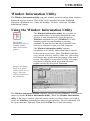
Window Information Utility
Using the Window Information Utility
69 69 70 71 83 85 97 97 WinBatch FILEMENU
Operation
Menu Files
Using the "all filetypes" File Menu
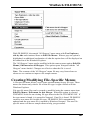
Creating/Modifying File-Specific Menus
FileMenu.ini
Functions
Usage Tips, Known Problems and Limitations, etc.
99 99 100 100 101 102 102 103 WinBatch POPMENU
Operation
105 105 iv
Menu Files
INI Settings
Functions
Usage Tips, Known Problems and Limitations, etc.
WinMacro
106 106 107 108 108 APPENDIX A: Filenames
File Name Summary
File Naming Conventions
WinBatch DLLs
Name for the WinBatch DLL
109 109 110 111 112 APPENDIX B: WinBatch+ Compiler
Compiler Usage
#Include
Running the Compiler in Interactive Mode
Interactive Mode
Options
Extenders
Source
Target
Other Files
Icon
Settings
Version Info
Multi
Batch Compile
Run as a Native Service
SvcSetAccept(codes)
SvcSetState(state)
SvcWaitForCmd(timeout)
Network Considerations
Restrictions
UAC and Code Signing
113 114 115 115 116 116 118 119 119 119 119 120 122 122 122 125 128 129 129 131 131 131 Error Appendix
135 Glossary of Terms
137 v
Welcome
Welcome
Overview
From R. Petersen on
CompuServe; "Our
entire company is
becoming 100%
dependent on dozens
of WinBatch programs
that make everything
hang together."
WinBatch can automate all versions of Windows.
WinBatch manipulates the Windows interface,
Windows applications, and network connections.
So, any operations in or from Windows, can be done at
the click of a mouse button with WinBatch.
Testing values, getting system information, working
with directories, logging events, and manipulating files
are just a few of these capabilities.
WinBatch is often used to assemble reports, install
software, automate testing, control processes, acquire
data, and add efficiency to the Windows workstation.
WinBatch excels in tailoring the Windows interface to
fit any user. Standard operations are easy to program in
WinBatch.
WinBatch functions can manipulate:
• The operating system
• The Windows interface
• Any and all Windows applications
• Most MS-DOS applications
• Most networks
WinBatch has two main components:
•
A system control language called WIL (Windows Interface Language)
•
An interpreter that reads a text file written in the WIL language and
performs the required operations
Note: WinBatch is a batch file based implementation of WIL. A WinBatch
batch file is a text file containing one or more lines of WIL functions and
commands.
7
Welcome
WinBatch is
continually being
updated to function
with future versions of
Microsoft Windows.
It is easy to get started in Windows programming with
WinBatch. The WinBatch Studio interface makes editing
and debugging, streamlined and easy. Useful system
utilities are produced quickly with WinBatch. All the
things you couldn’t do before in Windows are suddenly
just a few minutes away.
When projects demand an advanced solution, the
flexibility of WinBatch is ready to speed development. A
visual dialog editor, a window information grabber, a
debugger, and the power of structured programming are
included in the WinBatch package.
WinBatch has these capabilities: mathematical operators,
text manipulation, binary file editing completely in
memory, network connectivity, and Windows system
manipulation.
Many WinBatch functions can accomplish more in a
single line statement, than what could take pages of
forms design, property setting, and coding in other
programming languages.
WinBatch is optimized for making quick work of custom
system management utilities.
Registering Your Copy of WinBatch
Registered users of WinBatch receive manuals, technical support, use of Wilson
WindowWare on-line information services, and special offers on new versions of
WinBatch and other Wilson WindowWare products. You must register your copy
to obtain these benefits.
You can register WinBatch by mailing your registration card, faxing your
registration card, or calling Wilson WindowWare.
Registered users can share their WinBatch experience with other users on the
Wilson WindowWare Web BBS
•
http://webboard.winbatch.com.
The latest versions of WinBatch are available on-line. The addresses here may
change at any time - check your installation sheet.
•
8
Internet Web page: http://www.winbatch.com
Welcome
There is a comprehensive database of tech support questions, answers, and sample
scripts available on the Wilson WindowWare Web site.
•
Internet Tech Support page: http://techsupt.winbatch.com
What WinBatch Can Do
With 369 general functions and commands, tons of networking functions, 86
physical constants, and 24 operators, more than 20 additional extender Dll’s for
various specific operations. WinBatch can:
• Solve numerous system management problems
• Run Windows and DOS programs
• Send keystrokes directly to applications
• Schedule scripts to run at a specific time
• Send menu items directly to Windows applications
• Rearrange, resize, hide, and close windows
• Run programs either concurrently or sequentially
• Display information to the user in various formats
• Prompt the user for any needed input
• Present scrollable file and directory lists
• Copy, move, delete, and rename files
• Read and write files directly
• Copy text to and from the Clipboard
• Perform string and arithmetic operations
• Make branching decisions based upon numerous factors
• Call Dynamic Link Libraries
• Act as an OLE 2.0 automation client
And much, much more.
How WinBatch is Used
Launch one WinBatch icon or file and you can run from one
to thousands of operations. One WinBatch script can squeeze
any number of operations into a single batch file that runs just
like any other Windows program. It can run from a Windows
shell or any application that can run another application.
9
Welcome
WinBatch excels in controlling other applications both in
Windows and MS-DOS. From getting system information,
through controlling software, to accessing the network,
WinBatch can do it all from Windows.
System Requirements
WinBatch requires an IBM PC or compatible running Microsoft Windows.
About This Manual
WinBatch uses Wilson WindowWare’s Windows Interface Language (WIL).
Please refer to the WIL Reference Manual for an introduction to WIL, as well as
for complete documentation of the many functions available in WIL (and in
WinBatch).
This User’s Guide includes topics and functions which are exclusive to WinBatch,
or which behave differently in WinBatch. Since the WIL language is distributed
with software other than WinBatch, we have contained those functions and utilities
that are specific to WinBatch in this manual.
About Extenders
Many additional functions are dealt with in extensions to WIL, called WIL
Extender Dlls. The extenders are dynamic link libraries that can be accessed with
the WIL AddExtender( ) function. Each extender has its own help file.
To obtain any additional extender Dlls, either download them from our website, or
copy them from the WinBatch CD. To install extenders from the CD, locate the
Extenders directory on the CD. The Extender directory will contain all the
available extender subdirectories. Select the appropriate extender subdirectory and
run the corresponding SETUP.WBT file.
Notational Conventions
Throughout this manual, we use the following conventions to distinguish elements
of text:
Boldface
Used for important points, programs, function names, and parts of syntax that must
appear as shown.
System
Used for items in menus and dialogs, as they appear to the user.
Fixed-width
10
Welcome
Used for WIL sample code.
Italics
Used for emphasis and to liven up the documentation just a bit.
Acknowledgments
WinBatch software developed by Morrie Wilson, Richard Merit and Tony Deets.
Documentation written by Richard Merit, Liv Browning, Jim Stiles and Deana
Falk
11
WinBatch Setup
WinBatch Setup
Installing and Configuring WinBatch
WinBatch is easy to install.
If you have purchased WinBatch+Compiler, go to Appendix B, page 113, for
instructions on installing WinBatch+Compiler.
The WinBatch installation program is itself a Windows application, so make sure
Windows is running.
Insert your WinBatch CD into your CD-ROM disk drive. If you have
your CD-ROM configured to "Auto-Start", the setup will run
automatically. Otherwise, open the Explorer to your CD-ROM drive
and double click on SETUP.EXE.
You will be prompted for the directory to install WinBatch into. The
default will be C:\PROGRAM FILES\WINBATCH. You may
change the directory if you wish, but you cannot install WinBatch on
a network drive. To install WinBatch on a server, you need to have
purchased a special site license.
Hit OK, and then examine the install specification screen.
Select the desired items, and let the setup process copy the files. The
Network extender Dlls and Help files are installed by default, so if
you do not want these installed, de-select the checkbox for this item.
All other WIL Extenders are available on the CD-ROM, in the
Extenders subdirectory, along with their appropriate SETUP.WBT
files.
You will be asked for license numbers. They are printed on the
inside back cover of this manual.
WIL extenders must be installed separately.
WinBatch also includes WIL extender Dlls. These are special Dlls
designed to extend the built-in function set of the WIL processor.
These Dlls typically add functions not provided in the basic WIL
function set, such as network commands for particular networks
(Novell, Windows and others), MAPI, ODBC, and other important
Application Program Interface functions as may be defined by the
various players in the computer industry from time to time.
12
WinBatch Setup
To install WIL extender Dlls:
Insert the WinBatch CD in your CD-ROM drive. If you have your
CD-ROM configured to "Auto-Start", the setup will run
automatically. Otherwise, open the Explorer to your CD-ROM drive
and double click on SETUP.EXE.
Click on the "Explore CD" button on the install specification screen.
Select "Extenders" from the directory listing. Now select the
directory of the extender you wish to install. In each directory you
will find a file called SETUP.WBT. Double-click on the
SETUP.WBT file, and the extender will be installed automatically.
Note: You can also install extenders using the "Extender Version
Checker and Download Utility" (also known as vCheck). This utility
allows you to keep up with all the extender updates posted to the
website. You can download vCheck from
http://www.winbatch.com/download.html.
To copy WinBatch files to floppy disks:
Floppy copies are available off the CD-ROM Install directory. Copy the contents of
each of the following directories Disk1, Disk2, Disk3 to its own formatted floppy
disk.
License Numbers: Temporary and
Permanent
Purchase of
this software
includes
technical
support, a full
package of
software
materials,
notification of
updates and
enhancements
To Enter License Information:
You can find your licensing information inside the back cover of
this manual. To license WinBatch do the following:
1) Start WinBatch by running WinBatch.exe, and hit the "Enter
License Info" button on the registration reminder screen.
2) Enter the information from the label inside the back cover of
your WinBatch User’s Guide into the licensing dialog box.
Generally the top line is a serial number and the bottom line is
the control number. Almost all control numbers begin with
CG01 (Charlie Golf Zero One) or BG01 (Bravo Golf Zero One)
followed by more letters and/or numbers.
3) After entering the information, select the OK button.
13
WinBatch Setup
You may be prompted to enter your name at this point. After entering your name,
select the OK button. That should do it. You will need to enter this information
once each for the WinBatch.exe and the WBCompiler.exe.
You may need to re-enter this number if you re-install Windows, update to a new
version of Windows, or update to a new revision of WinBatch. Please keep the
number private. It is not required for Tech Support services unless asked.
WinBatch will run without license numbers, but a screen will appear to remind
you to register the software.
Keep license numbers in a safe place. They will be needed whenever WinBatch
is reinstalled. There will be a fee for replacing lost license numbers.
If you have been issued a temporary license number, it will expire after a period of
time and the evaluation screens will re-appear. To prevent this, obtain a permanent
license number in place of a temporary one.
Once you register your copy of WinBatch, you can enter your registration
information. To make the registration screen appear, for a temporarily licensed
copy, hold the shift key down while starting a WinBatch utility. Enter the license
numbers into the screen that will pop up.
Once you have WinBatch successfully installed, you can check the version number
by launching WinBatch.exe (which will launch the WinBatch 'Navigator'). The
version should be something like "2009C", depending on which version you have.
There are several other utilities that can also be run from the WinBatch 'Navigator'
that might also be useful. Check them out.
About Maintenance Plans
Wilson WindowWare offers a maintenance subscription system. One year of
maintenance is included when you purchase.
How does it work?
When you purchase a new copy of one of our products, your purchase price will
include a one-year maintenance subscription. During that year, you will be entitled
to download and use any new versions of that product which are released, free of
charge. At the end of the year, you will have the option to renew your subscription
for an additional year. If you choose not to renew your subscription, you will be
able to continue to use the versions which were released prior to your maintenance
subscription expiration, but you will not be licensed to use future versions of the
product.
Will the software I buy stop working after the year is up?
NO! The licensing period is based on the date that the software was released, not
on the current calendar date. If you buy a product on Jan. 1, 2009, you will be
licensed to use any versions of that product which are released in 2009. If you
choose not to renew your maintenance subscription, then you won't be licensed to
14
WinBatch Setup
use new versions which are released after that. But you will be licensed to use the
2009 versions forever.
What about existing customers?
If you purchased an older version of one of our products, and you do not have an
active maintenance subscription, then you may upgrade to the current version of
the product for a discounted price, depending on the version that you have.
What day does my maintenance subscription expire?
Maintenance subscriptions always expire on the last day of the specified month.
Run WinBatch.exe, then select the "License Info" button for maintenance
expiration.
What happens when I renew my maintenance subscription?
When you renew your maintenance subscription, you will receive a new license
code which will allow you to download and use an additional year's worth of
releases. In addition, you will receive a package with the current version of the
software and the latest printed manuals - assuming you do not select the "License
Only" shipping option available to international customers.
Do I have to wait until the expiration date before I can renew?
No. You may renew your maintenance subscription at any time during the year
before the expiration date. No matter how far before the expiration date you renew,
your existing maintenance subscription will be extended for a full additional year.
What if I want to renew my subscription after it has expired?
You may renew your maintenance subscription retroactively after it has expired.
However, you will first have to pay for the period of time between the expiration
date and the current date. For example, if your maintenance subscription expires at
the end of Feb. 2009 and you choose not to renew it, but then in Oct. 2009 you
decide to resume your maintenance subscription, you would have to pay a prorated amount for the months between Feb. 2009 and Oct. 2009 to bring your
subscription up to date, and then pay for an additional year of maintenance from
Oct. 2009 to Oct. 2010. Your new maintenance subscription expiration date would
then be Oct. 2010, and you would receive a new license code which would be
valid until then.
15
WinBatch Studio
WinBatch Studio
WinBatch Studio Overview
WinBatch Studio is an ASCII text editor capable of editing numerous WinBatch
files of an almost unlimited size (limited only by available Windows memory).
WinBatch Studio has many features designed for creating and maintaining
WinBatch program source code. Build, debug and run your WinBatch programs
directly from WinBatch Studio.
As an ASCII text editor, WinBatch Studio allows you to open numerous .wbt files
at once, print half sized "two-up" pages side by side in landscape orientation, print
headers and footer text (document name, date and time, page number) and, merge
files together.
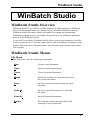
WinBatch Studio Menus
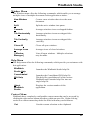
File Menu
The File menu offers the following commands:
New
Creates a new document.
Open
Opens an existing document.
Close
Closes an opened document.
Merge
Inserts the contents of a new document into
the current document.
Save
Saves an opened document using the same
file name.
Save As
Saves an opened document to a specified
file name.
Save All
Saves all opened documents.
Revert
Re-reads the current document from disk,
returning to its original state.
17
WinBatch Studio
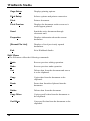
Page Setup
Displays printing options.
Print Setup
Selects a printer and printer connection.
Print
Prints a document.
Print Preview
Displays the document on the screen as it
would appear printed.
Send
Sends the active document through
electronic mail.
Properties
Displays information about the current
document.
[Recent File List]
Displays a list of previously opened
documents.
Exit
Exits WinBatch Studio.
Edit Menu
The Edit menu offers the following commands:
18
Undo
Reverse previous editing operation.
Redo
Reverse previous undo operation.
Cut
Deletes data from the document and moves
it to the clipboard.
Copy
Copies data from the document to the
clipboard.
Paste
Pastes data from the clipboard into the
document.
Delete
Deletes data from the document.
Copy Other
Copies specific data from the document to
the clipboard.
Cut Other
Cuts specific data from the document to the
clipboard.
WinBatch Studio
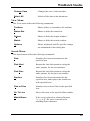
Change Case
Changes the case of selected data.
Select All
Selects all the data in the document.
View Menu
The View menu offers the following commands:
Toolbars
Shows, hides, or customizes the toolbars.
Status Bar
Shows or hides the status bar.
Output
Shows or hides the output window.
Watch
Shows or hides the watch window.
Options
Editor, keyboard, and file specific settings
are maintained in this dialog box.
Search Menu
The Search menu offers the following commands:
Find
Searches the current document for the
specified text.
Find Next
Repeats the last find operation, using the
same options, for the next instance.
Find Prev
Repeats the last find operation, using the
same options, for the previous instance.
Replace
Searches the current document for the
specified text, and replaces the found text
with specified text.
Find in Files
Searches one or more files for the specified
text.
Go To Line
Moves the caret to the specified line number.
Match Brace
If the caret is placed on a brace character
"().{}, or []" the caret is moved to the
matching brace character.
19
WinBatch Studio
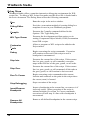
Debug Menu
WinBatch Studio offers a complete interactive debugging environment for WIL
script files. To debug a WIL script, first make sure the saved file is loaded and is
the active document. The Debug menu offers the following commands:
Run
Dialog Editor
Provides a convenient method of creating dialog box
templates for use in your WinBatch programs.
Compile
Executes the Compile command defined in the
Options / File Type dialog box.
WIL Type Viewer
Customize
Tools
Debug
Step Into
Step Over
Run To Cursor
Stop Debugging
Insert/Remove
Breakpoint
Remove All
Breakpoints
20
Runs the script in the active window.
Executes the development tool that assists you in
writing Component Object Model (COM) Automation
based WIL scripts.
Allows a program or WIL script to be added to the
Project menu.
Begins executing the script commands. Execution
will continue to the end of the script or until a
breakpoint is encountered.
Executes the current line of the script. If the current
line is a goto, gosub, or call command, execution
stops at the first line of the goto, gosub, or call code.
Executes the current line of the script. If the current
line is a goto, gosub, or call command, all the code at
the goto, gosub, or call location is also executed.
Begins executing script commands at the current
location and continues to the point in the script where
the cursor (caret) is located.
Stops execution of the script.
Inserts a breakpoint at the current line, or removes it if
it already exists. When execution of the script is
initiated with the Go or Run To Cursor commands,
execution will still stop if a line with a breakpoint is
encountered.
Removes all defined breakpoints in the current script.
WinBatch Studio
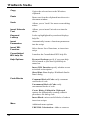
Window Menu
The Window menu offers the following commands, which enable you to arrange
multiple views of multiple documents in the application window:
New Window
Creates a new window that views the same
document.
Split
Split the active window into panes.
Cascade
Arranges windows in an overlapped fashion.
Tile Horizontally
Arranges windows in non-overlapped tiles
horizontally.
Tile Vertically
Arranges windows in non-overlapped tiles
vertically.
Close All
Closes all open windows.
Arrange Icons
Arranges icons of closed windows.
[ Window
Manager ]
Lists all open windows. Multiple selections
may be made.
Help Menu
The Help menu offers the following commands, which provide you assistance with
this application:
WinBatch
Studio Help
Launches the WinBatch Studio help file.
Consolidated
WIL Help
Launches the Consolidated WIL help file.
This help file consolidates all of the various
WinBatch and Extender help files into one
single help file.
About
WinBatch
Studio
Displays the version number of this
application.
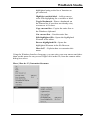
Context Menu
WinBatch has a completely configurable context menu that can be accessed by
clicking the right mouse button anywhere within an open file. Right clicking
results in a context menu drop down list filled with many useful macros.
Cut
Cuts the current selection to the clipboard.
21
WinBatch Studio
Copy
Copies the selected text to the Windows
clipboard.
Paste
Pastes text from the clipboard into the active
document window.
Undo
Allows you to "undo" the most recent editing
action
Insert Unicode
Text
Allows you to insert Unicode text into the
editor.
Keyword
Lookup
Looks up highlighted keyword and displays
help file.
Insert
Parameters
Automatically inserts a functions parameters
into the script.
Insert WIL
Function
Select from a list of functions, to insert into
script.
Consolidated
WIL help file
Launches the Consolidated WIL help file.
Help Options
Keyword Lookup specify if you want help
file to launch or just show QuickHelp in
status bar.
Insert WIL Function specify whether or not
to include a description.
Show Hints Now displays WinBatch Studio
'hints' dialog.
Code Blocks
Comment Block of Code easily comment
out blocks of code.
Uncomment Block of Code easily
uncomment blocks of code.
Create Dialog Callback in Clipboard
options for dynamically creating callback
procedures for dialog code.
Insert Block various useful blocks of code to
insert into scripts.
More
Additional menu options.
UDF/UDS Colorization - Adds or removes
22
WinBatch Studio
highlighted string to the list of functions to
get colorized.
Highlight variable/label – Add or remove
color code higlighting for a variable or label.
Toggle Bookmark - Places a bookmark on
the current line if one does not already exist,
or removes it if it does.
Copy current line - Copies the entire line to
the Windows clipboard.
Cut current line - Cuts the entire line.
Edit highlighted file - Opens the highlighted
filename in the editor.
Browse highlighted file - Opens the
highlighted filename in the file Browser.
How do I? – Explains how to customize this
menu.
Using the Windows Interface Language, you can write your own macros and place
them on this menu for easy access. Right click in the file, from the context menu
dialog box select:
More | How do I? |Customize this menu.
23
WinBatch Studio
Note: For more information on editing menu files, see the section "Menu Files" in
the Windows Interface Language Reference manual or help file.
24
Using WinBatch
Using WinBatch
Creating WinBatch Script Files
WinBatch is a script file interpreter. Before you can do anything useful with the
WinBatch interpreter, you must have at least one WinBatch script file to interpret.
Your WinBatch installation puts several sample scripts into your
WinBatch\Samples directory.
WinBatch script files must be formatted as plain text files. You can create them
with WinBatch Studio (included), the Windows Notepad or another text editor.
Word processors can also save scripts in plain text formatted files.
When you installed WinBatch, an association is automatically established
between WinBatch and the .WBT file extension. The .WBT extension is used in
this manual for batch file extensions, but you can use other file types as well. If
you want to double click on a batch file and have Windows run it, be sure that
you associate it in Windows with your WinBatch executable program file.
Each line in a WinBatch script file contains a statement written in WIL, Wilson
WindowWare’s Windows Interface Language.
A statement can be a maximum of 2048 characters long (refer to the WIL
Reference Manual for information on the commands you can use in WinBatch).
Indentation does not matter.
A statement can contain functions, commands, and comments. Functions and
constants are not case-sensitive.
You can give each WinBatch script file, a name which has an extension of WBT
(e.g. TEST.WBT). We’ll use the terms: WinBatch script files and WBT files,
interchangeably.
WinBatch Operation: Running WinBatch
Utilities
WinBatch utilities are very versatile. They can be run from:
•
icons in the Windows Explorer.
•
as automatic execution macros for Windows, via the "WINDOWS\Start
Menu\Programs\StartUp\" directory.
•
from macros in word processors and spreadsheets.
•
from a command line entry, such as "Start…Run..." Taskbar menu option
in Windows.
25
Using WinBatch
•
by double clicking or dragging and dropping file names on the WinBatch
icon.
•
from menu items on the Windows "System Tray" using PopMenu, an
accessory program included with WinBatch.
•
from other WinBatch scripts to serve as single or multiple "agents", event
handlers, or schedulers.
•
from any Windows application or application macro language that can
execute another Windows program. Software suite macro languages and
application builders like Visual Basic and PowerBuilder are examples of
these.
WinBatch system utilities run like any other Windows programs. They can run
from a command line, a desktop icon, or from a file listing such as the Windows
File Managers or Explorer.
WinBatch utilities are usually run as files with the extension .WBT. They can
accept passed parameters when run from a command line.
This capability can be used from the Start Run menu item in Windows.
Parameters can be also be passed through the command line entry, included in the
item properties of any icon in the Explorer. Finally, an application can send
parameters to a WinBatch utility it launches, from a command line, or from a
function in a macro language.
A command like this runs a WinBatch file from a command line or an icon:
WINBATCHEXENAME filename.wbt param1 param2 ... param[n]
This command line can be entered into a Command Line text entry box like this
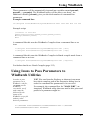
one from the Windows Start Run menu option.
The command line is longer than the dialog can show, but it can be easily edited
with the arrow keys.
"file.wbt" is any valid WBT file, and is a required parameter.
"myparam1 myparam2 ... myparam[n]" are optional parameters to be passed to the
WBT file on startup. Each is delimited from the next by one space character.
26
Using WinBatch
These parameters will be automatically inserted into variables named param1,
param2, … param[n]. The WinBatch utility will be able to use these. An
additional variable, param0, gives you the total number of command-line
parameters.
Example command line:
"C:\Program files\WinBatch\System\Winbatch.exe" test.wbt Bob Joe Sue
Example script:
;contents of test.wbt
names=StrCat(param1,@CRLF,param2,@CRLF,param3)
Message("Names",names)
Exit
A command like this runs the WinBatch+Compiler from a command line or an
icon:
c:\Program Files\WinBatch\System\WBCompiler.exe {.wbt}
c:\Program Files\WinBatch\System\WBCompiler.exe {.cmp}
A command like this runs the WinBatch+Compiler in Batch compile mode from a
command line or an icon:
c:\Program Files\WinBatch\System\WBCompiler.exe {.cmplist}
For further details see: Batch Compile (page 122)
Using Icons to Pass Parameters to
WinBatch Utilities
In order to pass
parameters to a
WinBatch .wbt file,
you must run the
WinBatch
executable, itself,
and it must be
followed by the
name of the
WinBatch script file
and any other
desired parameters.
WBT files run from the Explorer as shortcut icons must
have their complete path in the Properties dialog box in
order for command line parameters to be received.
For example, the command line for "MAIL.WBT", an
imaginary WinBatch utility that runs mail with a password
passed as a parameter might be:
"C:\PROGRAM FILES\WINBATCH\SYSTEM\WINBATCH.EXE C:\PROGRAM
FILES\WINBATCH\MAIL.WBT" PASSWORD.
27
Using WinBatch
Note: the previous command line should all be on one line.
To edit icon properties, highlight the icon, hold down ALT, and press ENTER.
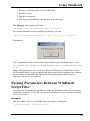
The program item properties box should look like the following:
Example: Displaying passed parameters in a message box.
To determine the total number of command line parameters, display the param0
variable in a message box.
WinBatch works like the DOS Batch language when inserting parameters into text.
Enclosing them in percent (%) signs works in WinBatch, too.
This example is a simple, one line WinBatch function that:
28
Using WinBatch
1. Displays a Message box with an OK button.
2. Specifies a title.
3. Specifies a message.
4. Puts varying information into the title or the message.
The Message function has this form:
Message("title in quotes","message in quotes")
The actual statement used to produce this dialog box was:
Message("%param0% Parameter(s)", "The first was==> %param1%")
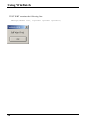
It produced:
The command line that executed the utility producing the statement above was:
"C:\PROGRAM FILES\WINBATCH\SYSTEM\WINBATCH.EXE" "C:\TEMP\MESSAGE.WBT"
97.987
Note: Full path names were used for both the WinBatch executable file and for
the WinBatch utility. Spaces separate the three parts of the command line. Quotes
are necessary around path and filenames, if the path name contains spaces.
Otherwise the quotes are ignored.
Passing Parameters Between WinBatch
Script Files
You can pass command line parameters from one WinBatch script file to another
WinBatch script file. To do this, place percent characters (%) around the variables
as in: %variable%.
Example:
The first WBT calls a second WBT then passes three parameters.
Call("test.wbt", "Fred Alan Jeff")
29
Using WinBatch
TEST.WBT contains the following line:
Message("Names are", "%param3% %param2% %param1%")
30
WinBatch Functions
WinBatch Functions
Function Reference Introduction
This section includes only those additional WinBatch functions which do not
appear in the WIL Reference Manual. The WIL Reference Manual is your
primary reference for the functions available in WinBatch.
Note: The functions listed under the See Also headings may be documented either
in this User’s Guide or in the WIL Reference Manual.
Some of the 'box' functions cannot be used with the Filemenu or Popmenu utilities.
See the documentation, for each individual utility.
Function List
BoxOpen(title, text)
Opens a WinBatch message box.
BoxShut( )
Closes the WinBatch message box.
BoxText(text)
Changes the text in the WinBatch message box.
BoxTitle(title)
Changes the title of the WinBatch message box.
Breakpoint
Causes a breakpoint on the next statement when used with a script debugger, like
WinBatch Studio. Otherwise the command does nothing, outside of WinBatch
Studio.
ExtractAttachedFile(source-name, target-name)
Extracts an embedded file from a compiled large EXE. {compiled version only}
Graphical Box Functions
BoxBitmap(box ID, coordinates, filename, stretch-mode)
Displays a bitmap in a WinBatch box
BoxButtonDraw(box ID, button ID, text, coordinates)
Creates a push-button in a WinBatch box.
BoxButtonKill(box ID, button ID)
Removes a push-button from a WinBatch box.
31
WinBatch Functions
BoxButtonStat(box ID, button ID)
Determines whether a push-button in a WinBatch box has been pressed.
BoxButtonWait( )
Waits for any button in any box to be pressed.
BoxCaption(box ID, caption)
Changes the title of a WinBatch box.
BoxColor(box ID, color, wash color)
Sets the background color for use with a WinBatch object.
BoxDestroy(box ID)
Removes a WinBatch box.
BoxDrawCircle(box ID, coordinates, style)
Draws an ellipse in a WinBatch box.
BoxDrawLine(box ID, coordinates)
Draws a line in a WinBatch box.
BoxDrawRect(box ID, coordinates, style)
Draws a rectangle in a WinBatch box.
BoxDrawText(box ID, coordinates, text, erase flag, alignment)
Displays text in a WinBatch box.
BoxesUp(coordinates, show mode)
Displays WinBatch boxes.
BoxMapMode(box ID, map mode)
Sets the mapping mode for a WinBatch box.
BoxNew(box ID, coordinates, style)
Creates a WinBatch box.
BoxPen(box ID, color, width)
Sets the pen for a WinBatch box.
BoxTextColor(box ID, color)
Sets the text color for a WinBatch box.
BoxTextFont(box ID, name, size, style, pitch & family & character-set)
Sets the font for a WinBatch box.
BoxUpdates(box ID, update flag)
Sets the update mode for, and/or updates, a WinBatch box.
BoxDataClear(box ID, tag)
Removes commands from a WinBatch box command stack.
BoxDataTag(box ID, tag)
Creates a tag entry in a WinBatch box command stack.
32
WinBatch Functions
Compiler Service Functions
SvcSetAccept(codes)
Specifies the control codes that the service will accept.
SvcSetState(state)
Updates the service control manager's status information for the service.
SvcWaitForCmd(timeout)
Waits or checks for receipt of a service control code.Note: In our shorthand
method for indicating syntax, on the following pages next to "parameters", the (s)
in front of a parameter indicates that it is a string. An (i) indicates that it is an
integer and a (f) indicates a floating point number parameter.
BoxOpen
Opens a WinBatch message box.
Syntax:
BoxOpen (title, text)
Parameters:
(s) title
(s) text
title of the message box.
text to display in the message box.
Returns:
(i)
always 1.
This function opens a message box with the specified title and text. The message
box stays in the foreground while the WIL program continues to process.
The title of an existing message box can be changed with the BoxTitle function,
and the text inside the box can be changed with the BoxText function.
Use BoxShut to close the message box.
Example:
BoxOpen("Processing", "Be patient")
TimeDelay(2)
BoxTitle("Still processing")
TimeDelay(2)
BoxText ("Almost done")
TimeDelay(2)
BoxShut()
See Also:
BoxShut, BoxText , BoxTitle, Display, Message
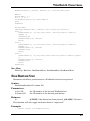
33
WinBatch Functions
BoxShut
Closes the WinBatch message box.
Syntax:
BoxShut ( )
Parameters:
(none)
Returns:
(i)
always 1.
This function closes the message box that was opened with BoxOpen.
Example:
BoxOpen("Processing", "Be patient")
TimeDelay(2)
BoxTitle("Still processing")
TimeDelay(2)
BoxText ("Almost done")
TimeDelay(2)
BoxShut()
See Also:
BoxOpen, BoxText, BoxTitle
BoxText
Changes the text in the WinBatch message box.
Syntax:
BoxText (text)
Parameters:
(s) text
text to display in the message box.
Returns:
(i)
always 1.
Example:
BoxOpen("Processing", "Be patient")
TimeDelay(2)
BoxTitle("Still processing")
TimeDelay(2)
BoxText("Almost done")
TimeDelay(2)
BoxShut()
See Also:
34
WinBatch Functions
BoxOpen, BoxShut, BoxTitle
BoxTitle
Changes the title of the WinBatch message box.
Syntax:
BoxTitle (title)
Parameters:
(s) title
title of the message box.
Returns:
(i)
always 1.
Example:
BoxOpen("Processing", "Be patient")
TimeDelay(2)
BoxTitle("Still processing")
TimeDelay(2)
BoxText("Almost done")
TimeDelay(2)
BoxShut()
See Also:
BoxOpen, BoxShut, BoxText, WinTitle
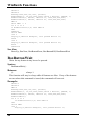
Breakpoint
Causes a breakpoint on the next statement when used with a script debugger, like
WinBatch Studio. Otherwise the command does nothing.
Syntax:
Breakpoint
Parameters:
(none)
Returns:
(not applicable)
Use this command with WinBatch Studio to cause execution to stop in the
debugger. If this command is encountered outside of the WinBatch Studio
debugger it is ignored.
Debuggers usually have a method of setting a breakpoint on particular lines of a
script or even stepping through the lines one at a time. Sometimes problems occur
after extensive script execution where it would be tedious to step through. For
35
WinBatch Functions
example if you wish to investigate what happens on the 782’nd pass of a FOR loop
you could do something similar to the example code below:
Example:
a=1
b=1000
For xx = 1 to b
If xx == 782 then BreakPoint
c=a+xx+1
next
Message("Loop","Complete")
See Also:
Debug, DebugTrace…(see Windows Interface Language)
ExtractAttachedFile
Extracts an embedded file from a compiled large EXE. {compiled version only}
Syntax:
ExtractAttachedFile (source-name, target)
Parameters:
(s) source-name
(s/i) target/request
specifies the name of the embedded file. This must not
contain any path information. The embedded file may be a
WIL DLL, an extender DLL, or an "other file".
specifies the name of the output file that will be written
(This may contain path information.) or the request number
(see below).
Returns:
(i/s)
returns 1 or a tab-delimited list of embedded file names,
which do not contain any path information.
To list embedded files:
"source-name" must be a blank string ("").
"target /request" specifies the type of embedded files to list:
Request
Meaning
0
WIL DLL
1
Extender DLL's
2
"Other files"
Note: Added an option to the compiler to skip auto-extraction of extenders and
"other files" from large EXE's. The WIL DLL is always extracted from a large EXE,
if necessary.
36
WinBatch Functions
Make sure you choose the skip auto-extraction option in the compiler if you
want to control file extraction with ExtractAttachedFile.
Example:
wildll = ExtractAttachedFile("",0)
Message("WIL DLL", wildll)
See Also:
<none>
Graphical Box Functions
These WinBatch box functions generate attractive boxes with graphical interface
elements. With a small number of primitive functions, very complex screens may be
generated. The Box functions can draw lines, rectangles, circles, ellipses, text, and
even additional windows on the screen. Plus they provide control over the size,
placement, and color of the images.
The WinBatch setup program uses WinBatch box functions to display the GUI part
of the user interface. Additional "box-drawing" wbt files can be found in the
WinBatch\Samples subdirectory.
First, before we get into detailed descriptions of the box functions, we must define
two very important data types. These are the "coordinate" and the "color" data type
parameters.
Coordinate Parameters
A coordinate is a WinBatch string variable (actually a list) containing four numbers
separated by commas. These four numbers define two points on the screen. The
first number is the "X" coordinate of the first point, the second number is the "Y"
coordinate of the first point, the third number is the "X" coordinate of the second
point, and finally the fourth number is the "Y" coordinate of the second point.
The "0,0" point is in the upper left of the screen, and the "1000,1000" point is at the
lower right.
With just these two points, WinBatch can size and place a number of items.
Rectangles: The first point defines the upper left corner of a rectangle, and
the second point defines the lower right.
Circles and Ellipses: The first point defines the upper left corner of a
bounding box for the Ellipse, and the second point defines the lower right
corner of the bounding box. The ellipse will touch the bounding box at the
center of each side of the bounding box.
Lines: The two points represent the beginning and end of a line.
Windows: The first point defines the upper left corner of a window, and
the second point defines the lower right.
37
WinBatch Functions
Color Parameters
A "color" data type is a WinBatch string variable (actually a list) containing three
numbers separated by commas. These three numbers define the amount of red,
green, and blue that the color has in it. Each number may vary from 0 (none) to 255
(max.). White has the maximum amount of all colors, while black lacks them all. A
sample list of colors follow:
WHITE="255,255,255"
RED="255,0,0"
DKRED="128,0,0"
BLACK="0,0,0"
GREEN="0,255,0"
DKGREEN="0,128,0"
LTGRAY="192,192,192"
BLUE="0,0,255"
DKBLUE="0,0,128"
GRAY="128,128,128"
YELLOW="255,255,0"
DKYELLOW="128,128,0"
DKGRAY="64,64,64"
CYAN="0,255,255"
DKCYAN="0,128,128"
LTPURPLE="255,128,255"
PURPLE="255,0,255"
DKPURPLE="128,0,128"
BoxBitmap
Displays a bitmap in a WinBatch box.
Syntax:
BoxBitmap(box ID, coordinates, filename, stretch-mode)
Parameters:
(i) box ID
(s) coordinates
the ID number of the desired WinBatch box..
dimensions of button, in virtual units
(upper-x upper-y lower-x lower-y).
(s) filename
specifies the name of a BMP file..
(i) stretch-mode specifies the mode to use when resizing the bitmap. See
below.
Returns:
(i)
@TRUE on success; @FALSE on failure.
'stretch-mode' specifies the mode to use when resizing the bitmap. The Bitmap will
be stretched within the specified 'coordinates'. It can be one of the following:
Value
1
38
Meaning
BLACKONWHITE: Performs a Boolean AND operation
using the color values for the eliminated and existing pixels.
If the bitmap is a monochrome bitmap, this mode preserves
black pixels at the expense of white pixels.
WinBatch Functions
2
3
4
WHITEONBLACK: Performs a Boolean OR operation using
the color values for the eliminated and existing pixels. If the
bitmap is a monochrome bitmap, this mode preserves white
pixels at the expense of black pixels.
COLORONCOLOR: Deletes the pixels. This mode deletes
all eliminated lines of pixels without trying to preserve their
information.
HALFTONE: Maps pixels from the source rectangle into
blocks of pixels in the destination rectangle. The average
color over the destination block of pixels approximates the
color of the source pixels. Supported on Windows NT or
newer only.
The stretching mode defines how the system combines rows or columns of a bitmap
with existing pixels. The BLACKONWHITE and WHITEONBLACK modes are
typically used to preserve foreground pixels in monochrome bitmaps. The
COLORONCOLOR mode is typically used to preserve color in color bitmaps. The
HALFTONE mode is slower and requires more processing of the source image than
the other three modes, but produces higher quality images.
Note: In order for bitmaps to display properly in a WinBatch box, the rectangle into
which the bitmap is to be placed should have the same aspect ratio (the relationship
between the height and width) of the source bmp file.
However, the 1000x1000 coordinate system for WinBatch boxes, is not
straightforwardly compatible with the pixel count of the bitmap. Therefore to figure
out what size of bitmap box to use, the bitmap aspect ratio must be converted to the
WinBatch coordinate system.
Usually you can just experiment with different WinBatch coordinates until you find
one that looks reasonable in your box. But for those who wish to work out the
coordinate transformations, here is some additional information.
On most standard monitors, say an 800x600 monitor, the pixels on the monitor are
square. The WinBatch virtual pixels are not square. In full screen mode, where the
WinBatch window approximates the shape of the monitor, the WinBatch virtual
pixels are wider than they are tall.
On the monitor a 600x600 block of pixels would be square. In WinBatch
coordinates this would be 750x1000. A WinBatch virtual pixel is 75% as tall as it is
wide. For every 3 horizontal pixels you need 4 vertical pixels to make a square.
For example: If you have a bmp file of, say, 100x200 pixels and want to determine
what size box you need in WinBatch...
realWidth=100
realHeight=200
;Set scaling constant to any number you wish to adjust
;final size. In general stay within the range of 0.10 to 10.0
39
WinBatch Functions
scalingconstant=1.0
virtualWidth=realWidth * 0.75 * scalingconstant
virtualHeight=realHeight * scalingconstant
;So if you wish the upper left corner of the bit map
;to start at virtual point 20,30 the coordinates
;could be generated as in
ulX=20
ulY=30
lrX=int(ulX+virtualWidth)
lrY=int(ulY+virtualHeight)
coordinates=strcat(ulX, ",", ulY, ",", lrX, ",", lrY)
;Or you could figure out what they are and hard code them.
Example 1:
bmp = FileLocate("Coffee Bean.bmp")
if bmp == ""
Message("???", "BitMap not found")
else
boxID = 1
coordinates = "100,100,900,900"
stretchmode = 3
BoxesUp("200,200,800,800", @normal)
BoxCaption(boxID, "WinBatch BoxBitmap Example")
BoxBitmap(boxID, coordinates, bmp, stretchmode)
TimeDelay(5)
endif
exit
Example 2:
For a slightly more fully fleshed out example, we'll take the BoxBitmap example
and convert the coordinates so that the Coffee Bean BMP file will display as a
square, as originally intended.
bmp = FileLocate("Coffee Bean.bmp")
if bmp == ""
Message("???", "BitMap not found")
else
boxID = 1
;Coffee Bean.bmp is a 128x128 square bmp file
realWidth=128
realHeight=128
;Set scaling constant to any number you wish to adjust
;final size. In general stay within the range of 0.10 to 10.0
scalingconstant=6.0
virtualWidth=realWidth * 0.75 * scalingconstant
virtualHeight=realHeight * scalingconstant
;So if you wish the upper left corner of the bit map
40
WinBatch Functions
;to start at virtual point 20,30 the coordinates
;could be generated as in
ulX=20
ulY=30
lrX=int(ulX+virtualWidth)
lrY=int(ulY+virtualHeight)
coordinates=strcat(ulX, ",", ulY, ",", lrX, ",", lrY)
stretchmode = 3
BoxesUp("200,200,800,800", @normal) ; Maintain monitor aspect ratio
BoxCaption(boxID, "WinBatch BoxBitmap Example")
BoxBitmap(boxID, coordinates, bmp, stretchmode)
TimeDelay(5)
endif
exit
See Also:
BoxesUp, BoxNew
BoxButtonDraw
Creates a push-button in a WinBatch box.
Syntax:
BoxButtonDraw(box ID, button ID, text, coordinates)
Parameters:
(i) box ID
(i) button ID
(s) text
(s) coordinates
the ID number of the desired WinBatch box.
the ID number from 1 - 16 specifying the desired
push-button. Maximum buttons allowed, 16.
text to appear in the button.
dimensions of button, in virtual units (upper-x upper-y
lower-x lower-y).
Returns:
(i)
@TRUE on success; @FALSE on failure.
Draws a button using standard Windows colors and fonts by specifying a unique
"ID", text and coordinates. If an existing button "ID" is re-used, the text will be
changed and then the button will be moved.
Note: If a button is moved, it is best to do so before the background is painted in
order to color over the button's original position. Moving buttons does cause some
"flashing" on the screen.
The BoxButtonDraw function, which draws buttons in a WinBatch "box"
window, is limited to 16 buttons per box window, but you can have up to 8
41
WinBatch Functions
separate box windows, so you could have up to 128 buttons spread out over all the
box windows.
Example:
; sample code for BoxButtonDraw
bDraw1=1
bDraw2=2
bDraw3=3
BoxesUp("100,100,900,900", @normal)
BoxDrawText(1, "0,210,1000,1000","Drawing Buttons", @FALSE, 1)
TimeDelay(2)
BoxButtonDraw(1, bDraw1, "Button 1", "100,450,300,550")
TimeDelay(2)
BoxButtonDraw(1, bDraw2, "Button 2", "400,450,600,550")
TimeDelay(2)
BoxButtonDraw(1, bDraw3, "Button 3", "700,450,900,550")
bWho=0
while bWho == 0
for x =1 to 3
if BoxButtonStat(1,x) then bWho=x
next
endwhile
Message("Excuse Me", "Please, don’t push my buttons")
BoxDestroy(1)
See Also:
BoxesUp, BoxNew, BoxButtonKill, BoxButtonStat, BoxButtonWait
BoxButtonKill
Removes a push-button from a WinBatch box.
Syntax:
BoxButtonKill(box ID, button ID)
Parameters:
(i) box ID
(i) button ID
the ID number of the desired WinBatch box.
the ID number of the desired push-button.
Returns:
(i)
@TRUE on success; @FALSE on failure.
Example:
; sample code for BoxButtonKill
bDraw1=1
bDraw2=2
bDraw3=3
BoxesUp("100,100,900,900", @normal)
BoxDrawText(1,"0,210,1000,1000","Select a Button", @FALSE, 1)
BoxButtonDraw(1, bDraw1, "Button 1", "100,450,300,550")
BoxButtonDraw(1, bDraw2, "Button 2", "400,450,600,550")
42
WinBatch Functions
BoxButtonDraw(1, bDraw3, "Button 3", "700,450,900,550")
bWho=0
while bWho == 0
for x =1 to 3
if BoxButtonStat(1,x) then bWho=x
next
endwhile
Switch bWho
;Message("Excuse Me", "Please, don’t push my buttons")
Case 1
BoxDrawText(1, "0,310,1000,1000", "Killing Button %Bwho%",
@TRUE, 1)
TimeDelay(2)
BoxButtonKill(1, bDraw1)
Break
Case 2
BoxDrawText(1, "0,310,1000,1000", "Killing Button %Bwho%",
@TRUE, 1)
BoxButtonKill(1, bDraw2)
TimeDelay(2)
Break
Case 3
BoxDrawText(1, "0,310,1000,1000","Killing Button %Bwho%",@True,
1)
BoxButtonKill(1, bDraw3)
TimeDelay(2)
Break
endswitch
See Also:
BoxesUp, BoxNew, BoxButtonDraw, BoxButtonStat, BoxButtonWait
BoxButtonStat
Determines whether a push-button in a WinBatch box has been pressed.
Syntax:
BoxButtonStat(box ID, button ID)
Parameters:
(i) box ID
(i) button ID
the ID number of the desired WinBatch box.
the ID number of the desired push-button.
Returns:
(i)
@TRUE if the button has been pressed; @FALSE if it hasn’t.
This function will also toggle the button back to "unpressed".
Example:
;
sample script for BoxButtonStat
43
WinBatch Functions
bDraw1=1
bDraw2=2
BoxesUp("200,200,700,700", @normal)
BoxDrawText(1, "0,310,1000,1000","Pick a Button", @FALSE, 1)
BoxButtonDraw(1, bDraw1, "Button 1", "200,464,450,558")
BoxButtonDraw(1, bDraw2, "Button 2", "550,464,800,558")
bWho=0
while bWho == 0
for x =1 to 2
if BoxButtonStat(1,x) then bWho=x
next
endwhile
Switch bWho
case 1
Display(3,"Button Example", "You pushed Button 1")
break
case 2
Display(3,"Button Example", "You pushed Button 2")
Break
endswitch
See Also:
BoxesUp, BoxNew, BoxButtonDraw, BoxButtonKill, BoxButtonWait
BoxButtonWait
Waits for any button in any box to be pressed.
Syntax:
BoxButtonWait( )
Returns:
(i)
always 1.
This function will stay in a loop while all buttons are false. If any of the buttons
are true when this command is issued, the command will not wait.
Example:
bDraw1=1
bDraw2=2
bWho=0
BoxesUp("200,200,700,700", @normal)
BoxDrawText(1, "0,310,1000,1000","Pick a Button", @FALSE, 1)
BoxButtonDraw(1, bDraw1, "Button 1", "200,464,450,558")
BoxButtonDraw(1, bDraw2, "Button 2", "550,464,800,558")
BoxButtonWait()
for x =1 to 2
if BoxButtonStat(1,x) then bWho=x
next
Switch bWho
case 1
Display(3,"Button Example", "You pushed Button 1")
44
WinBatch Functions
break
case 2
Display(3,"Button Example", "You pushed Button 2")
Break
endswitch
See Also:
BoxesUp, BoxNew, BoxButtonDraw, BoxButtonKill, BoxButtonStat
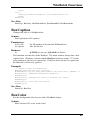
BoxCaption
Changes the title of a WinBatch box.
Syntax:
BoxCaption(box ID, caption)
Parameters:
(i) box ID
(s) caption
the ID number of the desired WinBatch box.
title for the box.
Returns:
(i)
@TRUE on success; @FALSE on failure.
This function sets the title of the Window. The main window always has a title
(caption) bar. Windows created with the BoxNew function, using a "2" for the
style parameter, also have a caption bar. If the box does not have a caption bar,
the function is effectively ignored.
Example:
;; sample script for BoxCaption
BoxesUp("200,200,700,700", @normal)
BoxDrawText(1,"0,310,1000,1000","Watch the Title Bar", @FALSE, 1)
BoxCaption(1, "WinBatch BoxCaption Example")
TimeDelay(5)
BoxCaption(1, "Change the title to whatever you like")
TimeDelay(3)
BoxCaption(1, "You have the power")
TimeDelay(3)
See Also:
BoxesUp, BoxNew
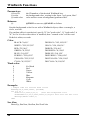
BoxColor
Sets the background color for use with a WinBatch object.
Syntax:
BoxColor(box ID, color, wash color)
45
WinBatch Functions
Parameters:
(i) box ID
(s) color
(i) wash color
the ID number of the desired WinBatch box.
the background color, a string in the form: "red, green, blue".
color used to create a background gradient effect.
Returns:
(i)
@TRUE on success; @FALSE on failure.
Sets the background color for use with a WinBatch object, either a rectangle, a
circle, or a line.
If a gradient effect is not desired, specify "0" for "wash color". If "wash color" is
"0", or if a 16-color video driver is installed, then " normal color" will be used.
Default is white, no wash
Color
BLACK="0,0,0"
WHITE="255,255,255"
RED="255,0,0"
GREEN="0,255,0"
BLUE="0,0,255"
PURPLE="255,0,255"
YELLOW="255,255,0"
CYAN="0,255,255"
DKGRAY="192,192,192"
GRAY="128,128,128"
DKRED="128,0,0"
DKGREEN="0,128,0"
DKBLUE="0,0,128"
DKPURPLE="128,0,128"
DKYELLOW="128,128,0"
DKCYAN="0,128,128"
Wash color
0
1
2
3
4
5
6
7
No Wash
Red
Green
Yellow
Blue
Magenta
Cyan
White
Example:
; sample code for various wash colors
BoxesUp("0,0,1000,1000", @zoomed)
for i=1 to 7
BoxColor(1,"255,0,0",i)
;sets the background color
BoxDrawRect(1,"0,0,1000,1000",2);object that will use the color
Message("Wash Code",i)
next
See Also:
BoxesUp, BoxNew, BoxPen, BoxTextColor
46
WinBatch Functions
BoxDestroy
Removes a WinBatch box.
Syntax:
BoxDestroy(box ID)
Parameters:
(i) box ID
the ID number of the desired WinBatch box.
Returns:
(i)
@TRUE on success; @FALSE on failure.
Removes a WinBatch box and any buttons in the box from the screen. If you
specify a box ID of 1, all boxes vanish.
Example:
; sample script for BoxDestroy
BoxesUp("0,0,1000,1000", @normal)
BoxDrawText(1, "0,700,1000,1000", "BoxDestroy", @FALSE, 1)
BoxCaption(1, "WinBatch BoxDestroy Example Box 1")
BoxNew(2,"30,41,310,365", 1)
BoxDrawText(2, "0,500,1000,1000", "Box 2", @TRUE, 1)
BoxNew(3,"330,41,610,365", 1)
BoxDrawText(3, "0,500,1000,1000", "Box 3", @TRUE, 1)
BoxNew(4,"639,41,919,365", 2)
BoxDrawText(4, "0,500,1000,1000", "Box 4", @TRUE, 1)
for i=2 to 4
Message("BoxDestroy", "Destroying Box Number %i%")
BoxDestroy(i)
next
See Also:
BoxesUp, BoxNew
BoxDrawCircle
Draws an ellipse in a WinBatch box.
Syntax:
BoxDrawCircle(box ID, coordinates, style)
Parameters:
(i) box ID
(s) coordinates
(i) style
the ID number of the desired WinBatch box.
dimensions of circle, in virtual units
(upper-x upper-y lower-x lower-y).
style of circle to be drawn.
Returns:
(i)
@TRUE on success; @FALSE on failure.
47
WinBatch Functions
Draws an ellipse on the screen using the current BoxPen for the outline, and the
current BoxColor for the inside of the box.
Style:
0
1
2
3
empty circle with border
filled circle with border
filled circle with no border
transparent circle/rectangle with border.
Example:
; sample script for BoxDrawCircle
BoxesUp("0,0,1000,1000", @normal)
BoxColor(1,"255,255,0",0)
BoxDrawRect(1,"0,0,1000,1000",2)
BoxColor(1,"0,0,255",4)
BoxDrawText(1, "0,500,1000,1000", "WinBatch Box Example BoxDrawCircle ",@FALSE, 1)
BoxCaption(1, "WinBatch BoxDrawCircle Example")
BoxDrawCircle(1, "30,41,310,365", 0)
BoxDrawText(1, "30,381,310,400", "Style 0 - empty with
border ",@FALSE,1)
BoxDrawCircle(1, "330,41,610,365", 1)
BoxDrawText(1, "330,381,610,400", "Style 1 - filled with border ",
@FALSE, 1)
BoxColor(1,"255,0,0",4)
BoxDrawCircle(1, "639,41,919,365", 2)
BoxDrawText(1, "639,381,919,400", "Style 2 - filled with no border
", @FALSE, 1)
BoxDrawCircle(1, "30,41,919,365", 3)
BoxDrawText(1, "330,11,610,100", "Style 3 - transparent circle with
border. ", @FALSE, 1)
TimeDelay(5)
See Also:
BoxesUp, BoxNew, BoxColor, BoxDrawLine, BoxDrawRect, BoxDrawText,
BoxPen
BoxDrawLine
Draws a line in a WinBatch box.
Syntax:
BoxDrawLine(box ID, coordinates)
Parameters:
(i) box ID
(s) coordinates
Returns:
48
the ID number of the desired WinBatch box.
starting and ending points for a line, in virtual units (start-x,
start-y, end-x, end-y).
WinBatch Functions
(i)
@TRUE on success; @FALSE on failure.
Draws a line from first point to the second using the current BoxPen.
Example:
; sample script for BoxDrawLine
BoxesUp("100,100,800,800", @normal)
BoxDrawText(1,"0,600,1000,1000","BoxDrawLine", @FALSE, 1)
BoxCaption(1, "WinBatch BoxDrawLine Example")
co1=200
co2=200
co3=500
co4=500
For i=1 to 5
TimeDelay(1)
BoxDrawLine(1,"%co1%,%co2%,%co3%,%co4%")
co1=co1+10
co2=co2+-20
co3=co3+-5
co4=co4+15
next
TimeDelay(2)
See Also:
BoxesUp, BoxNew, BoxDrawCircle, BoxDrawRect, BoxDrawText, BoxPen
BoxDrawRect
Draws a rectangle in a WinBatch box.
Syntax:
BoxDrawRect(box ID, coordinates, style)
Parameters:
(i) box ID
(s) coordinates
(i) style
the ID number of the desired WinBatch box.
dimensions of rectangle, in virtual units (upper-x upper-y
lower-x lower-y).
style of rectangle to be drawn.
Returns:
(i)
@TRUE on success; @FALSE on failure.
Draws a rectangle on the screen using the current BoxPen for the outline, and the
current BoxColor for the inside of the box.
Style:
0
1
2
3
empty rectangle with border
filled rectangle with border
filled rectangle with no border
transparent circle/rectangle with border.
49
WinBatch Functions
Example:
BoxesUp("0,0,1000,1000", @normal)
BoxColor(1,"255,255,0",0)
BoxDrawRect(1,"0,0,1000,1000",2)
BoxColor(1,"255,0,0",0)
BoxDrawText(1, "0,900,1000,1000", "WinBatch Box Example - BoxDrawRect
",@FALSE, 1)
BoxCaption(1, "WinBatch BoxDrawRect Example")
BoxDrawRect(1, "30,41,310,465", 0)
BoxDrawText(1, "30,500,310,665", "Style 0 - empty with border ",
@FALSE, 1)
BoxDrawRect(1, "330,41,610,365", 1)
BoxDrawText(1, "330,381,610,365", "Style 1 - filled with border
",@FALSE,1)
BoxColor(1,"0,0,255",0)
BoxDrawRect(1, "696,114,839,841", 2)
BoxDrawText(1, "696,881,839,841", "Style 2 - filled with no border ",
@FALSE, 1)
BoxDrawRect(1, "30,41,839,841", 3)
BoxDrawText(1, "30,11,839,841", "Style 3 - transparent rectangle with
border.", @FALSE, 1)
TimeDelay(5)
See Also:
BoxesUp, BoxNew, BoxDrawCircle, BoxDrawLine, BoxDrawText, BoxPen
BoxDrawText
Displays text in a WinBatch box.
Syntax:
BoxDrawText(box ID, coordinates, text, erase flag, alignment)
Parameters:
(i) box ID
(s) coordinates
(s) text
(i) erase flag
(i) alignment
the ID number of the desired WinBatch box.
dimensions of bounding rectangle for text, in virtual units
(upper-x upper-y lower-x lower-y).
text to be displayed.
@TRUE if background should be cleared; @FALSE if it
should not be cleared.
alignment mode for text.
Returns:
(i)
50
@TRUE on success; @FALSE on failure.
WinBatch Functions
Draws text on the screen using the current BoxTextColor and BoxTextFont. Text
may extend beyond the box boundaries if the allotted space is exceeded or size of
the text is too large.
Note: In order to update text, make sure the proper coordinates are specified for
the given text.
Alignment is a bitmask, consisting of one or more of the following optional flags
(OR’ed together):
0 left justified
1 centered horizontally
2 right-justified
4 centered vertically
8 bottom-justified (single line only)
16 wrap long lines
32 adjust font so that text fills width of bounding rectangle (single line only)
64 right-justify text by adding space between words
128 clip (truncate) text if it doesn’t fit within specified rectangle
Example:
; sample code for BoxDrawText
BoxesUp("200,200,800,800", @normal)
BoxDrawText(1, "200,200,750,250", "WinBatch Box Example BoxDrawText ",@TRUE, 0)
BoxCaption(1, "WinBatch BoxDrawText Example")
BoxDrawText(1, "100,350,900,400", "Use BoxDrawText to display
information to your user. ", @TRUE, 0)
TimeDelay(5)
See Also:
BoxesUp, BoxNew, BoxDrawCircle, BoxDrawLine, BoxDrawRect,
BoxTextColor, BoxTextFont
BoxesUp
Displays WinBatch boxes.
Syntax:
BoxesUp(coordinates, show mode)
Parameters:
(s) coordinates
(i) show mode
window coordinates for placement of top-level WinBatch box,
in virtual units (upper-x upper-y lower-x lower-y).
@NORMAL, @ICON, @ZOOMED, or @HIDDEN.
Returns:
(i)
@TRUE on success; @FALSE on failure.
51
WinBatch Functions
Places a WinBatch box on the screen for which drawing tools can be defined.
"Coordinates" specify the placement on the screen when the window is not
zoomed (maximized). The "box ID" of this main box (window) is 1. Up to 7
more boxes (windows) may be defined with the BoxNew function.
Note: Drawing tool definitions and drawing commands refer to a particular "box
ID". Different drawing tools can be defined for separate boxes.
Example:
; sample script for BoxesUp
Message("Example","BoxesUp can display a box in Normal Mode. ")
BoxesUp("200,200,800,800", @normal)
BoxDrawText(1,"500,200,500,200","BoxesUp %@crlf% Normal Mode",
@FALSE, 1)
BoxCaption(1, "Normal Mode")
Message("Example","BoxesUp can display the box as an Icon.")
BoxDestroy(1)
BoxesUp("200,200,800,800", @icon)
BoxDrawText(1,"500,200,500,200","BoxesUp %@crlf% Icon Mode",
@FALSE, 1)
BoxCaption(1, "Example - Icon Mode")
Message("Example", "BoxesUp can display in a Zoomed mode.")
BoxDestroy(1)
BoxesUp("200,200,800,800", @zoomed)
BoxDrawText(1,"500,200,500,200","BoxesUp %@crlf% Zoomed Mode",
@FALSE, 1)
BoxCaption(1, "Zoomed Mode")
Message("Example","Finally, WinBatch can set hidden mode to the
box.")
See Also:
BoxNew
BoxMapMode
Sets the mapping mode for a WinBatch box.
Syntax:
BoxMapMode(box ID, map mode)
Parameters:
(i) box ID
(i) map mode
Returns:
52
the ID number of the desired WinBatch box.
@ON to map coordinates to client scale (default). One Unit is
1/1000 (or 0.1%) of the size of the current box.
@OFF for screen scale. One unit is 1/1000 (or 0.1%) of the
size of the screen.
WinBatch Functions
(i)
@TRUE on success; @FALSE on failure.
BoxMapMode defines how a function's "coordinate" parameters will be
interpreted. The default setting, @ON, allows WinBatch boxes to automatically
resize themselves per the user’s monitor adjustments. In the default "mapping"
mode each window is assumed to be 1000x1000. This makes it easy to write a
WinBatch program that will run on anybody’s screen.
Note: The Default setting is highly recommended.
Example:
;; sample script for BoxMapMode
IntControl(12,5,0,0,0)
title="BoxMapMode Example"
BoxesUp("100,100,900,900",@ZOOMED)
BoxMapMode(1,1)
; Default map mode
BoxColor(1,"255,255,0",0)
BoxPen(1,"0,0,255",10)
BoxTextFont(1, "", 30, 0, 0)
BoxTextColor(1,"0,0,0")
BoxDrawRect(1,"50,50,150,150",1)
BoxDrawCircle(1,"200,50,350,150",1)
BoxDrawLine(1,"400,100,500,100")
BoxDrawLine(1,"450,50,450,150")
BoxDrawText(1, "50,160,500,190", "Map Mode = 1 Using sizes based on
window", 0, 0)
BoxMapMode(1,0)
BoxColor(1,"255,255,0",0)
BoxPen(1,"0,0,255",10)
BoxTextFont(1, "", 30, 0, 0)
BoxDrawRect(1,"50,200,150,300",1)
BoxDrawCircle(1,"200,200,350,300",1)
BoxDrawLine(1,"400,250,500,250")
BoxDrawLine(1,"450,200,450,300")
BoxDrawText(1, "50,310,500,340", "Map Mode = 0 Using sizes based on
screen", 0, 0)
Message(title,"Note that both sets of objects look pretty much the
same.")
WinPlace(0,0,750,750,"")
Message(title,"Note that when we changed the size of the window the
MapMode=1 object were resized proportionally, while as the
MapMode=0 objects stayed the same.")
WinPlace(0,0,500,500,"")
Message(title,"MapMode=1 objects resized again.")
WinPlace(0,0,200,1000,"")
Message(title,"Note that while most objects scale reasonably well,
fonts are based on Window height.")
WinPlace(0,0,1000,200,"")
Message(title,"Giving us teeny tiny fonts in this sort of Window.")
53
WinBatch Functions
WinPlace(50,50,950,950,"")
BoxMapMode(1,1)
; Default map mode
BoxTextFont(1, "", 30, 0, 0)
BoxTextColor(1,"255,0,0")
BoxDrawText(1,"50,500,500,700","Resize the window with the mouse
and watch what happens. Hit ESC when you are done. (This
message drawn with MapMode=1)",0,16)
WaitForKey("{ESC}","","","","")
See Also:
BoxesUp, BoxNew
BoxNew
Creates a WinBatch box.
Syntax:
BoxNew(box ID, coordinates, style)
Parameters:
(i) box ID
(s) coordinates
(i) style
the ID number of the desired WinBatch box.
dimensions of box, in virtual units (upper-x upper-y lower-x
lower-y).
style of box to create.
Returns:
(i)
@TRUE on success; @FALSE on failure.
This function makes a new box inside the top level (box ID 1) box. If an existing
box ID is used, the newly specified coordinates and style will be adopted.
Style allows a selection from three different kinds of boxes.
0
1
2
No border
Border
Border and caption
Example:
; sample script for BoxNew
BoxesUp("0,0,1000,1000", @normal)
BoxDrawText(1, "500,500,500,500", "BoxNew ", @FALSE, 1)
BoxCaption(1, "WinBatch BoxNew Example")
BoxColor(1,"255,255,0",0)
BoxDrawRect( 1, "0,0,1000,1000", 2)
BoxNew(2, "30,41,310,465", 0)
BoxDrawText(1, "30,681,310,665","Style 0-No border ",@FALSE,1)
BoxNew(3, "330,41,610,365", 1)
BoxDrawText(1, "330,381,610,365","Style 1-Border ",@FALSE,1)
54
WinBatch Functions
BoxNew(4, "696,114,839,841", 2)
BoxDrawText(1, "696,881,839,841","Style 2-Border with caption ",@FALSE,1)
BoxCaption(4, "Style 2 BoxNew")
TimeDelay(7)
See Also:
BoxesUp
BoxPen
Sets the pen for a WinBatch box.
Syntax:
BoxPen(box ID, color, width)
Parameters:
(i) box ID
(s) color
(i) width
the ID number of the desired WinBatch box.
color of pen to use.
width of pen to use, in virtual units.
Returns:
(i)
@TRUE on success; @FALSE on failure.
Defines the color and width of a "pen". Pens are used to draw lines and borders of
rectangles and ellipses. The default is black, 1 pixel wide.
Width is defined according to the current mapping mode, (see BoxMapMode). In
the default mapping mode, a width of 10 is 1% of whichever is smaller, the width
or the height of the box.
"Color" is a string in the form: "red, green, blue".
BLACK="0,0,0"
WHITE="255,255,255"
RED="255,0,0"
GREEN="0,255,0"
BLUE="0,0,255"
PURPLE="255,0,255"
YELLOW="255,255,0"
CYAN="0,255,255"
DKGRAY="192,192,192"
GRAY="128,128,128"
DKRED="128,0,0"
DKGREEN="0,128,0"
DKBLUE="0,0,128"
DKPURPLE="128,0,128"
DKYELLOW="128,128,0"
DKCYAN=’0,128,128"
Example:
; sample script for BoxPen
BoxesUp("100,100,900,900", @normal)
BoxColor(1,"255,255,0",0)
BoxDrawRect( 1, "0,0,1000,1000", 2)
BoxDrawText(1, "0,200,1000,1000", "BoxPen ", @FALSE, 1)
BoxCaption(1, "WinBatch BoxPen Example")
BoxColor(1,"0,0,255", 0)
55
WinBatch Functions
BoxPen(1,"255,0,0",25)
BoxDrawRect(1,"350,350,650,650", 1)
BoxDrawLine(1, "350,700,800,700")
TimeDelay(5)
See Also:
BoxesUp, BoxNew , BoxColor, BoxTextColor
BoxTextColor
Sets the text color for a WinBatch box.
Syntax:
BoxTextColor(box ID, color)
Parameters:
(i) box ID
(s) color
the ID number of the desired WinBatch box.
text color.
Returns:
(i)
@TRUE on success; @FALSE on failure.
BoxTextColor defines the color of text for a particular box. The default is black.
"Color" is a string in the form: "red, green, blue".
BLACK="0,0,0"
WHITE="255,255,255"
RED="255,0,0"
GREEN="0,255,0"
BLUE="0,0,255"
PURPLE="255,0,255"
YELLOW="255,255,0"
CYAN="0,255,255"
DKGRAY="192,192,192"
GRAY="128,128,128"
DKRED="128,0,0"
DKGREEN="0,128,0"
DKBLUE="0,0,128"
DKPURPLE="128,0,128"
DKYELLOW="128,128,0"
DKCYAN="0,128,128"
Example:
; sample script for BoxTextColor
BoxesUp("200,200,800,800", @normal)
BoxCaption(1, "WinBatch BoxTextColor Example")
x1="0,0,0"
;BLACK
x2="0,0,128"
;DKBLUE
x3="255,0,0"
;RED
x4="0,255,0"
;GREEN
x5="255,0,255"
;PURPLE
x6="255,255,0"
;YELLOW
x7="0,255,255"
;CYAN
for i=1 to 7
BoxTextColor(1,x%i%)
BoxDrawText(1, "0,350,1000,1000", "BoxTextColor", @True, 1)
56
WinBatch Functions
TimeDelay(2)
next
See Also:
BoxesUp, BoxNew, BoxTextFont, BoxColor, BoxPen
BoxTextFont
Sets the font for a WinBatch box.
Syntax:
BoxTextFont(box ID, font-name, size, style, pitch & family & character-set)
Parameters:
(i) box ID
(s) font-name
(i) size
(i) style
(i) pitch/family/char-set
the ID number of the desired WinBatch box.
name of font typeface.
size of font, in virtual units.
style flags for font.
font pitch and family.
Returns:
(i)
@TRUE on success; @FALSE on failure.
When defining the font using BoxTextFont, size is based on mapping mode. In
the default, a height of 100 is 10% of the height of the box.
Style: (the following numbers may be added together)
0
1-99
100
1000
Default
Weight (40 = Normal, 70 = Bold)
Italics
Underlined
A style of 1170 give you a bold, underlined, italic font.
Pitch & Family & Character-set parameters do not override the typeface supplied
in the font-name parameter. If a match cannot be made, (font name mis-spelled,
font not on system) they supply a general description for selecting a default font.
To combine one pitch flag with one family flag, use the binary OR ("|") operator.
Pitch:
0
1
2
Default
Fixed pitch
Variable pitch
Family:
0
16
32
48
Default
Roman (Times Roman, Century Schoolbook, etc.)
Swiss (Helvetica, Swiss, etc.)
Modern (Pica, Elite, Courier, etc.)
57
WinBatch Functions
64
80
Script
Decorative (Old English, etc.)
Example:
; sample script for BoxTextFont
BoxesUp("100,100,900,900", @normal)
BoxCaption(1, "WinBatch BoxTextFont Example")
x1="0,0,0"
;BLACK
x2="0,0,128"
;DKBLUE
x3="255,0,0"
;RED
x4="255,0,255"
;PURPLE
x5="0,0,255"
;BLUE
f1="Times Roman"
f2="Helvetica"
f3="Courier New"
f4="Brush Script MT"
f5="Book Antiqua"
fam=16
size=20
for i=1 to 5
BoxTextColor(1,x%i%)
BoxTextFont(1, f%i%, size, 0, fam)
BoxDrawText(1,"1%size%,2%size%,1000,1000","BoxTextFont", @False, 0)
Fam=fam+16
size=size+16
TimeDelay(2)
next
See Also:
BoxesUp, BoxNew, BoxTextColor
BoxUpdates
Sets the update mode for, and/or updates, a WinBatch box.
Syntax:
BoxUpdates(box ID, update flag)
Parameters:
(i) box ID
(i) update flag
the ID number of the desired WinBatch box.
see below.
Returns:
(i)
@TRUE on success; @FALSE on failure.
BoxUpdates controls how particular boxes are updated. Screen updates can be
suppressed so that images seem to suddenly appear on the screen, rather than
slowly form as they are drawn. This function is rarely required.
58
WinBatch Functions
Update flag:
0
1
2
3
Suppress screen updates
Enable updates (this is the default setting)
Catch up on updates
Redraw the entire box
Example:
title="BoxUpdates Example"
BoxesUp("100,100,900,900",@ZOOMED)
BoxColor(1,"255,255,0",0)
BoxDrawRect(1,"0,0,1000,1000",2)
BoxCaption(1,title)
BoxDataTag(1,"NEARTOP")
Message(title,"First we show drawing objects with the
default(code=1) mode of BoxUpdates")
gosub drawalot
Message(title,"You could see the objects being drawn. Ok, but
users could see objects being built. Next we are clearing
the screen with a BoxDataClear and redrawing it with a
BoxUpdates code=3")
BoxDataClear(1,"NEARTOP")
BoxUpdates(1,3)
BoxUpdates(1,0)
gosub drawalot
Message(title,"Next we show update off processing followed by a
catch-up (code = 2) request. Note that it draws faster
once it gets started")
BoxUpdates(1,2)
Message(title,’Faster. It can make complicated objects just
"appear"
on the screen.’)
Message(title,"Now, we are going to redraw the screen with
BoxUpdates code=3. Should be quick. Don’t blink.")
BoxUpdates(1,3)
Message(title,"That should have been pretty quick. Next some
quick, repetitive drawing using the code=3 technique.")
BoxUpdates(1,1)
BoxColor(1,"255,255,255",0)
BoxDrawRect(1,"0,0,1000,1000",2)
BoxDataClear(1,"TOP")
BoxUpdates(1,0)
BoxColor(1,"255,0,0",0)
BoxDrawRect(1,"100,100,200,200",1)
BoxDrawCircle(1,"300,100,500,200",1)
BoxDrawRect(1,"100,300,200,400",1)
BoxDrawCircle(1,"300,300,500,400",1)
BoxDrawRect(1,"100,500,200,600",1)
BoxDrawCircle(1,"300,500,500,600",1)
BoxDrawRect(1,"100,700,200,800",1)
BoxDrawCircle(1,"300,700,500,800",1)
BoxColor(1,"0,0,255",0)
BoxDrawRect(1,"100,100,200,200",1)
BoxDrawCircle(1,"300,100,500,200",1)
59
WinBatch Functions
BoxDrawRect(1,"100,300,200,400",1)
BoxDrawCircle(1,"300,300,500,400",1)
BoxDrawRect(1,"100,500,200,600",1)
BoxDrawCircle(1,"300,500,500,600",1)
BoxDrawRect(1,"100,700,200,800",1)
BoxDrawCircle(1,"300,700,500,800",1)
BoxColor(1,"0,255,0",0)
BoxDrawRect(1,"100,100,200,200",1)
BoxDrawCircle(1,"300,100,500,200",1)
BoxDrawRect(1,"100,300,200,400",1)
BoxDrawCircle(1,"300,300,500,400",1)
BoxDrawRect(1,"100,500,200,600",1)
BoxDrawCircle(1,"300,500,500,600",1)
BoxDrawRect(1,"100,700,200,800",1)
BoxDrawCircle(1,"300,700,500,800",1)
BoxColor(1,"255,255,0",0)
BoxDrawRect(1,"100,100,200,200",1)
BoxDrawCircle(1,"300,100,500,200",1)
BoxDrawRect(1,"100,300,200,400",1)
BoxDrawCircle(1,"300,300,500,400",1)
BoxDrawRect(1,"100,500,200,600",1)
BoxDrawCircle(1,"300,500,500,600",1)
BoxDrawRect(1,"100,700,200,800",1)
BoxDrawCircle(1,"300,700,500,800",1)
BoxUpdates(1,2)
for x=1 to 100
BoxUpdates(1,3)
next
Message(title,"That’s all folks")
exit
:DRAWALOT
BoxColor(1,"0,0,255",0)
BoxPen(1,"255,0,0",10)
for i=0 to 8
p1=50+i*100
p2=p1+75
BoxDrawRect(1,"%p1%,50,%p2%,125",1)
BoxDrawRect(1,"%p1%,150,%p2%,225",1)
BoxDrawRect(1,"%p1%,250,%p2%,325",1)
BoxDrawRect(1,"%p1%,350,%p2%,425",1)
BoxDrawRect(1,"%p1%,450,%p2%,525",1)
BoxDrawRect(1,"%p1%,550,%p2%,625",1)
BoxDrawRect(1,"%p1%,650,%p2%,725",1)
BoxDrawRect(1,"%p1%,750,%p2%,825",1)
BoxDrawRect(1,"%p1%,850,%p2%,925",1)
next
return
See Also:
BoxesUp, BoxNew
60
WinBatch Functions
Drawing Stack Management
In general, WinBatch lets you draw objects in various boxes using simple linear
programming as with true message-based Windows programming. However, there
is a fundamental discrepancy between the message-based Windows programming
methods, and the traditional linear method used by WinBatch.
In a normal Windows application, the application must be ready to redraw all or
any portion of its window at any time. This adds considerable complexity to a true
Windows program. In WinBatch, the programmer is shielded from the gory
details of the dynamic redrawing required by Windows, while WinBatch maintains
a simple, traditional linear programming style.
In order to do this, WinBatch maintains a small database of the Box commands
requested by the programmer, and refers to this database when Windows requests
a redraw. In general, and for simpler applications, the existence of this database is
completely transparent to the programmer. There are cases, however, in which the
database must be managed by the programmer to avoid reaching the maximum
limits of the database. If the maximum limits are reached, the program will die
with a Box Stack exceeded error.
If there are some objects that constantly change, such that the limit of about 150
Box commands in the stack will be exceeded, then you must manage the Box
Data. The idea is to draw all the fixed, non-changing objects first, and then place a
"TAG" into the Data stack. Then draw the first version of the constantly changing
object(s). When it comes time to update those objects, a BoxDataClear will erase
all items below the "TAG", and all remaining data space will again be available for
reuse.
The thermometer bar and the text for the note in the setup program use this feature.
All of the examples that do continuous screen draws also use these functions.
BoxDataClear
Removes commands from a WinBatch box command stack.
Syntax:
BoxDataClear(box ID, tag)
Parameters:
(i) box ID
(s) tag
the ID number of the desired WinBatch box.
tag to be removed.
Returns:
(i)
@TRUE on success; @FALSE on failure.
This function removes all commands above "tag" from the command stack. "Tag"
is not removed.
61
WinBatch Functions
All buttons and Box commands after the tag are forever erased.
Example:
; sample script for BoxDataTag
BoxesUp("0,0,1000,1000",@zoomed)
;Changes the title of a WinBatch box.
BoxCaption(1,"Random Rectangles")
;Creates a push-button in a WinBatch box
BoxButtonDraw(1,1,
"E&xit", "750,860,900,930")
;Creates a tag entry in a WinBatch box command stack
BoxDataTag(1,"ACORN")
while 1
;Removes commands from a WinBatch box command stack
;if BoxDataClear was commented out it would exceed
;the limit of commands in the stack and error
BoxDataClear(1,"ACORN")
if BoxButtonStat(1,1)==1 then break
x=Random(1000)
y=Random(1000)
s=Random(1000)
t=Random(1000)
r=Random(255)
g=Random(255)
b=Random(255)
color=strcat(r, ",", g, ",", b)
location=strcat(x, ",", y, ",", s, ",", t)
BoxColor(1,color,0)
BoxDrawRect(1,location,2)
endwhile
exit
See Also:
BoxesUp, BoxNew BoxDataTag
BoxDataTag
Creates a tag entry in a WinBatch box command stack.
Syntax:
BoxDataTag(box ID, tag)
Parameters:
(i) box ID
(s) tag
the ID number of the desired WinBatch box.
tag to be created.
Returns:
(i)
@TRUE on success; @FALSE on failure.
Places a tag into the data stack for the specified box. Usually one tag per box is all
that is needed. Multiple tags are allowed, but not advised. The tag "TOP" is
automatically placed at the top of the data stack .
62
WinBatch Functions
Example:
; sample script for BoxDataTag
BoxesUp("0,0,1000,1000",@zoomed)
;Changes the title of a WinBatch box.
BoxCaption(1,"Random Rectangles")
;Creates a push-button in a WinBatch box
BoxButtonDraw(1,1,
"E&xit", "750,860,900,930")
;Creates a tag entry in a WinBatch box command stack
BoxDataTag(1,"ACORN")
while 1
;Removes commands from a WinBatch box command stack
;if BoxDataClear was commented out it would exceed
;the limit of commands in the stack and error
BoxDataClear(1,"ACORN")
if BoxButtonStat(1,1)==1 then break
x=Random(1000)
y=Random(1000)
s=Random(1000)
t=Random(1000)
r=Random(255)
g=Random(255)
b=Random(255)
color=strcat(r, ",", g, ",", b)
location=strcat(x, ",", y, ",", s, ",", t)
BoxColor(1,color,0)
BoxDrawRect(1,location,2)
endwhile
exit
See Also:
BoxesUp, BoxNew, BoxDataClear
63
Language Extenders
Language
Extenders
Network and other extenders are documented fully in the help files. For more
extensive information locate the appropriate help file. For a brief overview,
see below.
WIL extender Dlls are special Dlls designed to extend the built-in function set of
the WIL processor. These Dlls typically add functions not provided in the basic
WIL set, such as network commands for particular networks (ADSI, Windows,
and others), MAPI, ODBC, and other important Application Program Interface
(API) functions, as may be defined by the various players in the computer industry
from time to time. These Dlls may also include custom built function libraries
either by the original authors, or by independent third party developers. An
Extender SDK is available for you to write your own extender Dll's , if you are
familiar with C or C++ programming. Custom extender Dlls may add nearly any
sort of function to the WIL language. These range from the mundane network
math or database extensions, to items that can control fancy peripherals, including
laboratory or manufacturing equipment.
Most WIL extenders must be installed separately; they are not installed by
default. To obtain any additional extender Dlls, either download them from our
website, or copy them from the WinBatch CD. To install extenders from the CD,
locate the 'Extenders' directory on the CD. The Extender directory will contain all
the available extender subdirectories. Select the appropriate extender subdirectory
and run the corresponding SETUP.WBT file.
Up to 10 extender Dlls may be added to a single WIL script. The total number of
added items may not exceed 500 functions and constants. The AddExtender
function must be executed before attempting to use any functions in the extender
library. The AddExtender function should be only executed once per extender in
each WIL script that requires it.
At the top of each script in which you use a WIL extender add the appropriate
extender with the AddExtender ( ) command.
AddExtender("extender.dll")
Remember you can add up to 10 extender Dlls or a combined total of 500
functions.
65
Language Extenders
The following is an abbreviated summary of the extenders. Refer to the
extenders in the on-line help file for function names and more details.
Windows 32 Network Extender
This extender provides standard support for computers running 32 bit versions of
Windows. It may be used in conjunction with other 32 bit Intel extenders.
NT or newer specific DLL:
For use on Windows NT family (e.g. 4.0, 2000, XP, 2003, Vista, etc.)
workstations. It can control Windows NT or newer servers.
32 Bit Intel Version
AddExtender("wwwnt34i.dll")
For more information and a list of functions see the Win32 Network Extender
Help file.
ADSI Extender.
For use on all Windows platforms with the DS Client from Microsoft
installed.
32 Bit Intel Version
AddExtender("wwads34i.dll")
For more information and a list of functions see the ADSI Extender Help file
Other Extenders
Here is a list of various other current extenders available.
Control Manager Extender - Perfect control over all Windows dialog boxes. See
inside list boxes, interrogate check boxes, set radio buttons and handle tabbed
dialogs.
CpuInfo Extender - CPU speed, benchmark and other CPU information.
EHLLAPI Terminal Emulator Extender - Terminal Emulator support. This
extender allows working with terminal emulation programs. Allows screenscraping, data transfers, and much more.
File Search Extender - High speed file and text search engine.
Huge Math Extender - Performs arithmetic on huge (up to 2000 digit) numbers.
IP Address Grabber Extender - Get the machine's IP Addresses
MAPI Extender - Perform MAPI Operations.
ODBC Extender – A basic set of Open Database Connectivity (ODBC)
commands.
66
Language Extenders
Pixie Image Extender - Manipulate various image files, such as JPG, BMP, etc.
Rotate, Crop, Resize, Blur, Convert Formats, and more.
Postie Extender - The Ultimate Internet Email extender. Sends and receives
POP3, IMAP4, and NNTP (newsgroup) email. Able to send and receive mime or
uuencoded attachments. Supports SMTP, ESMTP, POP3 and IMAP4.
Printer Control Extender - Assists in working with printer drivers. Sets default
printer. Changes printer properties, Installs and removes printers, etc.
Process Information Extender - Retrieve information about processes and
modules.
RAS Extender - Create, manage, modify, rename and copy the Dialup RAS
entries used in dial-up networking.
Registry Search Extender - Registry Searcher. This extender, in combination
with a few build-in WIL Registry functions, can perform a search and replace of
most registry items.
Serial Port Extender - Talk to serial ports. Communicate with modems, X-10
household controllers, lab equipment, pretty much any serial device. Supports
USB COM ports and custom baud rates.
Shell Operations Extender - Performs Explorer-style file operations with
animated graphics. Can also copy, delete, and move entire directory structures.
Terminal Server Extender - Enumerate, interrogate and manipulate terminal
services sessions on a Windows NT or newer systems that has terminal services
enabled.
WILX Utility Extender - Various utility functions.
WinInet Extender – Internet Extender. Supports HTTP and FTP. Grab web
pages, post form data to web servers, automate FTP sessions, and more.
WinSock Extender - Our older Internet extender.
Zipper Extender - ZIP and UNZIP files.
67
UTILITIES
UTILITIES
DIALOG EDITOR
The WIL Dialog Editor (see Filenames: Appendix A, page
109 for filename) provides a convenient method of creating
dialog box templates for use with the Dialog function.
Visual programming
of dialog boxes is
quick and accurate.
Use generic variable
names so you can
reuse your favorite
dialogs.
It displays a graphical representation of a dialog box, and
allows you to create, modify, and move individual controls
which appear in the dialog box.
After you have defined your dialog box, the Dialog Editor
will generate the appropriate WIL code, which you can save
to a file or copy to the Clipboard for pasting into your WIL
program.
Note: The WIL Dialog Editor comes with an on-line help section in the
WinBatch help file, as well as detailed instructions in the next section.
Also see the Windows Interface Language Reference Manual for more details
on how to use the Dialog function to further customize your dialogs, including
adding callback procedures within user-defined functions / subroutines to make
your dialogs 'dynamic'.
You can have as
many as 300
controls in a
WinBatch dialog.
However, too many
controls can be
confusing. Aim for
simple dialogs with
a consistent
appearance between
different ones.
The WIL Dialog Editor offers quick production of
custom dialog boxes for your WinBatch programs.
The WIL Dialog Editor allows you to create dialog box
templates for WIL into a file with the .WDL file
extension. The Dialog Editor will write the WIL script
statements necessary to create and display the dialog.
You can visually design your dialog box on the screen
and then save the template script either as a .WDL file
or to the Windows Clipboard.
You can include the dialog template code directly in your batch code, or you can
use the batch language "Call" command to execute the dialog template. For
example:
Call("Sample.WDL", "")
69
UTILITIES
NT 4.0 limitations:
The dialog size may not be properly adjusted to account for multi row menu
bar when a menu bar displays enough menu items to cause the menu bar to
automatically wrap to a new row.
Context menus may not work when associated with a DROPLISTBOX
controls.
Getting Started
Using the Dialog Editor is easy. Once it is loaded, these hints offer a quick way to
become comfortable with dialog box construction.
The dialog editor
filename is: WIL
Dialog Editor.exe.
Launch the dialog editor executable, (see Filenames:
Appendix A on page 109 for filename).
Run the Dialog Editor
Via the Windows Explorer: Locate and double click on the file 'WIL Dialog
Editor.exe', in your WinBatch\System subdirectory.
or
Via WinBatch Studio: Click on the following tool bar icon
The editor will look like the following:
70
UTILITIES
The dialog that gets generated by the WIL Dialog Editor will be the same size, as
the dialog that you create in the editor's window.
To control the size of your dialog box, select the entire dialog, by clicking on the
title bar. The dialog should now be highlighted. Next, move your mouse cursor to
the highlighting at the edge of the dialog. When the mouse cursor changes to an
arrow, you can drag and drop the sides of the dialog, to the necessary size.
Menu Commands
Familiarize yourself with the six standard menus in this program; FILE, EDIT,
VIEW, INSERT, ALIGN, TEST and HELP..
File
New
Creates a new dialog template. The new template is created
with two default buttons labeled "OK" and "Cancel".
Open
Displays the standard open file dialog. Use this dialog to
open an existing dialog template.
Save
Use this dialog to saves the currently open template to a file.
Dialog Editor will display the save file dialog box, if you
haven’t specified a file name yet.
Save As
Saves the currently open template to a file. This command
differs from the Save menu in that you are always prompted
for a file name and location with the system Save dialog
box.
Revert
Reloads the dialog template from disk. Use this item with
care because, you will lose all changes since the last time
the template was saved to disk.
Open from
Clipboard
Loads a dialog template from the clipboard.
Save to
Clipboard
Copies the dialog template to the clipboard.
[Recent Files]
List of most recently opened templates files. Click on the
file name to open the file.
Exit
Terminates the Dialog Editor.
Edit
Undo
Reverses the last edit. This command will not undo changes
made to control attribute values with the attribute dialog
box.
Cut
Removes the active control from a dialog and places it in the
71
UTILITIES
paste buffer. If a control already exists in the paste buffer, it
is destroyed before the copied control is added.
Copy
Places a copy of the active control into the paste buffer. If a
control already exists in the paste buffer, it is destroyed
before the copied control is added.
Paste
Inserts a control in the paste buffer into the dialog.
Delete
Removes the active control from a dialog.
Rescale
Expands or shrinks the dialog and all controls so that the
dialog just fits in the Dialog Editor’s current viewing area.
Note: Because of limits on the granularity of controls and
fonts, the adjustments are only approximate and you may
need to make additional edits.
Convert
Converts a legacy dialog template to the latest dialog
template format.
Options
Launches the options dialog. The options dialog allows you
to control how Dialog Editor loads and saves your dialog
template.
Load Tab
The Load Tab options let you control what Dialog Editor
does at startup and while reading your dialog templates.
Load Bitmap Files: When this box is checked, Dialog
Editor will search for and display the bitmaps you have
specified for the dialog background, bitmap buttons and
picture controls. When this box is not checked, Dialog
Editor will not attempt to find or display bitmaps. If you
change this option after you have already loaded a bitmap
file into your dialog, Dialog Editor will not unload the
bitmap. It will not, however, attempt to find and display any
additional bitmap you may specify.
Load Last Template at Startup: Check this box to have
Dialog Editor load your previous work the next time you
start it. If this box is not checked, Dialog Editor will start
with the default new dialog template.
Display Warnings When Loading Template: Use this check
box to turn off warning messages while loading dialog
templates. Dialog Editor displays warnings when it cannot
find bitmap files or finds a malformed or missing attribute
value in a controls definition. When this option is checked,
Dialog Editor gives you the opportunity to continue or abort
the loading process when problems are found. It may or
may not be able to load the problematic control when you
tell it to continue but it always attempts to load the next line
72
UTILITIES
in the template. When this option is not checked, Dialog
Editor behaves as if you pressed the Continue button at each
warning.
Save Tab
Prompt Before Saving Templates: When this box is
checked Dialog Editor will always ask you before it saves
your changes to a dialog template. Even if you do not check
this box, Dialog Editor will still prompt you to save a new
template, if you have not saved it before.
Save to clipboard same as save to file *: This option only
applies to templates loaded from the clipboard and when
checked it increases the possibility of data loss.
This command will return all user preferences under the
Options menu to their original settings. It will also make all
toolbars visible and positioned at either the top or bottom of
the main application window.
Restore
Defaults
View
Edit Bar
Check to make the Edit toolbar visible and uncheck to remove
the Edit toolbar from the screen.
Status Bar
Check to make the Status bar visible and uncheck to remove the
status bar from the bottom of Dialog Editor’s main window.
Control Bar
Check to make the Control Palette toolbar visible and uncheck
to remove the Control Palette toolbar from the screen.
Align Bar
Check to make the Control Align toolbar visible and uncheck to
remove the Control Align toolbar from the screen.
Grid
Check to show the positioning grid in your dialog’s
background. This does not affect the appearance of your dialog
when you use your template in a script. The grid is provided to
assist you with control placement. When the menu item is
unchecked, Dialog Editor displays a background bitmap, a
selected background color, or the system default background
color. The background displayed when this menu item is
unchecked is determined according to following rules:
•
•
•
A bitmap is displayed if the Bitmap menu item is checked.
If you have selected a background color and the Bitmap
item is not checked the selected background color is
displayed.
The system default dialog background color is displayed, if
you have not selected a background color and the Bitmap
menu item is not checked.
73
UTILITIES
Note: the Bitmap item cannot be checked until you have
selected a bitmap for your dialog template.
Bitmap
This menu item allows you to display or hide the dialogs
bitmap background.
Attributes…
This menu item launches the Attributes property dialog.
Selecting the dialog or one of its controls enables this menu
item. The Attributes property dialog allows you to set the
values that define your dialog and the controls it contains. The
information you entered in this dialog becomes the commadelimited list of values for each control variable and other
template variables that define your dialog. You will see from
two to four tabs when you launch this dialog. The tabs you see
depend on the attributes of the visual object that is selected
when the Attributes Dialog is launched. The contents of each
tab of the Attributes Dialog also vary depending on the
attributes of the selected object.
General Tab
The general tab can contain one or more of the following edit
boxes:
Name: The control's name is used to identify the control in a
user-defined-callback procedure. A control's name cannot
contain more than thirty characters and must be unique. The
name will be used as the third parameter to the UDF when a
control related event triggers call. It is also used to identify the
control when calling any dialog callback related functions
requiring a control name.
Tab Order: This edit box controls the order of the control
definitions in your dialog template. For example, if you give a
control the tab order value of "1", it will be the first control
listed in the dialog template. This position is important because
it determines the tab order of the controls in your dialog and the
tab order determines the sequence in which the controls are
selected when a user presses the TAB key to move through the
dialog. The Tab Order also affects the appearance of your
dialog, if you have overlapping controls. When two or more
controls overlap, the control with the smallest Tab Order
number will hide the overlapping portion of any control with a
bigger Tab Order number.
Variable Name: Type the name of a WIL variable in the
Variable Name edit box. Values assigned to this variable will
be used to set the displayed value(s) or initial state of the
control. The variable can also contain selection or state
information after the dialog is dismissed. This variable can be
shared by more than one control when it makes sense to do so.
74
UTILITIES
It can also be used in WIL scripts, like any other WIL variable,
so it must conform to WIL identifier rules.
Text: A control displays the text entered in this edit box.
Value: This value is the number returned by the WIL dialog
function when the user presses the button control to close your
dialog. For this reason each Push or Picture button in your
dialog template must have a unique value. The value of a
selected Radio Button is placed in the Variable associated with
a group of Radio Button controls. You should, therefore, assign
a unique value to each Radio Button that shares a common
Variable.
Caption: Enter the title of your template dialog here. The title
appears on the bar at the top of your dialog.
Pre-selected Item: Use the Pre-selected Item edit box to enter a
default selection for controls that can display multiple values.
When a dialog is dismissed, the pre-selected item will be placed
in a controls variable, if the user has not selected an item.
Procedure: Place the name of your User-Defined-Callback
procedure in this edit box. See the discussion of the UserDefined-Callback procedure in the Dialog function (WIL
reference manual) for more information. You do not need to
supply a value, if you do not wish to use a User-DefinedCallback procedure.
Style Tab
Use the Style Tab to choose the styles for your control. This
Tab only displays styles that are applicable to the selected
control. Check any style you wish the control to have.
Invisible: Check this style and the control will not initially be
visible in the dialog.
Disabled: When this style is selected the controls appearance
will change to indicate that it can not receive user input
Center Text: This style causes a VARYTEXT or
STATICTEXT control to display text centered horizontally in
the control's rectangle. This style can not be used with the
Center Text style.
Right Align Text: A VARYTEXT or STATICTEXT with this
style displays text flush-right in the control’s rectangle. This
style cannot be used with the Center Text style.
Numbers Only: Check this style for an EDITBOX and
MULTILINEBOX and the control will only accept digits. Note
that, even with this set, it is still possible to paste non-digits into
the control.
75
UTILITIES
Read Only: This style prevents a user from changing a control’s
text by typing new or editing existing characters. Although this
style can be applied to SPINNER controls, the user can still
change the value displayed by using the controls up and down
arrows.
Password: Check this style and an EDITBOX control will
displays all characters as an asterisk (*) as they are typed into
the control.
List Only: A DROPLISTBOX control will only accept values
already in the drop down list portion of the control when this
style is checked.
Default Button: A PUSHBUTTONs or PICTUREBUTTONs
with this style is the default button when no other button has the
input focus. Because it is the default, your dialog user can
select this button by pressing the enter key, if no button has the
input focus. You should only give one button this style. If this
style is checked for more than one button, only the first button
(in the tab order) will have the style. Generally, apply this style
to the button that is the most likely option in your dialog.
Flat Appearance: A PUSHBUTTONs or PICTUREBUTTONs
with this style, creates a button with a flat appearance. All
aspects of the button's boarder are removed including the 3D
shadowing.
No Auto Height Resizing: A FILELISTBOX or ITEMBOX
with this style, turns off automatic height adjustment feature.
Normally, these controls adjust their height so that they do not
display partial items.
Position Tab
The Position Tab is used to control the location of your dialog
on the screen.
X Position: Use this box to specify the location of your dialog’s
upper left hand corner along the horizontal axis. This value is
expressed in dialog units.
Y Position: Use this box to specify the location of your dialog’s
upper left hand corner along the vertical axis. This value is
expressed in dialog units.
Use the Current Screen Location: Press this button to set the
location of your dialog’s upper left hand corner to its current
position on the screen. If the current values of X Position and
Y Position correspond to the current screen position, pressing
the button has no affect.
Security Shield Icon (Vista Only): Select this style to display
76
UTILITIES
the Security Shield icon on the left side of a PUSHBUTTON or
PICTUREBUTTON control. Use the Shield icon to indicate
that pressing the button will result in a request for security
elevation before processing the button’s associated command.
This style only affects systems running the Vista version of
Windows. Dialog Editor and the Dialog function accept the
style but do not display the icon on pre-Vista systems.
Configuration Tab
The Configuration Tab allows you to control how the Dialog
Editor creates the Dialog statement.
Use the default return variable name: Select this option and
Dialog Editor will use Pushbutton as the name of the Dialog
statement’s return variable.
Use a unique return variable name: If you select this option,
Dialog Editor will prefix the name of the Dialog statement’s
return variable with the name of the dialog. For example, if
your dialog is named mydialog, the return variable will be
named mydialogpushbutton.
Create a dialog function that WinBatch will process: Select
this option and the Dialog Editor will create a Dialog command
with the second parameter set to one (1). This tells WinBatch
to process the Dialog command by loading the dialog template
listed in the commands first parameter.
Create a dialog function that WinBatch will ignore: Use this
option to have the Dialog Editor create a Dialog command with
the second parameter set to zero (0). When the second
parameter is zero WinBatch will ignore the command by
neither loading nor displaying your template and continuing to
the next statement in your script.
Background Tab
Use the Background Tab to set your preferences for a control’s
or dialog’s background color or background bitmap.
Use Default Background: Check this box if you want your
control or dialog to display the system default background. The
system default background depends on the type of control and
the system settings. For some controls the default background
is transparent so that the underlying dialog background
becomes the control's background.
Background Color: This edit box is used to indicate the
background color of a control. Color is expressed as three
vertical bar (|) delimited numbers representing red, green and
blue. Valid red, green, and blue values range from 0 through
255, with 0 indicating minimum intensity and 255 indicating
77
UTILITIES
maximum intensity. Controls that support background color do
not support bitmap background. This button launches the color
selection dialog. Use the dialog to select one of the preset
colors or press the Define Custom Color button to create your
own color. When you press the Add to Custom Color button,
the Dialog Editor will remember the color the next time you use
the color selection dialog. If you select a predefined or custom
color with a mouse click, the RBG values will be placed in the
Background Color edit box for you.
Bitmap File: Use this edit box to enter the name and path of a
Bitmap file. The bitmap will become the background image for
your control or dialog. Colors that support bitmaps do not
support solid background colors directly. It is possible,
however, to create the same affect by specifying a solid color
bitmap for the control. This button launches a file selection
dialog. You can use this dialog to navigate your local file
system or network to find a bitmap file. When you select a file
and press the ok button, the complete bitmap path and file name
will appear in the Bitmap File edit box.
Text Appearance Tab
Use this tab to control the font and color of a control’s text.
Use Default Font and Color: Check this button if you want
your control to use the current system font and text color or the
dialog font or text color. A control will use the system font and
color when the dialog text appearance is defaulted, otherwise, a
defaulted control will use the system font and color.
Font and Color Selector…: Press this button to display the font
and text color selector. The selector dialog allows you to view
examples of and select available fonts and colors. When you
press the selector’s OK button, your selections will be placed in
the font and text color edit boxes. Note: When you press the
OK button, the selection dialog will replace the DEFAULT
setting with a specific font and text color. If you do not wish to
have specific values for both font and color, simple replace the
unwanted value by typing the DEFAULT key word in the
appropriate edit box.
Font: This edit box contains four bar delimited (|) fields that
describe the font used to render text in a control. Although it is
possible to manually construct a font description, it is
recommended that you select your font with the Font and Color
Selector dialog and let Dialog Editor create the description for
you. If this attribute is set to DEFAULT, the control will use
your Dialog’s font or the system font for that control when your
dialog does have a font.
78
UTILITIES
Text Color: This edit box is used to indicate the text color of a
control. Text color is expressed as three vertical bar (|)
delimited numbers representing red, green and blue. Valid red,
green, and blue values range from 0 through 255, with 0
indicating minimum intensity and 255 indicating maximum
intensity. When this attribute is set to DEFAULT, either the
system text color or your dialog’s text color will be used.
Show
Script/Show
Dialog
This menu item toggles between the script view mode and the
editor mode of Dialog Editor. The menu item’s text is Show
Script when the editor is displaying your dialog and Show
Dialog when editor is showing the script. Note: you cannot
change the script directly while in show script mode; all
changes must be made from edit mode.
Menu
Editor…
This menu item launches the WIL Dialog Menu Editor tool.
The Menu Editor dialog allows you to add a menu bar and
menu items to your dialog template. The following explains the
meaning and operation of each control in the Menu Editor
dialog.
Menu Type
The two Menu Type radio buttons allow you to choose between
editing the menus associated with the menu bar and the menus
associated with your dialogs default context menu.
• Menu Bar – select to edit your dialog's menu bar menu
items
• Context – select to edit your dialog's default context menu
items
Note: The Menu Type group is enabled only for editing your
main dialogs menus. Since controls only have a context menu,
this group is not enabled.
Type
This read-only text indicates the control type of the currently
selected menu control. It can display either MENUBAR or a
MENUITEM.
Name
This control is used to display and edit the control name
attribute associated with the currently selected menu bar or
menu item. The name is used to set the hierarchical
relationship between menus and submenus. It is also used as
the third parameter to your user-defined callback procedure on
menu selection when you are processing menu events in your
callback.
Text
This is the caption displayed by a menu item menu when its
79
UTILITIES
associated menu is displayed. You can add an access key for the
menu item by placing an ampersand (&) immediately before the
character in the caption. The access key will cause the menu
item's selection while its hosting menu is visible. This attribute
can also be used to associate a short-cut key with the menu
item. This is done by appending a single backslash (\) to the
caption followed by a key sequence. Use the key
representations established for the SendKey function. The key
sequence will automatically be converted to the system's current
key representations when it is displayed next to the menu's
caption in your dialog. Unlike an access key, a user can select a
menu item using a hot-key combination even when the menu
item and its menu are not displayed. Note: Short-cut key
combination should not be used with menu items that display
dropdown menus or submenus. It is not considered good UI
design and the menu caption my not display correctly.
Parent
The name of the selected menu item's parent or host is
displayed here. The Parent name can be the name attribute for a
regular control, the menu bar, another menu item, or the
DEFAULT key word when the menu item is a top level menu
item of your dialog's context menu. The arrow buttons are
used to change a menu items Parent attribute.
Menu Styles
The check boxes in this group set the menu styles for the
currently selected menu item.
• Invisible – the menu item is not displayed by its menu.
• Disabled – the menu item has the disabled appearance and
does not generate a menu event.
• Separator – the menu item is displayed as a separator bar.
The menu item's text is ignored.
• Row Break – the menu item starts a new row on the menu
bar or a new column on other menus
• Check – the menu item displays a check mark to the left of
the item's text
• Radio – the menu item displays a dot to the left of the
item's text
Note: if both the check and radio style are selected, the check
style will take precedence.
Left Arrow
Press this button to decrease the menu level of the currently
selected menu. When the menu level is decreased the menu
item may because a part of a different menu in the hierarchy. A
change to the menu's relative position in the menu hierarchy
80
UTILITIES
will cause a change in the menu item's Parent name attribute.
Right Arrow
Use this button to increase the menu level of the selected menu
item. Increasing the menu level can cause the selected menu
item to be the start of a new submenu or dropdown menu. Any
change to the menu's relative position in the menu hierarchy
will be reflected in the menu item's Parent name attribute.
Up Arrow
You can move the selected menu item up in the display order
with this button. Depending on the menu items current level
and the level of surrounding menu items, moving a menu item
up can also cause a change in the menu items menu
membership. Any change in menu membership is reflected in
the Parent name attribute and the position change is reflected in
the Position attribute.
Down Arrow
This arrow button moves the selected menu item down in the
display order. When a menu item is moved it can cause both a
change in the Position attribute and a change in the Parent name
attribute. A change to the Parent name attribute also changes
the menu that displays the menu item.
New
This button creates a new menu item or the menu bar in the
menu list. If a menu item is already selected, the new menu
item will have the same menu level as the selected item. It will
also be position just below the selected menu item. If the
Menu Bar radio button is selected and the dialog does not
already have a menu bar, a menu bar is created the first time
this button is pressed.
Delete
Press this button to remove the selected menu item from menu
item list. If the menu bar is selected the entire menu hierarchy
is deleted. Deleted items are not removed from your dialog's
template until either the Menu Type radio button selection is
changed or the OK button is pressed.
Menu List View
The Menu List View is a two column list representing the menu
bar and its menu items or the menu items of a context menu.
The first column shows a menu item's caption and the second
column shows the name of a menu item or the menu bar.
Selecting an item from the list allows you to edit the attributes
for that menu control.
The indentation level of the menu item in the Menu List View
determines whether the menu item causes a menu command
81
UTILITIES
event or causes another menu to be displayed.
A menu item that appears flush left in the list is displayed when
the context menu is displayed. These menu items can either
cause a menu command event or a submenu, depending on the
level of subsequent menu items.
The menu items indented one level are displayed on the menu
bar. These menu items are best used to display dropdown
menus. A menu item indented more than the preceding menu
item is displayed on a submenu or dropdown menu when the
user clicks the preceding menu item.A menu item followed by
menu items that are further indented displays a submenu or a
dropdown menu. The further indented items become menu
items of that submenu or dropdown menu.
OK
Choose this button to verify and save changes to your dialog
template before exiting the Menu Editor dialog.
Cancel
Choose this button to exit the Menu Editor dialog without
saving changes.
Insert
Each menu item, with the exception of the Unselect item, represents one of the
controls supported by the WIL dialogs. When you select one of the menu items
and move the mouse cursor of your dialog, the cursor will change to a crosshairs.
The cursor indicates where the selected control will be created when you left click
or press the Enter key. Click the Unselect menu to cancel your selection and
restore normal function and appearance to the cursor. The Control toolbar
provides another way to access this same functionality.
Unselect
Calendar
Check Box
Com Control
Drop-down Combo Box
Edit Box
File List Box
Group Box
Item List Box
Multiline Edit box
Picture
Picture Button
Push Button
Radio Button
82
UTILITIES
Spinner
Static Text
Variable Text
Align
The align menu items allow you to align the sides of two or more controls along
one of their sides. You can select controls for alignment by pressing the Control
(Ctrl) key and left clicking on each control you wish to align. All selected controls
will be aligned to the last control you select, when you perform the alignment. All
alignment menu items have corresponding buttons on the Alignment toolbar.
Use this menu item to align selected controls along their right
Right
side.
Left
This menu item will align selected control along their left side.
Top
Use this menu item to align selected controls along the top.
Bottom
This menu item will align selected controls along the bottom.
Test
Run Dialog
Use this menu item to run your dialog from within the editor.
You can see how the finished dialog looks and test the tab
order. You can terminate the dialog when you are finished by
clicking a button or by pressing the Return or Escape key.
Dialog Editor will not allow you to run your dialog, if you do
not have at least one button defined.
Help
If you are reading this, you probably already understand the help system but here
is a brief description of each menu item.
This menu item launches Dialog Editor help’s table of
Dialog Editor
contents page in the WinBatch help file.
Help
About Dialog
Editor…
You will find version information here, along with a handy
link to the WinBatch web site.
User Interface
Here are the techniques for designing your titles and controls.
Dialog Box Caption
Dialog boxes have both an internal and external name. The dialog Caption is the
title of the dialog box as it appears in the title bar. The Variable Name is the name
of the dialog as seen in the script. This information can be entered or changed at
83
UTILITIES
any time. However, we suggest specifying it whenever you start a new dialog box.
To display the caption dialog:
Right click on the workspace background, (not on a control), and select the
attributes menu item
Or
From the View menu (with the dialog highlighted) select the Attributes... menu
item.
Size the Dialog Box
The dialog that is generated by the WIL Dialog Editor will be the same size as the
dialog that you create in the editor's window. To control the size of your dialog
box, select the entire dialog by clicking on the title bar. The dialog should now be
highlighted. Next, move your mouse cursor to the highlighting at the edge of the
dialog. When the mouse cursor changes to an arrow, you can drag and drop the
sides of the dialog to the appropriate size.
Setting Control Attributes
The Dialog Editor has a variety of controls which can be selected to create a
customizable user interface.
To add a control:
Select the control from the icons on the Control toolbar. Or from the Insert menu,
select the appropriate control. When you select one of these menu items and move
the mouse cursor of your dialog, the cursor will change to a crosshairs. The cursor
indicates where the selected control will be created when you left click or press the
Enter key. Click the Unselect menu to cancel your selection and restore normal
function and appearance to the cursor.
Define attributes for a control:
Right-click on the control. Select Attributes... and fill in the information in
resulting dialog box about the control. The control may need a Variable name, a
Value or Text. Not all information will be needed for each control. When you've
finished, select the OK button.
After a control has been created in your dialog box you can move it, size it, or
delete it. To MOVE the control, click on it and drag it to a new position with the
left mouse button. To SIZE a control, click on the edge and drag with the left
mouse button. To DELETE a control, position the mouse over the control and
press the delete key.
Note: Some of the Controls require extra knowledge or special handling.
You can have a maximum of 300 controls in a dialog.
84
UTILITIES
Controls and Their Attributes
Variable/
License
String /
Parent
Name
[*]
Pushbutton
Picture
RadioButton
CheckBox
PictureButton
EditBox
MultiLineBox
GroupBox
ItemBox
FileListBox
RadioButton
Spinner
StaticText
VaryText
EditBox
Calendar
DropListBox
ComControl
MenuItem
MenuBar
V
V
V
V
V
V
V
V
V
V
V
V
L
PN
Text/
pre-sel/
moniker
[**]
Value
Style
T
T
T
T
T
T
T
T
P
P
T
T
T
T
T
P
P
M
T
9
9
9
9
9
9
9
9
9
9
9
9
9
9
9
9
9
9
9
9
9
9
9
Tab Font Text Back
Ord /
color ground
Pos
[****]
[***]
TO
TO
TO
TO
TO
TO
TO
TO
TO
TO
TO
TO
TO
TO
TO
TO
TO
TO
RP
9
9
9
9
9
9
9
9
9
9
9
9
9
9
9
9
9
9
9
9
9
9
9
9
9
9
9
9
9
C
B
C
C
B
C
C
C
C
C
C
C
C
C
C
9
9
C
C
[*] V = variable, L = license string, PN = parent name
[**] T = control text, P = pre-selected value, M = progid/classid/moniker
[***] TO = tab order, RP = relative position
[****] B = bitmap, C= color spec.
Setting Variables
Any information which is needed by the Dialog Box Controls should be set up in the
script prior to the dialog code. By setting the variables, you can pass lists, files, and
set which options are chosen by default.
Control Attribute Specifics
For more details about the specific control attributes, see the Dialog command in the
Windows Interface Language reference manual. Some of the Controls require extra
knowledge or special handling, as in the following:
85
UTILITIES
Calendar
The Calendar control has a calendar-like user interface. This provides the user with
a very intuitive and recognizable method of entering or selecting a date. A user can
select a day from the current month and year by simply clicking on a day number.
A user can scroll the months of the year by clicking the arrow buttons in the top
left or top right of the control.
To select a non-adjacent month, the user can click the name of a displayed month
and a pop-up menu appears that lists all months within the year. The user can
select a month on the list. If the user clicks the year displayed next to a month
name, a Spinner control appears in place of the year. The user can change the year
with this control.
Note: You can change the control’s font by providing a font string in the Font
attribute. However, you cannot change the text or background color of this control.
The Calendar control will return the user’s selection in the variable you supply as
the Variable attribute in the control’s definition. The date will be returned in the
standard WIL YYYY:MM:DD:HH:MM:SS date time format
CheckBox
A Checkbox is a square box, in which a check mark appears when selected. The
checkbox offers a way to present a variety of options. Each checkbox has its own
specific information. Variable, Value and Text are all different, allowing the user
to select more than one. Any number may be marked or left unmarked.
A checkbox can have a value of 0 (unchecked) or 1 (checked). Each checkbox in a
dialog should use a unique Variable. The checkbox control will return the user’s
selection in the variable you supply as the Variable attribute in the control’s
definition. The value 1 indicates the control was checked, and 0 indicates the
control was not checked.
Normally when a dialog box opens, every checkbox defaults to being unchecked.
However, the checkbox can be checked by default, by assigning a value of 1 to
the variable before calling the Dialog function.
COM Control
The COMCONTROL is used to host an ActiveX, OLE, VB, or COM component
control. You indicate the specific control by placing a programmatic identifier
(progid), class identifier (classid) or moniker in the text attribute of the
COMCONTROL definition string.
If the control requires a license, place the license string in the Variable attribute. If
all computers that execute your script have a machine license then you can set the
Variable attribute to an empty string (""). The DEFAULT keyword should be
used as a placeholder in the Variable attribute position when the control does not
require a license.
86
UTILITIES
You can include text font, text color and background color information in the
appropriate attribute fields of the control definition string. However, many COM
based controls ignore this information. As an alternative, many controls provide
properties and methods to change the appearance and behavior of the control. To
use these properties and methods you can use the DialogObject function to obtain
a reference to the control in the initialization (0) call of a user defined dialog
callback procedure. Once you have the control reference, you can directly access
the properties and methods of the control using standard COM dot notation.
Many COM controls support COM events. Events are notifications passed back to
the control's container when a use action occurs or a control's state changes. COM
events often provide detailed information about the event and some even allow
you to pass information back to control. You can receive COM events and related
information in your dialog's callback procedure by using the DialogObject
function to indicate which control events should cause your dialog callback
procedure to be invoked by the control. You can find more information about
event handling, including an example, under the DialogObject help topic in the
Windows Interface Language manual or help file.
DropListBox
The DropListBox control is made up of two parts: an EditBox and a drop-down
Item Select List Box. A user can enter a value in the editbox or select a suggested
value from the list of drop-down menu items. The DropListBox is displayed by
clicking on the arrow next to the editbox.
To size the editbox: Drag the left or right edge of the control to the necessary
width.
To size the drop-down item select list box: Click on the arrow next to the editbox.
You will notice the highlighting changes on the control. You can now drag the top
or bottom edge of the control to the necessary height.
Generally, a DropListBox is appropriate when there is a list of suggested choices,
and an Item Select List Box is appropriate when you want to limit input to what is
on the list. In addition, a DropListBox saves space on your dialog because the full
list is not displayed until the user clicks the down arrow. You specify the items for
the DropListBox list by placing a delimited list of values in the variable named in
the control's Variable attribute. You can give the editbox portion of the control an
initial value by placing a string in the Text attribute of the control’s definition.
DropListBox returns the user’s choice in the variable named in the Variable
attribute.
Edit Box
A box in which text can be typed. Normally, when a dialog box opens, edit boxes
are empty. You can specify a default string to display by assigning a value to the
Variable before calling the Dialog function.
87
UTILITIES
Whatever the user types in the Edit Box is placed in the variable named in the
Variable attribute
Note: Variable names that begin with "PW_", will be treated as password fields
causing asterisks to be echoed for the actual characters that the user types.
File Listbox
A file selection list box that allows the user to select a file from any directory or
drive on the system.
In combination with the FILELISTBOX, you can include an EDITBOX control,
which has the same variable named in the controls Variable attribute, as the file
list box. If you do, the user can type a file mask into the edit box (e.g., "*.TXT"),
which will cause the file list box to be redrawn to display only those files which
match the specified file mask.
Also in combination with the file list box, you can include a VARYTEXT control
which has the same variable named in the controls Variable attribute, as the file list
box. If you do, this control will show the name of the directory currently displayed
in the file list box.
For FILELISTBOXes, Text should be DEFAULT. Normally, when a dialog box
opens, file list boxes display files matching a file mask of "*.*" (i.e., all files). You
can change this by assigning a different file mask value to the variable before
calling the Dialog function. Set your variable to display a directory path and file
mask, i.e. wbtfiles="C:\WINBATCH\*.WBT". Upon returning the value of the
variable will be set to the selected filename; if you need to know what directory
the file is in, use the DirGet function after the Dialog exits.
For multiple selections or to display pre-defined lists, use the Dialog Editor's Item
List Box or Drop List Box option.
Note: When File List Box is used, the dialog editor assumes that a file must be
chosen before it proceeds. Add the following WIL command to the top of your
script if you wish to allow the dialog to proceed without a file selection.
IntControl(4,0,0,0,0)
When no file is selected, the return value of the filename variable
is:"NOFILESELECTED". For more information on IntControl, see the Windows
Interface Language manual or on-line WIL help file. Note: You can have only
one file list box in a dialog.
Group Box
The Group Box control is a rectangle that surrounds a set of controls, such as
CHECKBOXES or RADIOBUTTONS, with text in its upper left corner. The sole
purpose of a Group control is to organize controls related by a common purpose
(usually indicated by the text).
88
UTILITIES
Along with text, you can specify Font, Text color and a Background color for the
control. The Background color applies to the area immediately behind the text in
the upper left corner. It does not change the background in the majority of the
control.
Item Listbox
An Item Listbox is a selection list box. The Item Listbox allows the user to choose
an item from a list box. This option is similar to the WIL function AskItemList.
The variable, defined in the controls Variable attribute, is assumed to contain a tab
delimited list. The user may choose none, one, or more items in the list. When the
dialog box is closed, the selected items are returned via the variable, defined in the
controls Variable attribute, as a tab delimited list. If the user selects more than 99
items, an error will occur.
Note: The list is loaded into the list box in the original order (Use the WIL
ItemSort function if a sorted list is desired.). By default, the Item Listbox allows
multiple selections. To disable this feature use IntControl 33.
IntControl(33, 0, 0, 0, 0)
For more information on IntControl, see the Windows Interface Language manual
or WIL help file.
Multiline Box
A Multiline Box is an edit box type of control which allows a user to enter
multiple lines of text.
To resize the Multiline Box, simply click on the edge and drag with the left mouse
button. You can specify a default string to display, by assigning a value to the
Variable, named in the Variable attribute, before calling the Dialog function.
Whatever the user types in the Multiline Box is placed in the variable named in the
Variable attribute
Menu Bar
A MENUBAR is a horizontal bar that appears at the top of your dialog just below
the title bar. A menu bar contains menu items. Generally, menu items displayed
in the menu bar cause dropdown menus to be displayed when selected by the user.
Menu Item
MENUITEMs can be displayed on a menu bar or as a menu item associated with
a drop-down, context menu or submenu. Dropdown menus are created by
placing the name of a MENUITEM displayed in the menu bar in the parent
attribute of the menu item's template entry. A submenu is started by placing the
name of a MENUITEM other than a menu bar displayed menu item in the parent
attribute.
89
UTILITIES
Context menus are usually activated by right-clicking the client area of a control or
dialog. Create context menus by specifying the name of a control in the parent
attribute. If you use the DEFAULT key word as the MENUITEM parent, the
context menu will by associated with the dialog and display when the user right
clicks on an 'empty' area of the dialog or on any control that does not already have
a system or template supplied context menu.
Picture
The Picture control is a simple control you use to display a bitmap. You indicate
the bitmap to display by placing the bitmap file name and, optionally, the file path
in the Background Bitmap Attribute of the control.
If you supply a file path, WinBatch will check the supplied path for the bitmap
file, before checking other locations. If it does not find the file or if you do not
supply a path, WinBatch will search the current directory, the windows directory
and the WinBatch directory for the bitmap file.
Although the control does not normally display text, you can still place text in the
Text attribute. WinBatch will display the text when it cannot find the bitmap
indicated in the Background attribute while loading the dialog template.
Your bitmap does not need to be the same size as the Picture control. The
appropriate stretch or compress is applied to the bitmap, so that the entire image is
displayed. However, if the aspect ratio of your control is significantly different
from the bitmap’s aspect ratio, your image may appear distorted.
To resize the Picture control, simply click on the edge and drag with the left
mouse button.
Picture Button
The Picture Button control is a push button that displays a bitmap on its face
instead of text and a background color. You indicate the bitmap to display by
placing the bitmap file name and, optionally, the file path in the Background
Bitmap Attribute of the control.
If you supply a file path, WinBatch will check the current working directory first
for your bitmap file. The current working directory is always searched before the
file path is used to find a bitmap.
Although the control does not normally display text, you can place a text string in
Text attribute. WinBatch will display the text when it cannot find the bitmap
indicated in the Background attribute while loading the dialog template. Also, if
you include an ampersand in the text, your users will be able to use an accelerator
key to navigate to the button just like they can with regular push buttons.
Your bitmap does not need to be the same size as the Picture Button control. The
appropriate stretch or compress is applied to the bitmap, so that the entire image is
displayed. However, if the aspect ratio of your control is significantly different
from the bitmap’s aspect ratio, your image may appear distorted.
90
UTILITIES
To resize the Picture Button control, simply click on the edge and drag with the
left mouse button.
Push Button
A button, which can be labeled and used as desired. When creating Push Buttons,
each button must have a separate value.
We recommend assigning the value of 1 to your "OK" button equivalent and the
value of 0 to your "Cancel" button equivalent.
When the user presses a pushbutton, the Dialog function will exit and will return
the Value assigned to the button which was pressed. Therefore, you should assign
a unique Value to each pushbutton in a dialog.
A Push Button with the Value of 0 has special meaning. If the user presses a
pushbutton which has a Value of 0, the WIL program will be terminated (or will
go to the label marked ":CANCEL", if one is defined); this corresponds to the
behavior of the familiar Cancel button. For more information on "Cancel", see the
Windows Interface Language manual or WIL help file.
The default Push Button that is selected if the user presses the Enter key is the
Push Button with the focus or, if no button has the focus, the default button
specified with the style bit of that control.
An ampersand in the button text, acts as an accelerator key for button navigation.
For pushbuttons, the Variable attribute should be DEFAULT.
The Dialog Editor adds a line to the end of your script which helps to test return
values.
Buttonpushed=Dialog("MyDialog",1)
To test the return value do the following:
If Buttonpushed == 1 then goto label
Note: Every dialog box must contain at least one pushbutton.
Radio Button
Radio Buttons are used to select one item over another. The Variable assigned to
the Radio Button should be the same for each of the choices but the Values should
be different. For example, the script in a Dialog may look like:
MyDialog03=`33,9,84,14,RADIOBUTTON,"RadioButton_Blues",music,"Blues",1,DEF
AULT,[…]`
MyDialog04=`33,31,84,14,RADIOBUTTON,"RadioButton_Jazz",music,"Jazz",2,DEFA
ULT,[…]`
The Variable "music" is the same on both lines but the Text and the Value
attributes are different.
Note: Radio Button cannot have a value of 0.
91
UTILITIES
To test the return value, the variable can be placed in an If structure.
If music == 1
Message("Music", "Let's play the blues.")
else
Message("Music", "Let's play the Jazz.")
endif
Don't limit yourself to using If/Endif statements. The Switch structure provides a
more efficient way to test multiple values. For more information on Switch, see
the Windows Interface Language manual or WIL help file.
Spinner
The Spinner control has a pair of arrow buttons which the user can click to
increment or decrement a value displayed in a small edit box connected to the
arrow buttons. Use the control’s Variable attribute to set the range of values that
the control will display. The Variable should contain a vertical bar (|) delimited
list with two or three items. Make the first item the minimum value and the
second the maximum value. The minimum value can be greater than the
maximum value but both values must be in the range of –32768 to 32767 and the
difference between the values cannot exceed 32767. The third value indicates the
amount to add or subtract from the displayed number each time the user clicks an
up or down arrow (or presses the arrow keys when the control has the input focus.)
The control adds or subtracts one (1) each time, if you do not supply the third
value.
var = "{minimum} | {maximum} | {increment}"
The final Value selected by the user is placed in the Variable when the Dialog
function returns. You can indicate the initial value for your control by placing a
number in the Pre-Selected Item attribute of the control definition. The control
will default to the minimum value if you do not indicate an initial value or if your
initial value does not fall within the range you have selected in the Variable
attribute.
Static Text
Use the Static Text control to display labels, descriptions, explanations, or
instructions. The Control Attribute box will let you type an endless amount of
information into the text box. However, its display capability is limited by the
defined coordinates (bounding rectangle). If you want to display text, greater than
approximately 150 characters, you should simply create several Static Text fields.
Otherwise, you could receive the error: 3101: Substituted line too long (>2048
Characters)
Varying Text
Varying Text is used to display data which may change, like a date or a password.
92
UTILITIES
Saving WDL Scripts
Once you are happy with your work, choose "Save" or "SaveAs" from the File menu
to save your work to a file. Choose "Save to Clipboard" to put the work into the
clipboard so that it can be easily pasted into one of your WIL scripts.
View the Script
To view the script code that gets generated by the WIL Dialog Editor, select the
View | Show Script menu item.
Analyze the Script
The Dialog Editor follows a specific format when creating your script. For
example, here is a dialog box we created.
The first line of a script sets the format and specifies the version of the Dialog
Editor being used. As you can see in the example code below, the dialog variable
name, in this case "Ex" precedes all of the keywords.
ExFormat=`WWWDLGED,6.2`
The next section establishes the caption which will appear in the title bar of the
dialog box along with the coordinates, procedure information, font, background and
number of controls in the dialog box.
ExCaption=`Dialog Editor Example`
ExX=002
ExY=050
ExWidth=158
ExHeight=139
ExNumControls=013
ExProcedure=`DEFAULT`
93
UTILITIES
ExFont=`DEFAULT`
ExTextColor=`DEFAULT`
ExBackground=`DEFAULT,DEFAULT`
ExConfig=0
The third section contains the code for the actual controls. Each line has specific
information. There will be one line for every control in the dialog box.
Ex001=`009,119,048,014,PUSHBUTTON,"PushButton_OK",DEFAULT,"OK",
1,1,DEFAULT,DEFAULT,DEFAULT,DEFAULT`
The table below shows what the first line (Ex01...) means.
Code
Definition
Ex
Dialog Variable Name
001
Control Number
009,119,048,014
Coordinates of the control
PUSHBUTTON
Control type
PUSHBUTTON_OK
Control name
DEFAULT
Variable name
OK
Text
1
Value
1
Tab-order
DEFAULT
Style
DEFAULT
Font
DEFAULT
Text color
DEFAULT
Background
Each Dialog script will end with the following line, making it easy to test the
push-button return values.
ButtonPushed=Dialog("Ex",1)
The variable "ButtonPushed" will be equal to the value of whichever button was
pushed by the user. So in the example below, if ButtonPushed == 1, then the user
pushed the OK button. If ButtonPushed == 0, then the user pushed the cancel
button.
Put all the parts together and the completed script looks like the following.
;preset variables
;the list for the item box.
tunes = StrCat("My Shirona",@tab,"In the Mood", @tab,
"StayingAlive", @tab, "RockLobster", @tab, "Tequila")
song = "Yellow Submarine" ; the contents of the varytext.
94
UTILITIES
music = 2 ; sets this radiobutton as default
volume = 1 ; pre-selects checkbox.
ExFormat=`WWWDLGED,6.2`
ExCaption=`Music Selection`
ExX=002
ExY=050
ExWidth=158
ExHeight=139
ExNumControls=013
ExProcedure=`DEFAULT`
ExFont=`DEFAULT`
ExTextColor=`DEFAULT`
ExBackground=`DEFAULT,DEFAULT`
ExConfig=0
Ex001=`009,119,048,014,PUSHBUTTON,"PushButton_OK",DEFAULT,"OK",
1,1,DEFAULT,DEFAULT,DEFAULT,DEFAULT`
Ex002=`071,119,048,014,PUSHBUTTON,"PushButton_Cancel",DEFAULT,"
Cancel",0,DEFAULT,DEFAULT,DEFAULT,DEFAULT,DEFAULT`
Ex003=`087,077,034,016,RADIOBUTTON,"RadioButton_Blues",music,"B
lues",1,DEFAULT,DEFAULT,DEFAULT,DEFAULT,DEFAULT`
Ex004=`087,061,034,016,RADIOBUTTON,"RadioButton_Jazz",music,"Ja
zz",2,DEFAULT,DEFAULT,DEFAULT,DEFAULT,DEFAULT`
Ex005=`087,041,034,014,RADIOBUTTON,"RadioButton_Rock",music,"Ro
ck",3,DEFAULT,DEFAULT,DEFAULT,DEFAULT,DEFAULT`
Ex006=`047,095,034,014,CHECKBOX,"CheckBox_LOUD!",volume,"LOUD!"
,1,DEFAULT,DEFAULT,DEFAULT,DEFAULT,DEFAULT`
Ex007=`087,095,034,014,CHECKBOX,"CheckBox_Quiet",volume2,"Quiet
",2,DEFAULT,DEFAULT,DEFAULT,DEFAULT,DEFAULT`
Ex008=`009,095,034,014,STATICTEXT,"StaticText_VOLUME",DEFAULT,"
VOLUME",DEFAULT,DEFAULT,DEFAULT,DEFAULT,DEFAULT,DEFAULT`
Ex009=`007,007,110,014,STATICTEXT,"StaticText_2",DEFAULT,"What
is your listening
pleasure?",DEFAULT,DEFAULT,DEFAULT,DEFAULT,DEFAULT,DEFAULT`
Ex010=`007,053,064,040,ITEMBOX,"ItemBox_1",tunes,DEFAULT,DEFAUL
T,DEFAULT,DEFAULT,DEFAULT,DEFAULT,DEFAULT`
Ex011=`069,025,056,014,STATICTEXT,"StaticText_3",DEFAULT,"Type
Preferred?",DEFAULT,DEFAULT,DEFAULT,DEFAULT,DEFAULT,DEFAULT`
Ex012=`007,023,056,014,VARYTEXT,"VaryText_1",song,"Choose a
title",DEFAULT,DEFAULT,DEFAULT,DEFAULT,DEFAULT,DEFAULT`
Ex013=`007,039,062,014,EDITBOX,"EditBox_1",song,DEFAULT,DEFAULT
,DEFAULT,DEFAULT,DEFAULT,DEFAULT,DEFAULT`
ButtonPushed=Dialog("Ex")
Note: The songs that appear in the ItemSelect Listbox are listed earlier in the script
on one continuous line as the variable, tunes. i.e.
tunes = StrCat("My Shirona", @tab, "In the Mood", @tab, "StayingAlive",
@tab, "RockLobster", @tab, "Tequila")
95
UTILITIES
Variables can be defined above the dialog script or in another WBT file above the
statement which calls the dialog file.
96
UTILITIES
Window Information Utility
The Window Information utility can grab window position settings from windows
displayed on your monitor. This utility can be launched from the WinBatch
Navigator (WinBatch.exe). Under the heading "Utilities" select the "Window
Information" button.
Using the Window Information Utility
The Window
Information utility is
a handy window
name and position
grabber
The Window Information utility lets you take an
open window that is sized and positioned the way
you like it, and automatically create the proper
WinPlace statement for you. (WinPlace is a WIL
function, useful for repositioning or resizing
windows.) It puts the text into the Clipboard, from
which you can paste it into your WIL program.
The Window Information utility captures
coordinates in a 1000 by 1000 format that is relative
to the current screen size. Since WinBatch considers
every screen to have a 1000 by 1000 size, your sizing
will always take up the same percentage of the user’s
screen. One eighth of a screen at 1024 by 768 screen
resolution is actually much larger than the same
eighth is at 640 by 480 pixels resolution.
Design your dialog
boxes to be about
250 by 250 in size or
larger. Then they
will be prominent at
all resolutions.
The Window Information utility captures relative screen coordinates. You’ll need a
mouse to use the Window Information utility. While the Window Information
utility is the active window, place the mouse cursor over the window you wish to
create the WinPlace statement for, and press the spacebar. The new statement will
be copied into the Clipboard. Then press the Esc key to close the dialog.
97
WinBatch FILEMENU
WinBatch
FILEMENU
Menu Utility for the Windows Explorer
Description
FILEMENU is a 32-bit menu-based WIL (Windows Interface Language)
application.
FILEMENU is a menu utility Dll for the Windows Explorer. FileMenu allows you
to add custom menu items to the context menus (that appear when you right-click
on a file in the Windows Explorer). Two types of menus are supported:
1. A global menu, which is added to the context menu of every file.
2. A file-specific "local" menu, whose entries depend on the type of file that is
clicked on.
System Requirements
FILEMENU requires a version of Windows supporting the 32 bit Windows
Explorer.
On Windows Vista 64-bit, you can execute the provided "FILEMENU.EXE" to
run the correct 32-bit version of Windows Explorer.
On Windows 7 64-bit, FILEMENU is not installed because it no longer supports
32-bit Explorer.
Installation
FILEMENU DLL is installed during the normal setup of WinBatch.
On 64-bit platforms "filemenu.exe" installed to the Start Menu.
Operation
FILEMENU can add menu items to the following types of context menus:
1. The context menus that appear when you right-click on a file (but not a folder)
in the Windows Explorer.
99
WinBatch FILEMENU
2. The context menus that appear when you right-click on a file (but not a folder)
in a browse window (for example, if you select Start Run from the Taskbar, and
then press Browse).
3. The Explorer File pull-down menu, when a file (but not a folder) is highlighted
in the Explorer window.
4. Files (or Shortcuts to files) on the Windows desktop.
Menu Files
FILEMENU can add two menu files onto a file’s context menu: the "all filetypes"
menu, which is added to the context menu of every file, and a file-specific menu,
whose entries depend on the type of file selected.
A menu file can be created or edited by selecting Edit File Menus from
Filemenu. This option opens the Windows Notepad and loads either a filespecific menu or the "all filetypes" menu. Modifications to menu files are made
once the file is saved.
Menu files are discussed in the Windows Interface Language manual under the
topic Menu Files.
Using the "all filetypes" File Menu
The "all filetypes" menu adds additional menu choices to the context menu which
appears when you right click on ANY file in an Explorer window, or any file on
the desktop.
The following is a sample context menu. The menu options displayed are samples
of the file operations which can be performed.
100
WinBatch FILEMENU
With FILEMENU, the sample "all filetypes" menu starts with Two Explorers,
side by side and continues down to Edit File Menus. When a pop out option is
highlighted, an additional explanation of what the option does will be displayed on
the status bar of the Windows Explorer.
The "all filetypes" menu can be modified with the context menu option Edit File
Menus | Edit menu for all filetypes. This option opens Notepad with the "all
filetypes" menu loaded. Changes are effective when the file is saved.
Note: The contents of the "all filetypes" menu file may vary from release to
release as we continue to improve the sample menus.
Creating/Modifying File-Specific Menus
A file-specific menu allows you to create custom menus for any file type. These
menus are shown only when a file of that file type is right-clicked on in the
Windows Explorer.
File-specific menu files can be created or modified using the context menu item
Edit File Menus / Edit menu for this filetype. When this option is selected,
FILEMENU looks for an existing file type menu in the file: FILEMENU.INI. If
the type menu is found, it is opened in Notepad. If no file is found, FILEMENU
creates a new menu file for that file type. FILEMENU.INI is automatically
updated and the new menu file is opened in Windows Notepad. The new filespecific menu will have a sample menu to help you get started.
101
WinBatch FILEMENU
FileMenu.ini
The menu file names used by FILEMENU are defined in the file FILEMENU.INI,
which is located in your WINBATCH\SYSTEM directory. A sample
FILEMENU.INI is provided. The menu files can be located anywhere on your
path. Or, you can specify a full path in FILEMENU.INI.
By default, the "all filetypes" menu is named "FileMenu for all filetypes". This
default can be changed by editing the "CommonMenu=" line in the [FileMenu]
section to point to a different menu file. If you do not wish to use the "all
filetypes" menu file, specify a blank value to the right of the equals sign; i.e.,
"CommonMenu= ".
To use a file-specific menu, add a line of the form "ext=menuname" to the
[Menus] section, where "ext" is the extension of the file type, and "menuname" is
the name of the menu file you wish to associate with that file type. For example, if
you wish to add the contents of the menu file TXT.MNW to the context menus of
.TXT files, add the line "txt=txt.mnw". To specify a menu file to associate with
files that do not have an extension, use an extension of ".". For example,
".=menufile".
Note: Extensions can be longer than three characters.
There is a limit on the number of menu items that can be added to a context menu.
This limit seems to be 163 menu items, but it may vary from system to system and
in different releases of Windows. FILEMENU shares these resources with other
menu extender programs you may have on a first-come, first-served basis. If the
maximum available menu items is 163, and you have other menu extender
programs installed that use 10 menu items, your FILEMENU menus (global +
local) could contain no more than 153 menu items. Of course, FILEMENU only
loads one local menu at a time. If your global menu contained 100 items, each of
your local menus could contain up to 53 items.
If you exceed the limit of available menu items, a menu extender program will not
be able to add additional items. If FILEMENU is unable to load one of its menus
completely, it will display an error message.
Please refer to the Windows Interface Language Reference Manual, Menu Files
section, for information on menu file structure.
Functions
In addition to the standard WIL functions, FILEMENU supports the following
functions (which are documented in the WIL Reference Manual):
CurrentFile
CurrentPath
CurrFilePath
The following functions are NOT supported:
102
WinBatch FILEMENU
IsMenuChecked
IsMenuEnabled
MenuChange
Reload
Usage Tips, Known Problems and
Limitations, etc.
FILEMENU is only supported on the 32-bit version of Windows Explorer. On 64
bit platforms, you can run the provided "filemenu.exe" to run the correct version of
Windows Explorer.
FILEMENU processes the "Autoexec" (initialization) section of a menu file every
time an item from that file is executed.
Hotkeys are not supported.
Menu extensions can be loaded and unloaded rather frequently by the operating
system, so there is little benefit in using the "Drop" function.
You can specify a comment to display in the Windows Explorer status bar. This
works only for top level menu items. The comment must be on the same line as
the top level item. For example, the menu item below is a main menu for running
the program Solitaire.
&Solitaire
Run("sol.exe", "")
; A fun game
The following dialog shows how the comment appears on the Explorer’s status
bar.
103
WinBatch FILEMENU
104
WinBatch POPMENU
WinBatch POPMENU
Pop-up menu for the Windows Taskbar
Description
POPMENU is a WinBatch desktop interface for Windows batch files written in
WIL. POPMENU batch files are used to automate PC operations and application
specific procedures from a systray icon. (FILEMENU, the other WinBatch menu
utility, is used in manipulating files in the Windows Explorer.)
POPMENU appears as an icon in the systray area of the Windows Taskbar. The
Taskbar extends along one edge of the Windows desktop and includes the
"START" Button. A click on the POPMENU (owl) icon brings up a menu of WIL
batch files. Samples are included, but you can completely modify these to meet
your needs.
(POPMENU is a menu-based WIL (Windows Interface Language) application.)
Installation
To install POPMENU:
POPMENU can be installed during the initial install of WinBatch. Make sure the
checkbox option is checked on the setup screen.
Operation
POPMENU is launched at start-up by default. If the POPMENU icon is not
displayed in the Systray on the Taskbar, you can start POPMENU by running
POPMENU.EXE.
Activate POPMENU by clicking on its icon (you may have to click twice).
De-activate POPMENU by clicking anywhere outside of the menu.
Close POPMENU by selecting "Close" from its menu. Selecting "Close" will
actually exit POPMENU.
105
WinBatch POPMENU
Menu Files
POPMENU allows you to specify two menu files: (1) a global menu file, and (2) a
window-specific local menu file.
The default global menu file is named POPMENU.MNW. You can change this by
editing the INI file (see "INI Settings" below).
The name of the window-specific local menu file is based on the class name (a
specific Windows program identifier) of the most-recently-active parent window,
with an extension of .MNW added. So, for example, the local menu file for
Explorer (whose class name is "Progman") would be "PROGMAN.MNW".
POPMENU will add a menu item at the top of each menu, allowing you to create
or edit the appropriate menu file for that window, so in general you do not need to
know the actual class names.
Each menu file can contain a maximum of 1000 menu items.
POPMENU searches for menu files using the following sequence:
1.) If the menu name contains a path, use it as-is and don’t search.
2.) Menu directory ("MenuDir=" INI setting), it uses this directory if set in
Popmenu.ini.
3.) Home directory ("HOMEPATH" environment variable), if set in Windows.
4.) Windows directory.
5.) PopMenu directory.
6.) Other directories on your path.
By default, new menu files created by POPMENU will be placed in your
Winbatch\System directory (the directory where POPMENU.EXE is located)
Please refer to the Windows Interface Language Reference Manual, Menu Files
section, for information on menu file structure and how to create the appropriate
menu files.
INI Settings
The following settings can be added to the [PopMenu] section of POPMENU.INI:
106
WinBatch POPMENU
MenuDir=d:\path
where "d:\path" is the directory where you want POPMENU to place
menu files that it creates. This will also be the first place POPMENU looks for
menus. The default is the POPMENU directory, unless you are running
POPMENU from a network drive (see "Menu Files", above, for further
information).
Editor=editor
where "editor" is the editor you wish to use to edit your menu files.
The default is "NOTEPAD.EXE".
GlobalMenu=menufile.mnw
where "MENUFILE.MNW" is the name of the global menu file you wish to
use. The default is "POPMENU.MNW".
SkipGlobalMenu=1
Causes POPMENU not to load the global menu file. By default, the global menu
file will be loaded.
SkipLocalMenu=1
Causes POPMENU not to load the window-specific local menu file. By
default, the local menu file will be loaded.
SkipGlobalEdit=1
Causes POPMENU not to add a "Create/Edit menu" item at the top of the global
menu. By default, the menu item will be added.
SkipLocalEdit=1
Causes POPMENU not to add a "Create/Edit menu" item at the top of the local
menu. By default, the menu item will be added.
Functions
In addition to the standard WIL functions, POPMENU supports the following
functions (which are documented in the WinBatch User’s Guide):
BoxOpen
BoxShut
BoxText
BoxTitle
The following optional WIL menu functions are NOT supported by POPMENU:
CurrentFile
CurrentPath
CurrFilePath
IsMenuChecked
IsMenuEnabled
107
WinBatch POPMENU
MenuChange
Reload
Usage Tips, Known Problems and
Limitations, etc.
You can only run one POPMENU menu item at a time (if you click on the
POPMENU icon while a menu item is currently executing, it will beep).
Sometimes you may have to click on the POPMENU icon twice for the menu to pop
up.
POPMENU reloads the menu files every time you bring up its menu. You can
dynamically change the current global menu file while POPMENU is running by
updating the "GlobalMenu=" setting in the [PopMenu] section of POPMENU.INI
(you can even do this from within a menu script using the IniWritePvt function).
POPMENU processes the "Autoexec" (initialization) section of a menu file every
time an item from that file is executed.
Status bar comments are not supported.
WinMacro
WinMacro is included as part of the PopMenu utility.
To start up WinMacro, click on the PopMenu icon and select WinMacro menu
command. WinMacro should appear on your screen.
WinMacro can help you cut down on repetitious and time-wasting tasks, by
recording your keystrokes and/or mouse movements. Here are a few of WinMacro's
many uses.
·
·
·
·
Automating a dialup connection.
Automating software installs.
Launching programs.
Inserting repetitive text into documents. For example, dates and contact
information
·
Script generation, allowing the user to get a running start at writing a WinBatch
script.
With a simple command or keyboard stroke, your macro can whiz through tedious
tasks like these, giving you more time and less heartache.
Note: WinMacro is not currently supported on Windows Vista. A bug in Vista
apparently prevents this.
See the WinMacro help file for more details.
108
APPENDIX A: Filenames
APPENDIX A:
Filenames
WinBatch and Accessories
There are several different platforms on which WinBatch and its utilities may be
run. When a file name is generated, it is made up of four or five characters which
specify WHAT the file is, three characters which specify which platform the PC is
running under and an .EXE or .DLL file extension.
File Name Summary
File names are important in these areas:
1. Running WinBatch scripts.
WinBatch scripts are text files the WinBatch interpreter translates into action. To
do this from a program launcher such as the Start Run menu item on the Taskbar,
the file name of WinBatch has to be entered followed by a space and the name of a
script.
Start Run from the Windows Taskbar produces this dialog:
2. Compiling WinBatch files with WinBatch Compiler.
If you have the WinBatch Compiler, you have the option of including in the
executable batch file; all, or just the minimum, number of files WinBatch needs to
run a particular script. The Compiler includes selection dialogs for choosing
options. The file name tables are here for general information.
109
APPENDIX A: Filenames
3. Using Accessories.
WinBatch comes with a window position and name grabber called Window
Information.exe. And, WinBatch comes with a Dialog Editor. The filenames for
these utilities as well as filenames for WinBatch, Compiler, and WinBatch Dlls are
listed below.
WinBatch and Compiler Programs: File Names
Environment
WinBatch
Compiler
Windows 32 bit -Intel
WINBATCH.EXE
WINBATCH_AF.EXE
WINBATCH_AT.EXE
WINBATCH_HF.EXE
WINBATCH_HT.EXE
WINBATCH_IF.EXE
WINBATCH_IT.EXE
WINBATCH_NN.EXE
WBCOMPILER.EXE
WinBatch Required DLL’s: File Names
(?? stands for a two letter code unique to the version of WinBatch.)
Environment
WinBatch WIL DLL
Windows 32 bit -Intel
WBD??44I.DLL
WinBatch Accessories: File Names
Environment
Dialog Editor
WinInfo
Windows 32 bit -Intel
WIL DIALOG
EDITOR.EXE
WINDOW
INFORMATION.EXE
Win32 Network Extender: File Name
Environment
Extender
Windows NT client
WWWNT34I.DLL
File Naming Conventions
The following tables show how the filename, minus the extension, is broken down
and defined.
WinBatch for Windows running on a PC with an Intel, or compatible,
microprocessor (the majority of installed PCs) will have the file name,
WINBATCH.EXE. WinInfo is WINDOW INFORMATION.EXE. The Dialog
110
APPENDIX A: Filenames
Editor is WIL DIALOG EDITOR.EXE. The WinBatch Compiler is
WBCOMPILER.EXE.
First few Characters in the File Name
Program/Utility
Filename
WinBatch
WINBATCH
WinInfo
WINDOW INFORMATION
Dialog Editor
WIL DIALOG EDITOR
WinBatch Compiler
WBCOMPILER
Network Extender
Filename
Win32 network extender
WWWNT
The Second 3 Characters in the File Name
Platform
Filename
Intel 32-bit version (NT+)
34I or 44I
If you have Windows and ordered the single-user version of WinBatch, the
executable files you received are WINBATCH.EXE, WIL DIALOG
EDITOR.EXE, and WINDOW INFORMATION.EXE. By default, WinBatch
installs the files that are suitable to the platform. If you need access to the old 16
bit legacy version of the WinBatch and its Dlls, you can copy them from the CDROM or download them from our website.
WinBatch DLLs
WinBatch uses the WBD DLL for all standard WIL functions. In order for
WinBatch scripts or compiled EXEs to find and use this DLL, it must be either in
the directory where the WinBatch script file is, or on a system or network search
path. It can be copied there manually, or will be automatically written to disk at
runtime, with the 'Large EXE—standalone option of the Compiler'.
When a script is compiled with the 'Large EXE' option, all the necessary Dlls will
be bundled into to the executable. When the EXE starts up, it scouts around
looking for its DLLs. If it cannot locate a copy either in the current directory or
anywhere along the path or in the Windows directory then it un-stuffs the
emergency copy of the DLL and places it in the same directory as the EXE. If
located on a fixed hard drive, it will make the DLLs in the same directory as the
111
APPENDIX A: Filenames
EXE. If executing on removable media (floppy, zip, jaz drives), it will create the
DLLs in the Windows directory.
To decrease file sizes, the Compiler also has a 'Small EXE' option.
Small WinBatch executables needs to be able to find the all the necessary DLLs.
They can be located in the current directory, on the DOS path, on the search path,
or in the Windows directory. The easiest way to get the initial copies of the DLLs
there is to create a simple WinBatch utility that uses all the DLLs, extenders, and
so forth. Run this once in any directory on the DOS or network search path.
Once the DLLs are extracted, they can be copied anywhere they will be needed. A
convenient place for them is often in the Windows directory since it is always on
the search path.
Name for the WinBatch DLL
The WinBatch DLL name is made up of 3 parts.
The first three digits identify the DLL type.
WBD - WIL Language Interpreter DLL
The second two digits are used for version identification purposes. The letters are
chosen at random and will change for each new version of the DLL.
XX = DA, or DD, (some combination of letters)
The final three digits reference the operating environment of the DLL.
34I or 44I - 32-bit & 64-bit Windows (Windows NT+)
Here is an example of a Dll for use on Windows on Intel class processors.
WBDIB44I.DLL
112
APPENDIX B: WinBatch+ Compiler
APPENDIX B:
WinBatch+
Compiler
Installing and Using WinBatch+Compiler
NOTE: This section is applicable only if you purchased
WinBatch+Compiler. This is NOT a "shareware" software product. The
Compiler is a separate product and is NOT included in the purchase of
WinBatch, the single-user version. If you would like additional information
on the Compiler and its capabilities, please call Customer Service.
Because WinBatch+Compiler includes both WinBatch and the WinBatch
Compiler, registered users of WinBatch can always upgrade to
WinBatch+Compiler at a special price.
The WinBatch Compiler can change a WinBatch .WBT file into any one of the
following:
•
A small Windows EXE file.
•
A large standalone Windows EXE file.
•
An encoded and encrypted WinBatch script file.
•
A password protected WinBatch script file.
No royalties of any kind are required for distribution of any file created by this
compiler.
Compiler Installation
WinBatch and the Compiler install from the CD-ROM in your
WinBatch+Compiler package. The installation program is itself a Windows
application, so make sure Windows is running, when you are ready to install.
Make sure that NO WinBatch WBT files are currently running. Insert WinBatch +
Compiler CD-ROM on your workstation. If you have your CD-ROM configured
to "Auto-Start", the setup will run automatically. Otherwise, open the Explorer to
your CD-ROM drive and double click on SETUP.EXE.
113
APPENDIX B: WinBatch+ Compiler
You will be prompted for the directory to install WinBatch + Compiler into. The
default will be C:\PROGRAM FILES\WINBATCH. You may change the
directory if you wish, but you cannot install WinBatch on a network drive. To
install WinBatch on a server, you need to have purchased a site license.
The first time you run the Compiler you will be asked to enter your license
number. The license numbers can be found in the inside back cover of this
WinBatch User’s guide.
Compiler Usage
The compiler may be run in interactive mode. In interactive mode, the user is
prompted to provide all necessary information via a popup dialog box.
Before you can do anything useful with the Compiler, you must use the
WinBatch file interpreter to create and test a WinBatch script file. Each
WinBatch script file should have a file extension of .WBT, or .WIL.
Notes about the compiler:
The compiler allows you to specify version information strings to be embedded in
the EXE (under "Version Info").
The compiler also creates a configuration file for each source file you compile. It
will be placed in the same directory as the source file, and will have the same base
name with an extension of ".CMP". For example, if you compile
"C:\UTIL\TEST.WBT", it will create a configuration file named
"C:\UTIL\TEST.CMP". Make sure you do not delete the .CMP files, if you plan to
reuse or remember the previous compiler settings. The .CMP file is basically a
record of the compiled files' last compile settings.
Compile multiple files
If you have a number of files that you simply want to recompile with all the
previous settings:
You can use the Compiler dialog
Launch WBCOMPILER.EXE. Select the 'Multi' button, Choose a directory, then
choose the .CMP files, you want to recompile with all the previous settings.
You can execute a command line.
Specify a directory name as the first parameter to the compiler. A dialog will
appear that prompts you to select from a list of project configuration (.CMP) files
in that directory to be compiled in 'batch' mode.
Example:
WBCOMPILER.EXE C:\COMPILE
Specify a full path to a properly formatted .CMPFILE as the first parameter to the
compiler. See 'Batch Compile' (page 122).
114
APPENDIX B: WinBatch+ Compiler
Example:
WBCOMPILER.EXE C:\COMPILE\BATCH.CMPLIST
Note: the .CMP files must contain a "Src=" setting in the [Main] section to identify
the source file to be compiled, and this setting was not written by earlier versions
of the compiler, but can be added manually. The source file must be located in the
same directory as the .CMP file.
#Include
The "#include" is a pre-processor directive. This command gives you the ability to
embed external WBT files when running or compiling a WinBatch script.
Any of the following are permitted:
#include
#include
#include
#include
"filename"
'filename'
`filename`
filename
The file name may contain path information. Nothing else should appear on the
line, including comments.
Each line containing a #include directive will be replaced by the contents of the
specified WBT file. If the file cannot be found, an error will occur.
When using the WinBatch compiler, the "included" file(s) must be present at
compile time; they will be embedded in the compiled EXE, and therefore do not
need to be distributed as separate files.
When using the interpreted version of WinBatch, the "included" file(s) must be
present at the point in time when the script is launched (they cannot be created
"on-the-fly" from within the script).
You can have as many #include directives as you wish, and they may be nested
(i.e., "included" files may themselves contain #include directives).
Running the Compiler in Interactive Mode
Start the compiler by double-clicking the compiler icon or the
WBCOMPILER.EXE file name (or by choosing the appropriate item in any
menu system you may be using).
The compiler also supports "Drag and Drop" compiling. Select the Winbatch
source file (WBT or WIL File) and drag it over the WBCOMPILER.EXE icon and
drop the source file. A dialog box will be displayed asking for input. The source
file you specified will be automatically displayed as the source file for the
compile.
115
APPENDIX B: WinBatch+ Compiler
Select the type of compile desired (large EXE, small EXE, encoded or
encrypted), choose the source .WBT file, and supply an output file name. If you
wish, choose an icon along with any necessary extenders. Press the OK button.
The compiler will process for 5 to 10 seconds, and then report that the file has
been compiled. The compiler does not perform error checking. It is assumed the
WBT file has been properly debugged with the WinBatch interpreter prior to the
compile step.
Interactive Mode
When you launch the Compiler EXE, a dialog box similar to the following will be
displayed:
Options
The OPTIONS button allows you to select which type of executable file you
would like to create from your WBT file.
Large Executable Utilities for Standalone PC’s (includes accessory
DLLs, Extenders, OLE 2.0, etc.)
116
APPENDIX B: WinBatch+ Compiler
This option creates an EXE designed for Standalone PC’s and does not require any
extra Dlls, unless you specify additional Dlls in your script with the AddExtender
function. When a Standalone EXE is launched on a PC, the necessary Dlls are
automatically written into the current directory. If for some reason, they cannot be
written to that directory (perhaps the directory is set to be "Read Only"), the large
compiled file will not run.
The Dlls can also be copied into a directory on a computer’s PATH where the
compiled EXE will find them there and execute successfully. The Compiler has a
small EXE option that takes advantage of this configuration.
The Dlls need to be placed on the PATH only once. Subsequent EXE files
installed on this same machine can be compiled with the Small EXE option, so that
multiple compiled EXEs can use a copy of the WinBatch Dll located in a single
place, resulting in easier file maintenance.
If Network commands have been used, you will need to compile the Network
Extender Dlls into the EXE, by clicking on the "Extenders" button. This is
explained more specifically in the section, EXTENDERS, see page 65.
Small Utilities for Networked PC’s (without accessory files)
This option is suitable for network file server installation, and for distribution with
separate Dll files. It makes a smaller EXE that loads faster over a network. You
also know what copies of the Dlls are being used as you have to manually place
them.
One trick is to compile the setup program with the Large EXE option, and have it
create the required Dlls. Subsequent EXEs can all be compiled with the small EXE
option, because the Dlls already exist. For Network installations we recommend
the small EXE with copies of the required Dlls in the same directory.
You have a couple of choices in terms of where to locate the Dlls:
1. Place a copy of the Dll in some directory that is on your path (windows
directory?). The EXE will use that copy instead of making a new one.
OR
2. Make a directory for the EXE and just put a shortcut to it from the desktop.
When a small WinBatch utility is run, it will look in the Windows directory and
the directories in the environment PATH variable for the Dll’s. Place the
WinBatch Dll’s, and network extender Dll’s on the path or search drive. If you
launch this utility on a PC in which a large standalone utility has been run
previously, the small utility can use the same Dlls the large one installed.
Hint: You can automatically install the Dll’s on the PATH in a computer.
Create a large executable containing only a single statement:
Display(1,"WinBatch","WinBatch installed. Thank You."). You can change
this statement as you like. Then, compile this as a large EXE with all the
Dll’s your scripts are ever likely to need. Copy it into the Windows System
directory, and run it from there. The Dll’s will be installed once and for all.
117
APPENDIX B: WinBatch+ Compiler
Any subsequent batch files run on that computer can be small compiled
EXEs that don’t need the Dll’s already installed on that computer.
Encode for Call’s from EXE files
This option makes files that can be "called" from a compiled EXEs. It creates an
encoded WBT file.
Encoded WBT files provide the following:
•
Source code that is protected from unauthorized or accidental
modification.
•
Encoded WBT files may be CALL’ed from compiled files.
If your code has a Call to another WBT file, the called WBT must be compiled
with this option. Otherwise, when you run your EXE, you will get an
"Encrypted/Encoded Verification Failed" Error.
Note: When you compile your file, a new target filename will be created
with a .WBC extension. It is necessary to have a different filename from the
original filename. You cannot compile a file to its own name without
corrupting the file. To protect the innocent, the default target extension is
.WBC. After compiling, edit the uncompiled script file and change the Call
statement to reflect the new filename extension .WBC. Then recompile the
main EXE.
Encrypted with Password
This option encrypts a WBT file and uses a default target extension of .WBE. The
WinBatch interpreter (WINBATCH.EXE, or version specific WinBatch
interpreter) is needed to access the encrypted file. During compilation, you must
input a password in to the compiler dialog. The same password must be supplied
when the WBT file is run. The purpose of an encrypted WBT file is to prevent
unauthorized personnel from executing it.
Since encryption is easily added to WinBatch utilities, this option is rarely used. In
fact, no one has ever been known to use it. Like the human appendix, it reminds
one of evolutionary events, while avoiding the performance of any useful function.
Extenders
The EXTENDERS button displays a list of extenders which can be chosen and
compiled into a Standalone EXE option. More than one extender may be chosen.
If any of the Network extender functions are used, the corresponding extender
must be compiled into the Standalone, or placed in the Windows directory, or on
the network path for a Small EXE to access. The extenders will be displayed in the
WinBatch Compiler Dialog box when you click on the EXTENDERS button.
After you make a selection of all the extenders you would like to include, they will
be displayed next to the extenders button on the dialog box.
118
APPENDIX B: WinBatch+ Compiler
Source
The SOURCE button displays a File Selection Box. Select your file or type the
filename and path into the File Name box and press OK. The path and filename
will be displayed in the WinBatch Compiler dialog box next to the SOURCE
button.
Note 1: Source and Target names:
After you select a SOURCE file, a default TARGET name will be generated and
displayed next to the TARGET button. To change the default name, click on the
TARGET button.
Target
The TARGET button displays a File Selection Box. Select your file or type the
filename and path into the File Name box and press OK. The path and filename
will be displayed in the WinBatch Compiler dialog box next to the TARGET
button.
Note: A default target filename and path will generally be generated from
the SOURCE filename and path.
Other Files
The OTHER FILES button displays a File Selection Box of files which can be
selected and compiled into a Standalone EXE. More than one file may be chosen.
The selected files will be displayed in the WinBatch Compiler Dialog box next to
the OTHERFILES button.
Icon
The ICON button displays a File Selection Box which allows you to choose an icon.
Select your .ICO file and press OK. The path and icon filename will be displayed in
the WinBatch Compiler dialog box next to the ICON button.
WinBatch+Compiler comes with icons you can use. These are in an ICONS
subdirectory of your WinBatch directory.
Note:
1. Icon files must be named with the standard .ICO file extension.
2. The icon (.ICO) file can contain a single icon group. An icon group is a set of one
or more associated icon images, of different dimensions and color depths.
3. The icon must have all six definitions of the following icons. If the icon doesn't
have all six definitions, some of the icons will not get replaced and the wrong icon
can get displayed.
119
APPENDIX B: WinBatch+ Compiler
Dimensions
Color depth
16x16
4 bit (16 color)
8 bit (256 color)
32x32
4 bit (16 color)
8 bit (256 color)
48x48
4 bit (16 color)
8 bit (256 color)
Note: 32 bit (True color) color depth is not currently supported in the compiled
EXEs.
4. Consult the tech support area of our website for some links to icon format tools.
Go to http://techsupt.winbatch.com, and search for 'Icon Formatting Tools'.
Settings
The SETTINGS button displays a dialog for configuration settings.
Tech Support URL
URL (i.e., http://www.example.com) for technical support, which will be
displayed in WinBatch error messages.
Run Script Hidden
If this option is selected the WinBatch icon will not appear on the desktop or in the
Taskbar, when the EXE is executed.
Force Large EXE file extract to EXE folder on removeable drives.
If this option is selected and the EXE is located on a removable drive, it will force
the EXE to extract the files to the removable drive.
Skip auto-extraction of "Extender" and "Other Files"
If this option is selected the compiled EXE will NOT extract the Extender and
Other files automatically. The function Extract Attached Files can be used to
programmatically extract the files as needed.
120
APPENDIX B: WinBatch+ Compiler
Vista UAC Settings
Requested Execution Level
Value
Description
Comment
asInvoker
The application runs
with the same access
token as the parent
process.
Recommended for
standard user
applications.
highestAvailable
The application runs
with the highest
privileges the current
user can obtain.
Recommended for
mixed-mode
applications.
requireAdministrator
The application runs
only for administrators
and requires that the
application be launched
with the full access
token of an
administrator.
Recommended for
administrator only
applications. The
application is already
running elevated.
uiAccess Flag
Value
Description
False
The application does not need to drive input to the user interface of
another window on the desktop. Applications that are not providing
accessibility should set this flag to false. Applications that are
required to drive input to other windows on the desktop (on-screen
keyboard, for example) should set this value to true.
True
The application is allowed to bypass user interface control levels to
drive input to higher privilege windows on the desktop. This setting
should only be used for user interface Assistive Technology
applications.
Important
Applications with the uiAccess flag set to true must be Authenticode signed to
start properly. In addition, the application must reside in a protected location in the
file system. \Program Files\ and \Windows\System32\ are currently the two
allowable protected locations.
Sign Code
If this option is selected the EXE will be 'signed' using the information specified
by the 'Signing Details' button. Note: Future versions of Microsoft Vista will
require all code to be signed, when UAC is enabled.
121
APPENDIX B: WinBatch+ Compiler
Signing Details
Prompts for the 'friendly name' of the signing certificate, an optional description of
the EXE and an option website URL.
UAC and Code Signing Help
Launches help for more information about UAC and code signing.
Version Info
The VERSION INFO button displays a dialog that allows you to specify Version
information strings. These are the version strings that will be displayed in the
Properties dialog, that is displayed when you right-click, and select "Properties",
on the compiled EXE. The selected modifications are not displayed in the
WinBatch Compiler Dialog box next to the VERSION button.
FileVersion and ProductVersion fields match the corresponding string fields. The
strings should be specified as a series of up to four numeric fields, delimited by
periods or commas or spaces (eg, "3.01" or "5,1,2,0" or "2000 1 2"). Any missing
or non-numeric fields will be converted to 0.
Multi
The MULTI… button displays a dialog that allows you to select from a list of
project configuration (.CMP) files in that directory to be compiled.
Note that these .CMP files must contain a "Src=" setting in the [Main] section to
identify the source file to be compiled, and this setting was not written by earlier
versions of the compiler, but can be added manually. The source file must be
located in the same directory as the .CMP file.
Batch Compile
WinBatch+Compiler supports the following command line for ‘batch compilation'
of WinBatch scripts:
"C:\Program Files\WinBatch\System\WBCompiler.exe"
"C:\WBProjects\Test.cmplist"
A batch compile does require a little setup in order to work.
First you must have .CMP file for each script you want to compile. A .CMP file is
a configuration file that contains all the compile options used. A .CMP file
automatically gets generated each time you successfully compile any script.
The format of the .CMP file is as follows:
[Main]
Type=1
122
APPENDIX B: WinBatch+ Compiler
Src=test1.wbt
Targ=C:\WBProjects\test1.exe
Icon=
CmpVersion=4
[Options]
TechWebPage=
UACManifestSelection=highestAvailable
UACManifestUI=false
CodeSign=0
CodeSignDetails=WWWTEST~~
RunHidden=0
LargeExtractDest=0
PreventAutoExtract=0
[Version Info]
Comments=
CompanyName=Wilson WindowWare Inc
FileDescription=test1
FileVersion=1.0
InternalName=test1.exe
LegalCopyright=Wilson WindowWare Inc
LegalTrademarks=
OriginalFilename=test1.exe
ProductName=test1
ProductVersion=1.0
[Other Files]
Count = 0
[Extenders]
Count = 0
Note: You could feasibly create a .CMP file on the fly. The internal format of the
.CMP file is the same as .INI files. You can use all of the WinBatch IniXXXPvt()
functions to manage these files.
CMP file format explained:
[MAIN]
Type = [REQUIRED] compile option. ( 1 = Large, 2 = Small )
Source = [REQUIRED] source file to compile. (.WBT or .WIL)
Target = [REQUIRED] Path to Exe name.
Icon = Path to Icon filename.
CmpVersion = Version of CMP file. ( Subject to change )
[OPTIONS]
TechWebPage = URL displayed in WinBatch error ( http://www.example.com )
UACManifestSelection = Requested Execution Level. ( highestAvailable )
UACManifestUI = Manifest uiAccess. ( true or false )
CodeSign = Code sign settings. ( 1 = true, 0 = false )
CodeSignDetails = Code signing certificates friendly-name. ( WWWTEST )
RunHidden = Hides EXEs icon on the task bar. ( 1 = true, 0 = false )
123
APPENDIX B: WinBatch+ Compiler
LargeExtractDest = Force EXE to extract files. ( 1 = true, 0 = false )
PreventAutoExtract = Prevent extract of files. ( 1 = true, 0 = false )
[Version Info]
Comments = Comments about EXE. ( "My Test EXE" )
CompanyName = Company name. ( "Wilson WindowWare Inc" )
FileDescription = Description of EXE. ( test1 )
FileVersion = File version number of the EXE. ( 1.0 )
InternalName = Name of the EXE file. ( test1.exe )
LegalCopyright = Copyright info. ( "Wilson WindowWare Inc" )
LegalTrademarks = Trademark info. ( "X is a registered trademark of Y" )
OriginalFilename = Name of the EXE file. ( test1.exe )
ProductName = Product name of the EXE file. ( Test1 )
ProductVersion = Product version of the EXE file. ( 1.0 )
[Other Files]
Count = Total number of other files included. ( 2 )
File001 = Path of the 'Other file' to include. ( C:\sample1.txt )
File002 = Path of the 'Other file' to include. ( C:\sample2.txt )
Etc…
[Extenders]
Count = Total number of Extender files included. ( 2 )
File001 = 'Extender' file to include. ( wwctl44i.dll )
File002 = "Extender' file to include. ( wwwnt34i.dll )
Etc…
You will then need to create a specially formatted file with the file extension of
.CMPLIST.
For Example:
C:\WBProjects\Test.cmplist
The .CMPLIST file must include a single line that contains the full path to the
.CMP ( configuration ) files for *each* script you would like to batch compile.
For Example:
C:\WBProjects\test1.cmp
C:\WBProjects\test2.cmp
C:\WBProjects\test3.cmp
Notes:
124
•
You *must* specify a full file path to each .CMP file in the .CMPLIST
file.
•
Ideally you should put all these .CMP files into a single ‘Project’
directory. However you can specify paths to all the various .CMP files
regardless of the directory.
APPENDIX B: WinBatch+ Compiler
Now that you have successfully created a .CMP file for each script and also
created a .CMPLIST file, you can create your ‘Batch Compile’ script.
For Example:
;BatchCompile.wbt
wbcompiler = 'C:\Program Files\WinBatch\System\WBCompiler.exe'
cmplistfile = '"C:\WBProjects\Test.cmplist"' ; Notice use of quotes to
handle file names with spaces
Run( wbcompiler, cmplistfile )
Exit
IMPORTANT:
•
The .CMP files information must be correct or this compile process will
fail.
•
The .WBT source file must be located in the same directory as the .CMP
file.
•
The .CMPLIST files information must be correct or this compile process
will fail.
Run as a Native Service
It is possible to create a compiled WinBatch program that will run as a native
service under Windows NT or newer. To do this, compile the WinBatch script as
usual using the 'Small EXE for Networked PC's' option in the WinBatch Compiler,
but make sure to specify an output file with an extension of ".EXS" instead of
".EXE". Alternatively, you can simply rename an existing WinBatch program
(version 2001 and higher) by changing its extension from ".EXE" to ".EXS".
You can install a WinBatch service (or any service) using the wntSvcCreate
function in the WIL Windows NT extender (see the Win32 Network Extender help
file).
A WinBatch service can be configured in the Service Manager (in Control Panel)
to run automatically on system startup, or manually on demand.
In either case, when the WinBatch service starts up, it processes the script just like
a normal WinBatch program.
If you want the WinBatch service to wait for a particular time or event to occur,
you can use any of the normal WIL methods (TimeDelay, TimeWait,
WinWaitExist, etc.). You can also use any of the following service functions:
SvcSetAccept, SvcSetState, SvcWaitForCmd.
You can also use loops or branching (For, While, Goto, etc.) to cause the
WinBatch service to continue running for an indefinite period of time. When
processing reaches the end of the script (or a Return or Exit command, or a
Cancel event), the WinBatch service will automatically stop. You can force a
WinBatch service to stop prematurely by using the "Stop" function in the Service
125
APPENDIX B: WinBatch+ Compiler
Manager (in Control Panel), or using another service control program (such as the
wntSvcControl function in the WIL Windows NT extender). A WinBatch service
will exit automatically on Windows shutdown.
If you are making a WinBatch service that will not be installed as an interactive
service, you should use IntControl(38) at the beginning of the script to prevent
WIL from displaying any unexpected error message boxes. If a non-interactive
service attempts to interact with the desktop, it can cause the script to hang.
Notes: A service that is running under the LocalSystem account cannot access
network resources.
To have a service access the desktop, that service must log on as the LocalSystem
account, and be allowed to interact with the desktop.
Example:
;Initialize variables for the SvcSetAccept function
SERVICE_ACCEPT_STOP = 1 ;The service can be stopped
SERVICE_ACCEPT_PAUSE_CONTINUE = 2 ;service can be paused & continued
SERVICE_ACCEPT_SHUTDOWN = 4 ;service notified of system shutdown
SERVICE_ACCEPT_LOGOFF = 32768 ; service notified of user logoff
;Initialize variables for the SvcSetState function
SERVICE_STATE_STOPPED = 1 ;The service is not running
SERVICE_STATE_STOP_PENDING = 3 ;The service is stopping
SERVICE_STATE_RUNNING = 4 ;The service is running
SERVICE_STATE_CONTINUE_PENDING = 5 ;The service continue is pending
SERVICE_STATE_PAUSE_PENDING = 6 ;The service pause is pending
SERVICE_STATE_PAUSED = 7 ;The service is paused
;Initialize variables for the SvcWaitForCmd function
SERVICE_CONTROL_NOT_SERVICE = -1 ;Script not running as a service
SERVICE_CONTROL_TIMEOUT = 0 ;Timeout occurred or no codes to process
SERVICE_CONTROL_STOP = 1 ;Requests the service to stop
SERVICE_CONTROL_PAUSE = 2 ;Requests the service to pause
SERVICE_CONTROL_CONTINUE = 3 ;Requests the paused service to resume
SERVICE_CONTROL_SHUTDOWN = 5 ;Requests the service to perform
;cleanup tasks, because the system
;is shutting down
SERVICE_CONTROL_USER128 = 128 ;User command 128
SERVICE_CONTROL_USER129 = 129 ;User command 129
SERVICE_CONTROL_USER130 = 130 ;User command 130
SERVICE_CONTROL_USER131 = 131 ;User command 131
;More user commands as needed
SERVICE_CONTROL_USER255 = 255 ;User command 255
SERVICE_CONTROL_LOGOFF = 32768 ;logoff notification
;Setup debugging prompt strings....
debugcodes="0: Timeout|1: Stop|2: Pause|3: Continue|5: Shutdown|128:
User Cmd 128|129:User Cmd 129|32768: Logoff"
;Tell system that we want all notifications
flag=SvcSetAccept( SERVICE_ACCEPT_STOP |
SERVICE_ACCEPT_PAUSE_CONTINUE | SERVICE_ACCEPT_SHUTDOWN |
SERVICE_ACCEPT_LOGOFF)
If flag== -1
DoingDebug=@TRUE
126
APPENDIX B: WinBatch+ Compiler
Pause("Debug Mode","Not currently running as a service")
Else
DoingDebug=@FALSE
;Set up error handling
IntControl(12,2+8,0,0,0) ;Tell WinBatch to not honor terminate and
;not complain on Windows exit
IntControl(38,1,"errorlog.txt",0,0) ;Route errors to log file
EndIf
;Now for the main service loop
;in this service we respond to all control messages
BoxOpen("Initializing","main service loop")
While @TRUE
If DoingDebug==@FALSE
code=SvcWaitForCmd(5000) ;Timeout in 5 seconds
Else
;For Debugging.
;Prompt tester to see what code should be pretended here
code=AskItemlist("Service Debug", debugcodes, "|", @UNSORTED,
@SINGLE)
If code=="" Then Continue
code=ItemExtract(1,code,":")
EndIf
Switch code
Case SERVICE_CONTROL_TIMEOUT
;Timeout occurred
BoxTitle("SERVICE_CONTROL_TIMEOUT")
;!!!!!!!!!!!!!!!!!!!!!!!!!!!!!!!!!!!!
GoSub DoWork
;!!!!!!!!!!!!!!!!!!!!!!!!!!!!!!!!!!!!
Break
Case SERVICE_CONTROL_STOP
;Stop command received
BoxText("Stop command received")
SvcSetState(SERVICE_STATE_STOP_PENDING)
;do stop cleanup work here
TimeDelay(5)
SvcSetState(SERVICE_STATE_STOPPED)
Exit
;Goodbye
Break
Case SERVICE_CONTROL_PAUSE
;Pause command received
BoxText("Pause command received")
SvcSetState(SERVICE_STATE_PAUSE_PENDING)
;do pause cleanup work here
SvcSetState(SERVICE_STATE_PAUSED)
Break
Case SERVICE_CONTROL_CONTINUE
;Continue command received
BoxText("Continue command received")
SvcSetState(SERVICE_STATE_CONTINUE_PENDING)
;do resume from pause state initialization here
SvcSetState(SERVICE_STATE_RUNNING)
Break
Case SERVICE_CONTROL_SHUTDOWN
;Shutdown notification received
;Approx. 20 seconds to process
127
APPENDIX B: WinBatch+ Compiler
BoxText("Shutdown notification received")
SvcSetState(SERVICE_STATE_STOP_PENDING)
;do stop cleanup work here
SvcSetState(SERVICE_STATE_STOPPED)
Exit
;Goodbye
Break
Case SERVICE_CONTROL_USER128
;User command 128 received
BoxText("User command 128 received")
Break
Case SERVICE_CONTROL_USER129
;User command 129 received
BoxText("User command 129 received")
Break
Case SERVICE_CONTROL_LOGOFF
;Logoff command received
BoxText("Logoff command received")
Break
Case code
;Unrecognized command received
BoxText("Unrecognized command received")
Break
EndSwitch
EndWhile
;Note. The preceding loop never exits
Exit
; Just a formality
;;;;;;;;;;;;;;;;;;;;;;;;;;;;;;;;;;;;;;;;;;;;;;;;;;;;;;;;;;;;;;;;;;;;;
;The DoWork subroutine can be used to execute the code you want to
;run while the service has not control requests
:DoWork
BoxText("WinBatch Services test is running")
Return
SvcSetAccept(codes)
Specifies the control codes that the service will accept.
Syntax:
SvcSetAccept(codes)
Parameters:
(i) codes
see below.
Returns:
(i) previous value
the previous value for "codes", or -1 if not running as a
service.
Codes can be 0 to specify no code to process, or it can be one or more of the
following control codes, combined using the bitwise OR ('|') operator:
Value
Controls accepted
Meaning
1
SERVICE_ACCEPT_STOP
The service can be stopped
128
APPENDIX B: WinBatch+ Compiler
2
SERVICE_ACCEPT_PAUSE_CONTINUE
4
SERVICE_ACCEPT_SHUTDOWN
32768
SERVICE_ACCEPT_LOGOFF
The service can be paused and
continued
The service is notified when
system shutdown occurs
The service is notified when the
user logs off
By default, a WinBatch service will accept and automatically process
SERVICE_CONTROL_STOP commands. If you use the SvcSetAccept function,
you will be responsible for processing any of the control codes that are received,
including SERVICE_CONTROL_STOP (i.e., it will no longer be processed
automatically).
See also:
SvcSetState, SvcWaitForCmd
SvcSetState(state)
Updates the service control manager's status information for the service.
Syntax:
SvcSetState(state)
Parameters:
(i) state
can be one of the following service states:
Value
Service state
Meaning
1
2
3
4
5
6
7
SERVICE_STOPPED
The service is not running
The service is starting.
The service is stopping
The service is running
The service continue is pending
The service pause is pending
The service is paused
SERVICE_START_PENDING
SERVICE_STOP_PENDING
SERVICE_RUNNING
SERVICE_CONTINUE_PENDING
SERVICE_PAUSE_PENDING
SERVICE_PAUSED
Returns:
(i) previous value
the previous value for "state", or -1 if not running as a
service.
See also:
SvcSetAccept, SvcWaitForCmd
SvcWaitForCmd(timeout)
Waits or checks for receipt of a service control code.
129
APPENDIX B: WinBatch+ Compiler
Syntax:
SvcWaitForCmd(timeout)
Parameters:
(i) timeout
timeout flag (in milliseconds)
Returns:
(i) control codes
Value
The following control codes may be returned:
Control code
Meaning
-1
Script not running as a service
0
Timeout occurred or no codes to
process
1
SERVICE_CONTROL_STOP
Requests the service to stop
2
SERVICE_CONTROL_PAUSE
Requests the service to pause
3
SERVICE_CONTROL_CONTINUE
Requests the paused service to
resume
5
SERVICE_CONTROL_SHUTDOWN
Requests the service to perform
cleanup tasks, because the system is
shutting down
128-255
32768
User-defined control code
SERVICE_ACCEPT_LOGOFF
The service is notified when the user
logs off
If any control codes have been received but not yet processed (using this function),
this function immediately returns the value of that control code. WinBatch maintains
a list of up to 16 unprocessed control codes that have been received, and this
function returns the first (oldest) one in the list, then clears that code from the list, so
the next time this function is called it will return the next control code in the list, if
any.
If there are no unprocessed control codes in the list, the behavior depends on the
value specified by "timeout". If "timeout" is -1, the function will wait until a control
code is received, and then return its value. If "timeout" is zero, the function will
immediately return a value of 0. If "timeout" is neither zero nor -1, then the function
will wait until the timeout expires or a control code is received, whichever comes
first.
See also:
SvcSetAccept, SvcSetState
130
APPENDIX B: WinBatch+ Compiler
Network Considerations
If you plan to put the compiled EXEs on a network, the following information will
be helpful:
1) Set the compiled EXE files to read-only so that multiple users may access the
same file.
2) Copy the Dlls from the WinBatch\System subdirectory in the Explorer, to a file
server directory in the search path and set the Dlls as read-only. (see Filenames
Appendix A)
3) When the compiler, or any compiled WBTs with the large Standalone option
selected, are run, they will search the entire PATH for any required Dlls (see
Filenames Appendix A). If the Dlls are not found, they will be created in the same
directory as the compiled EXE.
Restrictions
The compiler itself is licensed for a single user. A special license is required to
operate the compiler on a network drive or from a diskless workstation. If you
need a capability of this sort, please call Customer Service.
UAC and Code Signing
The WinBatch+Compiler allows you to create and embed an application manifest
and to your sign code. The SETTINGS button in the WinBatch+Compiler can be
used to specify the appropriate options.
To find out more about signing WinBatch EXEs, see the Technical Support
Database article on our website: 'Code Signing an EXE'.
Application Manifest
One of the requirements that Vista User Account Control (UAC) puts on
developers is that you must mark your applications with a 'manifest' to declare if
the application would like to run elevated or not. The WinBatch+Compiler allows
you to select UAC related settings: 'Requested Execution Level' and 'uiAccess
Flag'.
Requested Execution Level:
Value
Description
Comment
asInvoker
The application runs with
the same access token as
the parent process.
Recommended for
standard user
applications.
highestAvailable
The application runs with
the highest privileges the
current user can obtain.
Recommended for
mixed-mode
applications.
131
APPENDIX B: WinBatch+ Compiler
requireAdministrator
The application runs only
for administrators and
requires that the application
be launched with the full
access token of an
administrator.
Recommended for
administrator only
applications. The
application is already
running elevated.
uiAccess Flag:
Value
Description
false
The application does not need to drive input to the user interface of
another window on the desktop. Applications that are not driving the
'user interface' should set this flag to false. Applications that are
required to drive input to other windows on the desktop (WinBatch
driving another application via the Control Manager Extender, for
example) should set this value to true.
true
The application is allowed to bypass user interface control levels to
drive input to higher privilege windows on the desktop. This setting
should only be used if required.
Important: Applications with the uiAccess flag set to true must be code signed to
start properly. In addition, the application must reside in a protected location in the
file system. \Program Files\ and \Windows\System32\ are currently the two
allowable protected locations.
Code Signing
In order to run a compiled WinBatch EXE, that contains Control Manager
Extender functions, on a Windows System with UAC enabled requires that the
'uiAccess flag' is set to true and that the EXE is 'Signed' by a 'Trusted Authority'.
In addition, if you do not sign your EXEs then Windows Vista makes your
program appear as if it's a malware or a virus program. When you run an EXE on
Vista you may receive a message asking you whether or not you trust the
application you are about to run. If your EXE is not digitally signed then the
Popup message will reference an "Unknown Publisher". If the EXE is digitally
signed it will reference your own information in the Popup message.
NOTICE: Down the road, Vista will require any EXE, regardless of functionality,
running under UAC, to be signed and trusted.
What is a certificate?
Code Signing certificates allow you to 'digitally sign' your EXEs for secure
delivery of your software. By digitally signing your EXE you are letting the user
know the software is safe.
To create a digital signature you will need 'a key pair'. A public key and a private
key. The private key is known only to its owner (you) and is used to sign the data.
132
APPENDIX B: WinBatch+ Compiler
The public key can be distributed to anyone and is used to verify the signature on
the data.
Digital certificates bind YOU to the specific public and private key pair. Digital
certificates are like an electronic ID that verifies your identity. You can obtain a
certificate from a certificate authority (CA), which vouches for the certificate. A
CA generally requires you to provide unique identifying information. The CA uses
this information to authenticate your identity before giving you a certificate.
Sources for digital certificates
•
'Self-signed' method for generating a digital certificate. The selfcert.exe
tool from Microsoft can be used to create one. This approach allows you
to test the operation of digital certificates, but it has limited practical use
because no independent party verifies the authenticity of the certificate.
•
Windows Certificate Services within an organization to create certificates
recognized by those within the organization and other groups, such as
suppliers or consultants that work closely with an enterprise-based issuer
of certificates. These certificates are trusted by those in the organization
as well as close associates.
•
Certificates issued by a widely recognized trusted certifying authority.
(RECOMMENDED)
Where do I buy a Certificate?
There are many different Certificate Authorities (i.e., VeriSign and Thawte). For a
more complete list check out 'Microsoft Root Certificate Program Members' list:
http://msdn2.microsoft.com/en-us/library/ms995347.aspx
133
Error Appendix
Error Appendix
10102: WinBatch - Unrecognized ParentProcess request code
10103: WinBatch Compiler - CallExt not available
10104: WinBatch: EnvironSet Var and/or Value too long
10105: WinBatch: EnvironSet - Failed. No space?
10106: WinBatch: EnvironGet - Failed. Name too long?
10107: WinBatch: EnvironGet - Failed. Value too long?
10108: Box functions: Box command stack full
10109: Box functions: Invalid box ID
10110: BoxButtonDraw: Invalid button ID
10111: BoxButtonDraw: Invalid 'rect' string
10112: BoxButtonStat: Invalid button ID
10113: BoxColor: Invalid color string
10114: BoxColor: Invalid 'wash' color
10115: BoxDrawRect: Invalid 'rect' string
10116: BoxDrawLine: Invalid 'rect' string
10117: BoxNew: Invalid 'rect' string
10118: BoxNew: Invalid 'style' flag
10119: BoxNew: Unable to create box
10120: BoxPen: Invalid color string
10121: BoxPen: Invalid pen width
10122: BoxTextColor: Invalid color string
10123: BoxTextFont: Invalid font size
10124: BoxTextFont: Invalid font style
10125: BoxTextFont: Invalid font family
10126: BoxDrawText: Invalid 'erase' flag
10127: BoxDrawText: Invalid 'alignment' flag
10128: BoxDrawText: Invalid 'rect' string
10129: BoxUpdates: Invalid 'update' flag
10130: BoxesUp: Invalid 'rect' string
10131: BoxesUp: Invalid 'show' mode
10132: BoxMapMode: Invalid map mode
10133: BoxDrawRect: Invalid style
10134: BoxDrawCircle: Invalid 'rect' string
10135: BoxDrawCircle: Invalid style
10136: BoxButtonDraw: Unable to create button
10137: BoxButtonKill: Invalid button ID
10138: BoxDataClear: Specified tag not found
10139: IntControl: Unrecognized Request
10140: BoxBitmap: Invalid 'stretch' mode
10141: ExtractAttachedFile: Function supported only in compiled version
10142: ExtractAttachedFile: Target file name must be specified
10143: ExtractAttachedFile: Error finding or extracting specified file
10144: ExtractAttachedFile: Invalid request
10145: IntControl 1006: Unable to allocate or lock memory
135
Glossary of Terms
Glossary of Terms
(a)
(f)
a value that must be an array
(i)
(r)
(s)
A value that must be an integer.
(t)
indicates special type information described in the
function’s text.
applications
Software programs that use one main window along
with a menu bar. An example of an application
would be a spreadsheet.
batch language
A programming language that automates a process,
by processing events in a step-by-step fashion. Batch
languages are interpreted at run time.
code signing
Code Signing certificates confirm publisher details
and content integrity of code.
constant
A value that does not change. WinBatch has many
built-in constants. Useful ones include @CRLF and
@TAB for inserting these into lines of text in
dialogs.
dynamic link libraries
Also called "Dlls". A Dll is an accessory file used by
other Windows programs. Dlls can be actual
program files without the EXE extension, libraries of
executable routines, or even simple data files. The
information in Dlls can be utilized through the WIL
DllCall() function.
icon
A small picture that represents an application.
Several sizes are available for use under Windows.
interpreter
A software program that reads a script file one line at
a time. It examines the line, finds directives that
indicate action, and then instructs the computer to
carry out them out.
A value that must be in floating point format. This
means that the number must include a number, a
decimal point, and another number as in 0.123 or
456.2256. Exponentials of the form 4.9e7 are always
floating point. Floating point numbers can include
signs before the entire number, or before the "e" that
stands for exponent.
A value that must be a COM object reference
A string value is used here. A string is from one to
many alphabetic and/or numeric characters enclosed
in quotation marks, double quotes or single quotes
are equally acceptable.
137
Glossary of Terms
macro scripting language
A computer language that reads lines in a text file
and turns them into action on that computer. The
term "macro" comes from the capability of
completing numerous operations in sequence.
menu items
Selections from a list of items found at the top border
of the main windows of a Windows application.
MS-DOS
A personal computer operating system produced and
marketed by Microsoft Corporation.
OLE 2.0
A specific version of a scheme of inter-program data
exchange called Object Linking and Embedding. It is
an extension of DDE and the Windows Clipboard.
There are several OLE capabilities. WinBatch and
WIL support OLE 2.0 automation. This is the
capacity of one program to automate anything that an
application can do.
operators
Actions that transform one numeric value into
another. An example is the addition operator "+". It
takes one numeric value, adds it to a second and
makes the result available for display or use by
another operator.
plain text
Text containing only letters and numbers. It must not
contain hidden codes for formatting or null
characters. Word processors do not normally
produce plain text. They can, however, be directed to
do so. Windows word processors generally provide
this option in the File SaveAs menu.
register
script file
Obtain a license to use software.
system management utilities
Short programs for manipulating any operations on a
computer. Generally they automate activities that
otherwise need to be done repetitively and manually.
UAC
utilities
User Account Control (Vista).
WINBATCHFILENAME
WIL
The WINBATCHFILENAME is WinBatch.exe.
138
A computer file generated by a text editor. It
contains a list of statements that can contain both
directives and comments.
Utilities manipulate applications, the operating
system, and the Windows interface.
Windows Interface Language (WIL) is the actual
programming language used by WinBatch.
WinBatch is a processor that interprets WIL
directives and directs the computer to carry out these
directives.