1
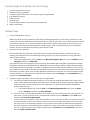
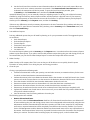
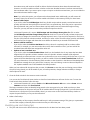
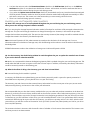
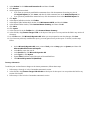
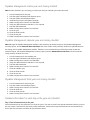
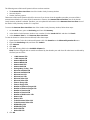
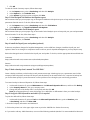
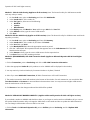
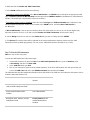
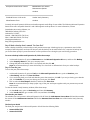
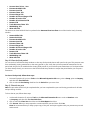
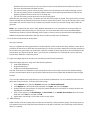
The following areas of Microsoft Dynamics GP are not date-sensitive: The Amounts Since Last Close view of the Vendor Yearly Summary window SmartList objects Vendor Summary reports These areas of Microsoft Dynamics GP will be incorrect if you do not close the payables year after you enter all 2014 transactions and before you enter all 2015 transactions. However, the Amounts Since Last Close view of the Vendor Yearly Summary window is editable. Therefore, you can update the information in the Amounts Since Last Close view of the Vendor Yearly Summary window if it is required. To access the Amounts Since Last Close view of the Vendor Yearly Summary window, follow these steps: 1. On the Cards menu, point to Purchasing, and then click Summary. 2. In the Vendor Credit Summary window, type a vendor ID in the Vendor ID field, and then click Yearly. 3. In the Summary View list, click Amounts Since Last Close. To view the SmartList columns that are affected, follow these steps: 1. 2. 3. 4. 5. 6. Open SmartList. To do this in Microsoft Dynamics GP, click SmartList on the Microsoft Dynamics GP menu. Expand the Purchasing node, and then click Vendors. Click Columns. Click Add. Click the following fields in the Available Columns list. Note The items flagged with an asterisk are affected by the calendar year-end close. All other items are affected by the fiscal year-end close. *1099 Amount YTD *1099 Amount LYR Amount Billed YTD Amount Billed LYR Amount Paid YTD Amount Paid LYR Average Days To Pay - Year Discount Available LYR Discount Available YTD Discount Lost LYR Discount Lost YTD Discount Taken LYR Discount Taken YTD Finance Charge LYR Finance Charge YTD Number of Finance Charges LYR Number of Finance Charges YTD Number of Invoice LYR Number of Invoice YTD Number of Paid Invoice YTD Returns LYR Returns YTD Trade Discounts Taken LYR Trade Discounts Taken YTD Withholding LYR Withholding YTD Write Offs LYR Write Offs YTD Click OK.