1
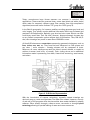
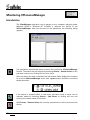
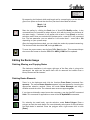
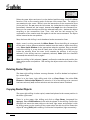
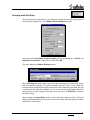
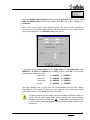
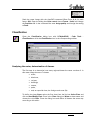
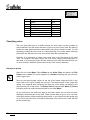
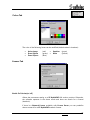
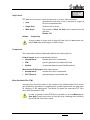
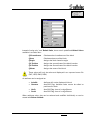
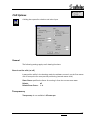
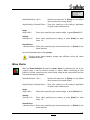
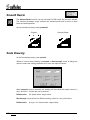
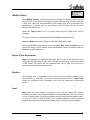
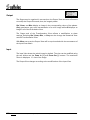
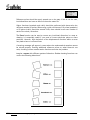
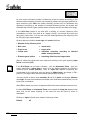
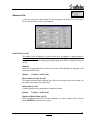
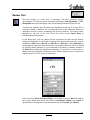
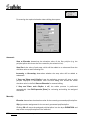
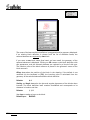
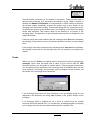
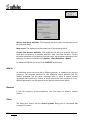
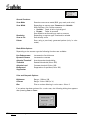
For entering the required elevation data a dialog box opens:
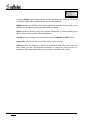
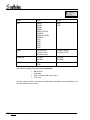
Automatic
Start at Elevation determines the elevation value of the first polyline (e.g. the
polyline/spline which was the first crossed by the selection line).
Step Size is the value of each step, which will be added to or subtracted from the
elevation value at each following line.
Increasing or Decreasing determines whether the step value will be added or
subtracted.
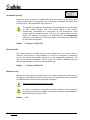
If Stop and Show each Polyline is on the assigning process will stop at each
polyline displayed in white/black color and the dialog box shows the actual
elevation value in the field Start at Elevation for manual editing.
If Stop and Show each Polyline is off, the whole process is performed
automatically. Use Edit-Properties [Enter] for reviewing and editing the assigned
elevations.
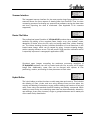
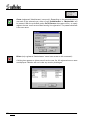
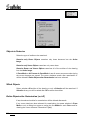
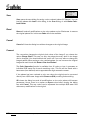
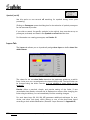
Manually
Elevation determines the elevation value of the currently processed polyline/spline.
Skip ignores the assignment for the currently processed polyline/spline.
Clicking OK will move the assigned polyline/spline into the layer ELEVATION and
step to the next polyline/spline of the selection.
222
Section 11
Hybrid Editor in the VP HybridCAD Window
V 6-7 / E