1
Analyzing Timing Violations
How to Set Up the Timing Checker
How to Set Up the Timing
Checker
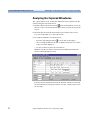
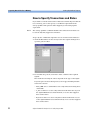
The timing checker is controlled from the Timing Check window. This
window allows you to mask and unmask signals, and displays timing
check results.
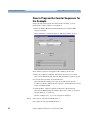
To set up the timing checker:
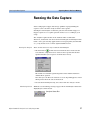
1 From the Analyzer menu, select Timing Check.
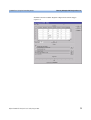
The current settings and results are uploaded from the testcard and
displayed in the window.
The Status group provides a result summary, showing the number of
signals that have violated timing rules. The Status column in the
Signal table shows error flags for each individual signal.
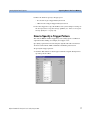
2 Select the signals to be checked for your test by masking those signals
that are not relevant.
The current status for the individual signals is shown in the Mask
column. To modify the mask:
– click an entry in the Mask column to toggle its state
(enabled/disabled), or
– from the Signal menu, select Enable All or Disable All to set the
state for all signals at once.
54
Agilent E2928A PCI Analyzer User’s Guide, August 2002