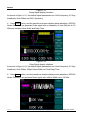
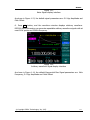
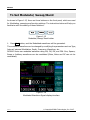
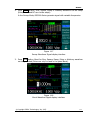
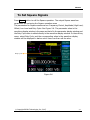
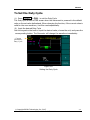
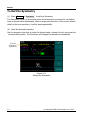
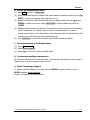
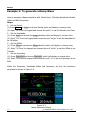
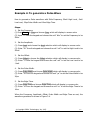
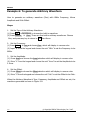
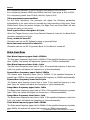
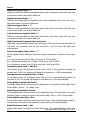
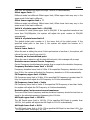
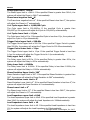
1
User Guide RIGOL Publication number DG3-070728 March 2007 DG3000 Series Function/Arbitrary Waveform Generator © Copyright RIGOL Technologies, Inc. 2007 All Rights Reserved RIGOL z z z z Copyright © RIGOL TECHNOLOGIES, INC. 2007 All Rights Reserved. RIGOL products are protected by patent law in and outside of P.R. China. Information in this publication replaces all that in previously corresponding materials. RIGOL Technologies, Inc. reserves the right to modify or change part of or all the specifications and pricing policies at company’s sole decision. NOTE: RIGOL is the registered trademark of RIGOL TECHNOLOGIES, INC. © Copyright RIGOL Technologies, Inc. 2007. User Guide for DG3000 Series I RIGOL Safety Notices Review the following safety precautions carefully before operating the instrument to avoid any personal injury or damage to the instrument or products connected to it. To avoid potential hazards, use the instrument in a manner only as specified by this user manual. The instrument should be serviced by qualified personnel only. To Avoid Fire or Personal Injury Use proper power cord. Only the dedicated power cord of the products approved by the State should be used. Connect and Disconnect accessories properly. Do not connect or disconnect probes or test leads while they are connected to a voltage source. Ground the instrument This generator is grounded through the protective earthing conductor of the power cord. To avoid electric shock, the grounding conductor must be connected to earth ground. Maker sure the instrument is properly grounded before connecting the input or output terminals. Connect the probe properly. The probes’ ground terminals are at the same voltage level with earth terminal of the instrument. Do not connect the ground terminals to a high voltage. Observe All Terminal Ratings. To avoid fire or shock, observe all ratings and marks on the instrument. Follow the user manual for further rating information before making connections to the instrument. Do not operate without Covers. Do not operate your generator with covers or panels removed. Use Proper Fuse. Only use the fuse type and rating specified for this product. Avoid Circuit or Wire Exposure. Do not touch exposed connections or components when II © Copyright RIGOL Technologies, Inc. 2007. User Guide for DG3000 Series RIGOL they are on. Do not operate with suspected failures. If you suspect damage with this product, have it inspected by qualified service personnel before further operations. Provide Proper Ventilation. Do not operate in wet/damp conditions Do not operate in an explosive atmosphere Keep product surfaces clean and dry © Copyright RIGOL Technologies, Inc. 2007. User Guide for DG3000 Series III RIGOL Safety Terms and Symbols Terms in This Manual. These terms may appear in this manual: ! WARNING: Warning statements identify conditions or practices that could result in injury or loss of life. ! CAUTION: Caution statements identify conditions or practices that could result in damage to this product or other property. Terms on the Product: These terms may appear on the product: DANGER indicates an injury hazard that may be immediately accessible. WARNING indicates an injury hazard that may be not immediately accessible. CAUTION indicates that a potential damage to the instrument or other property might occur. Symbols on the Product: These symbols may appear on the Instrument: ! Hazardous Voltage IV Refer to Instructions Protective earth terminal Grounding Terminal of Chassis Test Grounding Terminal © Copyright RIGOL Technologies, Inc. 2007. User Guide for DG3000 Series RIGOL Rigol DG3000 Generator at a Glance The book covers the following 3 types of DG3000 Series Function/ Arbitrary Waveform Generators: DG3121A、DG3101A、DG3061A RIGOL DG3000 Series Function/ Arbitrary Waveform Generator apply the DDS technology, which can provide stable, high-precision, pure and low distortion sine signal. It also can provide 120MHz square waveform with fast rising or falling edges. Its combination of excellent system features, easiness in usage and versatile functions makes this generator a perfect solution for your job now and in the future. DG3000 Series Function/ Arbitrary Waveform Generator have clear and simple Front-Panel. The user-friendly panel layout and instructions, versatile terminals, direct graph interface, built-in instructions and help system has greatly simplified the operation process, with the help of which, users do not have to spend a great deal of time learning and familiarizing the operation of the generator before they can use it proficiently. The built-in AM, FM, PM, and FSK modulation functions generate modulated waveform at ease, without the help of a separate modulating source. USB I/O is a standard accessory, while LAN and GPIB are Optional. Remote instructions meet the SCPI specification requirements. From the characteristics and specifications given below, you will understand how DG3000 can satisfy your measurement requirements. z z z z z z 16+2 channels digital output module (Optional) together with the analogue channel can rebuild the most commonly used mixed signal in daily practice. Applying DDS technology provides precise, stable and low distortion output signal. 4.0’ QVGA color LED display. 300MSa/s sampling rate, 14-bit resolution. Frequency characteristics: Sine/ Square: 1µHz to 120 MHz Ramp: 1µHz to 1 MHz Pulse: 500µHz to 50MHz White Noise:10MHz bandwidth (-3dB) Arbitrary:1μHz to 25MHz 10 standard waveforms: © Copyright RIGOL Technologies, Inc. 2007. User Guide for DG3000 Series V RIGOL Sine, Square, Ramp, Pulse, Noise, Sinc, Exponential Rise, Exponential Fall, Cardiac and DC. z Self-definable Arbitrary waveform. z Multiple modulation function, various modulated waveform: AM, FM, PM, FSK, PWM, SWEEP and Burst. z Multiple I/O: External Modulation Source, External 10 MHz Reference Input, External trigger source, waveform output, synchronous signal output, Internal 10 MHz Reference output. z Support USB storage device. Software Updating could also be performed using USB devices. z Utmost 1M sample points of internal waveform depth, which can rebuild or simulate any complex waveform. z Remote control is realized using the LAN. Support 10/100M LAN. Users can remotely visit and control signal generation through web browser. z Multiple interfaces: USB Host & Device, RS-232, GPIB (IEEE-488), LAN. z Support the seamless connection of DS1000 Series Digital Oscilloscopes; can directly read and rebuild the stored waveform in the oscilloscopes. z Graph interface which shows the signal setting directly. z 10 languages user interface and built-in help system. z Support Chinese/ English Input. VI © Copyright RIGOL Technologies, Inc. 2007. User Guide for DG3000 Series RIGOL Content Safety Notices ..................................................................................................................................... II Rigol DG3000 Generator at a Glance...............................................................................................V Chapter 1 : Getting Start ....................................................................................................... 1-1 General Inspection .......................................................................................................................... 1-2 Handle Adjustment .......................................................................................................................... 1-3 The Front/Rear Panel ...................................................................................................................... 1-4 To Set a Waveform.......................................................................................................................... 1-8 To Set Modulate/ Sweep/Burst.................................................................................................... 1-12 To Set Trigger/Output................................................................................................................... 1-15 To Use Digital Input ...................................................................................................................... 1-16 To Use Store/Utility/Help Function.............................................................................................. 1-17 Chapter 2 : Operating Your Generator ............................................................................. 2-1 To Set Sine Signals.......................................................................................................................... 2-2 To Set Square Signals ..................................................................................................................... 2-7 To Set Ramp Signals ..................................................................................................................... 2-10 To Set Pulse Signals ...................................................................................................................... 2-13 To Set Noise Signals...................................................................................................................... 2-17 To Set Arbitrary Signals ................................................................................................................ 2-19 To Generate the Modulated Waveform ...................................................................................... 2-32 To Generate Sweep ....................................................................................................................... 2-42 To Generate Burst ......................................................................................................................... 2-46 To Store and Recall ....................................................................................................................... 2-50 To Set the Utility Function............................................................................................................ 2-64 How to Use the Built-in Help System.......................................................................................... 2-91 Chapter 3 Example Example Example Example Example Example Example Example 1: 2: 3: 4: 5: 6: 7: 8: : Application & Examples .................................................................................. 3-1 To To To To To To To To generate a Sine Wave........................................................................................... 3-2 generate a Square Wave ...................................................................................... 3-3 generate a Ramp Wave ........................................................................................ 3-4 generate a Pulse Wave ......................................................................................... 3-5 generate a Noise Wave......................................................................................... 3-7 generate Arbitrary Waveform .............................................................................. 3-8 Generate an Arbitrary Waveform ...................................................................... 3-10 Generate an AM Waveform ................................................................................ 3-12 © Copyright RIGOL Technologies, Inc. 2007. User Guide for DG3000 Series VII RIGOL Example Example Example Example 9: To Generate an 10: To Generate a 11: To Generate a 12: To Generate a Chapter 4 FSK Waveform............................................................................... 3-14 PWM waveform ............................................................................. 3-16 Linear Sweep Waveform .............................................................. 3-18 Burst Waveform ............................................................................ 3-20 : Prompt messages & troubleshooting ........................................................ 4-1 Prompting Message ......................................................................................................................... 4-1 Troubleshooting ............................................................................................................................. 4-15 Chapter 5 : Support & Service ............................................................................................. 5-1 Chapter 6 : Appendix .............................................................................................................. 6-1 Appendix A: Specifications ............................................................................................................. 6-1 Appendix B: DG3000 Series Accessories...................................................................................... 6-8 Appendix C: General Care and Cleaning ...................................................................................... 6-9 VIII © Copyright RIGOL Technologies, Inc. 2007. User Guide for DG3000 Series RIGOL Chapter 1 : Getting Start This chapter covers the following topics: General Inspection Handle Adjustment The Front/rear Panel To Set a Waveform To Set Modulation/Sweep/Burst To Set Trigger/Output To Use Digital Input To Use Store/Utility/Help Function © Copyright RIGOL Technologies, Inc. 2007. User Guide for DG3000 Series 1-1 RIGOL General Inspection When you get a new DG3000 Series Function/ Arbitrary Waveform Generator, you are suggested to take the following steps to inspect the instrument. 1. Inspect the shipping container for damage. Keep the damaged shipping container or cushioning material until the contents of the shipment have been checked for completeness and the instrument been checked mechanically and electrically. 2. Check the accessories. Accessories supplied with the instrument are listed in "Accessories" in the front of this manual. If the contents are incomplete or damaged, please notify your RIGOL Sales Representative. 3. Inspect the instrument. In case any mechanical damage or defect, or if the instrument does not operate properly or pass performance tests, notify your RIGOL Sales Representative. If the shipping container is damaged, or the cushioning materials show signs of stress, notify the carrier as well as your RIGOL sales office. Keep the shipping materials for the carrier’s inspection. RIGOL offices will arrange for repair or replacement at RIGOL’s option without waiting for claim settlement. 1-2 © Copyright RIGOL Technologies, Inc. 2007. User Guide for DG3000 Series RIGOL Handle Adjustment To adjust the handle position of DG3000 Function/ Arbitrary Waveform Generator, please grip the handle by the sides and pull it outward. Then, make the handle rotate to the desired position. The operating methods are shown in the graphs below 1-1, 1-2, 1-3. Figure 1-1 Adjust the handle Figure 1-2 Viewing Positions © Copyright RIGOL Technologies, Inc. 2007. User Guide for DG3000 Series Figure 1-3 Carrying Position 1-3 RIGOL The Front/Rear Panel When you get a new DG3000 Series Function/ Arbitrary Waveform Generator, first you need to clear how to operate the front/ Rear panel correctly. This chapter will make a brief introduction and description for the operation and functions of the Front/ Rear Panel. The Front Panel at a Glance The DG3000 Series Function/ Arbitrary Waveform Generator has clear and simple front panel. See Figure 1-4 and 1-5. The Front Panel has a knob and functional keys. The 5 blue grey buttons on the right side of the screen are menu buttons (named F1 to F5 from up to down) with the help of which, you can enter different functions menu or have direct specific applications. The signal input and output interfaces are set at the rear panel which can help generating multiple arbitrary waveforms. The various BUS interfaces can meet the need of the multiple interface communications. Figure 1-4 DG3000 Series Function/ Arbitrary Waveform Generator Front Panel 1-4 © Copyright RIGOL Technologies, Inc. 2007. User Guide for DG3000 Series RIGOL Figure 1-5 DG3000 Series Function/ Arbitrary Waveform Generator Front Panel Operation Instruction The Rear Panel at a Glance Figure 1-6 DG3000 Series Function/ Arbitrary Waveform Generator Rear Panel © Copyright RIGOL Technologies, Inc. 2007. User Guide for DG3000 Series 1-5 RIGOL Waveform display window Operation Menu: Different functions have different menus Parameter Display and editing Window Parameter Value Parameter Name Value Unit Figure 1-7 Display Interface (Sine Wave is the default display signal) 1-6 © Copyright RIGOL Technologies, Inc. 2007. User Guide for DG3000 Series RIGOL Character definitions in this User Manual: The signs for buttons in this book are the same as the panel buttons. Please note that, the signs for the functional buttons on the operation panel are represented by squared words, such as Sine, which represents the transparent functional key with Sine on it on the front panel, while the menu buttons are represented by darkened words such as Freq, which means the “Frequency” option in the Sine menu. ! Note:The main Output and Sync Channels are located in the front panel, which only allow signal output. If they are used as signal input channels, they will be burned and lead to instrument malfunction. © Copyright RIGOL Technologies, Inc. 2007. User Guide for DG3000 Series 1-7 RIGOL To Set a Waveform On the operation panel, there is a set of buttons with waveform icon. See Figure 1-8. The exercise below will help you familiarize with the waveform selection settings. Figure 1-8 Waveform Selection Buttons 1. Press Sine button and the waveform window will display sine waveform. DG3000 Series Generator can generate Sine signal with a frequency from 1μHz to 120MHz. Set Frequency/Period, Amplitude/ High Level, Offset/ Low level, sine signal with different parameters can be generated. Figure 1-9 Sine Signal display interface 1-8 © Copyright RIGOL Technologies, Inc. 2007. User Guide for DG3000 Series RIGOL As shown in Figure 1-9, the default signal parameters are: 1 kHz Frequency, 5.0 Vpp Amplitude and 0Vdc Offset. 2. Press Square button, and the waveform window displays square waveform. DG3000 Series Generator can generate Square signal with a frequency of from 1μHz to 120MHz and variable duty cycle. Figure 1-10 Square Signal display interface As shown in Figure 1-10, the default signal parameters are: 1kHz Frequency, 5.0 Vpp Amplitude, 0Vdc Offset and 50% Duty Cycle. 3. Press Ramp button, and the waveform window displays ramp waveform. DG3000 Series Generator can generate Ramp signal with a frequency of from 1μHz to 1 MHz and variable Symmetry. © Copyright RIGOL Technologies, Inc. 2007. User Guide for DG3000 Series 1-9 RIGOL Figure 1-11 Ramp Signal display interface As shown in Figure 1-11, the default signal parameters are: 1kHz Frequency, 5.0 Vpp Amplitude, 0Vdc Offset and 50% Symmetry. 4. Press Pulse button, and the waveform window displays pulse waveform. DG3000 Series Generator can generate Pulse signal with a frequency of from 500μHz to 50 MHz and variable Pulse Width and Edge Time. Figure 1-12 Pulse Signal display interface As shown in Figure 1-12, the default signal parameters are: 1kHz Frequency, 5.0 Vpp Amplitude, 0Vdc Offset, 200μs Pulse Width and 50ns Edge Time. 5. Press Noise button, and the waveform window displays noise waveform. DG3000 Series Generator can generate Noise signal with a Band Width up to 10 MHz. 1-10 © Copyright RIGOL Technologies, Inc. 2007. User Guide for DG3000 Series RIGOL Figure 1-13 Noise Signal display interface As shown in Figure 1-13, the default signal parameters are: 5.0 Vpp Amplitude and 0Vdc Offset. 6. Press Arb button, and the waveform window displays arbitrary waveform. DG3000 Series Generator can generate repeatable arbitrary waveform signals with at most 512K points and 25MHz frequency. Figure 1-14 Arbitrary waveform Signal display interface As shown in Figure 1-14, the default Exponential Rise Signal parameters are: 1kHz Frequency, 5.0 Vpp Amplitude and 0Vdc Offset. © Copyright RIGOL Technologies, Inc. 2007. User Guide for DG3000 Series 1-11 RIGOL To Set Modulate/ Sweep/Burst As shown in Figure 1-15, there are three buttons on the front panel, which are used for Modulating, sweeping and bursting settings. The instructions below will help you familiarize with the setting of these functions. Figure 1-15 Modulate/ Sweep/ Burst button 1. Press Mod button, and the Modulated waveforms will be generated. The modulated waveform can be changed by modifying the parameters such as Type, Internal/ external Modulation, Depth, Frequency, Waveform, etc. DG3000 Series can modulate waveform using AM, FM, PM, and FSK. Sine, Square, Ramp or Arbitrary waveforms can be modulated (Pulse, Noise and DC can not be modulated). Figure 1-16 Modulated Waveform Signal display interface 1-12 © Copyright RIGOL Technologies, Inc. 2007. User Guide for DG3000 Series RIGOL 2. Press Sweep button, Sine, Square, Ramp or Arbitrary waveform can be swept (Pulse, Noise and DC can not be swept). In the Sweep Mode, DG3000 Series generate signal with variable frequencies. Figure 1-17 Sweep Waveform Signal display interface 3. Press Burst button, Burst for Sine, Square, Ramp, Pulse or Arbitrary waveform can be generated (Noise can only be used in the gated Burst). Figure 1-18 Burst Waveform Signal display interface © Copyright RIGOL Technologies, Inc. 2007. User Guide for DG3000 Series 1-13 RIGOL Term Explanation Burst:Output Waveforms with set cycle times Burst can last for certain times of waveform cycle (N-Cycle Burst) or be controlled by external gated signals (Gated Burst). Burst applies to all kinds of waveforms, but noise can only be used in gated burst. 1-14 © Copyright RIGOL Technologies, Inc. 2007. User Guide for DG3000 Series RIGOL To Set Trigger/Output As shown in Figure 1-19, there are two buttons on the right side of the operation panel, which are used to set Trigger and Output Control. The instruction below will help you familiarize with these functions. Figure 1-19 Trigger/ Output Button 1. Press Trigger Button, choose internal/ external or manual Trigger (Manual Trigger can only be used in Sweep and N-Cycle Burst) · The default setting for Trigger is “Internal”. In this mode, when the Sweep or Burst Mode is also selected, the Generator will generate burst continuously. At this time, press Trigger button, the instrument will shift from the “Automatic” Trigger mode into “Manual” Trigger mode. · When the generator uses the” External” Trigger Mode, if the Sweep or the Burst Mode is selected, signal will be generated continuously. At this time, press Trigger button, the instrument state will not change, and it will show “The instrument has already been triggered”. · Every time you press the Trigger button, “Manual” Trigger will start a sweep or generate a burst. Press the button again, and the generator will be triggered again. 2. Press Output Button, activate or deactivate the output signal. If an overload message is shown, disconnect the external equipment from the output terminals and press Output button, reactivate the output terminal. © Copyright RIGOL Technologies, Inc. 2007. User Guide for DG3000 Series 1-15 RIGOL To Use Digital Input As shown in Figure 1-20, there are two sets of buttons on the operation panel, which are direction button, the knob and the keypad. The instruction below will help you familiarize with the Digital Input Function. (1)direction key (2)keypad (3)knob Figure 1-20 Front Panel Digital Input 1. The up and down keys are used to shift the parameters and the left and right keys are used to shift digits. 2. Keypad is used to directly set the parameters value 3. Knob is used to change a signal digit value whose range is 0~9. Clockwise to increase. 1-16 © Copyright RIGOL Technologies, Inc. 2007. User Guide for DG3000 Series RIGOL To Use Store/Utility/Help Function As shown in Figure 1-21, there are three buttons on the operation panel, which are used to call the store/recall, utility and help function. The instruction below will help you familiarize with these Functions. Figure 1-21 Store/Recall, Utility and Help Button 1. The Store/Recall Button is used to store waveform data and configure information. 2. The Utility Button is used to set the auxiliary system function, change the output configure parameters, interface setting, system setting information or perform the instrument self-test and read the calibration information, etc. 3. The Help Button is used to read the help information. Operation Instruction To get help on : To get help on any key of the front panel, press and hold on that key for 1 second and the help message will appear. © Copyright RIGOL Technologies, Inc. 2007. User Guide for DG3000 Series 1-17 RIGOL Chapter 2 : Operating Your Generator By now you have got a brief understanding about DG3000 series with the front/rear panel, every function control area and keys. You should also know how to set your function/ arbitrary waveform generator for your usage. If you are not familiar with these operations, you are suggested to read Chapter One “Getting Started” again. This chapter covers the topics listed below: This chapter covers the following topics: Setting Sine Signal ( Sine ) Setting Square Signal ( Square ) Setting Ramp Signal ( Ramp ) Setting Pulse Signal ( Pulse ) Setting Noise Signal ( Noise ) Setting Arb Signal ( Arb ) Output Modulated Signal ( Mod ) Output Sweep Signal ( Sweep ) Output Burst Signal ( Burst ) Trigger ( Trigger ) Store/Recall ( Store/Recall ) Utility Setting ( Utility ) Help System ( Help ) You are suggested to read this chapter carefully so as to understand DG3000 Series Generator‘s versatile waveform setting Functions and more operation methods. © Copyright RIGOL Technologies, Inc. 2007. User Guide for DG3000 Series 2-1 RIGOL To Set Sine Signals Press Sine Button to call the Sine operation. The output Sine waveform parameters are set using the Sine operation menu. The parameters for Sine waveforms are: Frequency/ Period, Amplitude/ High Level, Offset/ Low Level. Different Sine Signals are generated by modifying these parameters. The parameter value in the waveform display window is the same as that of in the parameter display window. As is shown in Figure 2-1, in the soft key menu, select Freq. Cursor is located in the frequency parameter area in the parameter display window. Users can set the frequency value right here. In the waveform display window, the parameter type in the left corner is frequency, the value of which is displayed in darkened color. Waveform Frequ Current Parameter Amplitude Offset Operation Menu: Control function with the soft keys Waveform display Frequency value Figure 2-1 Sine Signal Parameter display Interface 2-2 © Copyright RIGOL Technologies, Inc. 2007. User Guide for DG3000 Series RIGOL Figure 2-2 Table 2-1 Sine waveform menu Function menu Freq Period Ampl High Level Offset Low Level Settings Explanations Setting the signal’s frequency or period; the current parameter will switch at a second press. Setting the signal’s Amplitude or High Level; the current parameter will switch at a second press. Setting the signal’s Offset or Low Level; the current parameter will switch at a second press Instructions The parameter type in the top left corner of Figure 2-2 is the current parameter, whose value will be displayed in darkened color. © Copyright RIGOL Technologies, Inc. 2007. User Guide for DG3000 Series 2-3 RIGOL To Set the Output Frequency/Period (1). Press Sine Æ Freq ,to set the frequency parameter. The frequency shown on the screen when the instrument is powered is the default value or the set value beforehand. When setting the function, if the current value is valid for the new waveform, it will be used sequentially. If you want to set the period for the waveform, press Freq/Period button again, to switch to the Period parameter (The current operation is displayed in inverse color). (2). Input the desired frequency. Use the keypad to input the parameter value directly, and press the corresponding button to select the parameter unit. Or you can use the direction button to select the digit you want to edit, and then use the knob to change its value. Current Parameter: Frequency Figure 2-3 Setting the Frequency Instruction: When using the keypad to enter the digit, you can use the Left direction button to move the cursor backward and delete or change the value of the previous digit. 2-4 © Copyright RIGOL Technologies, Inc. 2007. User Guide for DG3000 Series RIGOL To Set the Output Amplitude (1). Press Sine Æ Ampl ,to set the amplitude. The amplitude shown on the screen when the instrument is powered is the default value or the set value beforehand. When changing the function, if the current value is valid for the new waveform, it will be used sequentially. If you want to set the waveform by high Level or Low Level, press the Ampl/High Level or Offset/Low level button again, to switch into the High Level or Low Level parameter (The current operation is displayed in inverse color). (2). Input the desired Amplitude Use the keypad or the knob to input the desired value, choose the unit, and press the corresponding button. Current Parameter: Amplitude Figure 2-4 Setting the Amplitude © Copyright RIGOL Technologies, Inc. 2007. User Guide for DG3000 Series 2-5 RIGOL To Set the DC Offset (1). Press Sine Æ Offset ,to set the offset. The offset shown on the screen when the instrument is powered is the default value or the set value beforehand. When changing the function, if the current value is valid for the new waveform, it will be used sequentially. (2). Input the desired Offset Use the keypad or the knob to input the desired value, choose the unit, and press the corresponding button. Current Parameter: Offset Figure 2-5 Setting the Offset 2-6 © Copyright RIGOL Technologies, Inc. 2007. User Guide for DG3000 Series RIGOL To Set Square Signals Press Square button to call the Square operation. The output Square waveform parameters are set using the Square operation menu The parameters for Square waveforms are: Frequency/ Period, Amplitude/ High Level, Offset/ Low Level and Duty Cycle. See Figure 2-6. The parameter value in the waveform display window is the same as that of in the parameter display window and the Duty Cycle value is edited directly in the waveform display window. In the soft key menu, select Duty Cycle, and the corresponding value in the waveform display window will be displayed in darken color. Users can then edit its value. Duty Cycle Figure 2-6 © Copyright RIGOL Technologies, Inc. 2007. User Guide for DG3000 Series 2-7 RIGOL Figure 2-7 Table 2-2 Square Signal Operation Menu Function Menu Freq Period Ampl High Level Offset Low Level Duty Settings Explanation Setting the signal’s frequency or period; the current parameter will switch at a second press. Setting the signal’s Amplitude or High Level; the current parameter will switch at a second press. Setting the signal’s Offset or Low Level; the current parameter will switch at a second press Setting the Duty Cycle for Square Waveform Term Explanation: Duty Cycle: The percentage that the High Level takes up the whole Period. Please Note : for the Frequency Duty Cycle Value Below 25MHz: 20% to 80% From 25MHz to 50MHz (included): 40% to 60% Higher than 50MHz: 50% 2-8 © Copyright RIGOL Technologies, Inc. 2007. User Guide for DG3000 Series RIGOL To Set the Duty Cycle (1). Press Square Æ Duty,to set the Duty Cycle. The Duty Cycle shown on the screen when the instrument is powered is the default value or the set value beforehand. When changing the function, if the current value is valid for the new waveform, it will be used sequentially. (2). Input the desired Duty Cycle Use the keypad or the knob to input the desired value, choose the unit, and press the corresponding button. The Generator will change the waveform immediately. Current Parameter: Duty Cycle Figure 2-8 Setting the Duty Cycle © Copyright RIGOL Technologies, Inc. 2007. User Guide for DG3000 Series 2-9 RIGOL To Set Ramp Signals Press Ramp button to call the Ramp operation. The output Ramp waveform parameters are set using the Ramp operation menu. The parameters for Ramp waveforms are: Frequency/ Period, Amplitude/ High Level, Offset/ Low Level and Symmetry. See Figure 2-9. The parameter value in the waveform display window is the same as that of in the parameter display window and the Symmetry value is edited directly in the waveform display window. In the soft key menu, select Symmetry, and the corresponding value in the waveform display window will be displayed in darken color. Users can then edit its value. Symmetry Figure 2-9 Ramp Signal Parameter Setting Interface 2-10 © Copyright RIGOL Technologies, Inc. 2007. User Guide for DG3000 Series RIGOL Figure 2-10 Table 2-3 Ramp Signal Operation Menu Function Menu Freq Period Ampl High Level Offset Low Level Symmetry Settings Explanation Setting the signal’s frequency or period; the current parameter will switch at a second press. Setting the signal’s Amplitude or High Level; the current parameter will switch at a second press. Setting the signal’s Offset or Low Level; the current parameter will switch at a second press Setting the Symmetry for Ramp Waveform Term Explanation: Symmetry: The percentage that the Rising Period takes up the whole Period. Input Range: 0~100% © Copyright RIGOL Technologies, Inc. 2007. User Guide for DG3000 Series 2-11 RIGOL To Set the Symmetry (1). Press Ramp Æ Symmetry,to set the Symmetry. The Symmetry shown on the screen when the instrument is powered is the default value or the set value beforehand. When changing the function, if the current value is valid for the new waveform, it will be used sequentially. (2). Input the desired Symmetry Use the keypad or the knob to input the desired value, choose the unit, and press the corresponding button. The Generator will change the waveform immediately. Current Parameter: Symmetry Figure 2-11 Setting the Symmetry 2-12 © Copyright RIGOL Technologies, Inc. 2007. User Guide for DG3000 Series RIGOL To Set Pulse Signals Press Pulse button to call the Pulse operation. The output Pulse waveform parameters are set using the Pulse operation menu. The parameters for Pulse waveforms are: Frequency/ Period, Amplitude/ High Level, Offset/ Low Level, Pulse Width and Edge Time. See Figure 2-12. The parameter value in the waveform display window is the same as that of in the parameter display window and the Pulse Width and the Edge Time values are edited directly in the waveform display window. In the soft key menu, select Pulse Width, and the corresponding value in the waveform display window will be displayed in darken color. Users can then edit its value. Pulse Width Edge Time Figure 2-12 Pulse Signal Parameter Setting Interface © Copyright RIGOL Technologies, Inc. 2007. User Guide for DG3000 Series 2-13 RIGOL Figure 2-13 Table 2-4 Pulse Signal Operation Menu Function Menu Freq Period Ampl High Level Offset Low Level Settings Explanation Setting the signal’s frequency or period; the current parameter will switch at a second press. Setting the signal’s Amplitude or High Level; the current parameter will switch at a second press. Setting the signal’s Offset or Low Level; the current parameter will switch at a second press Pulse Width Setting the Waveform Pulse Width for Pulse Edge Time Setting the Edge Time for Pulse Waveform Term Explanation: Pulse Width: The time span between thresholds of 50% of the rising edge amplitude to the next 50% of the falling edge amplitude. Edge Time: The time span between the thresholds of the 10% to 90% of the rising edge amplitude is called Rising Time. The time span between the thresholds of the 90% to 10% of the falling edge amplitude is called Falling Time. The Rising Time and the Falling Time together called Edge Time. 2-14 © Copyright RIGOL Technologies, Inc. 2007. User Guide for DG3000 Series RIGOL To Set the Pulse Width (1). Press Pulse Æ Pulse Width,to set the Pulse Width. The Pulse Width shown on the screen when the instrument is powered is the default value or the set value beforehand. When changing the function, if the current value is valid for the new waveform, it will be used sequentially. (2). Input the desired Pulse Width Use the keypad or the knob to input the desired value, choose the unit, and press the corresponding button. The Generator will change the waveform immediately. Current Parameter: Pulse Width Figure 2-14 Setting the Pulse Width © Copyright RIGOL Technologies, Inc. 2007. User Guide for DG3000 Series 2-15 RIGOL To Set the Edge Time (1). Press Pulse Æ Edge Time,to set the Edge Time. The Edge Time shown on the screen when the instrument is powered is the default value or the set value beforehand. When changing the function, if the current value is valid for the new waveform, it will be used sequentially. (2). Input the desired Edge Time Use the keypad or the knob to input the desired value, choose the unit, and press the corresponding button. The Generator will change the waveform immediately. Current Parameter: Pulse Edge Figure 2-15 Setting the Edge Time Instruction: The default setting is the same Edge Time for Rising and Falling Edges. 2-16 © Copyright RIGOL Technologies, Inc. 2007. User Guide for DG3000 Series RIGOL To Set Noise Signals Press Noise button to call the Noise operation. The output Noise waveform parameters are set using the Noise operation menu. The parameters for Noise waveforms are: Amplitude/ High Level and Offset/ Low Level. See Figure 2-16. The parameter value in the waveform display window is the same as that of in the parameter display window. In the soft key menu, select Offset, and the corresponding value in the waveform display window will be displayed in darken color. Users can then edit its value. Noise is non-regulated signal which has no frequency or period. Figure 2-16 Noise Signal Parameter Setting Interface © Copyright RIGOL Technologies, Inc. 2007. User Guide for DG3000 Series 2-17 RIGOL Figure 2-17 Table 2-5 Noise Signal Operation Menu Function Menu Ampl High Level Offset Low Level 2-18 Settings Explanation Setting the signal’s Amplitude or High Level; the current parameter will switch at a second press. Setting the signal’s Offset or Low Level; the current parameter will switch at a second press © Copyright RIGOL Technologies, Inc. 2007. User Guide for DG3000 Series RIGOL To Set Arbitrary Signals Press Arb button to call the Arb operation. The output Arb waveform parameters are set using the Arb operation menu. The Arb signal consists of two types: the system built-in waveform and the user-definable waveform. The parameters for Arb waveforms are: Frequency/ Period, Amplitude/ High Level and Offset/ Low Level. See Figure 2-18. The parameter value in the waveform display window is the same with that of in the parameter display window. In the soft key menu, select Amplitude, and the corresponding value in the waveform display window will be displayed in darken color. Users can then edit its value. Figure 2-18 Arbitrary Signal Parameter Setting Interface © Copyright RIGOL Technologies, Inc. 2007. User Guide for DG3000 Series 2-19 RIGOL Figure 2-19 Table 2-6 Arbitrary Signal Operation Menu Function Menu Freq Period Ampl High Level Offset Low Level 2-20 Settings Explanation Setting the signal’s frequency or period; the current parameter will switch at a second press. Setting the signal’s Amplitude or High Level; the current parameter will switch at a second press. Setting the signal’s Offset or Low Level; the current parameter will switch at a second press Sel Wform Select the built-in Arbitrary Signal as Output Edit Wform Create and Waveform Edit Arbitrary © Copyright RIGOL Technologies, Inc. 2007. User Guide for DG3000 Series RIGOL To Select the built-in Arbitrary Waveform There are five built-in Arbitrary Waveforms and user-definable Arbitrary Waveforms inside the Generator. To select one of them, follow the instructions below: Press Arb Æ Load,to enter the interface shown below. Figure 2-20 Table 2-7 Selection Menu for Built-in Arbitrary Waveform Function Menu Built-in Stored Wform Volatile Wform DELETE Wform CANCEL Settings Explanation Select one of the five built-in Arbitrary Waveforms (See Table 2-8) Select one of Arbitrary Waveforms stored in the Non-volatile memory Select one of Arbitrary Waveforms stored in the Volatile memory. When a new waveform is created, the old one will be erased. Delete one of the Arbitrary Waveforms stored in the Non-volatile memory. The five Built-in Waveforms can not be deleted. Cancel the current operation, and return to the upper menu. (The rest are the same and will not be covered) Instructions: 1. When there is no waveform stored in the Non-Volatile Memory, the Stored Menu and the Delete Menu will hide. 2. When there is no waveform in the Volatile Memory, the Volatile menu will hide. © Copyright RIGOL Technologies, Inc. 2007. User Guide for DG3000 Series 2-21 RIGOL 1. To Select the Built-in Waveform Press Arb Æ Figure 2-21(1) Sel Wform Æ Built-In,and enter the following interface. Table 2-8(1) The Built-in Arbitrary Waveforms Menu Function Menu Settings ExpRise Select the built-in Exponential Rise Waveform ExpFall Select the built-in Exponential Fall Waveform NegRamp Select the built-in Negative Ramp Waveform Sinc Select the built-in Sinc Waveform. Sinc=Sin(x)/x 1/2 Figure 2-21(2) Enter next page ( the rest is the same) Table 2-8(2) The Built-in Arbitrary Waveforms Menu Function Menu Settings Explanation Return previous page (the rest is the same) 2/2 Cardiac 2-22 Explanation Select the built-in Cardiac Waveform © Copyright RIGOL Technologies, Inc. 2007. User Guide for DG3000 Series RIGOL 2. To Select the Stored Waveform Press Arb Æ Figure 2-22(1) Sel Wform Æ Stored Wform ,and enter the following interface. Table 2-9(1) The Stored Arbitrary Waveform Menu Function Menu Settings Select the Arb Waveform stored in the non-Volatile Memory. The location is: C:\ARB1:ARB_1 Select the Arb Waveform stored in the non-Volatile Memory. The location is: C:\ARB2:ARB_2 Select the Arb Waveform stored in the non-Volatile Memory. The location is: C:\ARB3:ARB_3 Select the Arb Waveform stored in the non-Volatile Memory. The location is: C:\ARB4:ARB_4 ARB Mem1 ARB Mem 2 ARB Mem 3 ARB Mem 4 Figure 2-22(2) Explanation Table 2-9(2) The Stored Arbitrary Waveform Menu Function Menu Settings Select Arb Instructions: When there is no waveform stored in the Explanation Open the selected waveform Arb Mem1 、 Arb Mem2 、 Arb Mem3 and Arb Mem4, this menu will hide (The rest is the same and will not be covered ) © Copyright RIGOL Technologies, Inc. 2007. User Guide for DG3000 Series 2-23 RIGOL 3. To Remove the Waveform Press Arb Æ Sel Wform Æ DELETE Wform , and enter the following interface. Figure 2-23(1) Table 2-10(1) Function Menu The Stored Arbitrary Waveform Menu Settings Select the Arb Waveform stored in the non-Volatile Memory. The location is: C:\ARB1:ARB_1 Select the Arb Waveform stored in the non-Volatile Memory. The location is: C:\ARB2:ARB_2 Select the Arb Waveform stored in the non-Volatile Memory. The location is: C:\ARB3:ARB_3 Select the Arb Waveform stored in the non-Volatile Memory. The location is: C:\ARB4:ARB_4 ARB Mem1 ARB Mem 2 ARB Mem 3 ARB Mem 4 Figure 2-23(2) Table 2-10(2) Function Menu Delete Arb 2-24 Explanation The Stored Arbitrary Waveform Menu Settings Explanation Delete the selected waveform © Copyright RIGOL Technologies, Inc. 2007. User Guide for DG3000 Series RIGOL To Edit the Arbitrary Waveform The Generator allows users to edit Arbitrary Waveforms, which can create any new waveform by initializing points. The procedure is as follows: Press Arb Æ EditWform, to enter the interface shown below. Figure 2-24 Table 2-11 Waveform Edition Operation Menu Function Menu Settings Explanation Create New Create a new waveform, and erase the waveform in the Volatile memory. Edit Stored Edit the waveform stored in the non-Volatile memory Edit Volatile Edit the waveform stored in the Volatile memory DELETE Wform Delete one of the Arbitrary Waveforms stored in the Non-volatile memory. The five Built-in Waveforms can not be deleted. Instructions: 1. When there is no waveform stored in the Non-Volatile Memory, the Edit Stored Menu and the DELETE Wform Menu will hide. 2. When there is no waveform in the Volatile Memory, the Edit Volatile menu hide © Copyright RIGOL Technologies, Inc. 2007. User Guide for DG3000 Series 2-25 RIGOL 1. To Create a New Waveform Press Arb Æ EditWform Æ Create New ,to set the overall parameter for the waveform. Interface is shown in Figure 2-25 and menu in Table 2-12. Period High Level Low Level Initial Points number Interpolation On Figure 2-25 Interface for setting the new waveform parameter Figure 2-26(1) Table 2-12(1) Function Menu 2-26 Setting the parameter for the new waveform Settings Explanation Cycle Period Setting the Cycle Period for the Waveform HighV Limit Setting the Level High Limit for the Waveform LowV Limit Setting the Level Low Limit the Waveform Int# Points Set the number of initial points when Initializing the waveform for © Copyright RIGOL Technologies, Inc. 2007. User Guide for DG3000 Series RIGOL Figure 2-26(2) Table 2-12(2) Function Menu Interp Edit Points Setting the parameter for the new waveform Settings On Off Explanation Activate the linear Interpolation between the defined points Deactivate the linear Interpolation between the defined points Turn on the Waveform Editor To Set the Point Number Press Int #Points, to set the number of the initializing points When a new waveform is created, the waveform editor will firstly create a waveform with two points. The Waveform Editor connects the last point to the Voltage Level of point #1 automatically to create a continuous waveform. A waveform with at most 512X1024 points can be created. In the default setting, point #1 is Level High, fixed on 0 second, while point #2 is Level Low and on the half of the set Cycle period. To Set the Interpolation Press Interp.On , if you choose Interpolation On , and the points will be connected with beelines; otherwise, the voltages between two consecutive points will not change, and waveform looks like a step-up one. © Copyright RIGOL Technologies, Inc. 2007. User Guide for DG3000 Series 2-27 RIGOL To Edit the Waveform Points Press Arb Æ Edit Wform Æ Create New Æ Edit Points, The waveform can be defined by setting the time and voltage for each point using this function. The menu is as follows: Figure 2-27(1) Table 2-13(1) Waveform Parameter Edition Menu Function Menu Figure 2-27(2) Settings Explanation Point# Select the point to be edited Voltage Set Voltage for the Selected point Time Set time for the Selected point Insert Insert a new point between the defined points. Use the “Time” and “Voltage” to define the new point. Table 2-13(2) Function Menu Remove Stored in Non-Vol Done Waveform Parameter Edition Menu Settings Explanation Remove the current point Save the created waveform to the non-Volatile Memory. Resort to Table 2-14for a detailed Storage Catalogue Finish the current operation and return to the first level menu. (The rest is the same and will not be covered) Instruction: The time for the last definable point should be less than the cycle period in the waveform. 2-28 © Copyright RIGOL Technologies, Inc. 2007. User Guide for DG3000 Series RIGOL Save the Waveform to the Non-Volatile Memory Press Arb Æ Edit Wform Æ Create New Non-Vol ,to enter the following interface. Æ Edit Points Æ Store in Figure 2-28(1) choose the location Figure 2-28(2) input the name © Copyright RIGOL Technologies, Inc. 2007. User Guide for DG3000 Series 2-29 RIGOL Table 2-14 Save New Waveform Menu Function Menu File ARB1 File ARB 2 File ARB 3 File ARB 4 Settings Explanation Store the waveform to ARB1 location and name the file. Press Finish/Done to finish the operation. Store the waveform to ARB2 location and name the file. Press Finish/Done to finish the operation. Store the waveform to ARB3 location and name the file. Press Finish/Done to finish the operation. Store the waveform to ARB4 location and name the file. Press Finish/Done to finish the operation. Instruction To save the Arbitrary Waveform: In the Non-volatile Memory, each waveform storage place saves only one waveform. If a new one is stored, the old one will be erased. For a waveform containing points less than128K, one place will be used. For a waveform containing points from128K to 256K, two sequential places will be used. For a waveform containing points from256K to 512K, All the 4 places will be used. 2-30 © Copyright RIGOL Technologies, Inc. 2007. User Guide for DG3000 Series RIGOL 2. To Edit the Stored Waveform Press Arb Æ Figure 2-29(1) Edit Wform Æ Edit Stored, to enter the following interface. Table 2-15(1) Function Menu Edit Stored Waveform Menu Settings Select the Arb Waveform stored in the non-Volatile Memory. The default location is: C:\ARB1:ARB_1 Select the Arb Waveform stored in the non-Volatile Memory. The default location is: C:\ARB2:ARB_2 Select the Arb Waveform stored in the non-Volatile Memory. The default location is: C:\ARB3:ARB_3 Select the Arb Waveform stored in the non-Volatile Memory. The default location is: C:\ARB4:ARB_4 ARB Mem1 ARB Mem 2 ARB Mem 3 ARB Mem 4 Figure 2-29(2) Table 2-15(2) Function Menu Edit Arb 3. Explanation Edit Stored Waveform Menu Settings Explanation Edit the selected waveform To Delete a Waveform Press Arb Æ Edit Wform Æ DELETE Wform, to delete a waveform. © Copyright RIGOL Technologies, Inc. 2007. User Guide for DG3000 Series 2-31 RIGOL To Generate the Modulated Waveform Use the Mod button to generate modulated waveform. DG3000 Series can generate AM, FM, FSK, PM and PWM modulated waveforms. Modulating parameters vary by the types of the modulation. In AM, users can set the Source (Internal/ External), depth, Modulating Frequency, Modulating Waveform and Carrier Waveform; in FM, users can set the Source (Internal/ External), Frequency Deviation, Modulating Waveform and Carrier Waveform; in FSK, users can set the Source (Internal/ External), Frequency Range, Internal Rate, Modulating Waveform and Carrier Waveform; while in PM, users can set the Source (Internal/ External), Phase Deviation, Modulating Frequency, Modulating Waveform and Carrier Waveform, etc. We will cover how to set these parameters in details by the types of the Modulation. Modulating Depth waveform Type Carrier Shape Waveform Source Carrier Frequency Carrier Carrier Offset Amplitude Figure 2-30 Modulated Waveform Parameter Interface 2-32 © Copyright RIGOL Technologies, Inc. 2007. User Guide for DG3000 Series RIGOL AM The modulated waveform consists of two parts: the Carrier Waveform and the Modulating Waveform. In AM, the Amplitude of the Carrier Waveform varies with the instantaneous voltage of the modulating waveform. The Parameters for the AM are in Table 2-16. Press Mod Æ Type Æ AM, to enter the following interface. Figure 2-31 Table 2-16 Setting the AM parameters Function Menu Settings Explanation Set the modulating waveform frequency. Frequency Range: 2mHZ~ 20kHz( Internal Source Only ). AM Freq AM Depth Set the amplitude range Type AM Shape Sine Square Triangle UpRampD nRampNo ise Arb Choose the modulating Waveform. To change the Carrier Waveform parameter, press Sine , Square etc. Internal The Source is Internal External The Source is External. Use the [Modulation In] connector in the Rear panel. Source Amplitude Modulation © Copyright RIGOL Technologies, Inc. 2007. User Guide for DG3000 Series 2-33 RIGOL Term Explanation Modulation Depth The Amplitude Range (also called ‘Percentage Modulation’). Modulation Depth varies from 1% to 120%. In the 0% Modulation, the output amplitude is the half of the set one. In the 100% Modulation,the output amplitude is the same with the set one. When the modulation is greater than 100%, the instrument output no greater than 10 Vpp. For an external source, the depth of AM is controlled by the voltage level of the connector connected to the [Modulation In]. +5V corresponds to the currently set depth. 2-34 © Copyright RIGOL Technologies, Inc. 2007. User Guide for DG3000 Series RIGOL FM The modulated waveform consists of two parts: the Carrier Waveform and the Modulating Waveform. In FM, the Frequency of the Carrier Waveform varies with the instantaneous voltage of the modulating waveform. The Parameters for the FM are as shown in Figure 2-32. Modulating Frequency Frequency Deviation Figure 2-32 FM Waveform Parameter Setting Interface Press Mod Figure 2-33 Æ Type Æ Table 2-17 Function Menu FM, to enter the following interface. Setting the FM parameters Settings Set the modulating waveform frequency. Frequency Range: 2mHZ~ 20kHz(Internal Source Only). Set the Frequency Deviation between the Modulating Waveform and the Carrier Waveform FM Freq FM Dev Type Explanation FM Frequency Modulation © Copyright RIGOL Technologies, Inc. 2007. User Guide for DG3000 Series 2-35 RIGOL Term Explanation Frequency Deviation The Deviation should be equal to or less than the Carrier Waveform Frequency. The Sum of the Deviation and the Carrier Frequency should be equal to or less than maximum frequency of the selected function plus 100 kHz. For an External Source, the Deviation is controlled by the ±5V voltage Level of the Connector connected to the [Modulation In]. +5V corresponds to the selected Deviation and -5V to the negative selected Deviation. 2-36 © Copyright RIGOL Technologies, Inc. 2007. User Guide for DG3000 Series RIGOL FSK The FSK Modulation is a modulation method, the output frequency of which switches between two the pre-set frequencies (Carrier Waveform Frequency and the Hop Frequency). The Frequency for the Output Frequency to switch from the carrier waveform frequency to and from the Hop frequency is called the FSK rate. The frequency by which the output frequency switch from each other is determined by the Internal Frequency generator or the Signal Voltage Level offered by the Trig In connector in the rear panel: FSK Rate Hop Frequency Figure 2-34 FSK Waveform Parameter Setting Interface © Copyright RIGOL Technologies, Inc. 2007. User Guide for DG3000 Series 2-37 RIGOL Press Mod Figure 2-35 Æ Type Æ Table 2-18 FSK, to enter the following interface. Set FSK Parameters Function Menu Settings Explanation Set the frequency at which the output frequency shifts between the carrier frequency and the Hop frequency (Internal Modulation Only): 2mHZ~1 FSK Rate MHz Type Hop Freq 2-38 FSK Frequency Shift Keying Modulation Set the Hop Frequency © Copyright RIGOL Technologies, Inc. 2007. User Guide for DG3000 Series RIGOL PM The modulated waveform consists of two parts: the Carrier Waveform and the Modulating Waveform. In PM, the Phase of the Carrier Waveform varies with the instantaneous voltage Level of the modulating waveform. The Parameters for the PM are as shown in Figure 2-36. PM Frequency Phase Deviation Figure 2-36 PM Waveform Parameter Setting Interface Press Mod Æ Figure 2-37 Type Æ PM, enter the following interface. Table 2-19 Setting the PM parameters Function Menu Settings Set the modulating waveform frequency. Frequency Range: 2mHZ~ 20kHz(Internal source Only). Set the Phase Deviation between the Modulating Waveform and the Carrier Waveform, ranging from 0o to 360o PM Freq Phase Dev Type Explanation PM Phase Modulation © Copyright RIGOL Technologies, Inc. 2007. User Guide for DG3000 Series 2-39 RIGOL PWM The modulated waveform consists of two parts: the Carrier Waveform and the Modulating Waveform. In PWM, the width of the Carrier Waveform (Pulse) varies with the instantaneous voltage of the modulating waveform. The parameters for PWM are as shown in Figure 2-38. PWM can only be used for pulse modulation, press Mod, enter the modulation interface you may discover that the function key PWM is cryptic when you choose the modulation type, but it will appear when you press Mod in the Pulse interface. Figure 2-38 PWM Waveform Parameter Setting Interface Press Pulse—> Mod , enter the following menu. Figure 2-39 table 2-20 Setting the PWM parameters Function Menu Setting s Set the modulating waveform frequency. Frequency Range:2mHz ~ 20kHz(only for internal source). FM Freq Width Dev Source 2-40 Explanation The setting range :0~200us Internal Choose the internal source. External Choose the external source, use the linker [Modulation In] in the rear panel. © Copyright RIGOL Technologies, Inc. 2007. User Guide for DG3000 Series RIGOL Note: The maximum of the (duty deviation)/(width deviation) is the smaller one in [(pulse duty/width), 1-pulse width]. © Copyright RIGOL Technologies, Inc. 2007. User Guide for DG3000 Series 2-41 RIGOL To Generate Sweep In the frequency sweep mode, the function generator “steps” from the start frequency to the stop frequency at the sweep rate you specify. Sweep can be generated by Sine, Square, Ramp or Arbitrary Waveforms (Pulse, Noise and DC are not allowed). Sweep Time Start Frequency Stop Frequency Source Marker Type Trigger Figure 2-40 Sweep Waveform Parameter Setting Interface Press Sweep button to enter the following menu. Set the Waveform parameters by using the operation menu. 2-42 © Copyright RIGOL Technologies, Inc. 2007. User Guide for DG3000 Series RIGOL Figure 2-41 (1) Table 2-21(1) Waveform Sweep Setup Function Menu Settings Explanation Swp Time Set the Time Span of the Sweep for which the Frequency changes from the Start Frequency to Stop Frequency. Stop Freq Freq Span Set the Stop Frequency of the Sweep Set the Frequency Span of the Sweep Start Freq Center Freq Source Set the Start Frequency of the Sweep Set the Center Frequency of the Sweep Internal External Mannal Choose Internal Source Choose External Source, use the [Modulation In] connector in the rear panel Choose External Source, set the start and stop time by hand © Copyright RIGOL Technologies, Inc. 2007. User Guide for DG3000 Series 2-43 RIGOL Sweep Frequency Setting Use Start Freq and Stop Freq or Center Freq and Freq Span to set the range of the frequency. Press the button again to switch between each other. z To Sweep upward, set the Start Frequency lower than the Stop Frequency, or set a positive frequency interval. z To Sweep downward, set the Start Frequency higher than the Stop Frequency, or set a negative frequency interval. Figure 2-41(2) Table 2-21(2) Waveform Sweep parameter setting Function Menu Settings Trig Off Marker Linear Log 2-44 Freq Off Explanation Signal Triggered at Rise Edge Signal Triggered at Fall Edge Turn off Trigger Setting Choose the Marker Frequency Turn Off the Marker Frequency Set the Sweep with linear spacing Set the Sweep with logarithmic spacing © Copyright RIGOL Technologies, Inc. 2007. User Guide for DG3000 Series RIGOL Mark On/Off Choose the Mark Frequency, and the frequency of the Signal on the [Sync] Connector will change according to this frequency. The Output of the [Sync] Connector will turn High at the start of the Sweep. If you close the Mark, the synchronous signal will turn Low at the center of the Sweep; otherwise, the synchronous signal turns Low when the frequency reaches the specific mark. The Mark Frequency should be between the Start Frequency and the Stop Frequency. If the synchronous signal is disabled, then disable Mark Signal. © Copyright RIGOL Technologies, Inc. 2007. User Guide for DG3000 Series 2-45 RIGOL To Generate Burst Burst Function can generate versatile waveforms in burst, which can last specific times of waveform cycle(N-Cycle Burst), or when external gated signals( Gated Burst) is applied, any waveform could be used, But noise can only be used in Gated Burst. Press Burst button to enter the following interface. Set the Waveform parameters by using the operation menu. Burst Period Start Phase N Cycle Cycle Period Delay Source Trigger Setting Figure 2-42 Burst Waveform Parameter Setting Interface 2-46 © Copyright RIGOL Technologies, Inc. 2007. User Guide for DG3000 Series RIGOL Set the N-Cycle Burst Press Burst Æ Figure 2-43(1) N Cycle, to enter the following interface. Table 2-22(1) Function Menu Burst Period Setting the N-Cycle parameters Settings Explanation Set the Burst Period Start Phase Set the Start Phase of the Burst Use the N-Cycle Mode Use the Gated Mode N Cycle Gated Internal External Source Manual Choose Internal Source Choose External Source, use the [Modulation In] connector in the rear panel Choose External Source, set the start and stop time by hand Burst Period Set the time span between an N-Cycle Burst to the next. If necessary the period will increase to allow the specific number of cycles in a burst. Burst Period> Period X Burst Number Start Phase Define the Start and the Stop Point in a waveform. The phase varies from -360° to +360°, and the default setting is 0°. For an Arbitrary Waveform, 0° is the first waveform point. N-Cycle/ Gated N-Cycle has specific number of waveform cycles, and every burst is activated by a trigger event. Gated burst use external source to control burst as when to be activated. © Copyright RIGOL Technologies, Inc. 2007. User Guide for DG3000 Series 2-47 RIGOL Figure 2-43(2) Table 2-22(2) Function Menu N Cycle Burst Setting Settings Trig Off #Cycle Explanation Signal Triggered at Rise Edge Signal Triggered at Fall Edge Turn off Trigger Setting Infinite Set the Number of the bursts in a N-Cycle Set the Number of the bursts in a N-Cycle to be infinite Delay Set the Delay time before the burst starts # Cycle Set the number of Waveform Cycle in an N-Cycle (1 to 500,000 or Infinite). If you choose Infinite, then a continuous waveform will be generate which will not shop until a trigger event happens (Trigger button is pressed). z If needed, Burst Period will increase to cater to the specific number of cycles. z For a frequency greater than 25M Hz, only a bust with infinite cycles is allowed. z For an infinite-cycle Burst, External or Manual Trigger is needed to activate burst. Delay Set the Time Delay between the Trigger Input and the Start of the N-Cycle Burst. The minimum delay is a function of the specific burst period, and should always be greater than 0. 2-48 © Copyright RIGOL Technologies, Inc. 2007. User Guide for DG3000 Series RIGOL Set the Gated Burst Press Burst Figure 2-44 Æ Gated, to enter the following interface. Table 2-23 Setting the Gated parameters Function Menu Start Phase Settings Set the Start Phase for the Gated Signal N Cycle Gated Polarity Explanation Set the Gated Mode Positive Negative Set the Polarity for the Gated Signal © Copyright RIGOL Technologies, Inc. 2007. User Guide for DG3000 Series 2-49 RIGOL To Store and Recall Press Store/Recall Button to enter the following interface. You can save or recall the State or Data Documentation inside the Generator. The status file and data file on the U Disk are also allowed to rebuild or delete. File names can either be Chinese or English. Figure 2-45 Save and Read Interface Figure 2-46(1) Table 2-24(1) Function Menu Settings File Type State Data All File Browser Path Directory File Save Recall 2-50 Save and Recall Menu Explanation The Setting of the Generator Arbitrary Waveform file All kinds of files Shift between the Path, Directory and file Save the waveform to the appointed place( See Table 2-25 Recall the waveform or Setting information in the specific position in the memory. © Copyright RIGOL Technologies, Inc. 2007. User Guide for DG3000 Series RIGOL Figure 2-46(2) Table 2-24(2) Function Menu Delete Save and Recall Menu Settings Explanation Delete the selected file About the browser The directory selection shift is done by the direction keys. In the directory mode, pressing the right key will open the lower directory while the left key will fold the directory. Up and Down key are used to shift between the directories; in the Path mode, right key stands for the lower directory, left key upper, up key route, and down key the lowest or the stroll bar between the files. © Copyright RIGOL Technologies, Inc. 2007. User Guide for DG3000 Series 2-51 RIGOL To Save the Instrument State Users are allowed to store the instrument state in any of the 4 Non-Volatile Memories. The state storage will “memorize” the selected function (including the Arbitrary Waveform), Frequency, Amplitude, DC Offset, Duty Cycle, Symmetry, and other modulation parameter used. To Save the Instrument State, the procedures are as follows: (1). Choose the file Type to store Press Store/Recall Æ TypeÆ State, and choose State as the storage type. (2). Choose the location of the file. There are four positions in the Local(C :) STATE1, STATE2, STATE3 and STATE4, choose anyone of them by rotating the knob. (3). Name the file and Save it Press Save button, enter the desired name. Press End/Store to finish. 2-52 © Copyright RIGOL Technologies, Inc. 2007. User Guide for DG3000 Series RIGOL To Save Data Users are allowed to store data document on any of the 4 Non-Volatile Memories. If the place is already occupied, new document will cover the old one. The procedure for data storage is as follows: (1). Choose the file Type to store Press Store/Recall ÆType Æ data, and choose data as the storage type. (2). Choose the location of the file. There are four positions in the Local(C :) ARB1, ARB2, ARB3 and ARB4, choose anyone of them by rotating the knob. (3). Name the file and Save Press Save button, enter the desired name. Press End/Store to finish. © Copyright RIGOL Technologies, Inc. 2007. User Guide for DG3000 Series 2-53 RIGOL The Seamless Interaction of DG3000 and DS1000 Above we have introduced to you the interfaces of DG3000, and mentioned the USB Host Interface. Below, we will introduce to you how to use this interface to connect DG3000 and DS1000 to realize the nondestructive data Transmission. Step one, Connect DG3000 with DS1000, and acquire data. Step two, Connect the USB Host Interface of DG3000 with the USB Device Interface of DS1000. View the waveform acquired. The procedures are as follows: View the Acquired Waveform Press Store/Recall Button, to enter the following menu. Figure 2-47 The operation menu 2-54 © Copyright RIGOL Technologies, Inc. 2007. User Guide for DG3000 Series RIGOL Press BrowserÆ Directory, use the knob to select DS1102C and make it be displayed in inverse color. Figure 2-48 Choose the directory Press Browser Æ File, use the direction key to choose CCHH11: ONN and make it be :O displayed in inverse color (choose the channel that you want to recall the information). Figure 2-49 Choose the channel When the preparation is done, the following steps will help you read the information DS1000 acquired. © Copyright RIGOL Technologies, Inc. 2007. User Guide for DG3000 Series 2-55 RIGOL Press Recall and DG3000 will recall the waveform data acquired by DS1000 into the Volatile Memory. Note: when recalling, DG3000 will recall once and write once, so there will be 2 processing bar. If there is only one shown, it means that the recall operation is unsuccessful. To generate the waveform acquired Press Arb Æ Sel Wform Æ Volatile Wform, to load the waveform just recalled. Figure 2-50 Load the waveform Notes:The frequency shown on DG3000 may vary greatly from what you imagine. This is because that DG3000 consider the 512K points acquired as a period. If you want to get the real period of the generated waveform, you have to use the frequency value shown on DG3000 times the number of the real period in this false period. As shown in the figure below, this is the waveform shown on another DS1000 using the above operation. Please note that the frequency shown on this instrument is the same as the precious one. 2-56 © Copyright RIGOL Technologies, Inc. 2007. User Guide for DG3000 Series RIGOL Figure 2-51 The Reappearance waveform © Copyright RIGOL Technologies, Inc. 2007. User Guide for DG3000 Series 2-57 RIGOL TO save the data in the Volatile memory into the Non-Volatile Memory The information in the Volatile Memory will disappear once the instrument is powered off. To save the valuable information, save the information to the Non-Volatile Memory. First edit the Arbitrary Waveform in the Arb function and press Arb Æ Edit Wform , Figure 2-52 Edit the waveform Figure 2-53 Figure 2-54(1) Choose Edit Volatile 2-58 Æ and edit the Points, then enter the © Copyright RIGOL Technologies, Inc. 2007. User Guide for DG3000 Series RIGOL Figure 2-54(2) 2/2 page and choose Store in Non-Volatile. Press Store/Recall, choose the location, to finish the operation. Figure 2-55 Choose the location © Copyright RIGOL Technologies, Inc. 2007. User Guide for DG3000 Series 2-59 RIGOL To Use USB storage As is shown in figure 2-56, the storage location is divided into: The internal Storage Local(C :) and the U Disk storage U Disk (A :). At the left side of the front panel, there is a USB interface. When a USB storage is connected, the storage menu will show “Mobile Disk (A:)”. Otherwise, the default location is the internal location Local(C :). Figure 2-56 To use the USB Storage (1). Install the Mobile Disk Insert the Mobile Disk into the USB interface on the front panel, and the screen will show “Detect a Mobile Disk”, and storage menu will show “Mobile Disk ( A:)” (2). Choose the Mobile Disk Press Browser ÆDirectory, move the cursor with the up or down direction key to select “Mobile Disk ( A:)”. Press the right key to open the lower directory, use the up and down direction key to choose the file” DG3000”. Use the right key to open the lower directory, and up and down key to select the file “Workspace”. Input the file name and save. (3). Remove the Mobile Disk Remove the Mobile Disk from the Interface. The system will inform you “The Mobile Disk is removed”, and the “Mobile Disk (A:)” in the storage menu will disappear. Note: Mobile Disk can only be U Disk; portable hard disk is not supported. 2-60 © Copyright RIGOL Technologies, Inc. 2007. User Guide for DG3000 Series RIGOL To Save a File Press Store/Recall ÆStore, to enter the following interface. Enter the desired file name in the “File Name” frame. In the middle of the figure below is the input keypad, used to edit the file name. Use the up and down direction keys and knob to select the desired character; use the left and right direction keys to edit the input file name. Figure 2-57 File Storage Interface Figure 2-58 Table 2-25 File Storage Menu Function Menu Settings Input Type En Chn(s) Explanation English Input Chinese Input SELECT Select the current character Delete Delete the current character End/ Store Store the file with the current name © Copyright RIGOL Technologies, Inc. 2007. User Guide for DG3000 Series 2-61 RIGOL 1. English Input The English Input Interface is as shown in Figure 2-59, to save a file named “NewFile”, follow the steps below: File Name Input Window Key Pad Figure 2-59 English Input Interface (1). Press Input Type Æ En, to enter the English Interface. (2). Input the file name” NewFile”. Use the Knob to adjust the cursor’s horizontal position and the up and down key to adjust the vertical position. Select the Character “N” and press Select. Repeat this until you have inputted “NEWFile” . Press the +/button on the number Keypad to shift into the Capitalized Input mode (3). Edit the File Name When you have entered a wrong character, move the cursor to the wrong character to be deleted and press Delete to remove it. Reenter the file name. (4). Press End/Store, to finish and save the file. 2-62 © Copyright RIGOL Technologies, Inc. 2007. User Guide for DG3000 Series RIGOL 2. Chinese Input The Chinese Input Interface is as shown in figure 2-60. To save a new file named “信 号发生器”, follow the instructions below: File Name Input Window Page Controller Input Menu Key Pad Figure 2-60 Chinese Input Interface (1). Press Input Type ÆChn(s), to enter the Chinese Input Interface. (2). Press the “+/-”button on the Number Keypad, to shift Capitalization, and choose the input to be Minuscule and enter Chinese. (3). Input the file name : “信号发发生器” Use the Knob to adjust the cursor’s horizontal position and the up and down key to adjust the vertical position. Select the Character “q” and press Select. Repeat till all the needed characters are selected. In the Input Menu, choose the Chinese character you need with the help of the page controller and the 1~9 button on the keypad. (4). Edit the wrongly input When a file name is wrong, move the cursor to the character to remove and press Delete to remove it and reenter the file name. (5). Press End/Store , to finish and save the file. © Copyright RIGOL Technologies, Inc. 2007. User Guide for DG3000 Series 2-63 RIGOL To Set the Utility Function With the Utility Function, you can set the parameters of the Generator such as: DC On/Off, Sync On/Off, Output Parameter, Interface Parameter, System Setting and Testing Parameter. The DC switch offers the options of DC output or Arbitrary Waveform Output. Sync Switch offers the option to choose the Sync Signal or not. Output Setting provides the parameter setting for Load/Impedance, Range, Normal/ Inverse and Phase. Interface Setting offers the storage and load of the configure parameter setting for GPIB (IEEE-488), LAN, RS232 or USB remove Control. The System Setting provides the setting for Language, Display, Beep, Screen Guard, Format, Power System Configure and default setting; Test provides the self-testing and calibration storage. Press Utility button, to enter the Utility Menu. Its functions are listed below in table 2 -26. Figure 2-61(1) Table 2-26(1) Utility System Setting Function Menu DC Settings On Off On Sync 2-64 Off Explanation Set the output waveform to be DC Set the output waveform to be Arbitrary. Activate the Sync Signal on the [Sync] Connector on the front panel. Deactivate the Sync Signal on the [Sync] Connector on the front panel. Output Setup Set the Output parameter I/O Setup Set the I/O © Copyright RIGOL Technologies, Inc. 2007. User Guide for DG3000 Series RIGOL Figure 2-61(2) Table 2-26(2) Function Menu System Setup Test/ Cal Utility System Setting Settings Explanation Set the System Configuration Test and Calibrate the instrument Instruction Sync Switch Setting: When the amplitude is relatively low, disabling Sync Signal can reduce the distortion in output. The current choice is stored in Non-Volatile Memory. If the Sync Signal is already disabled, then the Mark Signal in the Sweep Mode should also be disabled. © Copyright RIGOL Technologies, Inc. 2007. User Guide for DG3000 Series 2-65 RIGOL To Set the DC Output Press Utility Æ DCÆ On, to enter the following interface. Please note that there is a “DC ON” sign at the top left of the screen. Offset DC ON Figure 2-62 DC Setting Interface DC Offset Set the DC Voltage Level. To Shift into the Arbitrary Waveform Output (1). Press Utility Æ DC Æ DC Off , to close DC Output and return to Arbitrary Waveform output. (2). Press any functional button, and the waveform output setting turns into the arbitrary waveform output. The DC option is turned off automatically. 2-66 © Copyright RIGOL Technologies, Inc. 2007. User Guide for DG3000 Series RIGOL To Set the Sync Output The Generator provides Sync output through the [Sync] Connector on the Front Panel. All standard output functions (except DC and Noise) have a corresponding Sync Signal. For some Sync applications, they can be disabled if users do not want to use them, • In the default setting, the Sync Signal should be connected to the [Sync] Connector (activated). When the Sync Signal is disabled, the output Voltage of the [Sync] Connector is Level Low. • In the Inverse Mode, the Waveform that corresponds to the Sync Signal does not Inverse. • The Setting of Mark Signal in the Sweep Mode will deactivate the Sync Signal. Thus, when the Mark Frequency is enabled (Sweep Mode activated), the Sync Signal Setting will be overlooked. • For Sine, Square and Pulse Signal, the Sync Signal is a Square Signal with 50% Duty Cycle. When the output is positive, The Sync Signal is TTL Level High compared to 0 V Voltage or DC Offset; when the output is negative, The Sync Signal is TTL Level Low compared to 0 V Voltage or DC Offset. • For Square Waves, the Sync Signal is a Square Wave with the same Duty Cycle with the main output Square Wave. When the Output is positive, The Sync Signal is TTL Level High compared to 0 V Voltage or DC Offset; when the output is negative, The Sync Signal is TTL Level Low compared to 0 V Voltage or DC Offset. • For Arbitrary Waveform, the Sync Signal is a Square Waveform with 50% Duty Cycle. At the time when the first output waveform point is generated, the Sync Signal Voltage is TTL Level High. • For Internal Modulating AM, FM and PM, the Sync Signal reference is the Modulated Signal (not the Carrier Signal). The Sync Signal is a Square Waveform with 50% Duty Cycle. In the first half modulation period, the Sync Signal is TTL Level High. For External Modulation, the Sync Signal reference is the Carrier Signal (not the Modulated Signal). The Sync Signal is also a Square Waveform with 50% Duty Cycle • For FSK, the Sync Signal Reference is the Hop Frequency, and the Sync Signal is a Square Waveform with 50% Duty Cycle. For the Hop Frequency, at the hopping point, the Sync Signal is TTL Level High. • For a Sweep which disables the Mark function, the Sync Signal is a Square Waveform with 50% Duty Cycle. When the Sweep starts, the Sync Signal is TTL Level High and turns Low at the Center of the Sweep. The Sync Frequency equals © Copyright RIGOL Technologies, Inc. 2007. User Guide for DG3000 Series 2-67 RIGOL the specific Sweep time. For a Sweep that enables the Mark Function, the Sync Signal is TTL Level High at the beginning of the Sweep and turns Low at the Mark Frequency. • For the Burst, when the burst starts, the Sync Signal is Level High. At the specific point when the Cycle Number ends, the Sync Signal turns Level Low (If the Waveform has a relative starting phase, then intersections may occur). For an infinite burst, the Sync Signal is the same with the Sync Signal of the continuous Signal. • For the External Gated Burst, the Sync Signal follows the External Gated Signal. But, please note that this signal will not turn Level Low until the end of the last period (If the Waveform has a relative starting phase, then intersections may occur). 2-68 © Copyright RIGOL Technologies, Inc. 2007. User Guide for DG3000 Series RIGOL To Set Output Parameter Press Utility Figure 2-63 Æ Output Setup, to enter the following interface. Table 2-27 Output Set Menu Function Menu Settings Load High Z Range Auto Hold Explanation Set the Load connected to the Output Connector. Set the Load connected to the Output Connector to be High_Z. Allow the Instrument to choose the best Amplifier/ Attenuator Disable the Auto Adjusting Normal Invert Normal Output Inverse Output Adjust Phase Set the Phase Offset of the Output Waveform Instruction Hold Range Select Hold, to disable Auto adjusting. This will eliminate the” Jitter” caused by the switch of the Attenuator. But, the precision and the resolution (the fidelity of the original waveform) may be affected. © Copyright RIGOL Technologies, Inc. 2007. User Guide for DG3000 Series 2-69 RIGOL 1. To Set the Output Load For the [Output] Connector on the Front panel, the Generator has a built-in 50Ω series impendence. If the actual load does not match the set one, the displayed amplitude and offset are incorrect. This function is used to match the displayed voltage with the expected one. Steps for setting the Load: (1). Press Utility Æ Output Setup Æ Load, to enter the following interface. Please note that the Load Parameter shown on the right bottom is the default setting when the power is on or the pre-set load value. If the current value is valid for the output, then is current value will be used. (2). Input the desired Load Value. Use the Keypad or the Knob to enter the desired value and choose the unit, Ω or KΩ, press the corresponding button. Figure 2-64 Set the Output Load Instruction DG3000Series has a fixed 50Ω Series Impendence. No matter what Value the set parameter is, if the real load is different from the set one, the displayed voltage will not equal the real voltage. 2-70 © Copyright RIGOL Technologies, Inc. 2007. User Guide for DG3000 Series RIGOL 2. To Set the Invert Waveform Press Utility Æ Output Setup Æ Invert, to set the Inverse Waveform Output. When the waveform is Inverse, no offset will change. An inverse waveform will be displayed in the Graph Mode. Normal Figure 2-65 Normal Waveform Invert Figure 2-66 Inverse Waveform © Copyright RIGOL Technologies, Inc. 2007. User Guide for DG3000 Series 2-71 RIGOL 3. To Adjust the Phase Press Utility Æ Output Setup Æ Adjust Phase, to enter the following interface Figure 2-67 Set the Phase Figure 2-68 Table 2-28 Phase Adjust Menu Function Menu 2-72 Settings Explanation Phase Ser the Output Phase by degree. Set 0 Phase Reset the phase to 0. © Copyright RIGOL Technologies, Inc. 2007. User Guide for DG3000 Series RIGOL To Set the I/O Press Utility Figure 2-69 Æ I/O Setup, to set the I/O. Table 2-29 I/O Setup Menu Function Menu Settings GPIB Address LAN Explanation Set the GPIB Address Set the LAN configuration parameter Show USB Id RS232 Set the RS232 Interface Set the GPIB address any number between 0 and 30. The default setting is “1”.the Address is stored in the Non-Volatile Memory, and will show when the power is on. The I/O Setting offers the Storage and Load of the configuration parameter setting of the GPIB(IEEE-488), RS232 or LAN which are used for remote control. GPIB and RS232 can not be used together. © Copyright RIGOL Technologies, Inc. 2007. User Guide for DG3000 Series 2-73 RIGOL 1. To set the LAN Offer the Storage and Load Operation of the Network Configuration needed for Remote Control of LAN Interface. You can configure IP Address, DNS setting or check the current network configuration. Press Utility Æ I/O Setup Æ LAN, to enter the following interface. Figure 2-70 Table 2-30 LAN Setup Menu Function Menu 2-74 Settings Explanation IP Setup Set the corresponding parameter for IP DNS Setup Set the corresponding parameter for NDS Current Config The current setting information about the host © Copyright RIGOL Technologies, Inc. 2007. User Guide for DG3000 Series RIGOL IP Setup Press Utility interface. Figure 2-71 Æ I/O Setup Æ Table 2-31 Æ IP Setup, to enter the following IP Setup Menu Function Menu Settings On DHCP LAN Off Explanation Open DHCP setting, allot IP address dynamically Close DHCP setting, allot IP address manually IP address Set the IP address Subnet Mask Set the IP Mask Default Gateway Set the Gate Way Instruction Open DHCP: Press DHCP Æ On, to allot the IP address dynamically. At this time, the IP Address, Subnet Mask and Default Gateway menu will hide. © Copyright RIGOL Technologies, Inc. 2007. User Guide for DG3000 Series 2-75 RIGOL DNS Setup Press Utility Æ I/O Setup Æ LAN Æ DNS Setup, to enter the following interface. Figure 2-72 Table 2-32 DNS Setup Interface Function Menu Host Name Settings Explanation Set the Host Name Domain Name Set the Domain DNS Server Set the Server Address Host Namer Set the Host Name, consists of letter, number and dash (“-”). Consult to your network administrator for information if you need to provide the Host name and the name to use. Use the knob and direction button to select the character (you can only use the keypad to enter number). The Host name will be stored to the Non-Volatile Memory. Domain Name Set the Domain Name with letter, number, dash (-) and dot (.).Consult to your network administrator for information if you need to provide the Domain name and the name to use. Use the knob and direction button to select the character (you can only use the keypad to enter number). The Domain name will be stored to the Non-Volatile Memory. Instruction If the DHCP is enabled, and you want to use the DNS address DHCP Server returns, please set the Server to be “0.0.0.0”. 2-76 © Copyright RIGOL Technologies, Inc. 2007. User Guide for DG3000 Series RIGOL Current Config Press Utility Æ I/O Setup Æ LAN Æ LAN Setup information, as is shown below. Current Config, to display the current Figure 2-73 The current configuration information © Copyright RIGOL Technologies, Inc. 2007. User Guide for DG3000 Series 2-77 RIGOL 2. RS232 Setting Choose RS232 I/O. Make sure that the Baud Rate, Parity and Signal Exchange Setting matches that of the computer used. Besides, make sure that the RS232 cable used is connected correctly. I/O choice is stored in the Non-Volatile Memory, and will show when the power is on. Press Utility Figure 2-74 Æ I/O Setup Æ RS232, to enter the following interface. Table 2-33 RS232 Setup Function Menu Baud Rate Parity/ #Bits Settings Explanation Set the RS232 Baud Rate Set the RS232 Parity and bit Baud Rate Set the RS232 Baud Rate. Make sure that the Baud Rate matches that of the computer. The optional rates are: 2400, 4800, 9600, 19200, 38400, 57600 and 115200. The default setting is 9600. Current choice is stored in the Non-Volatile Memory. Parity/#Bits Set the Parity of RS232. Make sure that the parity matches that of the computer. The choices are: Odd/ 7 bits, Even/ 7 bits and No Parity/ 8 bits. The default setting is No Parity/ 8 data bits. Current choice is stored in the Non-Volatile Memory. 2-78 © Copyright RIGOL Technologies, Inc. 2007. User Guide for DG3000 Series RIGOL To Set the System Press Utility Figure 2-75(1) Æ System Setup, to enter the following interface. Table 2-34(2) Function Menu System Setup Menu Settings Number format Set the number format Language Set the Display Language Default Power On Last Set to Default Figure 2-75(2) System Setup Menu Settings Display Control Beep Scrn Svr all the settings return to default when powered all the settings return to the last one when powered Set all the settings to default Table 2-34(2) Function Menu Explanation Explanation Set the parameter for the Screen Display On Off Open Beep Close Beep On Activate the Screen Guard Program. Screen Guard will be on if no action is taken within 3 minutes. Press any button the resume. Off deactivate the Screen Guard Program © Copyright RIGOL Technologies, Inc. 2007. User Guide for DG3000 Series 2-79 RIGOL Key points: Power On Choose the configuration setting when the machine is powered. Two choices are available: the default setting and the latest. Once selected, the setting will be used when the instrument is powered. Beep Activate or deactivate the sound when an error occurs from the front panel or the remote interface. Activate or deactivate any sound made by the button or knob on the front panel. The current setting is stored in the Non-Volatile Memory. 2-80 © Copyright RIGOL Technologies, Inc. 2007. User Guide for DG3000 Series RIGOL 1. Set the Format Press Utility interface. Æ System Setup Æ Number Format, to enter the following Figure 2-76 Set the number Format Figure 2-77 Table 2-35 Set the Number Format Function Menu Settings Using dot to represent point Using comma to represent point Point Separator Explanation On Off Space Enable the Separate Close the Separate. Use Space to separate According to the different choices of the point and the separator, the format can have various forms: © Copyright RIGOL Technologies, Inc. 2007. User Guide for DG3000 Series 2-81 RIGOL (1). as point, press Separator Æ On , the example is as follows: Figure 2-78 (2). as point, press Separator Æ The set format On , the example is as follows: Figure 2-79 The set format (3). as point, press Separator Æ No , the example is as follows: Figure 2-80 The set format (4). as point, press Separator Æ No , the example is as follows: Figure 2-81 The set format (5). as point, press Separator Æ Space , the example is as follows: Figure 2-82 The set format (6). as point, press Separator Æ Space , the example is as follows: Figure 2-83 The set format 2-82 © Copyright RIGOL Technologies, Inc. 2007. User Guide for DG3000 Series RIGOL 2. Language Setup The DG3000 Series Generator offers multiple languages for user to choose. To Select Language, press Utility and then Language to select the language. The Procedure is as follows: Press Utility Æ System Setup Æ Language, to change the language. Figure 2-84 Language Setting Menu © Copyright RIGOL Technologies, Inc. 2007. User Guide for DG3000 Series 2-83 RIGOL 3. To Return to Default Setting Press Utility Æ System Setup Æ Set to Default, to set the system to the default one. The default settings of the system are as follows: Table 2-84 2-36 Default Parameter Setting Output Default Function Sine Wave Frequency 1kHz Amplitude/Offset 5 Vpp 0.000Vdc Unit Vpp Terminals High Z Auto Adjustment On Modulation Default Carrier 1kHz Sine Wave Modulating 100Hz Sine Wave AM Depth 100% FM Deviation 100Hz FSK Hop Frequency 100Hz FSK Frequency 10Hz Modulation State Off Sweep Default Start/Stop Frequency 100Hz/1kHz Time 1s Mode Linear State Off © Copyright RIGOL Technologies, Inc. 2007. User Guide for DG3000 Series RIGOL Burst Default Frequency 1kHz Count 1Cycyle Period 10ms Phase 0° State Off System Default *power off calling *Disabled Display On Error Array Clear Error Storage State and any No change Output State Off Trigger Default Source Internal Remote I/O Configuration Default *GPIB Address *1 *I/O *GPIB(IEEE-488) *Baud Rate *9600 Baud *Parity *No (8 bits) *Signal Exchange *DTR Calibration Default State Coded The parameter with an asterisk(*)is stored in the Non-Volatile Memory. © Copyright RIGOL Technologies, Inc. 2007. User Guide for DG3000 Series 2-85 RIGOL 4. Display Control Press Utility Æ Figure 2-85 System Setup Æ Display Control, to enter the following menu. Table 2-37 Display Parameter Setting Function Menu Settings Contrast Control Explanation Set the Contrast parameter Fore Inverse Back Color Adjust the Fore, Inverse, Back and Letter’s color parameter value Letter Normal Skin Classic Modern Select one of the Skins Sample The system offers different skins by setting the fore, inverse, back and letter colors. As is shown in table 2-38, user can define its own skin by setting the values. Table 2-38 the default Color Setting for different skins Fore Inverse Back Letter Normal 26 63 5 11 Classic 3 62 31 2 Modern 33 62 27 32 Sample 13 62 39 12 Color Skin 2-86 © Copyright RIGOL Technologies, Inc. 2007. User Guide for DG3000 Series RIGOL Test Press Utility Æ Test/Cal , to enter the following menu. Input Secure Code Figure 2-86 Test/Cal function Menu Figure 2-87 Table 2-39 Test Setting Menu Function Menu Settings Explanation Self -Test Perform System Self-Test Cal Info Show the information for Calibration times and other related ones Secure Code Input the code for Secure calibration Secure On Off Turn On Secure Setting, disables the calibration by anyone Turn Off Secure Setting, enables the calibration by anyone © Copyright RIGOL Technologies, Inc. 2007. User Guide for DG3000 Series 2-87 RIGOL 1. Self-Test Press Utility Æ Test/Cal Æ Self-Test, to perform self-testing. When the instrument is powered, the system will perform self-testing automatically. This limited test can test if the instrument could work ordinarily. To perform general test, 15 second is need. If all the tests have been passed, you can use the generator freely. If general test has been passed, the screen will show “Self-Test Passed”; if failed, it will tell you self-test failed and display err message. 2. Cal Info Info mainly includes the calibration times and the edition. Please note that the generator has been calibrated before it is shipped. When you turn on a new instrument, the default number of calibration is 0. The edition version is the updating information of the edition; the latest version can be reached at the company’s website: www.rigol.com. 2-88 © Copyright RIGOL Technologies, Inc. 2007. User Guide for DG3000 Series RIGOL 3. Secure Code This function is used to prevent unauthorized or accidental calibration to the generator. When the generator is firstly shipped to the user, it is secured. You have to unlock it before calibrating the instrument. Press Utility Æ Test/Cal Æ Secure Code, and enter the right password. The system will display “The secure code is right, and the secure is closed. The instrument is now unsecured”. Secure Off will appear. The default password is “DG3000”. It is stored in the Non-Volatile Memory, and will not change when the instrument is powered off or the Remote I/O is reset. Figure 2-88 Table 2-40 Perform the Calibration Performance Function Menu Perform Cal 4. Settings Explanation Perform the System Calibration Perform the Calibration Press Utility Æ Test/Cal Æ Secure Code, and input the right password. The menu in Figure 2-89 will show. Choose Perform Cal , and enter the menu shown in Table 2-41. Figure 2-89 Table 2-41 Calibration Start menu © Copyright RIGOL Technologies, Inc. 2007. User Guide for DG3000 Series 2-89 RIGOL Function Menu Settings Setup Number Explanation Choose the steps of the Calibration. Begin Begin Calibration End Cal Finish Calibration and return the upper menu. To perform the calibration begin with from step one, press Begin button. The operation menu is as follows in Table 2-42. Figure 2-90 Table 2-42 Calibration Parameter Setting Function Menu Setup Number Meas’d Frequency Enter Value Settings Explanation Perform the Calibration Step selected. “Meas’d Freq” is the instruction for current step, which can not be operated on. Input the value calibrated. CANCEL STEP Cancel the current calibration step. To perform calibration from step N, choose Setup Number, input the desired calibration step and press Begin. The calibration will start from step N. The parameter to be calibrated is closely related to the waveform parameter. For example, the main calibration parameters for pulse are frequency, voltage, Duty Cycle and the time. Each parameter has to be calibrated. Note:Please calibrate the instrument under specialist’s supervision. If any ! 2-90 malfunction occurs after the calibration, please contract the local Rigol support center. © Copyright RIGOL Technologies, Inc. 2007. User Guide for DG3000 Series RIGOL How to Use the Built-in Help System You can get a particularly help for every button on the front panel by using the built-in help system. Or you can get help about the operation of the front panel buttons with the Help List. Press Help to enter the following interface. Figure 2-91 Help Menu Figure 2-92 Table 2-43 Help Menu Function Menu Settings Explanation Cursor upward to select Cursor downward to select Select Select to Read the Information © Copyright RIGOL Technologies, Inc. 2007. User Guide for DG3000 Series 2-91 RIGOL Table 2-44 Help Menu Function Menu Settings Select Explanation Select to Read the Information Page Up Page Down Æ Cursor Downward to select Å Cursor Upward to select 1.View the last message display View the last message display 2.View the remote Command error queue View the remote command error queue. 3.Get HELP on any key To get context-sensitive help on any front-panel key or menu softkey, press and hold down that key. 4.Generate a DC-only Voltage level (1). Press Utility and select DC On. (2). Use Offset to enter the desired voltage level. (3). Choose DC On/Off Æ DC Off, or press any function key to resume normal waveform operation. 5.Generate a modulated Waveform (1). Configure the Carrier waveform by selecting the waveform shapes, frequency, amplitude, etc. Pulse can be modulated only using PWM; Noise and DC can not be modulated. (2). Configure the modulating waveform by pressing the Mod key. (3). To change the Carrier parameter, press the lighted function key (Sine, Square etc). (4). To turn off the modulation, press the lighted Mod key. 2-92 © Copyright RIGOL Technologies, Inc. 2007. User Guide for DG3000 Series RIGOL 6.Create an arbitrary waveform (1). Press Arb and then “Create New”. (2). Enter the desired period, voltage limit, and number of points and then press “Edit Points”, the first two points were defined for you. (3). Rotate the knob to select the desired point for editing and then use Time and Voltage to define the point. Press Insert Point to insert additional points as needed. (4). Repeat until all points are defined. The waveform editor connects the last point of the waveforms the voltage level of Point #1 automatically to create a continuous waveform. The time value of the last point that can be defined in the waveform must be less than the specified period. (5). Pres End/Store to store the waveform and exit the waveform editor. 7.Reset instrument to its default state (1). Press Store/Recall (2). Select Set to Default (3). Select Yes to return to factory default state 8.Synchronize multiple instruments By using the external I/O of the generator, connect the instrument to other kinds of instruments, to perform synchronous control. 9.Rigol Technology Support To obtain technical support, contract the local RIGOL Support Center or go to RIGOL website: www.rigol.com Resort to Chapter 5 for more details. © Copyright RIGOL Technologies, Inc. 2007. User Guide for DG3000 Series 2-93 RIGOL Chapter 3 : Application & Examples To help the User grasp how to use the Function/ Arbitrary Waveform Generator more efficiently, we will cover some examples in detail. All the examples below use the default setting of the instrument. This chapter will cover the following topics: Example1 :To generate a Sine Wave Example2 :To generate a Square Wave Example3 :To generate a Ramp Wave Example4 :To generate a Pulse Wave Example5 :To generate a Noise Wave Example6 :To generate a stored Wave Example7 :To generate an Arbitrary Wave Example8 :To generate an AM Wave Example9 :To generate a FSK Wave Example10 :To generate a PWM Wave Example11 :To generate a linear Sweep Wave Example12 :To generate a Burst Wave © Copyright RIGOL Technologies, Inc. 2007. User Guide for DG3000 Series 3-1 RIGOL Example 1: To generate a Sine Wave How to generate a Sine Waveform with 20 kHz frequency, 10mVpp Amplitude and 0Vdc Offset. Steps: 1. Set the Frequency. (1) Press Sine Æ Freq and choose Frequency which will display in reverse white color. (2) Input “20” from the keypad and choose the unit” kHz”. The Frequency is set to be 20 kHz. 2. Set the Amplitude. (1). Press Ampl to choose the Ampl selection which will display in reverse color. (2). Enter “10“from the keypad and choose the unit” mVpp”. The Amplitude is set to be 10mVpp. 3. Set the Offset. (1). Press Offset to choose the Offset selection which will display in reverse color. (2). Enter “0”from the keypad and choose the unit” Vdc” to set the Offset 0Vdc. When the Frequency, Amplitude and Offset are set, the waveform generated is shown in Figure 3-1. Figure 3-1 Sine Waveform Output 3-2 © Copyright RIGOL Technologies, Inc. 2007. User Guide for DG3000 Series RIGOL Example 2: To generate a Square Wave How to generate a Square waveform with 1 MHz frequency,2.0Vpp amplitude, 10mVdc offset and 30% Duty Cycle. Steps: 1. Set the Frequency. (1) Press Square Æ Freq and choose Frequency which will display in reverse color. (2) Input “1” from the keypad and choose the unit” MHz” to set the Frequency to be 1MHz. 2. Set the Amplitude. (1). Press Ampl and choose the Ampl selection which will display in reverse color. (2). Enter “2 “from the keypad and choose the unit “Vpp” to set the Amplitude to be 2 Vpp. 3. Set the Offset. (1). Press Offset to choose the Offset selection which will display in reverse color. (2). Enter “10”from the keypad and choose the unit” mVdc” to set the Offset to be 10mVdc. 4. Set the Duty Cycle. (1). Press Duty to choose Duty Cycle which will display in reverse color. (2). Enter “30”from the keypad and choose the unit” %” to set the Duty Cycle to be 30%. When the Frequency, Amplitude Offset and Duty Cycle are set, the waveform generated is shown in Figure 3-2. Figure 3-2 Square Waveform Output © Copyright RIGOL Technologies, Inc. 2007. User Guide for DG3000 Series 3-3 RIGOL Example 3: To generate a Ramp Wave How to generate a Ramp waveform with 10ms Period, 100mVpp Amplitude 20mVdc offset and 80% Symmetry. Steps: 1. Set the Period. (1) Press Ramp Æ Freq and choose Period which will display in reverse color. (2) Input “10” from the keypad and choose the unit’s” to set the Period to be 10ms. 2. Set the Amplitude. (1). Press Ampl and choose the Ampl selection which will display in reverse color. (2). Enter “100 “from the keypad and choose the unit “mVpp” to set the Amplitude to be 100mVpp. 3. Set the Offset. (1). Press Offset to choose the Offset selection which will display in reverse color. (2). Enter “20”from the keypad and choose the unit “mVdc” to set the Offset to be 20mVdc. 4. Set the Symmetry. (1). Press Symmetry and choose Symmetry which will display in reverse color. (2). Enter “80”from the keypad and choose the unit” %” to set the Symmetry to be 80%. When the Frequency, Amplitude Offset and Symmetry are set, the waveform generated is shown in Figure 3-3. Figure 3-3 Ramp Waveform Output 3-4 © Copyright RIGOL Technologies, Inc. 2007. User Guide for DG3000 Series RIGOL Example 4: To generate a Pulse Wave How to generate a Pulse waveform with 5kHz Frequency, 50mV High Level, -5mV Low Level, 20μs Pulse Width and 10ns Edge Time. Steps: 1. Set the Frequency. (1) Press Pulse Æ Freq and choose Freq, which will display in reverse color. (2) Input “5” from the keypad and choose the unit” kHz” to set the Frequency to be 5kHz. 2. Set the Amplitude. (1). Press Ampl and choose the Ampl selection which will display in reverse color. (2). Enter “50 “from the keypad and choose the unit” mV” to set the High Level to be 50mV. 3. Set the Offset. (1). Press Offset to choose the Offset selection which will display in reverse color. (2). Enter “-5”from the keypad and choose the unit” mV” to set the Low Level to be -5mV. 4. Set the Pulse Width. (1). Press Pulse Width and choose Pulse Width which will display in reverse color. (2). Enter “20”from the keypad and choose the unit “μs” to set the Pulse Width to be 20μs. 5. Set the Edge Time. (1). Press Edge Time and choose Edge Time which will display in reverse color. (2). Enter “10”from the keypad and choose the unit” ns” to set the Edge Time to be 10ns. When the Frequency, Amplitude, Offset, Pulse Width and Edge Time are set, the waveform generated is shown in Figure 3-4. © Copyright RIGOL Technologies, Inc. 2007. User Guide for DG3000 Series 3-5 RIGOL Figure 3-4 Pulse Waveform Output 3-6 © Copyright RIGOL Technologies, Inc. 2007. User Guide for DG3000 Series RIGOL Example 5: To generate a Noise Wave How to generate a Noise waveform with 30mVpp Amplitude and 10mVdc Offset. Steps: 1. Set the Amplitude. (1). Press Ampl and choose the Ampl selection which will display in reverse color. (2). Enter “30 “from the keypad and choose the unit “mVpp” to set the Amplitude to be 30mVpp. 2. Set the Offset. (1). Press Offset to choose the Offset selection which will display in reverse color. (2). Enter “10”from the keypad and choose the unit” mVdc” to set the Offset to be 10mVdc. When the Amplitude and Offset are set, the waveform generated is shown in Figure 3-5. Figure 3-5 Noise Waveform Output © Copyright RIGOL Technologies, Inc. 2007. User Guide for DG3000 Series 3-7 RIGOL Example 6: To generate Arbitrary Waveform How to generate an arbitrary waveform (Sinc) with 8MHz Frequency, 4Vrms Amplitude and 0Vdc Offset. Steps: 1. Set the Type of the Arbitrary Waveform. (1) Press Arb Æ Sel Wform, to choose the built-in waveform. (2) Press Built-In Æ Sinc . There are five built-in arbitrary waveforms. Choose Sinc, and press any key to return to Arb Main Menu. 2. Set the Frequency. (1) Press Pulse Æ Freq and choose Freq, which will display in reverse color. (2) Input “8” from the keypad and choose the unit “MHz” to set the Frequency to be 8MHz. 3. Set the Amplitude. (1). Press Ampl and choose the Ampl selection which will display in reverse color. (2). Enter “4 “from the keypad and choose the unit” Vrms” to set the Amplitude to be 4 Vrms. 4. Set the Offset. (1). Press Offset to choose the Offset selection which will display in reverse color. (2). Enter “0”from the keypad and choose the unit” Vdc” to set the Offset to be 0Vdc. When the Arbitrary Waveform’s Type, Frequency, Amplitude and Offset are set, the waveform generated is shown in Figure 3-6. 3-8 © Copyright RIGOL Technologies, Inc. 2007. User Guide for DG3000 Series RIGOL Figure 3-6 Sinc Waveform Output Right now, the selected waveform is appointed to the Arb Key. This waveform will be generated once the key is pressed. To make sure what kinds of waveform is selected, please press Arb Key. © Copyright RIGOL Technologies, Inc. 2007. User Guide for DG3000 Series 3-9 RIGOL Example 7: To Generate an Arbitrary Waveform How to generate an arbitrary waveform. (The Self-Defined is Ramp) Figure 3-7 Arbitrary Waveform Output Steps: 1. Create a new Waveform: Press Arb Æ Edit Wform Æ Create New, to activate the waveform editor function. The waveform is defined by setting every point’s time and voltage. 2. Set the period. (1) Press Cycle Period and choose Cycle Period which will display in reverse color. (2) Input “12” from the keypad and choose the unit” μs” to set the Period to be 12μs. 3. Set the Voltage Limit. (1) Press HighV Limit, and enter “4” from the keypad, choose the unit”V”, to set the Level High to be 4V. (2) Press LowV Limit, and enter “-2” from the keypad, choose the unit”V”, to set the Level L to be -2V. 4. Set the Number of the Initializing Points Set the Initializing Point Number “4”. 5. Choose the Interpolation Method. Press Interp. Æ Interpation On, to perform linear connection between the points. 3-10 © Copyright RIGOL Technologies, Inc. 2007. User Guide for DG3000 Series RIGOL 6. Edit the Waveform Points. Edit every point’s Voltage and Time to define a waveform. If needed, insert or delete a point. Press #Points, use the knob or the keypad to shift the point number. The voltage and time of every point is defined below in Table 3-1. Table 3-1 The Setting of Time and Voltage of every point Point Time Voltage 1 0s 0V 2 4μs 4V 3 8μs 0V 4 10μs -2V 7. To save the Waveform. Press Store in Non-VolatileÆ ARB1 Æ Save to store the waveform in the Non-Volatile Memory. There are four places available. The waveform is generated through the steps above. The waveform is shown in Figure 3-8. Figure 3-8 The Self-Defined Ramp Waveform © Copyright RIGOL Technologies, Inc. 2007. User Guide for DG3000 Series 3-11 RIGOL Example 8: To Generate an AM Waveform How to generate an AM Waveform with 70% Depth. The Carrier is a Sine Wave with 2.5 kHz Frequency, and the modulating Wave is a Sine Wave with 150 Hz Frequency. Steps: 1. Choose the Carrier Function: Press Sine, and choose the Sine Waveform as the Carrier Wave. The default setting of the Source is Internal. 2. Set the Frequency, Amplitude and Offset. (1) Press Freq and choose Freq which will display in reverse color. Input “2.5” from the keypad and choose the unit” kHz” to set the Frequency 2.5 kHz. (2) Press Ampl and choose Ampl which will display in reverse color. Input “2” from the keypad and choose the unit” Vpp” to set the Amplitude 2 Vpp. (3) Press Offset and choose Offset which will display in reverse color. Input “0” from the keypad and choose the unit” Vdc” to set the Offset 0Vdc. 3. Set the Modulation Type AM. Press Mod Æ Type Æ AM, choose AM. Please notice that the message shown on the top left side of the screen is “AM”. 4. Set the Modulation Depth Press AM Depth, use the keypad to enter “70”, choose the unit “%”, setting the Modulation Depth 70%. 5. Set the AM Frequency Press AM Freq, use the keypad to enter “150”, choose the unit “Hz”, setting the AM Frequency 150Hz. 6. Choose the Modulating Waveform. Press ShapeÆ Sine , to choose Sine Waveform as the Modulating Waveform. Please note that the State Message on the top left side of the screen shows “Sine”. At this time, the Generator generates the specified AM waveform. The Waveform is shown in Figure 3-9. 7. Turn off the Modulation Function. 3-12 © Copyright RIGOL Technologies, Inc. 2007. User Guide for DG3000 Series RIGOL Press the lighted Mod Key to turn off the Modulation Function. Figure 3-9 The AM Output © Copyright RIGOL Technologies, Inc. 2007. User Guide for DG3000 Series 3-13 RIGOL Example 9: To Generate an FSK Waveform How to generate an FSK Waveform with 200Hz FSK Rate. The Carrier is a Sine Wave with 10 kHz Frequency, and the Hop Wave is a Sine Wave with 800 Hz Frequency. Steps: 1. Choose the Carrier Function: Press Sine, and choose the Sine Waveform as the Carrier Function. The default setting of the Source is Internal. 2. Set the Frequency, Amplitude and Offset. (1) Press Freq and choose Freq which will display in reverse color. Input “10” from the keypad and choose the unit” kHz” to set the Frequency 10 kHz. (2) Press Ampl and choose Ampl which will display in reverse color. Input “2” from the keypad and choose the unit” Vpp” to set the Amplitude 2 Vpp. (3) Press Offset and choose Offset which will display in reverse color. Input “0” from the keypad and choose the unit” Vdc” to set the Offset 0Vdc. 3. Set the Modulation Type FSK. Press Mod Æ TypeÆ FSK, choose FSK. Please notice that the message shown on the top left side of the screen is “FSK”. 4. Set the FSK Rate Press FSK Rate, use the keypad to enter “200”, choose the unit “Hz”, setting the FSK Rate 200Hz. 5. Set the Hop Frequency Press Hop Freq, use the keypad to enter “800”, choose the unit “Hz”, setting the Hop Frequency 800Hz. At this time, the Generator generates the specified AM waveform. The Waveform is shown in Figure 3-10. 6. Turn off the Modulation Function. Press the lighted Mod Key to turn off the Modulation Function. 3-14 © Copyright RIGOL Technologies, Inc. 2007. User Guide for DG3000 Series RIGOL Figure 3-10 The FSK Output © Copyright RIGOL Technologies, Inc. 2007. User Guide for DG3000 Series 3-15 RIGOL Example 10: To Generate a PWM waveform To generate a PWM waveform with 1kHz frequency, 300us pulse width, the carry wave is 130Hz, and the width deviation is 200us. Steps: 1. Choose Pulse as the carry wave, the default type of the source is internal. 2. Set the frequency, the amplitude and the offset of the carry wave. (1). Press Freq, input the digit “1”, choose the unit “kHz”, set the frequency to be 1kHz. (2). Press Ampl, input the digit “4”, choose the unit “Vpp”, set the amplitude to be 4Vpp . (3). Press Offset, input the digit “0”, choose the unit “Vdc”, set the offset to be 0Vdc. (4). Press DtyCyc, input the digit “300”, choose the unit “us”, set the duty cycle to be 300us. (1). Press Edge, input the digit “40”, choose the unit “ns”, set the edge to be 40ns. 3. Choose the modulation type PWM. Press Mod, enter the PWM interface. 4. set the modulation frequency Press PWM Freq, input the digit “130”, choose the unit “Hz”, set the modulation frequency to be 130Hz. 5. set the width deviation Press Width Dev, input the digit “200”, choose the unit “us”, set the width deviation to be 200us. 6. Choose the modulation wave Press Shape, choose “sine” as the modulation wave. Then the generator will put out a PWM waveform according to the parameters we have just set. 7. Close the modulation function Press Mod, close the modulation function. 3-16 © Copyright RIGOL Technologies, Inc. 2007. User Guide for DG3000 Series RIGOL Figure 3-11 The PWM output © Copyright RIGOL Technologies, Inc. 2007. User Guide for DG3000 Series 3-17 RIGOL Example 11: To Generate a Linear Sweep Waveform How to generate a Sine Sweep Waveform whose frequency starts from 100Hz to 10KHz. Use Internal Trigger Mode, Linear Sweep, and the Sweep is 1s. Steps: 1. Choose the Sweep Function: Press Sine, and choose the Sine Waveform as the Sweep Function. The default setting of the Source is Internal. 2. Set the Frequency, Amplitude and Offset. (1) Press Freq and choose Freq which will display in reverse color. Input “5” from the keypad and choose the unit” kHz” to set the Frequency 5 kHz. (2) Press Ampl and choose Ampl which will display in reverse color. Input “2” from the keypad and choose the unit” Vpp” to set the Amplitude 2 Vpp. (3) Press Offset and choose Offset which will display in reverse color. Input “0” from the keypad and choose the unit” Vdc” to set the Offset 0Vdc. You can view the Sweep Waveform parameters in the Graph Mode 3. Set the Sweep Mode. Press Sweep Æ Linear and choose Linear. Please notice that the message shown on the top left side of the screen is “Sweep Type Linear”. 4. Set the Sweep Time Press SwpTime, use the keypad to enter “1”, choose the unit “s”, setting the Sweep Time 1s. 5. Set the Start Frequency Press Start Freq, use the keypad to enter “100”, choose the unit “Hz”, setting the Start Frequency 100Hz. 6. Set the Stop Frequency Press Stop Freq, use the keypad to enter “10”, choose the unit “kHz”, setting the Stop Frequency 10 kHz. At this time, the Generator generates the specified Sweep waveform whose frequency starts from 100Hz and stops at 10 kHz. The Waveform is shown in Figure 3-18 © Copyright RIGOL Technologies, Inc. 2007. User Guide for DG3000 Series RIGOL 3-12. Figure 3-12 The Sweep Waveform Output Instructions If necessary, you can set the frequency Limits by setting the Center Frequency and the frequency range. These parameters are like the Start and Stop frequency, which will provide more flexibility. To generate the same waveform, set the Center Frequency5.050 kHz, and frequency range9.900 kHz. © Copyright RIGOL Technologies, Inc. 2007. User Guide for DG3000 Series 3-19 RIGOL Example 12: To Generate a Burst Waveform How to generate a Burst Waveform of 3 Cycles. The period is 10ms. You can not change other parameters in the default setting: Internal Source and 0 degree Phase. Steps: 1. Choose the Burst Function: Press Square, and choose the Square Waveform as the Burst Function. The default setting of the Source is Internal. 2. Set the Frequency, Amplitude and Offset. (1) Press Freq and choose Freq which will display in reverse color. Input “5” from the keypad and choose the unit” kHz” to set the Frequency 5kHz. (2) Press Ampl and choose Ampl which will display in reverse color. Input “5” from the keypad and choose the unit” Vpp” to set the Amplitude 5 Vpp. (3) Press Offset and choose Offset which will display in reverse color. Input “0” from the keypad and choose the unit” Vdc” to set the Offset 0Vdc. You can view the Sweep Waveform parameters in the Graph Mode 3. Set the Sweep Mode. Press Burst Æ N Cycle, choose N Cycle Mode. Please note that the message shown on the top left side of the screen is “Type N Cycle”. 4. Set the Burst Period Press Burst Period, use the keypad to enter “10”, choose the unit “ms” and set the Period 10 ms (Please note the icon). 5. Set the Start Phase Press Start Phase, use the keypad to enter “0”, choose the unit “°”, setting the Start phase 0°. 6. Set the Burst Cycles Press Burst Cycles, use the keypad to enter “3”, choose the unit “Cy”, setting the Burst Cycle 3. 7. Set the Delay Press Delay, use the keypad to enter “200”, choose the unit “μs”, setting the Burst 3-20 © Copyright RIGOL Technologies, Inc. 2007. User Guide for DG3000 Series RIGOL Delay 200μs. At this time, the Generator generates the specified 3- Cycle Burst waveform with a period of 10ms. The Waveform is shown in Figure 3-13. Figure 3-13 The Burst Waveform Output © Copyright RIGOL Technologies, Inc. 2007. User Guide for DG3000 Series 3-21 RIGOL Chapter 4 : Prompt messages & troubleshooting Prompting Message Common Prompt Message Need Help? Press and hold down any key. Prompt Message 1. While using the instrument, uses can get help by using the method above. Settings are restored from last power-down. Prompt Message 2. This is to inform the user that all the settings have been restored and the user can operate the instrument normally. Selected interface is USB, no USB device detected! Prompt Message 3. When the instrument is powered, it detects that the current I/O is USB, and informs the user that no new USB device is detected. No Changes When the waveform parameter is being altered, if the user cancels the operation, the message will prompt. Selected arb is ExpRise / ExpFall / NegRamp / Sinc / Cardiac. This is to inform the user about the selected arbitrary waveform type. To change it, press Sel Wform. Please Wait… It takes time to save or recall data, and this message is to tell the user to wait. First, set the allover waveform parameters. To inform the user, set the general waveform parameter first. Once finished, set the parameters for other points. Edit the existing waveform parameters. Perform the waveform edit operation, and inform the user that operation can be taken to edit the current waveform parameter. The selected arbitrary waveform is Volatile. Inform the user that the selected waveform is Volatile. Restore all instrument settings to factory defaults? If user wants to reset the instrument to the default setting, the system will prompt this message, to confirm the operation, in case of accidental mistake. All settings are restored to factory defaults: © Copyright RIGOL Technologies, Inc. 2007. User Guide for DG3000 Series 4-1 RIGOL When all the settings of the instrument have been reset to default state, this message will prompt to inform the user. Storing waveform, please wait... Inform the user that the saving operation is in process. Waveform has been stored, as required. Save the waveform to the specific place according to the user’s request. Once the waveform is saved, this message prompts. Performing Self-Test, Please wait... When the Self-Test is performed, this message will prompt to inform the user to wait, since it takes time. Self-Test Passed. When the Self-Test is finished, the result will be reported to the user. If the Self-test has been passed, this message will prompt. The Code is right. The Secure is closed. The instrument now is UNSECURED. Inform the user that the password is correct and the user can calibrate the instrument now. The instrument is unsecured. Instrument triggered. The manual trigger mode is activated, and the expected burst or sweep will be generated. Selected modulating arb is **: Inform the user of the information about the selected modulating waveform. Calibration Count=0,Reversion=04040109: Inform the user of the Calibration time and the version. Before the instrument is shipped, it has already been calibrated. When you power a new instrument, the default calibration time is 0. The latest version can be reached at the company’s website: www.rigol.com. Calibrating, Please wait... In the Calibration menu, inform the user to wait when the instrument is preparing to calibrate. File doesn't exist! When deleting a file, to inform the user that the file does not exist. Complete. Waveform data have been changed: Inform the user that the file has been recalled and the waveform setting is displayed. Complete. Arb Waveform data have been changed: Inform the user that the file has been recalled and the arbitrary waveform setting is displayed. Please select type. When storing the file and the storage type is all, inform the user to choose the 4-2 © Copyright RIGOL Technologies, Inc. 2007. User Guide for DG3000 Series RIGOL storage type. Insufficient space. Fail to Save. If the file to be stored is too large, and the Non-Volatile Memory has no enough space, the new file can not be stored. This is to inform the user that the storage operation failed. Fail to read file. If there is no file in the place the user selects, no file can be read and this message is to inform the user that the file recall operation failed. Please select a valid File. If the selected place is empty when recall or delete a file, this message will appear. No Arbitrary waveform in buffer. If the buffer has no Arbitrary waveform and user wants to store the Arb waveform data into the Flash or U Disk, this message will appear. State extension".rsf"; data extension".rdf". This is the message appear when the user enter the Store/Recall interface. Delete the file? Confirm the deletion operation, in case of accidental operation. Cover the file ? If the current place has already been used when the user wants to store the file, this message will appear to confirm the operation. If the user continues, the old file will be covered. Press “Yes” to continue; Press “Cancel” to select the place again. Detect a mobile disk. The U Disk has been successfully installed, and the system has detected the portable device. Mobile disk is moved. The portable disk has been removed. Can't Write this File to system. This message appears when the operation of burning menu or programs into the system from the U Disk fails. File is too big. If the menu or programs are too large to be burnt into the system from the U Disk, this message appears to inform the user of the overflow. Invalid File, Fail to update. When using the U Disk to update the system, if the updating file is invalid, this message will appear, telling the user that the system updating operation can not be performed. Updating is completed. Restart the instrument. If the System updating operation is successful using the U disk, this message will appear. The instrument has to be reactivated to update the settings. It is also to © Copyright RIGOL Technologies, Inc. 2007. User Guide for DG3000 Series 4-3 RIGOL inform the user that if a technical problem occurs after the updating, contact the RIGOL technician for support. Invalid code. When the user is updating the system, if the password is wrong, this message will appear. Valid code. System update is permitted When the user is updating the system, if the password is correct this message will appear. Wave file will cover. If the arbitrary waveform to be stored is larger than 128K, the other places will be used to store the waveform. Mobile disk installation is error! U disk installation failed, and the system could not identify it. Error Message Incorrect secure code, please try again. User has to enter the correct password before they can calibrate the instrument. If the password entered is incorrect, this message will appear to inform the user to reenter the password. Please first complete step**: Before the instrument is calibrated, if the user wants to perform the selected calibration procedure, this is to inform the user to start from step**. Select units to enter value or press CANCEL. When a parameter is input, inform the user” Choose the parameter unit” to finish the change to the parameter; or the user can press Cancel button to cancel the current operation. Trigger ignored. If groups of GET commands or * Trigger is received, the system will ignore the grouped GET commands to secure the right source. Instrument is in remote mode. Press Local. If the instrument is in the Remote Mode, the front panel will be nullified. Press Local (also Burst),to shift the instrument mode into local, so that the front panel can work. Initial # of points upper limit=524,288. The upper limit of the initial points is 524,288. If the specified waveform has more than 524,288points, the system will adjust the number to 524,288 automatically. 4-4 © Copyright RIGOL Technologies, Inc. 2007. User Guide for DG3000 Series RIGOL Conflict Setting Turned off infinite burst. Infinite burst is allowed only when the source is external or manual. The upper limit of the burst cycle is 1,000,000. Trigger source changes to Ext/Manual. Only when the External or Manual Trigger Source is selected, infinite burst is allowed. Burst period increased to fit entire burst. The PRI of Period is higher than that of the Burst Period. As long as the burst period does not reach its maximum, the generator will increase the burst period to cater to the need of the specific burst cycle or waveform frequency. Burst count reduced. If the burst period has reached its maximum, burst count will decrease to cater to the need of the specified waveform frequency. Trigger delay reduced to fit entire burst. Trigger delay will be reduced to fit the current burst period and burst count. Trigger delay is the time between the time when trigger is received and the start of the burst. Sorry, unable to N-cycle burst with noise. Noise can not be used in the trigger burst mode; it can only be used in the gated burst. Triggered burst not available for noise. Noise can not be used in the trigger burst mode; it can only be used in the gated burst. Trigger ignored -OUTPUT is off. When the OUTPUT is disabled, the Trigger Output will be disabled automatically. Trigger output connector used by FSK. If the FSK is activated and the Source is external, no “Trigger Output” is allowed. Trigger output connector used by burst gate. If the gated burst mode is activated and burst is also activated, no “Trigger Output” is allowed. Frequency is set maximum for Arb. The maximum frequency for arbitrary waveform is 25MHz. when the waveform is turned from one that allows higher frequency to the arbitrary waveform, the system will adjust the frequency to 25MHz automatically. Frequency is set maximum for Pulse. The maximum frequency for pulse is 50MHz. when the waveform is turned from one that allows higher frequency to the pulse waveform, the system will adjust the frequency to 50MHz automatically. © Copyright RIGOL Technologies, Inc. 2007. User Guide for DG3000 Series 4-5 RIGOL Frequency is set maximum for ramp. The maximum frequency for Ramp is 1MHz. when the waveform is turned from one that allows higher frequency to the Ramp waveform, the system will adjust the frequency to 1MHz automatically. Frequency is set maximum for Burst. For an internal burst, the minimum frequency is 2 mHz, and the maximum is 25MHz. Generator will adjust the frequency to be compatible to the currently specified one automatically. Frequency is set minimum for Burst. For an internal burst, the minimum frequency is 2mHz, and the maximum is 25MHz. Generator will adjust the frequency to be compatible to the currently specified one automatically. Frequency is set minimum for FM. When FM is activated, the minimum carrier frequency output is 5Hz. Generator will adjust the frequency to be compatible to the currently specified one automatically. Sorry, unable to modulate Pulses. Noise, Pulse and DC can not be modulated using AM, FM, PM, FSK or PWM methods. Sorry, unable to modulate Noise. Noise, Pulse and DC can not be modulated using AM, FM, PM, FSK or PWM methods. Sorry, unable to modulate DC. Noise, Pulse and DC can not be modulated using AM, FM, PM, FSK or PWM methods. Sorry, unable to sweep Pulses. Pulse, Noise and DC can not be used to generate sweep signals. Sorry, unable to sweep Noise. Pulse, Noise and DC can not be used to generate sweep signals. Sorry, unable to sweep DC. Pulse, Noise and DC can not be used to generate sweep signals. Modulation has been turned off to allow Pulse. Pulse, nose and DC are not allowed to generate modulated waveform. So the modulation has to be turned off to allow Pulse. Modulation has been turned off to allow Noise. Pulse, nose and DC are not allowed to generate modulated waveform. So the modulation has to be turned off to allow Noise Modulation has been turned off to allow DC. Pulse, nose and DC are not allowed to generate modulated waveform. So the modulation has to be turned off to allow DC Sweep has been turned off to allow Pulse. Pulse, nose and DC are not allowed to generate Sweep waveform. So the modulation has to be turned off. 4-6 © Copyright RIGOL Technologies, Inc. 2007. User Guide for DG3000 Series RIGOL Sweep has been turned off to allow Noise. Pulse, nose and DC are not allowed to generate Sweep waveform. So the modulation has to be turned off. Sweep has been turned off to allow DC. Pulse, nose and DC are not allowed to generate Sweep waveform. So the modulation has to be turned off. Manual Trigger only for Sweep, N-Cycle Burst. Manual Trigger is only used for Sweep and N-Cycle Burst. Trigger Source has been changed to Manual. When Trigger is enabled, the source type turns from internal to manual. Pulse width was reduced by period. For a pulse waveform, the generator will adjust the waveform parameter automatically to fit the need of the pulse according to the order below: Edge timePulse Width-Period. In this case, the generator will reduce the pulse width to cater to the need of the period. The Edge Time is already set to the minimum value. Edge Time was reduced by period. For a pulse waveform, the generator will adjust the waveform parameter automatically to fit the need of the pulse according to the order below: Edge timePulse Width-Period. In this case, the generator will reduce the Edge Time to meet the need of the period. Amplitude is set to limit. For example: if a square wave with an amplitude of 5 Vrms connects to a 50 Ω resistance, and was turned into a sine waveform, then the generator will change the amplitude to 3.536 Vrms automatically. Offset has changed due to Amplitude. In DC voltage function, voltage level is adjusted through the change of the offset, and the current amplitude will be ignored. When changed to other function, the generator will adjust the offset voltage to fit the current amplitude setting. Deviation has been changed due to carrier frequency. Carrier frequency should always be greater than or equal to the deviation frequency. If the carrier frequency is set less than the deviation frequency, when FM is activated, the generator will adjust the deviation frequency to the value that the current carrier frequency allows automatically. Duty cycle is limited at a higher frequency. If the waveform is set Square and the frequency is set to a value which does not allow the current Duty Cycle, the Duty Cycle will be adjusted to the value that the current frequency allows automatically. For example, if the current Duty Cycle is 70%, and the frequency is changed to 60 MHz, the Duty Cycle will be changed to 50%. © Copyright RIGOL Technologies, Inc. 2007. User Guide for DG3000 Series 4-7 RIGOL For a frequency less than 25 MHz, the Duty Cycle range is 20% to 80%. For a frequency between 25MHz and 50MHz, the Duty Cycle range is 40% to 60%; For a frequency greater than 50 MHz, the Duty Cycle is 50%. Other parameters were modified. For the Pulse Waveform, the generator will adjust the following parameters automatically in the order below to generate the pulse waveform: Edge time- Pulse Width-Period. When the period changes, the Edge Time and Pulse Width will also change according to the period. Burst type has been changed to N-Cycle. When the Trigger Source is turn from External/ Manual to Internal, the Burst Mode should be changed to N-Cycle. Sorry, unable to burst DC. Generator can not use DC Voltage function to generate Burst. Burst has been turned off to allow DC. Generator can not use DC to generate Burst. So the Burst is turned off. Data Overflow Sine Wave frequency upper limit=120MHz The Sine wave frequency upper limit is 120MHz. If the specified frequency is greater than 120MHz, the system will adjust the frequency to 120MHz automatically. Sine Wave frequency lower limit= 1μHz The Sine wave frequency lower limit is 1μHz. If the specified frequency is less than 1μHz, the system will adjust the frequency to 1μHz automatically. Square Wave frequency upper limit=120MHz The Square wave frequency upper limit is 120MHz. If the specified frequency is greater than 120MHz, the system will adjust the frequency to 120MHz automatically. Square Wave frequency lower limit=1μHz The Square wave frequency lower limit is 1μHz. If the specified frequency is less than 1μHz, the system will adjust the frequency to 1μHz automatically. Ramp Wave frequency upper limit= 1MHz The Ramp wave frequency upper limit is 1 MHz. If the specified frequency is greater than 1 MHz, the system will adjust the frequency to 1 MHz automatically. Ramp Wave frequency lower limit= 1μHz The Ramp wave frequency lower limit is 1μHz. If the specified frequency is less than 1μHz, the system will adjust the frequency to 1μHz automatically. Pulse Wave frequency upper limit=36MHz The Pulse wave frequency upper limit is 36MHz. If the specified frequency is greater than 36MHz, the system will adjust the frequency to 36MHz automatically. 4-8 © Copyright RIGOL Technologies, Inc. 2007. User Guide for DG3000 Series RIGOL Pulse Wave frequency lower limit=500μHz The Pulse wave frequency lower limit is 500μHz. If the specified frequency is less than 500μHz, the system will adjust the frequency to 500μHz automatically. Arb Wave frequency upper limit= 25 MHz The Arb wave frequency upper limit is 25MHz. If the specified frequency is greater than 25MHz, the system will adjust the frequency to 25MHz automatically. Arb Wave frequency lower limit= 1μHz The Arb wave frequency lower limit is 1μHz. If the specified frequency is less than 1μHz, the system will adjust the frequency to 1μHz automatically. Sine Wave period upper limit= 1 Ms The Sine Wave Period upper limit is 1Ms. If the specified period is greater than 1Ms, the system will adjust the period to 1Ms automatically. Sine Wave period lower limit= 8.33ns The Sine Wave Period lower limit is 8.33ns. If the specified period is less than 8.33ns, the system will adjust the period to 8.33ns automatically. Square Wave period upper limit= 1 Ms The Square Wave Period upper limit is 1Ms. If the specified period is greater than 1Ms, the system will adjust the period to 1Ms automatically. Square Wave period lower limit= 8.33 ns The Square Wave Period lower limit is 8.33ns. If the specified period is less than 8.33ns, the system will adjust the period to 8.33ns automatically. Ramp Wave period upper limit= 1 Ms The Ramp Wave Period upper limit is 1Ms. If the specified period is greater than 1Ms, the system will adjust the period to 1Ms automatically. Ramp Wave period lower limit= 1μs The Ramp Wave Period lower limit is 1μs. If the specified period is less than 1μs, the system will adjust the period to 1μs automatically. Pulse Wave period upper limit= 2 Ks The Pulse Wave Period upper limit is 2Ks. If the specified period is greater than 2Ks, the system will adjust the period to 2Ks automatically. Pulse Wave period lower limit= 16 ns The Pulse Wave Period lower limit is 16ns. If the specified period is less than 16ns, the system will adjust the period to 16ns automatically. Arb Wave period upper limit= 1 Ms The Arb Wave Period upper limit is 1Ms. If the specified period is greater than 1Ms, the system will adjust the period to 1Ms automatically. Arb Wave period lower limit= 40 ns The Arb Wave Period lower limit is 40 ns. If the specified period is less than 40 μs, the system will adjust the period to 40 ns automatically. © Copyright RIGOL Technologies, Inc. 2007. User Guide for DG3000 Series 4-9 RIGOL Amplitude upper limit= ** Different mode has different amplitude upper limit; amplitude upper limit may vary in the same mode if the load is different. Amplitude lower limit= ** Different mode has different amplitude lower limit; amplitude lower limit may vary in the same mode if the load is different. High level upper limit = ** Different mode has different High Level upper limit; High Level upper limit may vary in the same mode if the load is different. Low level lower negative limit=** Different mode has different High Level lower limit; High Level lower limit may vary in the same mode if the load is different. High level must be greater than Low level High level must always be greater than Low level. If the high level is set less than the low level, the generator will set the low level 1 mV less than the high level automatically. Duty Cycle upper/lower limit = ** In the Square mode, different frequency range corresponds to different Duty Cycle limit. For a frequency less than 25 MHz, the range is 20% to 80%; For a frequency between 25~50 MHz, the range is 40% to 60%; For a frequency greater than 50 MHz, the Duty Cycle is set 50%. Symmetry upper limit = 100.0% In the Ramp mode, the Symmetry upper limit is 100%. If the specified symmetry is greater than 100%, the system will adjust the symmetry to 100% automatically. Symmetry lower negative limit = 0.0% In the Ramp mode, the Symmetry lower limit is 0.0%. If the specified symmetry is less than 0.0%, the system will adjust the symmetry to 0.0% automatically. Pulse Width is limited by Period The Pulse Width should be less than the difference of the period and the Edge Time. Pulse Width< period - 1.6×Edge Time. Edge Time is limited by Period The specified Edge Time should be in the specified period. The generator will adjust the Edge Time to meet the need of the period. Edge Time < 0.625×Pulse Width. Pulse width lower limit = 8ns In the Pulse mode, the Pulse width lower limit is 8ns. If the specified pulse width is less than 8ns, the system will adjust the pulse width to10ns automatically. Edge Time lower limit = 5ns In the Pulse mode, the Edge Time lower limit is 5ns. If the specified Edge Time is less 4-10 © Copyright RIGOL Technologies, Inc. 2007. User Guide for DG3000 Series RIGOL than 5ns, the system will adjust the Edge Time to 5ns automatically. Offset upper limit= ** Different mode has different Offset upper limit; Offset upper limit may vary in the same mode if the load is different. Offset lower negative limit = ** Different mode has different Offset lower limit; Offset lower limit may vary in the same mode if the load is different. Initial # of points upper limit = 524,288 The number of initial points upper limit is 524,288. If the specified waveform has more than 524,288points, the system will adjust the point number to 524,288 automatically. Initial # of points lower limit=2 The default initial point number is 2, the lower limit of the initial points. If the specified initial point is less than 2, the system will adjust the number to 2 automatically. Point # lower limit=1 When the user is editing the point, if the input number is less than 1, the system, will inform the user to start from point #1. Currently on the last defined point When the user is about to edit the last defined point, this message will prompt. Deviation cannot exceed Carrier Frequency Carrier Frequency should always be greater than or equal to the deviation frequency. Frequency Deviation lower limit = 5.0 HZ Frequency deviation lower limit is 5.0Hz. If the specified Frequency deviation is less than 5.0Hz, the system will adjust the Frequency deviation to 5.0Hz automatically. FM Frequency upper limit =20 kHz FM Frequency upper limit is 20 kHz. If the specified FM Frequency is greater than 20 kHz, the system will adjust the FM Frequency to 20 kHz automatically. FM Frequency lower limit = 2mHz FM Frequency lower limit is 2mHz. If the specified FM Frequency is less than 2mHz, the system will adjust the FM Frequency to 2mHz automatically. Deviation plus Carrier cannot exceed maximum The sum of the Carrier frequency and the deviation frequency should be less than or equal to the selected maximum frequency plus 100 kHz. AM Depth upper limit = 120.0% The AM Depth upper limit is 120.0%. If the specified AM Depth is greater than 120.0%, the system will adjust the AM Depth to 120.0% automatically. AM Depth lower limit = 0.0% The AM Depth lower limit is 0.0%. If the specified AM Depth is less than 0.0%, the © Copyright RIGOL Technologies, Inc. 2007. User Guide for DG3000 Series 4-11 RIGOL system will adjust the AM Depth to 0.0% automatically. AM Frequency upper limit = 20 kHz The AM Frequency upper limit is 20 kHz. If the specified AM Frequency is greater than 20 kHz, the system will adjust the AM Frequency to 20 kHz automatically. AM Frequency lower limit = 2mHz The AM Frequency lower limit is 2mHz. If the specified AM Frequency is less than 2mHz, the system will adjust the AM Frequency to 2mHz automatically. Hop Frequency upper limit = ** Different Source types have different Hop Frequency upper limit. If the Carrier is a Square or Sine wave, the Hop Frequency upper limit is 120MHz; If the Carrier is a Ramp wave, the Hop Frequency upper limit is 1MHz; If the Carrier is an Arb wave, the Hop Frequency upper limit is 25MHz. Hop Frequency lower limit = 1 μHz The Hop Frequency lower limit is 1μHz. If the specified Hop Frequency is less than 1μHz, the system will adjust the Hop Frequency to 1μHz automatically. FSK Rate upper limit = 100KHz The FSK Rate upper limit is 100KHz. If the specified FSK Rate is greater than 100KHz, the system will adjust the FSK Rate to100KHz automatically. FSK Rate lower limit = 2mHz The FSK Rate lower limit is 2mHz. If the specified FSK Rate is less than 2mHz, the system will adjust the FSK Rate to 2mHz automatically. Phase deviation upper limit=360o The Phase deviation upper limit is 360o. If the specified Phase deviation is greater than 360o, the system will adjust the Phase deviation to 360o automatically. Phase deviation lower limit= 0o The Phase deviation lower limit is 0o. If the specified Phase deviation is less than 0o, the system will adjust the Phase deviation to 0o automatically. PM Frequency upper limit= 20 kHz The PM Frequency upper limit is 20 kHz. If the specified PM Frequency is greater than 20 kHz, the system will adjust the PM Frequency to 20 kHz automatically. PM Frequency lower limit= 2mHz The PM Frequency lower limit is 2mHz. If the specified PM Frequency is less than 2mHz, the system will adjust the PM Frequency to 2mHz automatically. Start Frequency upper limit = ** Different Source types have different Start Frequency upper limit. If the Carrier is a Square or Sine wave, the Start Frequency upper limit is 120MHz; if the Carrier is a Ramp wave, the Start Frequency upper limit is 1MHz; if the Carrier is an Arb wave, the Start Frequency upper limit is 25MHz. Start Frequency lower limit = 1μHz 4-12 © Copyright RIGOL Technologies, Inc. 2007. User Guide for DG3000 Series RIGOL The Start Frequency lower limit is 1μHz. If the specified Start Frequency is less than 1μHz, the system will adjust the Start Frequency to 1μHz automatically. Stop Frequency upper limit = ** Different Source types have different Stop Frequency upper limit. If the Carrier is a Square or Sine wave, the Stop Frequency upper limit is 120MHz; if the Carrier is a Ramp wave, the Stop Frequency upper limit is 1MHz; if the Carrier is an Arb wave, the Stop Frequency upper limit is 25MHz. Stop Frequency lower limit =1μHz The Stop Frequency lower limit is 1μHz. If the specified Stop Frequency is less than 1μHz, the system will adjust the Stop Frequency to 1μHz automatically. Center Frequency upper limit = ** Different Source types have different Center Frequency upper limit. If the Carrier is a Square or Sine wave, the Center Frequency upper limit is 120MHz; If the Carrier is a Ramp wave, the Center Frequency upper limit is 1MHz; If the Carrier is an Arb wave, the Center Frequency upper limit is 25MHz. Center Frequency lower limit = 1μHz The Center Frequency lower limit is 1μHz. If the specified Center Frequency is less than 1μHz, the system will adjust the Center Frequency to 1μHz automatically. Frequency span upper limit = ** With different Source type modes and center frequencies, the frequency span upper limits vary. If the Carrier is a Square or Sine wave, the Center Frequency upper limit is 119.999,999 MHz; if the Carrier is a Ramp wave, the Center Frequency upper limit is 999.999,99 kHz; if the Carrier is an Arb wave, the Center Frequency upper limit is 24.999,999 MHz. Frequency span lower limit = ** With different Source type modes and center frequencies, the frequency span lower limits vary. If the Carrier is a Square or Sine wave, the Center Frequency lower limit is -119.999,999 MHz; If the Carrier is a Ramp wave, the Center Frequency lower limit is -999.999,99 kHz; If the Carrier is an Arb wave, the Center Frequency lower r limit is -24.999,999 MHz. Sweep Time upper limit = 500.00s The Sweep Time upper limit is 500.00s. If the specified Sweep Time is greater than 500.00s, the system will adjust the Sweep Time to 500.00s automatically. Sweep Time lower limit = 1.0ms The Sweep Time lower limit is 1.0ms. If the specified Sweep Time is less than 1.0ms, the system will adjust the Sweep Time to 1.0ms automatically. Marker is between Start and Stop Frequency The Mark frequency should be between the start frequency and the stop frequency of the sweep; the mark frequency will be forced to fit into the range. © Copyright RIGOL Technologies, Inc. 2007. User Guide for DG3000 Series 4-13 RIGOL Phase upper limit= +360.0º The Phase upper limit is +360.0o. If the specified Phase is greater than 360.0o, the system will adjust the Phase to 360.0o automatically. Phase lower negative limit=0º The Phase lower negative limit is 0o. If the specified Phase is less than 0o, the system will adjust the Phase to 0o automatically. # of Cycles upper limit = 1,000,000 Cycle The Cycle upper limit is 500,000Cyc. If the specified Cycle is greater than 500,000Cyc, the system will adjust the Cycle to 500,000Cyc automatically. # of Cycles lower limit = 1 Cycle The Cycle lower limit is 1Cyc. If the specified Cycle is less than 1Cyc, the system will adjust the Cycle to 1Cyc automatically. Trigger Period upper limit = 500.00s The Trigger Period upper limit is 500.00s. If the specified Trigger Period is greater than 500.00s, the system will adjust the Trigger Period to 500.00s automatically. Trigger Period lower limit = 1.0μs The Trigger Period upper limit is 1.0μs. If the specified Trigger Period is less than 1.0μs, the system will adjust the Trigger Period to 1.0μs automatically. Delay upper limit = 85.0s The Delay upper limit is 85.0s. If the specified Delay is greater than 85.0s, the system will adjust the Delay to 85.0s automatically. Delay lower limit = 0.0000s The Delay lower limit is 0.0000s. If the specified Delay is less than 0.0000s, the system will adjust the Delay to 0.0000s automatically. Phase Deviation Upper Limit= 360o Phase Deviation Upper Limit is 360o. If the specified Phase Deviation is greater than 360o, the system will adjust the Phase Deviation to 360o automatically. Phase Deviation Lower Limit= 0o. Phase Deviation Lower Limit is 0o. If the specified Phase Deviation is less than 0o, the system will adjust the Phase Deviation to 0o automatically. Phase Lower Limit = 0o The Phase Lower limit is 0.0o. If the specified Phase is less than 360.0o, the system will adjust the Phase to 0.0o automatically. Load Impedance upper limit =10kΩ The Load Impedance upper limit is 10kΩ. If the specified Load Impedance is greater than 10kΩ, the system will adjust the Load Impedance to 10kΩautomatically. Load Impedance lower limit = 1Ω The Load Impedance lower limit is 1Ω. If the specified Load Impedance is less than 1Ω, the system will adjust the Load Impedance to 1Ωautomatically. 4-14 © Copyright RIGOL Technologies, Inc. 2007. User Guide for DG3000 Series RIGOL o Start Phase upper limit = 360.0 The Start Phase upper limit is 360.0o. If the specified Start Phase is greater than 360.0o, the system will adjust the Start Phase to 360.0o automatically. Start Phase lower limit = -360.0o The Start Phase lower limit is -360.0o. If the specified Start Phase is less than -360.0o, the system will adjust the Start Phase to -360.0o automatically. (**denotes the parameter, the content of which will vary according to the setting.) Troubleshooting 1. If the screen does not turn on even if the generator is on, please follow the steps below: ①、Check if the power is correctly connected ②、Check if the power switch is really on. ③、Restart the instrument after the steps above. ④、if it does not work correctly, contact RIGOL for our service. 2. If the settings are correct but no waveform is generated, please follow the steps below: ①、Check if the Signal Line is correctly connected to the Output terminal. ②、Check the BNC if it can work correctly. ③、Check the Output button, if it is turned on. ③、Set the Power On setting Last when all the above steps have been finished. Restart the computer. 3.If U Disk can not be detected, please follow the following steps: ①、Check if the U Disk can work properly. ②、Make sure that the U Disk used is a Flash Type. Portable Hard Disk can not be used in this instrument. ④、Restart the instrument, and insert the U Disk again. ⑤、If it still can not work properly, please contract the local RIGOL Support Center. © Copyright RIGOL Technologies, Inc. 2007. User Guide for DG3000 Series 4-15 RIGOL Chapter 5 : Support & Service Warranty (DG3000 Series Function/ Arbitrary Waveform Generator) RIGOL warrants that the products it manufactures and sells will be free from defects in materials and workmanship for a period of three (3) years from the date of shipment from an authorized RIGOL distributor. If a product proves defective within the respective period, RIGOL will provide repair or replacement as described in the complete warranty statement. To arrange for service or obtain a copy of the complete warranty statement, please contact your nearest RIGOL sales and service office. Rigol do not provide any other warranty items except the one being provided by this summary and the warranty statement. The warranty items include but not being subjected to the hint guarantee items related to tradable characteristic and any particular purpose. Rigol will not take any responsibility in cases regarding to indirect, particular and ensuing damage. © Copyright RIGOL Technologies, Inc. 2007. User Guide for DG3000 Series 5-1 RIGOL Contact RIGOL If you meet any ambiguous problem during the use of our products, please contact Rigol Technologies, Inc. or contact your local distributor. Domestic: Please call Tel: (8610)80706688 Fax: (8610)80720067 9:00 am –5: 00 pm from Monday to Friday Or by e-mail: [email protected] Or mail to: RIGOL Technologies, Inc. 156# CaiHe Village, ShaHe Town, ChangPing, Beijing, China Post Code: 102206 Overseas: Contact local RIGOL distributor or sales office. For a list of worldwide service centers, visit our web site: www.rigol.com 5-2 © Copyright RIGOL Technologies, Inc. 2007. User Guide for DG3000 Series RIGOL Chapter 6 : Appendix Appendix A: Specifications All these specifications apply to the DG3000 Series Function/ Arbitrary Waveform Generator unless otherwise explanation. To reach these specifications, two conditions must be met first: The instrument must have been operating continuously for more than 30 minutes within the specified operating temperature. ■ You must perform the Self-Cal (Calibrate) operation if the operating temperature changes by more than 5 oC. All these specifications are guaranteed unless noted “typical” ■ © Copyright Rigol Technologies, Inc. 2007. User Guide for DG3000 Series 6-1 RIGOL Specifications Frequency Characteristic(DG3121A) Waveforms Sine, Square, Ramp, Triangle, Pulse, Noise, DC, Arb Sine 1µHz to120MHz Square 1µHz to120MHz Pulse 500µHz to36MHz Ramp 1µHz to1MHz White Noise 50MHz bandwidth (-3dB) Frequency Characteristic(DG3101A) Waveforms Sine, Square, Ramp, Triangle, Pulse, Noise, DC, Arb Sine 1µHz to100MHz Square 1µHz to100MHz Pulse 500µHz to36MHz Ramp 1µHz to1MHz White Noise 40MHz bandwidth (-3dB) Frequency Characteristic(DG3061A) Waveforms Sine, Square, Ramp, Triangle, Pulse, Noise, DC, Arb Sine 1µHz to 60MHz Square 1µHz to 60MHz Pulse 500µHz to 30MHz Ramp 1µHz to1MHz White Noise 30MHz bandwidth(-3dB) Resolution 1 µHz Accuracy Within 90 days 10 ppm Within 1 year 20 ppm, 18°C - 28°C Temperature index < 2 ppm/°C 6-2 © Copyright Rigol Technologies, Inc. 2007. User Guide for DG3000 Series RIGOL Sine Wave Spectral Purity Harmonic Distortion < 1 Vpp > 1 Vpp DC to 20 kHz -70 dBc -70 dBc 20 kHz to 100 kHz -65 dBc -60 dBc 100 kHz to 1 MHz -50 dBc -45 dBc 1 MHz to 10 MHz -40 dBc -35 dBc Total Harmonic Distortion DC to 20 kHz 0.04% Spurious (non-harmonic) DC to 1 MHz < -70 dBc Phase Noise 10kHz Offset –115 dBc / Hz, typical 1 MHz to 10 MHz < -70 dBc + 6 dB/octave Square Wave Characteristic Rise/Fall Time < 8 ns (10% to 90%) Overshoot < 2% Duty Cycle 20% to 80% (to 10 MHz) Asymmetry(below 50% Duty Cycle) 1% of period+ 5ns Jitter 300ps + 100ppm of period Ramp Wave Characteristics Linearity < 0.1% of peak output Symmetry 0% to 100% Pulse Wave Characteristics Pulse Width 2000s max period;8ns min period; 5ns resolution Variable Edge Time 5ns to 1ms Overshoot < 2% Jitter 300ps + 0.1 % of the period Arb Wave Characteristics Frequency Range 1µHz to 25MHz Waveform Length 2 to 512 K points © Copyright Rigol Technologies, Inc. 2007. User Guide for DG3000 Series 6-3 RIGOL Amplitude Accuracy 14 bits (including sign) Sample Rate 100MSa/s Minimum Edge Time 10ns Jitter (RMS) 2.5 ns + 30ppm Non-Volatile Storage 4 waveforms Output Characteristics Amplitude 10 mVpp - 10 Vpp (50 Ω) 20 m Vpp - 20 Vpp (High Z)[Note 1] Amplitude Accuracy (1 kHz) ± 1% of setting ± 1 mVpp Amplitude Flatness (sinewave relative to 1 kHz) < 10 MHz 0.1 dB (± 1%) 10 MHz to 80 MHz 0.15 dB (± 1.5%) 80 MHz to 120 MHz 0.4 dB (± 4.0%) DC Offset Range(peak AC+DC) ±5V (50Ω) ±10 V (High Z) Accuracy ± 2% of the Offset Setting ± 0.5% of the Amplitude ± 2mV Waveform Output Impedance 50 Ω typical Isolation 42 Vpk max. to Earth Protection Short-circuit protected; Overload relay automatically disables main output AM Modulation Carrier Waveforms Sine, Square, Ramp, Arb Source Internal/ External Modulating Waveforms Sine, Square, Ramp, Noise, Arb (2mHz to 20kHz) Depth 0% - 120% FM Modulation Carrier Waveforms 6-4 Sine, Square, Ramp, Arb © Copyright Rigol Technologies, Inc. 2007. User Guide for DG3000 Series RIGOL Source Internal/ External Modulating Waveforms Sine, Square, Ramp, Noise, Arb (2mHz to 20kHz) Frequency Deviation DC to 50 MHz [Note 2] PM Modulation Carrier Waveforms Sine, Square, Ramp, Arb Source Internal/ External Modulating Waveforms Sine, Square, Ramp, Noise, Arb (2mHz to 20kHz) Phase Deviation 0 to 360° FSK Modulation Carrier Waveforms Pulse Source Internal/ External Modulating Waveforms 50% duty cycle square (2mHz to 100kHz) PWM Modulation Carrier Waveforms Pulse Source Internal/ External Modulating Waveforms Pulse width 0% to 100% Sweep Carrier Waveforms Sine, Square, Ramp, Arb Type Linear or Logarithmic Direction Up or Down Sweep Time 1 ms to 500 s ± 0.1% Source Internal/External/Manual Marker Falling edge of Sync signal (Programmable Frequency) Burst Waveforms Sine, Square, Ramp, Pulse, Noise, Arb Types count(1 to50,000 periods), infinite, gated Start Phase -360° to +360° Internal Period 1 μs – 500 s ± 1% Gate Source External Trigger Trigger Source Internal/External/Manual © Copyright Rigol Technologies, Inc. 2007. User Guide for DG3000 Series 6-5 RIGOL Rear Panel Connector External AM Modulation ± 5 Vpk = 100% modulation External Trigger TTL-compatible 5kΩ input impedance Trigger Input Input Level TTL-compatible Slope Rising or falling (selectable) Pulse Width > 100 ns Input Impedance > 10 kΩ, DC coupled Linear Sweep < 500 µs (typical) Latency Sweep < 500 ns (typical) Trigger Output Level TTL-compatible into >1kΩ Pulse Width > 400ns typical Output Impedance 50Ω, typical Maximum Rate 1 MHz [Note 1]: The setting range of the amplitude (50Ω ): If the output frequency ≤10MHz, then the amplitude range: 10mVpp~10Vpp If the output frequency ≤80MHz, then the amplitude range: 10mVpp~5Vpp If the output frequency >80MHz, then the amplitude range: 10mVpp~2.5 Vpp The setting range of the amplitude ( High Z): If the output frequency ≤10MHz, then the amplitude range: 20mVpp~20Vpp If the output frequency ≤80MHz, then the amplitude range: 20mVpp~10Vpp If the output frequency >80MHz, then the amplitude range: 20mVpp~5 Vpp [Note 2]: The values are dissimilar for different types, the type of 60MHz is 30MHz, while the type of 100MHz is 50MHz. 6-6 © Copyright Rigol Technologies, Inc. 2007. User Guide for DG3000 Series RIGOL General Specifications Display Type 4.0 inch STN LCD Resolution 320 Horizontal x RGB X 240 Vertical Grey Degree Contrast (typical) 64 color 150 :1 Light (typical) 300 nit Power Supply 100-240 VACRMS,45-440Hz,CAT II Consumption Less than 50W 2A,T Level ,250V Fuse Environment Temperature Range Operation:10℃~+40℃ Non-operation:-20℃~+60℃ Cooling Humidity Range Mandatory Fan cooling Below +35℃:≤90% relative humidity +35℃~+40℃:≤60%relative humidity Height Range Operation : below 3,000m Non-operation: below 15,000m Instrument Specifications Dimension Weight Width 232mm Height 107.5mm Depth 365+9.5mm(9.5 mm is the BNC Depth) Package excluded 3.56Kg Package Included 5.10Kg IP Protection IP2X Calibration Interval One year suggested © Copyright Rigol Technologies, Inc. 2007. User Guide for DG3000 Series 6-7 RIGOL Appendix B: DG3000 Series Accessories Standard Accessories: z A Power Cord that fits the standard of the destination country. z A User Manual z A product Warranty card Optional Accessories: z A BNC Cable z A RS-232 Cable z Digital Output Module z Data line All the accessories (standard and optional) are available by contacting your local RIGOL office. 6-8 © Copyright Rigol Technologies, Inc. 2007. User Guide for DG3000 Series RIGOL Appendix C: General Care and Cleaning General Care Do not store or leave the instrument in the place where the LCD display will be exposed to direct sunlight for long periods of time. CAUTION: To avoid damage to the instrument or probes, do not expose them to sprays, liquids, or solvents. ! Cleaning Check the Instrument and Probe frequently according to the operation conditions; follow the steps below to clean the exterior surface of the instrument: 1. Remove loose dust on the outside of the instrument and probes with a lint- free cloth. Take care to avoid scratching the clear plastic display filter. 2. Use a soft cloth dampened with water to clean the instrument. Please disconnect the power. To avoid damage to the surface of the instrument or probes, do not use any abrasive or chemical cleaning agent. ! Warning: before restarting the instrument, make sure that the instrument is dry to avoid any short-circuit or body damage because of the moisture. © Copyright Rigol Technologies, Inc. 2007. User Guide for DG3000 Series 6-9