1
J.S. Software (1998) Inc.
POINT OF SALES USER MANUAL – Till
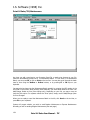
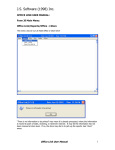
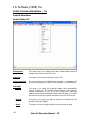
From JS Main Menu:
Point Of Sales/Till
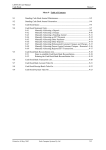
Maintenance
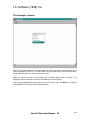
This menu option is for sending New Items, Deleted Items and Item
Changes from Inventory Item file to Tills.
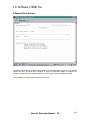
X Reports
This option is for collecting X Reports from the Tills.
Price Comparison
This option works with the Breakpoint till interface. A comparison will
report any discrepancies in retails or items between J.S. and Breakpoint.
Overnight
Update
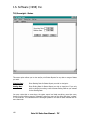
This option is for setting the Overnight Update, which automatically
receives Z totals from Tills, Updates pending Specials, and sends any
required Maintenance to Tills. If you are running extra accounting
modules such as Accounts Receivable and Frequent Shopper, this routine
will receive and send any required information to and from Tills as well.
Reports
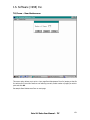
This option is for printing any Reports, which were received from Tills
during the Overnight Update.
Status
This option is for printing Status Reports by date or range of dates.
132
Point Of Sales User Manual - Till
J.S. Software (1998) Inc.
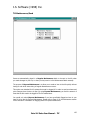
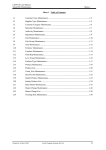
Forms
Item Maintenance Item Maintenance Forms are a four per page form for cashiers to fill out
for items which do not scan, or that are scanning incorrectly.
Scale
Maintenance
Report
This scale interface may be setup for the TEC SL9000 and Digi Scale
Download pricing and item information from POS to the scale
Report on products linked to the scale
Web
Load Driver
Categories
Report
The web interface will accommodate item updates to a web site
Export items to be updated on the web
List of categories setup in the system
Report on items flagged for web update
For details on the above menu options, please refer to following pages.
Point Of Sales User Manual - Till
133
J.S. Software (1998) Inc.
Point Of Sales/Till/Maintenance
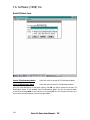
Any time you add a new item to your Inventory Item File, or make price changes in your file,
items are automatically placed into a Till Maintenance Batch. To view items in a Maintenance
Batch, you can press F6, or click on Print on the tool bar. You may also scroll through the batch
item by item using the NxtRec or PrvRec buttons, or by pressing F7 or F8 keys on your
keyboard.
You may also key items into the Maintenance Batch manually by entering the UPC number in the
UPC field on this screen. When entering items manually, you must select whether the item is an
Add/Change, Delete or Price (Price change only). Depending on your tills, you may or may not
have the Price option. For systems without the Price option, simply use the Add/Change option
for Price Changes.
When you are ready to send the Maintenance Batch to the tills, click Send on the tool bar, or
press F9 on your keyboard.
System will prompt whether you wish to send Regular Maintenance or Express Maintenance.
Normally you will be sending Regular Maintenance (see next page).
134
Point Of Sales User Manual - Till
J.S. Software (1998) Inc.
Till Maintenance/Send
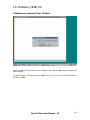
Items are automatically placed in a Regular Maintenance batch to be sent to the tills when
you make changes to your file, or when you key items in to the Maintenance Batch manually.
The purpose of Express Maintenance is to allow you to send an item to the tills quickly without
having to wait while items sitting in Regular Maintenance are sent.
This option was intended for till systems that must be logged off in order to send new items and
price changes when the store is open. By using Express Maintenance, you limit the amount of
time that the tills need to be logged off for file maintenance.
You would only select Express Maintenance if you have specifically flagged an item in your
item file to be sent by Express Maintenance. Please refer to Page 20 in the Maintenance section
of this manual for information on flagging items for Express Maintenance.
Point Of Sales User Manual - Till
135
J.S. Software (1998) Inc.
Till Maintenance/Options
Build Till Batch
This option is used to build a Till Maintenance Batch by a range
of UPC, Item Code, Mixmatch, Subdepartment, etc.
Clear Till Batch
This option is used to clear an existing Till Maintenance Batch.
Overnight Batch
This option is used to re-send an Overnight Batch.
Send Complete File
This option is used to send your entire Inventory Item File to the
Tills.
PLU List
This option is used to print an alphabetical list of a range of UPC
numbers. Commonly used to print a list of Produce PLU’s for the
Cashiers. This option will also send a copy of the list to Tills if
they are capable of displaying such a list.
Send File Display
This option applies to Tills with the capability to display a list of
PLU’s on screen for the Cashiers.
Print Journal
Print a Breakpoint journal for a specific day/lane
136
Point Of Sales User Manual - Till
J.S. Software (1998) Inc.
Till Maintenance/Options/Build Till Batch
Till Action
Select Till Action from list. Your choice of actions will depend on the type
of Tills you have.
Batch By
Select how you wish to build you Till Batch from the list shown.
Starting
Select Starting range to batch items by.
Ending
Select Ending range to batch items by.
Once you have selected how to build your Till Maintenance Batch, click OK. System will then
build a batch and generate and Edit List.
Point Of Sales User Manual - Till
137
J.S. Software (1998) Inc.
Build Till Batch Cont.
Cancel Till Maintenance Batch
Select this option to cancel the Till Maintenance Batch.
Save Till Maintenance Batch
Select this option to save the Till Maintenance Batch.
Once you have selected one of the above options, click OK. You will be returned to the main Till
Maintenance screen. If you selected “Save Till Maintenance Batch” you can now send the batch
to the tills by clicking Send on the Tool Bar, or by pressing F9. Or, you can leave the batch as is
and it will be sent automatically by the Overnight Update.
138
Point Of Sales User Manual - Till
J.S. Software (1998) Inc.
Till Maintenance/Options/Clear Till Batch
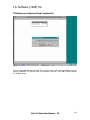
When you select Clear Till Batch from the Till Options menu and click OK, system will display the
above message.
To clear All items in Till Maintenance, click Yes. If you do not wish to clear Till Maintenance at
this time, click No.
Point Of Sales User Manual - Till
139
J.S. Software (1998) Inc.
Till Maintenance/Options/Overnight Batch
This option is used in the event that you need to re-send a Till Maintenance Batch that was built
by the Overnight Update. During the Overnight Update routine, any specials that are due to go
on or come off are updated automatically, placed in a Till Maintenance Batch and sent to the tills.
Select the day of the week from the list and click OK. The screen will appear as if you are back
at the main Till Maintenance screen except that in the top left corner it will indicate the day of
the week. E.g. Monday’s Till Maintenance.
You may then send the overnight batch by clicking Send on the Tool Bar or by pressing F9.
140
Point Of Sales User Manual - Till
J.S. Software (1998) Inc.
Till Maintenance/Options/Send Complete File
Once you have selected Send Complete File from the options menu and clicked OK, system will
prompt “WARNING! Till operation may be interrupted. Continue?” Click Yes to send complete
file, or No to cancel.
Point Of Sales User Manual - Till
141
J.S. Software (1998) Inc.
Till Maintenance/Options/PLU List
PLU Range
Enter range of PLU’s you wish to have printed.
Number of Copies
Enter number of copies you wish to have printed.
If you are running Breakpoint Tills, you can use this routine to send a PLU List to your tills. If you
wish to send the list without printing any hard copies, enter 0 (zero) in the Number of Copies
field. Click OK to print/send the PLU List.
142
Point Of Sales User Manual - Till
J.S. Software (1998) Inc.
Till Maintenance/Options/Send File Display
File Number
Enter the Display File number of the File Display you wish to send.
This option applies to Breakpoint Tills only. PLU File Display numbers are assigned to items in
your Inventory Item file in order to allow more than one List at the tills.
Please refer to page 29 in the Maintenance section of this manual for programming File Display
numbers.
Point Of Sales User Manual - Till
143
J.S. Software (1998) Inc.
Till/X Reports
This section is for collecting X Reports from your tills. Select the reports you wish to pull from the
tills by double clicking with the mouse, or by highlighting the report name using the up/down
arrow keys and pressing Enter.
Once you have selected all the reports you wish to collect, click Exit on the Tool Bar, or press F4
to execute the report collection request.
When the reports have been received from the tills you may preview them and then print them,
or if you do not wish to print them click File then Close on the print preview screen.
See sample of print preview on next page.
144
Point Of Sales User Manual - Till
J.S. Software (1998) Inc.
X Reports/Print Preview
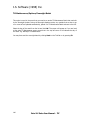
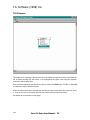
The above sample screen shows the print preview of the Status Report. Any time you request
reports from the Tills either with X Reports or using the Overnight Update, the system will
generate a Status Report to indicate whether or not the reports were successfully received.
In this example, no reports were received from the tills.
Point Of Sales User Manual - Till
145
J.S. Software (1998) Inc.
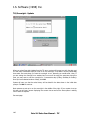
Till/Overnight - Update
When you select Overnight Update from the Till menu, system will prompt you with the date, and
for how many consecutive days you wish to run the overnight. If the date is correct, select Yes,
then select how many days you want the overnight to run. Normally you would select 1 day. If
you are setting the overnight on a weekend and no one will be using the computer during this
time, you may want to set the overnight for 3 consecutive days (Friday, Saturday & Sunday).
Once you have selected number of days, click OK.
System will warn you that the sales history will be dated for the date shown in the initial date
prompt. Click OK to continue.
Most systems are set up to run the overnight in the middle of the night. If your system is set up
this way you will see a screen displaying the current time as well as the time system is waiting
until to start the Update.
See next page.
146
Point Of Sales User Manual - Till
J.S. Software (1998) Inc.
Overnight - Update Cont.
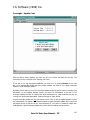
Once the above screen appears, you may turn off your monitor and leave for the day. The
system will run the overnight at the “Waiting until” time.
If you wish to run the overnight immediately, you may do so by clicking Execute on the Tool
Bar, or by pressing F3. System will then prompt whether you want to run a Quick Overnight
Update or a Full Overnight Update.
Normally you will want to run a Full Overnight Update as this will pull all reports, including item
movement, run the Update Specials routine, and send Till Maintenance to the tills. A Full
Overnight Update will also do reports and send maintenance for other modules you may be
running such as Accounts Receivable, Frequent Shopper or Video Rental.
A Quick Overnight Update will only pull reports from the tills. It will not update specials or send
any maintenance. On regular Cash Register systems a Quick Overnight Update will not pull item
movement reports as this can be very time consuming. If you have a PC based till system such
as Breakpoint, a Quick Overnight Update will pull all reports including item movement.
Point Of Sales User Manual - Till
147
J.S. Software (1998) Inc.
Overnight - Update Cont.
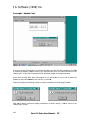
If you have chosen Execute Now, the system will prompt you with the above message. Click Yes
to execute the Update, or No to cancel. If you click No at this point, the system will return to the
“Waiting Until” screen and will execute the Full Overnight Update at the appointed time.
At this time you may either leave the computer to run the Update, or if you wish to cancel the
Update you may click Cancel on the Tool Bar, or press F4.
System will display the following prompt to confirm cancellation of the Overnight Update:
Click Yes to cancel (system will display confirmation as shown above), or No to return to the
“Waiting Until” screen.
148
Point Of Sales User Manual - Till
J.S. Software (1998) Inc.
Till/Overnight - Reports
After the Overnight Update has run, the system will display the above screen showing a list of
reports received from the Tills. The Status Report tells you what reports have been received or
not received and whether or not any files were corrupt.
Select any reports you wish to view and/or print by double clicking with the mouse or by
highlighting with the up/down arrow keys and selecting with the Enter key.
Once you have selected all the reports you wish to view and/or print, click Exit on the Tool Bar
or press F4 to go to the Windows Print Preview screen.
Point Of Sales User Manual - Till
149
J.S. Software (1998) Inc.
Till/Overnight - Status
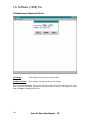
This menu option allows you to view and/or print Status Reports for any date or range of dates
you wish.
Starting Date
Enter Starting Date for Status Report you wish to view/print.
Ending Date
Enter Ending Date for Status Report you wish to view/print. If you only
wish to view/print one day, enter the same Ending Date as you entered
for the Starting Date.
You may notice that on some days, the status report has listed everything more than once.
Usually one list will show reports “successful” and one or more of the others will show “no data”
or “not received”. This indicates that the Overnight Update for the date or dates selected was run
more than once.
150
Point Of Sales User Manual - Till
J.S. Software (1998) Inc.
Till/Forms – Item Maintenance
This menu option allows you to print a 4 per page Item Maintenance Form for keeping at the tills
for cashiers to fill out when Items are not scanning correctly. Select number of pages you wish to
print and click OK.
See sample Item Maintenance Form on next page.
Point Of Sales User Manual - Till
151