1
About This Manual
Organization
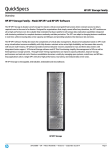
H3C Neocean VX1500 Series Network Storage System Installation Manual describes hardware
features, device installation, cable installation, system startup, and troubleshooting for the H3C
Neocean VX1500 network storage system (hereinafter referred to as the VX1500). Before installing the
components of the VX1500, read this manual carefully so as to avoid possible equipment damage or
personal injury. This manual is organized as follows:
Chapter
Contents
1 Product Overview
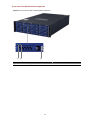
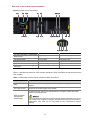
Describes the components of the VX1500.
2 Preparing for Installation
Describes the preparations and precautions for
installing the VX1500.
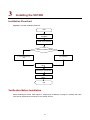
3. Installing the VX1500
Describes the method of installing a VX1500 and
the cables.
4 Setting Up Initial Configuration and Displaying
Startup Information
Describes the initial configuration and startup
information of the VX1500.
5 Troubleshooting
Describes the possible problems during the
installation and startup of the VX1500 and the
solutions.
Appendix A Labeling and Routing Cables
Provides guidance on how to use labels and
route cables.
Appendix B Compliance and Safety Manual
Provides regulatory compliance information and
safety information.
Intended Audience
This manual assumes that the reader has the basic knowledge of network storage systems. It aims to
familiarize storage system administrators with hardware features of the VX1500 components, and to
provide guidance for the installation of the VX1500 and its cables.
Conventions
The manual uses the following conventions:
GUI conventions
Convention
Description
Boldface
Window names, button names, field names, and menu items are in
Boldface. For example, the New User window appears; click OK.
>
Multi-level menus are separated by angle brackets. For example, File >
Create > Folder.