1
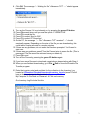
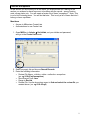
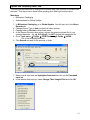
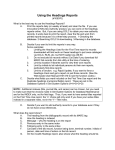
Software settings – the very first time you use the software, check the settings
and make sure they are correct for your setup. Go to Options
Settings…
Our serial cable is plugged into COM1 so our settings look like this:
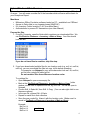
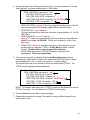
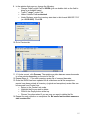
3. Go to Options
Connect. The message “--- Communications port opened. ---”
should appear immediately.
4. Go to File
Receive.
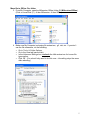
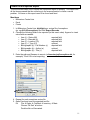
5. Navigate to the folder you wish to download the file to (we use CircDesk on
Fileserver > Inventory > Main or Hrmy). Use the Folders and Drives section on
the right side of the window to navigate.
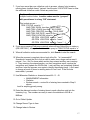
6. Once you are pointing to the correct folder, enter the filename for the inventory
section you are downloading. The filename should always be the location code
you scanned (ex. “mjf.txt” for Main Juvenile Fiction).
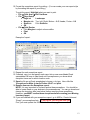
7. If you are downloading part of a large collection (Adult Nonfiction, for example),
you should number each file for that section (ex. mx1.txt, mx2.txt, mx3.txt, etc).
2