1
Find the Exceptions
In this section you are looking for all the items you scanned that don’t belong in the
section you scanned or have some sort of problem with the record – wrong location
code, wrong status, etc. You will create a review file of these “exceptions”. Note: This
is not a list of missing items. You will do that later. This is only a list of items that don’t
belong or have a problem.
Must have
• Access to Millennium Create Lists
• Authorizations to use Create Lists
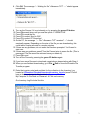
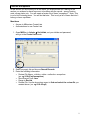
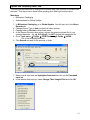
1. Open MilCirc, in Admin
Set Initials, set your initials and password,
and go to the Create Lists mode.
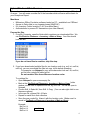
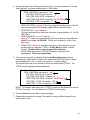
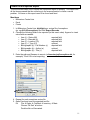
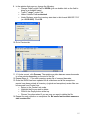
2. Select an empty list and choose Search Records.
3. Enter the following information:
• Review File Name: <initials> <date> <collection> exceptions
(ex. cg 9-19-05 mjf exceptions)
• Store Record Type: Item
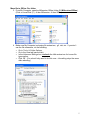
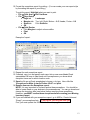
• Range to Review
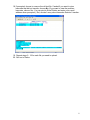
• Review File: Use the drop-down menu to find and select the review file you
created above. (ex. cg 9-19-05 mjf)
9